
 X
 facebook
 WhatsApp
 Email
Introduction
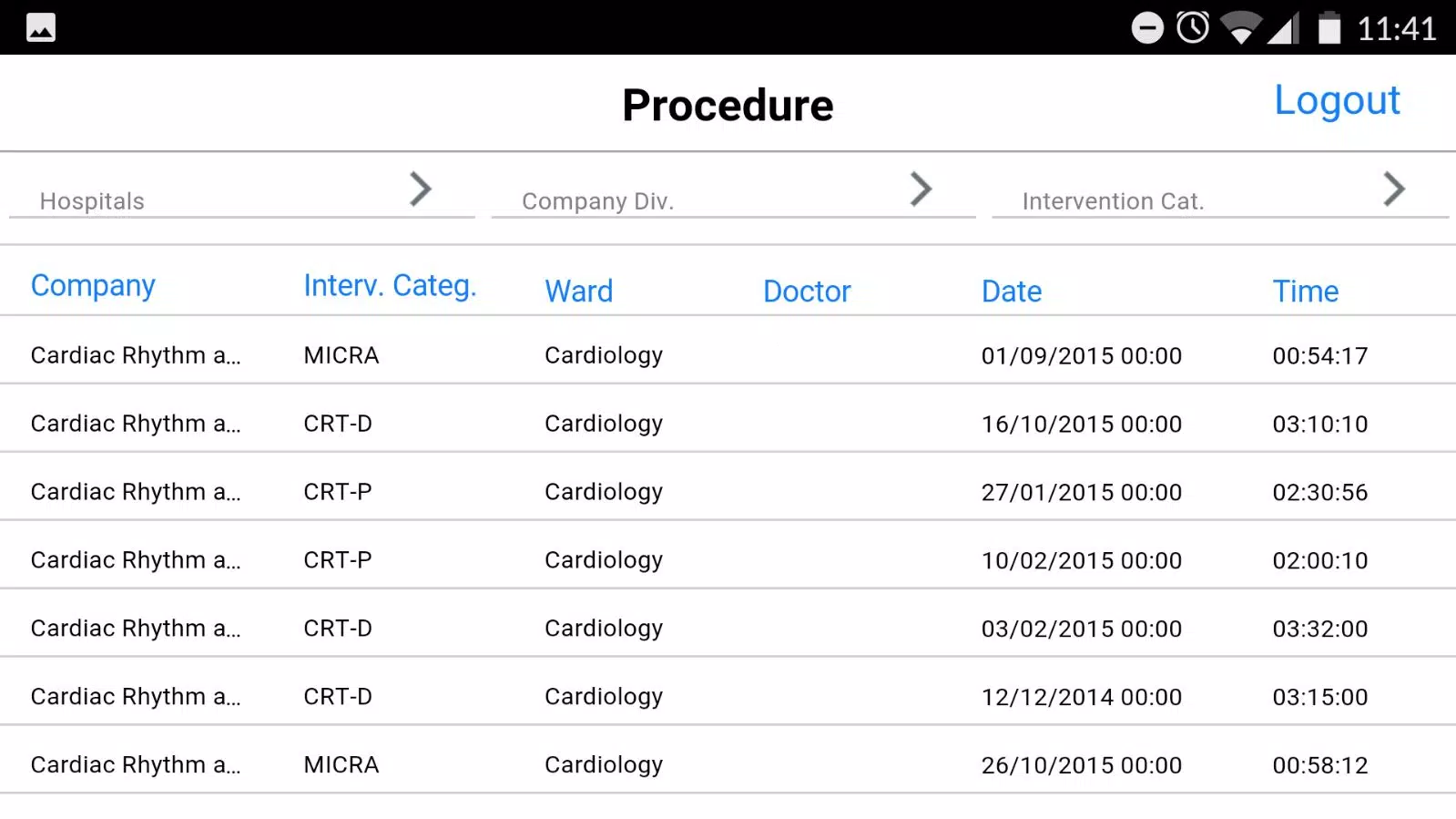
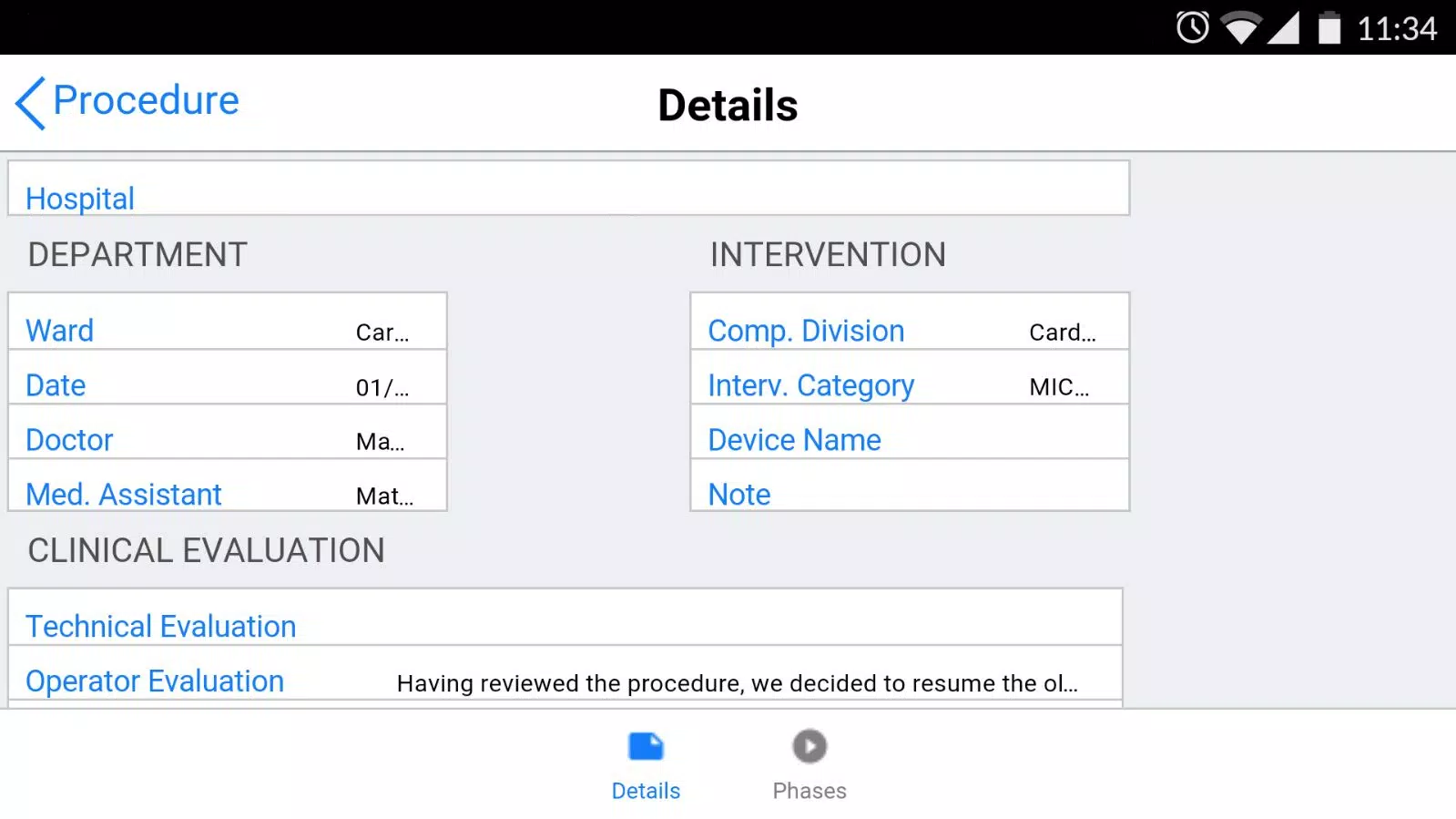
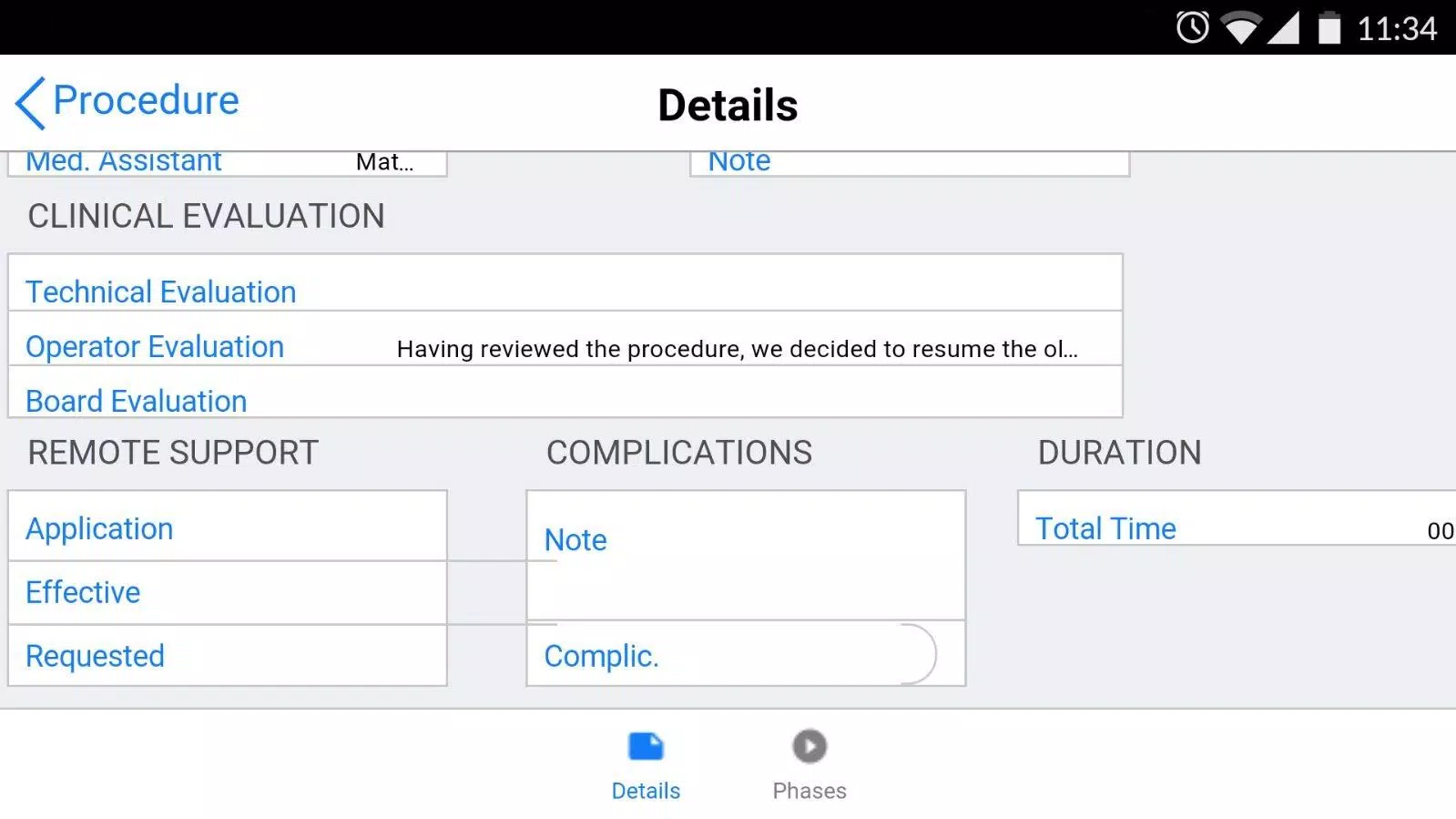
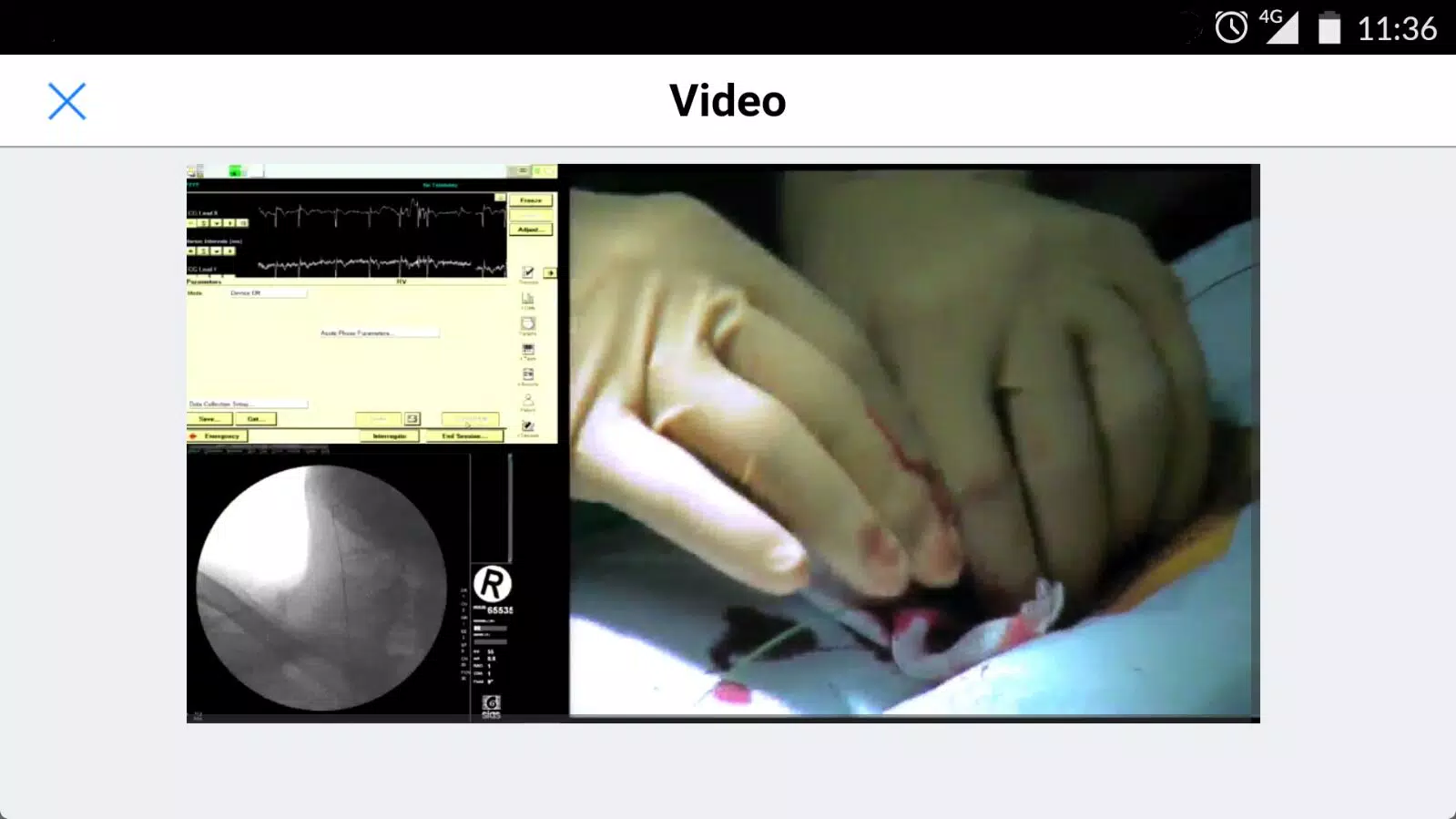
The OneViewX Data Manager App puts a secure, searchable clinical record library into the palm of clinicians and administrators, giving immediate mobile access to procedure metadata and recorded intervention phases for review, training and documentation. With OneViewX Data Manager App you can quickly pull up case details such as date, intervention type, location and operator, play back recorded video of key moments, and prepare materials between appointments on smartphones and tablets without navigating a desktop system.
Key features and how they help daily workflows
The app’s core is a streamlined viewer that presents procedure metadata alongside video recordings so you can understand context at a glance. Metadata fields are clearly labeled and tappable to open video segments tied to that phase of the procedure. Search and filter tools let you locate cases by date range, intervention type, location or operator, while thumbnail previews and a timeline scrubber speed up finding the exact moment you need for training or quality review. Seamless sync with OneViewX Cloud maintains a single source of truth; local caching lets you open recently viewed records when you have limited connectivity, and automatic sync updates records when a connection is restored.
User experience, controls and playback
Navigation is optimized for touch: swipe and tap gestures provide consistent movement through lists and case folders, while familiar controls—play/pause, scrub, and volume—are placed for one-handed use on phones and wider controls on tablets. Video playback supports frame-accurate seeking so reviewers can jump to intervention milestones quickly. The app also includes adjustable playback speed and clear on-screen timestamps to support training sessions where repeated viewing of a short sequence is required. Search suggestions and recent searches reduce repetitive typing and help clinicians find relevant cases faster.
Organization, progression and customization
The OneViewX Data Manager App organizes records into a centralized library with filterable views and intuitive progression from summary to full detail so users can move from high-level case lists to minute-by-minute review without losing context. Administrators can define access scopes and default views to match local workflows; clinicians can customize display preferences, such as default sort order and preferred playback speed, to match how they review material. Onboarding is designed as a short, contextual walkthrough that introduces key actions—search, play, and sync—so new users become productive with minimal training.
Structure, replay value and training support
Cases are arranged into modular entries that pair metadata with recorded phases. This structure supports repeated review: trainees can revisit the same clip multiple times, compare phases across cases, and use bookmarking and timeline positions to return to instructive moments. The app’s ability to replay recorded segments makes it a practical tool for quality assurance meetings and for preparing teaching materials without exporting large files manually. Consistent visual cues and compact summaries increase the likelihood that clinicians will use recordings regularly as part of ongoing professional development.
Accessibility, offline use and practical limitations
Accessibility features include readable typography, high-contrast elements for better visibility, and touch targets sized to accommodate mobile interaction. Offline access is practical for recently synced or cached items so you can review cases between appointments; however, the app requires a connection to OneViewX Cloud to sync and access the latest records and to upload any changes. Performance optimizations reduce bandwidth usage and conserve device storage, but large video libraries will require appropriate storage planning at the organization level.
Security, reliability and real-world constraints
The OneViewX Data Manager App is built to work with secure cloud deployments and supports role-based access patterns and encrypted data transfer to protect clinical information in transit. Audit-friendly timestamps and consistent metadata reduce ambiguity when reviewing records for documentation or quality assurance. Practical constraints include the need for network access to get up-to-the-minute records and the fact that the mobile interface focuses on review and management rather than full desktop-style case editing; organizations that rely on desktop workflows should view the app as a complementary mobile tool rather than a replacement.
Overall, OneViewX Data Manager App is a focused mobile companion for clinicians and administrators who need fast, organized access to procedure records and recorded intervention phases. It emphasizes quick lookup, reliable playback, and secure synchronization so clinical teams can review and document cases efficiently while on the move.
Information
What would it be like to download video software for free? In this collection, you can find various video software that interests you, whether it’s video players or video editors—everything you need is here. All of it is provided for free, allowing you to download with ease and without any worries.






User Comments

ESPGHAN 2022 is the official congress app for the 54th Annual Meeting of ESPGHAN, built to streamline your conference experience by putting the scientific programme, session details and networking tools into a single mobile interface. Use it to browse and search the full programme, create a personalised schedule with reminders, and join live Q&A sessions and polls during presentations. The app also lists sponsors and offers an exhibition floor plan with booth locations to help you find exhibitors quickly. Whether you're attending sessions or navigating the exhibition hall, ESPGHAN 2022 keeps key information and engagement tools at your fingertips.
Ithylo is a practical alcohol screening and test-management app designed for individuals and professional teams who need a reliable, secure way to perform, document and review breath, saliva and other supported screening methods. The app centralizes each screening into a clear, camera-guided workflow, requires secure sign-in so only authorized users can access results, and produces on-screen findings that synchronize for storage or controlled sharing. Whether you are managing occasional personal monitoring or an organized safety program, Ithylo focuses on repeatable procedures and straightforward record-keeping.

Clinicum is a personal healthcare assistant app that centralizes your medical information, policy management and provider communication so you can handle appointments, authorizations and medical references from your phone. Designed to be a reliable pocket resource, Clinicum keeps important documents, favorite sections of medical guides and authorization status updates within easy reach, reducing paperwork and follow-ups. Users will appreciate how the app streamlines contact with clinicians and health services, offers location-based pharmacy search, and organizes insurance and consultation processes to save time and lower stress during routine healthcare tasks.

Introducing DrugStoc - the ultimate solution for healthcare providers looking to order quality pharmaceuticals efficiently. Whether you're a doctor, pharmacist, hospital, or nursing home, DrugStoc offers a vast selection of medications, medical consumables, and devices available for wholesale orders with 24-hour delivery. With a user-friendly interface, real-time order tracking, and live chat support, DrugStoc makes the procurement process seamless. Get access to over 10,000 medicines from top brands like GSK and Pfizer at competitive prices. Trust DrugStoc's comprehensive medicine information to make informed decisions. Join the award-winning platform that's revolutionizing the healthcare industry since 2015.

iDental Care App is a practical dental-health tool that helps users understand symptoms, receive oral-care guidance and locate nearby clinics and pharmacies. The app combines a symptom analysis module with daily health tips and direct email access to doctors so patients can get guidance when they need it, while a clean, easy-to-use interface keeps navigation straightforward. Whether you want quick advice, reminders about oral hygiene or directions to local dental services, the iDental Care App offers a compact set of functions to support everyday dental wellbeing and informed decisions about care.
MEMS Mobile Topaz MEMS Mobile Topaz MEMS Mobile Topaz is a mobile application that reads data from sensor-equipped medication blisters, helping healthcare teams and caregivers monitor adherence and dosing behavior by capturing timestamps and dosing patterns for clear, secure reporting.