
 X
X
 facebook
 WhatsApp
 Email
Email
Introduction
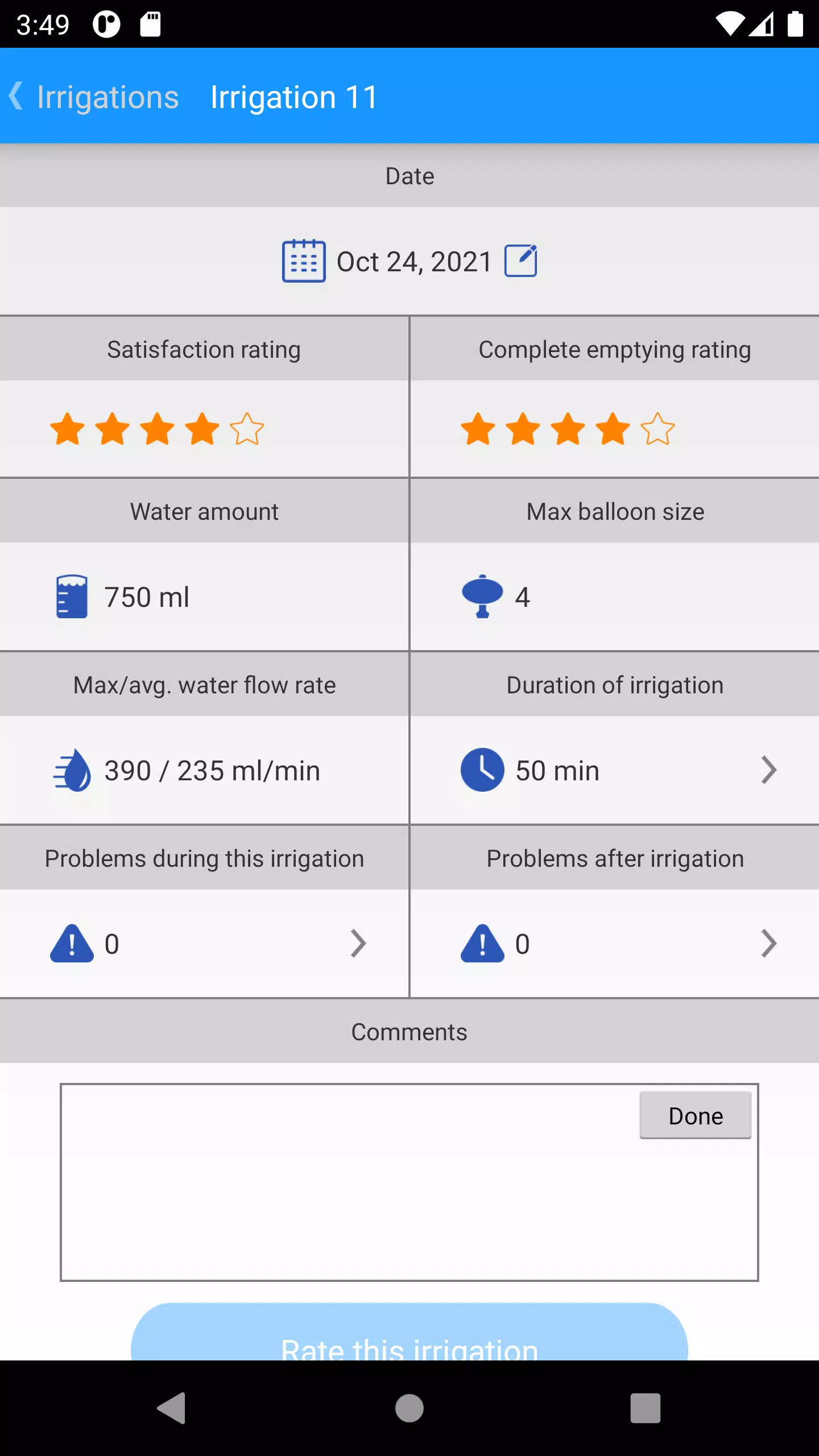
Navina Smart is a companion mobile application designed for people who use Transanal Irrigation (TAI); the Navina Smart app combines objective device readings with short post-session feedback so users and clinicians can monitor bowel care more effectively. This introduction outlines how the app captures session timing, duration, balloon size and water volume from the Navina Smart control unit and pairs those measurements with subjective ratings of comfort and effectiveness to create an actionable record of therapy over time. The description that follows explains the app’s main features, typical workflows, accessibility considerations and real-world limitations so you can decide whether it fits into your care routine.
Key features and user workflow
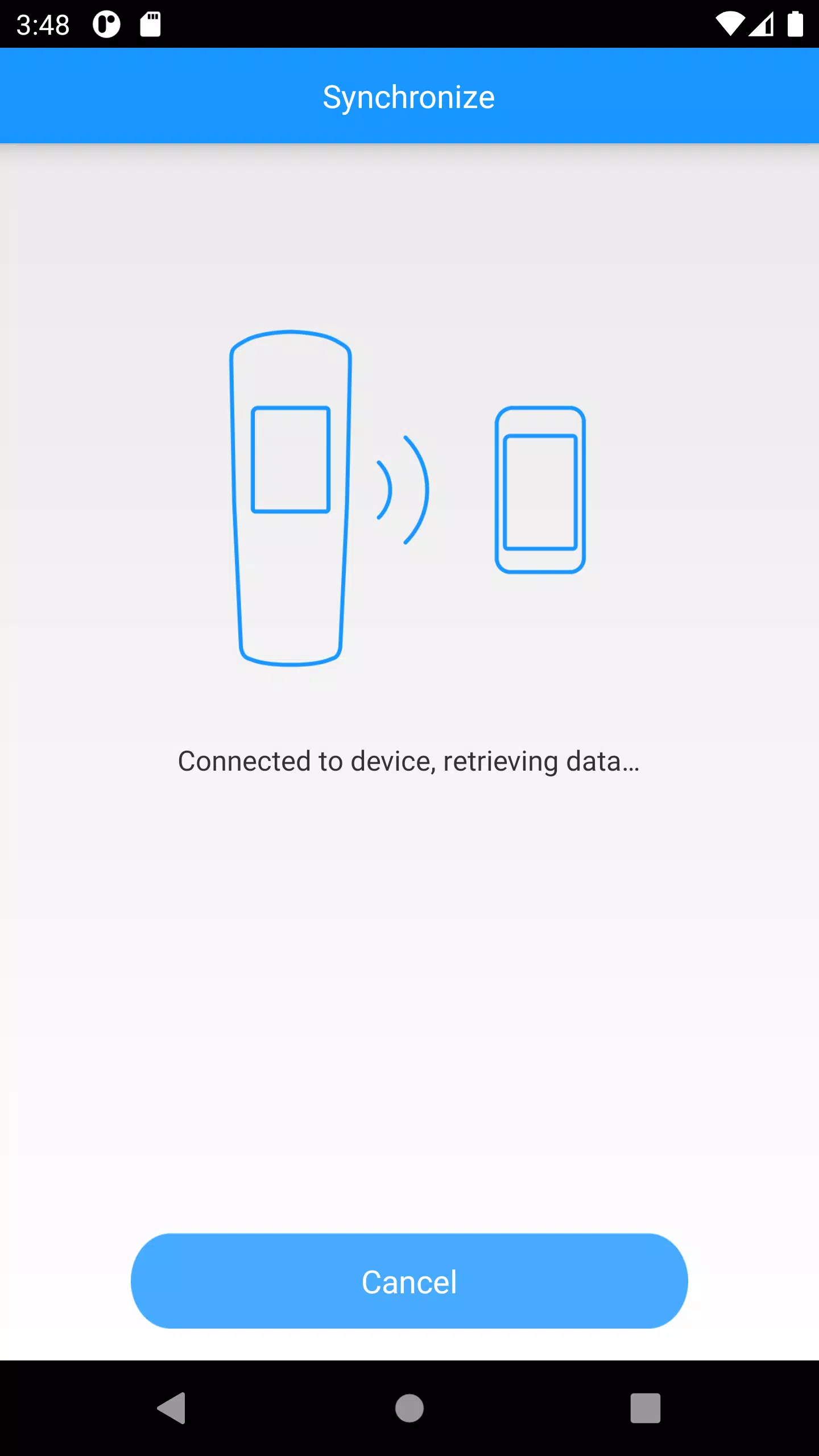
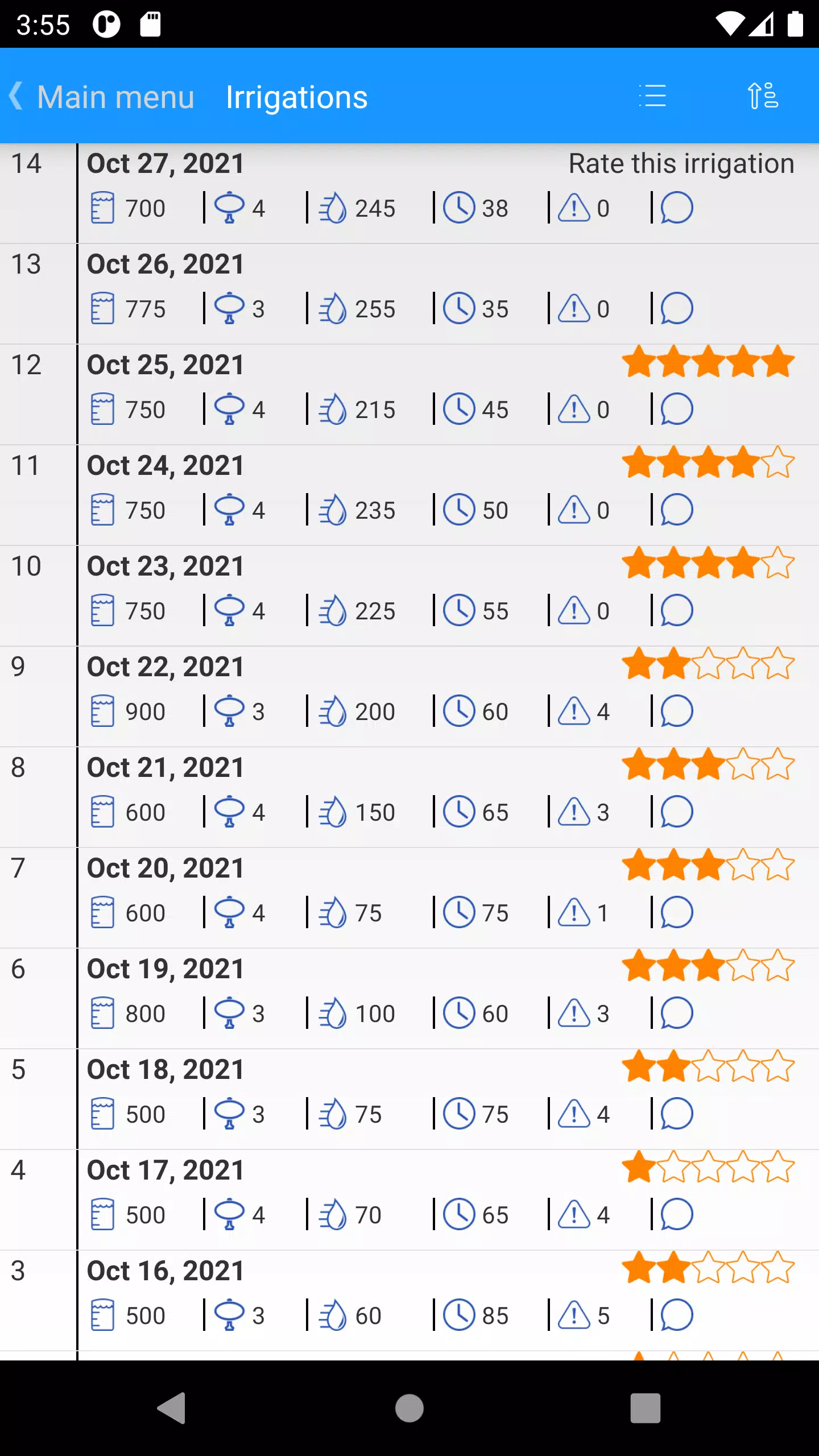
The app automatically receives session data from the Navina Smart control unit via Bluetooth, recording timestamps, session length, balloon size and the amount of irrigation fluid used. After each session the app prompts a brief guided questionnaire with simple, optional questions about comfort, leakage, urgency and perceived effectiveness; these inputs take only seconds and are designed to create a fuller picture of outcomes. Data is presented in a clear, chronological timeline and in trend views so you can review individual sessions or longer-term progress. Typical use involves pairing the control unit once, starting a session on the device, then reviewing and answering the short questionnaire in the app; the combined record is available immediately for review on-screen.
Controls, navigation and visual style
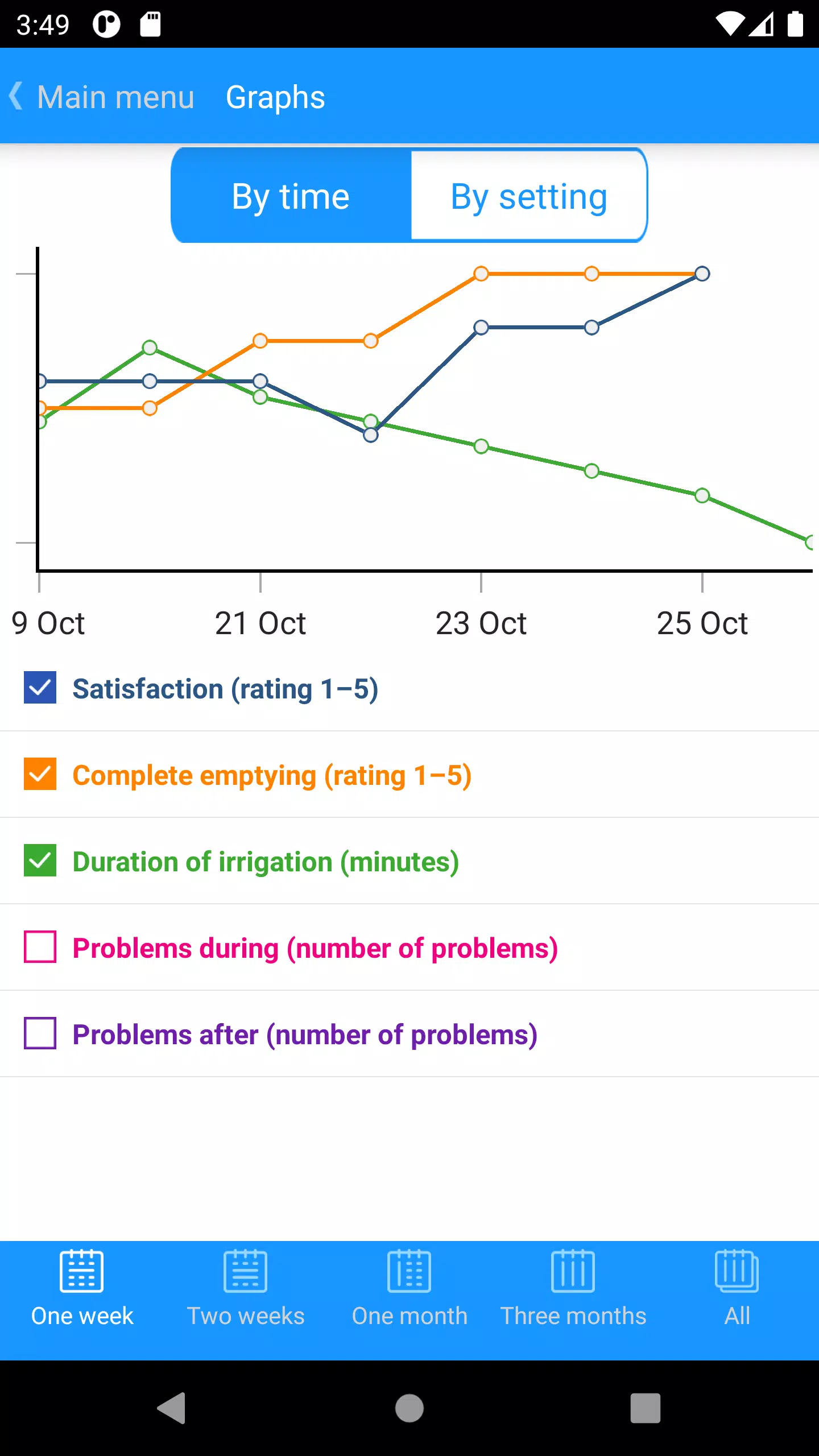
Navigation is centered on a session list and a trend dashboard. Large touch targets and straightforward icons make it simple to start a new entry, view recent sessions, or open a chart. Charts use color and line or bar formats to show change over weeks and months; tooltips and labels make numeric values easy to read. The visual style prioritizes legibility and calm, medical-appropriate colors rather than high-contrast game-like visuals, helping keep focus on clinical information. The app also offers adjustable chart ranges and sorting filters so you can surface the most relevant data for a clinic visit or personal review.
Progression, personalization and adherence support
Rather than a game-style progression system, the app focuses on measurable therapy progression: you can track frequency of sessions, changes in water volume or balloon size, and subjective comfort scores over time. These measurable trends help identify what adjustments correlate with better outcomes. Personalization options include choosing which metrics appear on the main dashboard and adjusting how many weeks of history are displayed. By making session review straightforward and visually meaningful, the app aims to support adherence and routine—two key elements for clinical effectiveness.
Replay value, offline behavior and data handling
The value of repeated use comes from accumulating a longitudinal record; the more sessions logged, the clearer the trend lines become. The app stores session records locally when a control unit is out of Bluetooth range and updates the timeline when a connection is re-established, ensuring no immediate loss of recent entries. All data is kept on the device in a secured manner and presented in formats suitable for discussion with your clinician during appointments; the app is designed to let you review summaries in-session without requiring continuous internet access.
Accessibility and user experience
Navina Smart is designed for a broad range of users, emphasizing clear language, uncluttered screens and controls large enough for easy tapping. The interface supports common accessibility features such as screen reader compatibility and scalable text. Where appropriate, contrast and font size options help users with low vision, and step-by-step on-screen prompts guide less experienced users through pairing and post-session questionnaires. The intent is to reduce friction so users can focus on clinical outcomes rather than app mechanics.
Limitations and expected setup
Automatic data capture depends on using the Navina Smart control unit, so standalone use without the device is limited. Bluetooth pairing is required and may add a setup step; the app includes pairing instructions and status indicators to simplify this process. Because post-session feedback is self-reported, subjective answers can vary between sessions and depend on consistent user input. These constraints reflect typical real-world use and are balanced by the clarity of combined objective and subjective data the app provides to support individualized care planning.
Information
 Google Play
User Comments

Аптека is a mobile pharmacy app (Good Day Pharmacy) that helps you find, reserve and manage medicines and health products from pharmacies across Ukraine. The app lets you search nearby locations, check product availability, and book items for immediate redemption, saving time and unnecessary visits. Аптека also integrates a digital loyalty program with a virtual bonus card, shows your bonus balance and purchase history, and delivers personal offers and medication reminders. With information on opening hours, contacts and detailed product instructions for thousands of SKUs, Аптека aims to simplify routine pharmacy tasks on your phone.
Navi Radiography Pro is a compact, offline radiography reference designed to put an interactive atlas and step-by-step exposure guidance into the palm of your hand. The app combines matched 3D visualizations of X-ray beam direction, patient positioning and synchronized skin, bone and radiograph overlays so that radiologic technologists, radiographers, radiologists and students can quickly clarify projection geometry and expected image appearance during clinical work or study. This editor’s introduction highlights how the interface, visual models and study workflow are arranged to support practical learning and on-shift decision making.

My Derm is a free, clinician-developed app that helps people with inflammatory skin conditions monitor symptoms, manage treatments, and access trusted educational resources to support daily wellbeing. Built with input from patients and dermatology professionals, My Derm brings personal health records, medication and appointment reminders, symptom and lifestyle tracking, and a curated educational feed together in a single, easy-to-use mobile experience designed to support long-term self-management and better conversations with clinicians.
Centro Médico is a mobile application designed for members of the Salto Medical Center that centralizes appointment scheduling, test results, diagnostic images and medication records on a smartphone. The app streamlines routine healthcare tasks—book consultations with specialists, view laboratory and imaging reports, and keep track of prescriptions—so patients can manage their care without unnecessary calls or visits. Users seeking faster access to medical information and clearer communication with clinicians will find Centro Médico useful for staying informed and handling appointments and treatments from anywhere with an intuitive, patient-focused interface.
Mammakarzinom onkowissen is a clinical reference app created for oncology professionals who require clear, practical guidance on metastatic breast cancer at the point of care. The Mammakarzinom onkowissen interface consolidates diagnostic pathways, subtype-specific therapy algorithms and concise drug information into a mobile-oriented layout so clinicians can quickly find evidence-informed options for HR+, HER2+ and triple-negative disease.
CVA Flow is a secure clinical communication app designed to streamline time-sensitive stroke workflows and support coordinated decision-making across EMS crews, emergency departments and remote specialists. This editor introduction explains how CVA Flow organizes cases, the controls and progression tools clinicians rely on during urgent events, and the practical balance it strikes between usability and strict privacy controls for regulated healthcare settings.