

 X
 facebook
 WhatsApp
 Email
Introduction
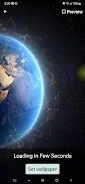
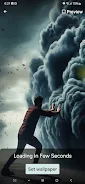
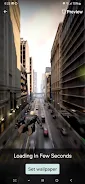
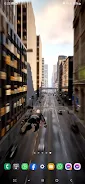
Wallpapers for Samsung is a curated wallpaper app that delivers high-resolution images optimized for Samsung displays. It organizes backgrounds into categories, supports auto-wallpaper scheduling and quick previews, and simplifies personalization while preserving battery life and aspect ratios for Galaxy phones and tablets.
Overview
Designed for Galaxy owners who want a fast, reliable way to refresh their home and lock screens, Wallpapers for Samsung focuses on quality and usability. The app collects wallpapers in multiple resolutions, ensures proper cropping for different screen sizes, and groups images by style so you can find what fits your mood or theme in seconds.
Key capabilities at a glance
- High-resolution library: Images optimized for AMOLED and LCD displays.
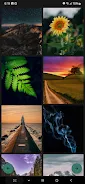
- Category browsing: Landscapes, abstract, minimal, tech, and seasonal collections.
- Auto-change: Schedule wallpaper rotations by time or location.
- Preview & crop: Live preview with precise crop controls for multi-screen devices.
User interface and navigation
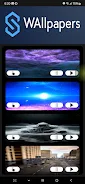
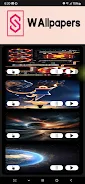
The interface keeps common tasks within one or two taps. A bottom navigation bar separates the main sections: Featured, Categories, Favorites, and Settings. Each wallpaper entry includes metadata about resolution, aspect ratio and suggested display modes, which is useful when choosing wallpapers for foldable or tablet devices. Tools for quick favoriting and sharing are accessible from the preview screen.
Tools and personalization options
Wallpapers for Samsung provides several practical tools to tailor backgrounds to your device. A built-in cropper ensures correct framing across different Samsung models. The app also supports dynamic brightness-aware wallpapers that adjust to dark and light modes to reduce eye strain and maintain battery efficiency. You can apply a wallpaper to the home screen, lock screen, or both with independent settings.
Performance and optimization
Responsiveness is a priority: thumbnails load through a lightweight cache system and full-resolution images download only when requested. This reduces mobile data usage and keeps the app snappy on older Galaxy devices. Memory management is tuned to prevent background image processing from impacting multitasking performance during typical use.
Installation and getting started
Installing Wallpapers for Samsung is straightforward from the app store. After launch, grant optional storage permission to save favorites offline. The initial setup walks you through selecting your preferred categories and enables an optional daily wallpaper suggestion. If you have multiple Samsung devices, synchronization through the same account makes it easy to keep a consistent look across phone and tablet.
Tips for new users
- Use filters: Narrow results by color palette and orientation before browsing large collections.
- Set schedules: Create morning and evening themes to match ambient lighting.
- Test previews: Try both home and lock screen previews to see how widgets or notifications interact with complex images.
- Save data: Enable Wi-Fi-only downloads for high-resolution images to avoid mobile data use.
Why users choose it
People pick Wallpapers for Samsung for its blend of curated artistry and practical features. Photographers and designers appreciate the curated collections and metadata. Casual users value the simplicity of changing themes and the auto-rotate schedules that keep their phones looking fresh without manual effort. The app strikes a balance between style and control.
Compatibility and support
Compatibility covers most modern Samsung devices, including Galaxy S, Note, A-series, and supported foldables. Regular updates deliver new wallpaper packs and maintain compatibility with the latest Android and One UI releases. Support documentation explains common questions about cropping, aspect ratios, and storage management.
Final thoughts on customization
If you want a hassle-free way to personalize a Samsung phone, Wallpapers for Samsung brings focused features without overwhelming extras. It makes finding, previewing, and scheduling wallpapers intuitive while paying attention to performance and device differences. The app is a practical choice for users who frequently refresh their phones’ visual style.
Information
User Comments

Introducing Phone Ringtones - the ultimate solution to boring phone ringtone music! Say goodbye to generic tones and hello to a world of personalized ringtones that reflect your unique style. With a vast collection of the latest iphone ringtones, notification sounds, and remixes, you'll never have to settle for default sounds again. Our user-friendly app allows for easy customization, so you can set different ringtones for contacts and alarms with ease. And with added features like wallpapers and the ability to share with friends, Phone Ringtones is more than just a ringtone app - it's a complete phone makeover experience. Upgrade your phone now with Phone Ringtones and let your personality shine through!

Upgrade your Android device with the most comprehensive icon pack available today from ENIX. With over 4200 unique icons and regular updates to keep up with the latest trends, your home screen will never look the same. But that's not all - the motion calendar feature offers a fresh take on the traditional calendar view, while a diverse collection of stunning 3D wallpapers adds a whole new level of customization. With ENIX, your phone will always be up-to-date and your user experience will be maximized to its full potential. Try it now and see the difference!
Experience the ultimate personalization for your mobile device with iPhone 11 Pro max. This innovative app provides you with a wide range of stunning themes, icons, and wallpapers designed in 4D to give your phone a fresh and stylish look. With a variety of categories to choose from, you can easily customize your screen display with high-quality graphics and unique designs. The app is user-friendly, free to use, and allows you to easily change and customize icons and names for any app on your device. Give your phone a makeover and download iPhone 11 Pro max today to transform your mobile experience.
Looking to make your phone stand out with a fresh new look? Look no further than Mellows Theme! This comprehensive launcher beautification program covers icons, wallpaper, folders, menus, skins, and more to give your phone a complete makeover. Compatible with popular launchers like CLauncher, Go Launcher EX, and iOS 7 Launcher, Mellows Theme offers a variety of wallpapers and lockers to suit your style. With C Launcher, you can simplify, beautify, and supercharge your Android phone with tools to save battery life and clean up junk files. Download Mellows Theme now and transform your phone into a true reflection of your personality!
USB Screen Share - Phone to TV is the ultimate USB connection app for mirroring your phone or tablet to a TV. With the ability to easily connect your device to a TV using a USB cable or wireless connection, this app allows you to share your favorite videos, photos, and other content on the big screen. With features like USB screen mirroring and customizable settings, USB Screen Share - Phone to TV is perfect for anyone looking to enhance their viewing experience and share content with others effortlessly. Whether you're a tech pro or a beginner, this app is a must-have for enjoying your device's content on a larger display.
Enhance the look and functionality of your Android device with ios 12 launcher xs - ilauncher. Customize your home screen with a variety of themes, wallpapers, icons, and widgets to give your device a fresh and unique look. Enjoy fast and smooth navigation through your phone with options to personalize layouts, hide apps, and optimize app organization. With smart searching capabilities and app suggestions, finding what you need is easier than ever. Keep your apps private with icon hiding and backup your settings for added convenience. Experience a new level of customization and efficiency with ios 12 launcher xs - ilauncher.