

 X
X
 facebook
 WhatsApp
 Email
Email
Introduction
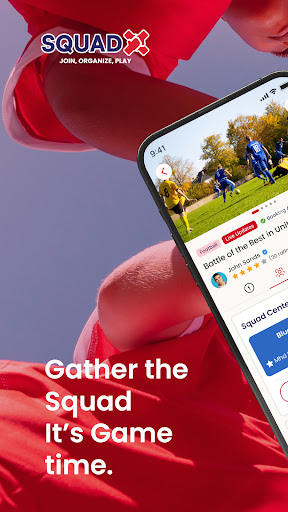
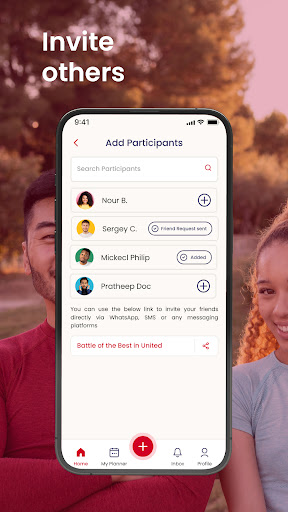
Squad X is a social activity planner designed to make organizing and joining events straightforward and reliable. Squad X helps you create activities, reserve venues, invite friends or open an event to the public, and manage participant lists without juggling multiple apps or messages. The app emphasizes clear RSVPs, cost sharing, and simple discovery so you can focus on the activity rather than the logistics.
Key features
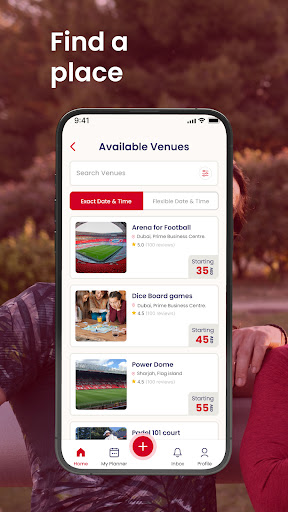
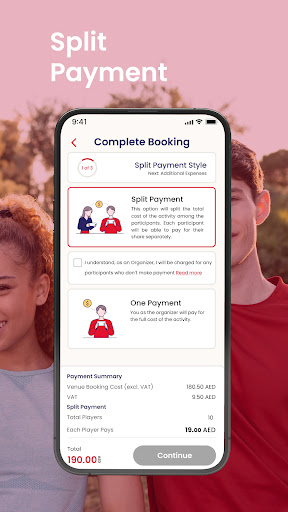
The core of Squad X centers on event creation, venue reservation, invitations, and cost management. When you create an activity you can set date, time, capacity, required equipment, and optional notes for participants. Venue booking is handled through an integrated search and reservation flow that displays availability and basic venue details before you confirm. Invitations can be sent privately to contacts or published to the app’s public listings where other users can discover and sign up. Squad X provides a payment-splitting tool that calculates each participant’s share and keeps a clear record of who owes what, plus automated reminders for unsettled amounts so organizers do not have to chase payments manually.
How it works: event flow and mechanics
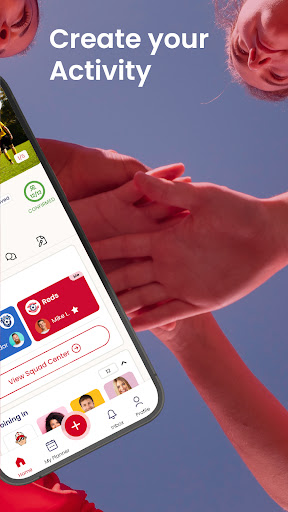
Creating an event in Squad X follows a simple step-by-step flow: give the activity a title and description, choose venue and time, set participant limits and privacy, and invite attendees or publish the event. Public events appear in category and location filters so people nearby can browse and join with a single tap. Private events use invitation links and an approval step so organizers control attendance. The app supports RSVP deadlines and waiting lists; when a slot opens, the next person on the list can be offered the spot. Organizers can confirm attendees, mark no-shows, and close registration, which helps keep events predictable for everyone involved.
Controls and user experience
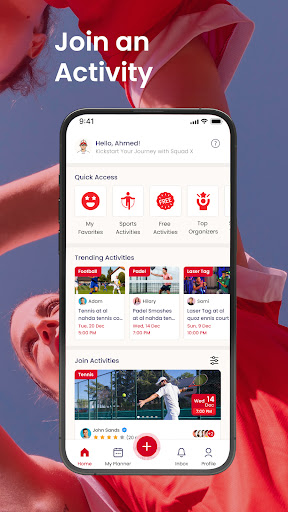
Squad X focuses on intuitive controls and a mobile-first user interface. The main controls are tap-based: a calendar view to scan upcoming activities, a map view to find nearby venues, and filters to narrow results by activity type, time, and distance. Event pages consolidate key details, a participant roster, and a private chat thread for that event so attendees can coordinate equipment, car sharing, or meeting points. Notifications and reminders are configurable so you receive only the alerts you want, and one-tap sign-up makes joining public events fast while organizer approval protects private gatherings.
Progression, replayability, and social trust
Rather than game-like progression, Squad X supports practical progression through repeat interactions and a transparent attendance history. Profiles keep a simple record of events organized and attended, helping users build a reliable presence in their local community. Recurring events and series are supported so groups that meet regularly can reuse templates and schedules without rebuilding each activity from scratch. Optional feedback and comments on past events help others gauge the quality and consistency of organizers and venues, which improves matchmaking over time and increases the likelihood that future events will run smoothly.
Customization and visual style
The app presents activities in a clean, readable layout with clear typographic hierarchy and photo-enabled event cards so you can quickly scan listings. Users can personalize profiles with avatars, short bios, and preferred activity categories to improve discovery and matching. Events can include cover images and custom tags to make them easier to find. Color theme options and adjustable text sizing allow users to tailor the visual experience to their preferences while keeping navigation consistent and predictable.
Accessibility, offline use, and device compatibility
Squad X is designed to be accessible on a wide range of devices and includes features to help users with different needs. The interface supports larger text sizes and high-contrast modes where available, and event pages are structured for easy screen-reader navigation. Basic event information and your saved events are cached so you can view details offline if you lose connectivity while traveling. Calendar export and standard sharing options let you add confirmed activities to your preferred calendar app or send details to contacts outside the platform.
Limitations and expected behavior
While Squad X streamlines planning, some aspects depend on community participation. The success of any activity relies on other users confirming attendance and following through, and public games may vary in frequency depending on your location and local interest. Payment splitting can track shares and prompt reminders, but final settlement requires participants to complete payments outside the app if a third-party payment method is used. Organizers should plan for no-shows and use the built-in waiting list and confirmation deadlines to reduce last-minute cancellations.
Information
Social networking apps have become essential tools in everyday life, making communication with others more convenient. These apps allow you to easily stay in touch with old friends while also providing opportunities to meet new people, helping to expand your social network beyond its usual boundaries. This page features a handpicked selection of the best social apps, making it your go-to choice for mobile socializing!






User Comments

My Abilities Centre is a versatile mobile app that combines scheduling, contactless check-ins, notifications and fitness tracking into a single, easy-to-use interface for people who want to manage daily activities and stay informed without juggling multiple services.

My Drama is an app that delivers original short dramas and micro-films designed for busy viewers who want a rich storytelling experience in short bursts. Each story runs roughly a minute, making this a great choice for commutes, coffee breaks, or relaxed moments at home or while dining. The collection highlights high-definition productions adapted from novels and is updated regularly, giving users fresh, polished content on every visit. With a mix of contemporary and legendary themes, My Drama provides an easy way to enjoy complete, satisfying narratives without a long time commitment.

RADIOS GUIDE WORLD is a user-friendly radio directory that lets listeners and broadcasters find and stream stations from across the globe. The app collects local and international channels in a searchable, easy-to-navigate interface so you can discover music, news and talk shows from many countries. Broadcasters can publish their station for free through the app's distribution system, reaching a wider audience without heavy technical setup. With broad format and protocol support the app aims to deliver reliable playback on a variety of devices, making RADIOS GUIDE WORLD a practical choice for casual listeners and station owners alike.

Avatar creator is a flexible avatar design tool that lets you build a personalized digital identity with full control over appearance, clothing, and accessories. Use Avatar creator to design a fun or professional representation of yourself from scratch, adjusting hairstyles, eye color, facial features and outfits to match your personal style. The app also makes it easy to share creations with friends or display them inside the app, and it supports ordering custom products featuring your avatar so you can turn digital designs into real-world items like T-shirts, phone cases, or posters.

Anime Browser puts a fast, clean interface on top of a popular tracking service so you can manage your anime and manga collections without opening a web browser. Anime Browser helps fans keep episode and chapter counts accurate, update statuses and ratings, and take personal notes from a mobile-friendly layout that supports light and dark themes. The app is built for quick list editing and discovery: you can jump between seasonal charts, your personal library, and newly added titles in just a few taps.

Melody Wallpaper brings the charming world of My Melody to your phone or tablet with a curated library of more than 150 wallpapers, images and animated GIFs designed for easy preview and application. Melody Wallpaper places high-resolution static art and animated backgrounds in one simple interface so fans can personalize home screens and lock screens with pastel, kawaii and character-pairing designs that work across different device sizes. The app makes it straightforward to browse themed collections, preview how an image will look on a device, and apply or save artwork without a steep learning curve.
