
 X
 facebook
 WhatsApp
 Email
Introduction
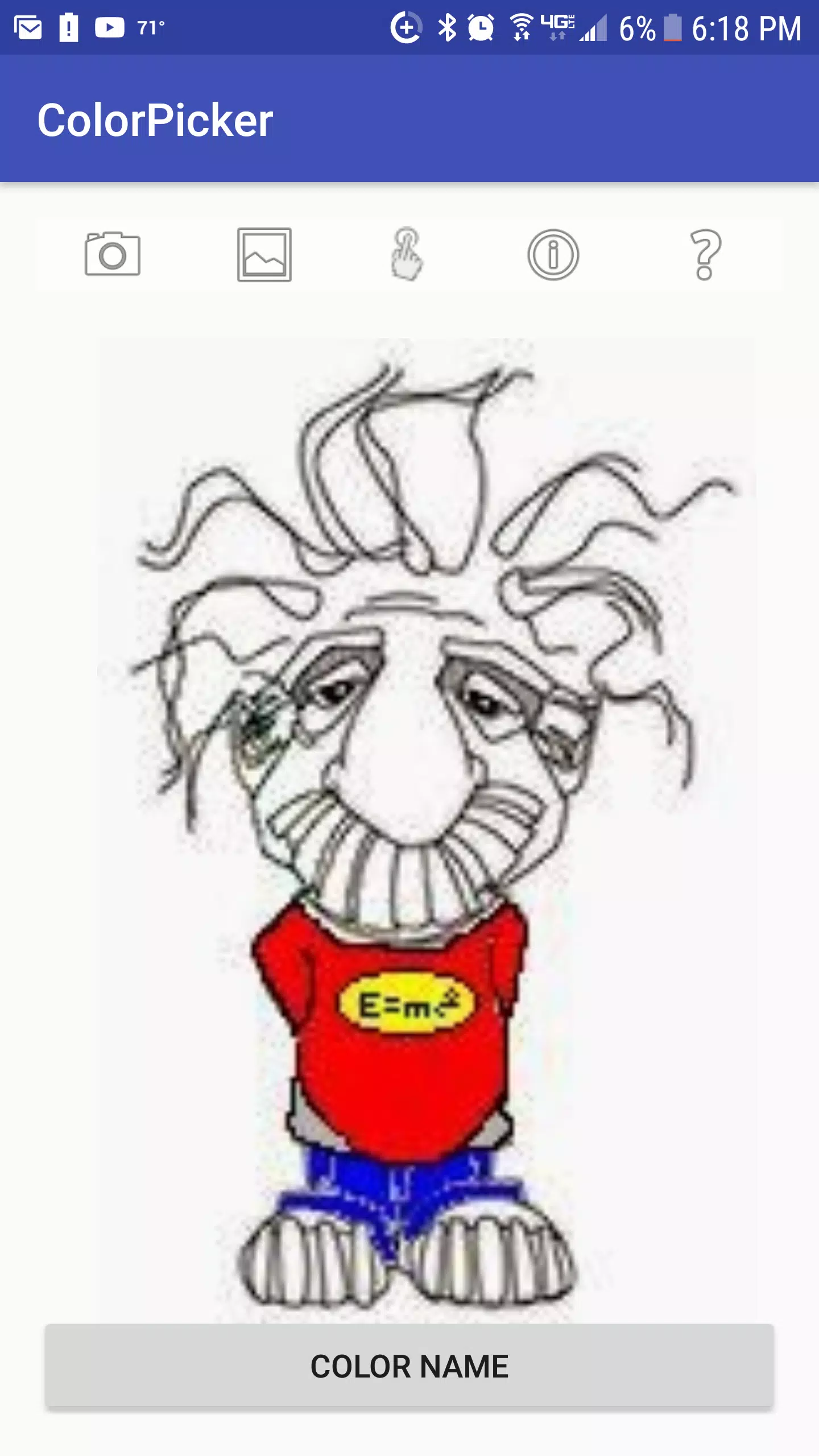
Color Picker FREE is a compact Android utility that helps designers, developers, and hobbyists sample, save, and convert colors directly on a device. Color Picker FREE places precision tools where you need them: a magnified picker for pixel-accurate sampling, quick converters for multiple color models, and an organized palette area for building reusable libraries. This introduction explains how the app works, what controls it uses, and how it fits into everyday design and development workflows.
Overview of functionality
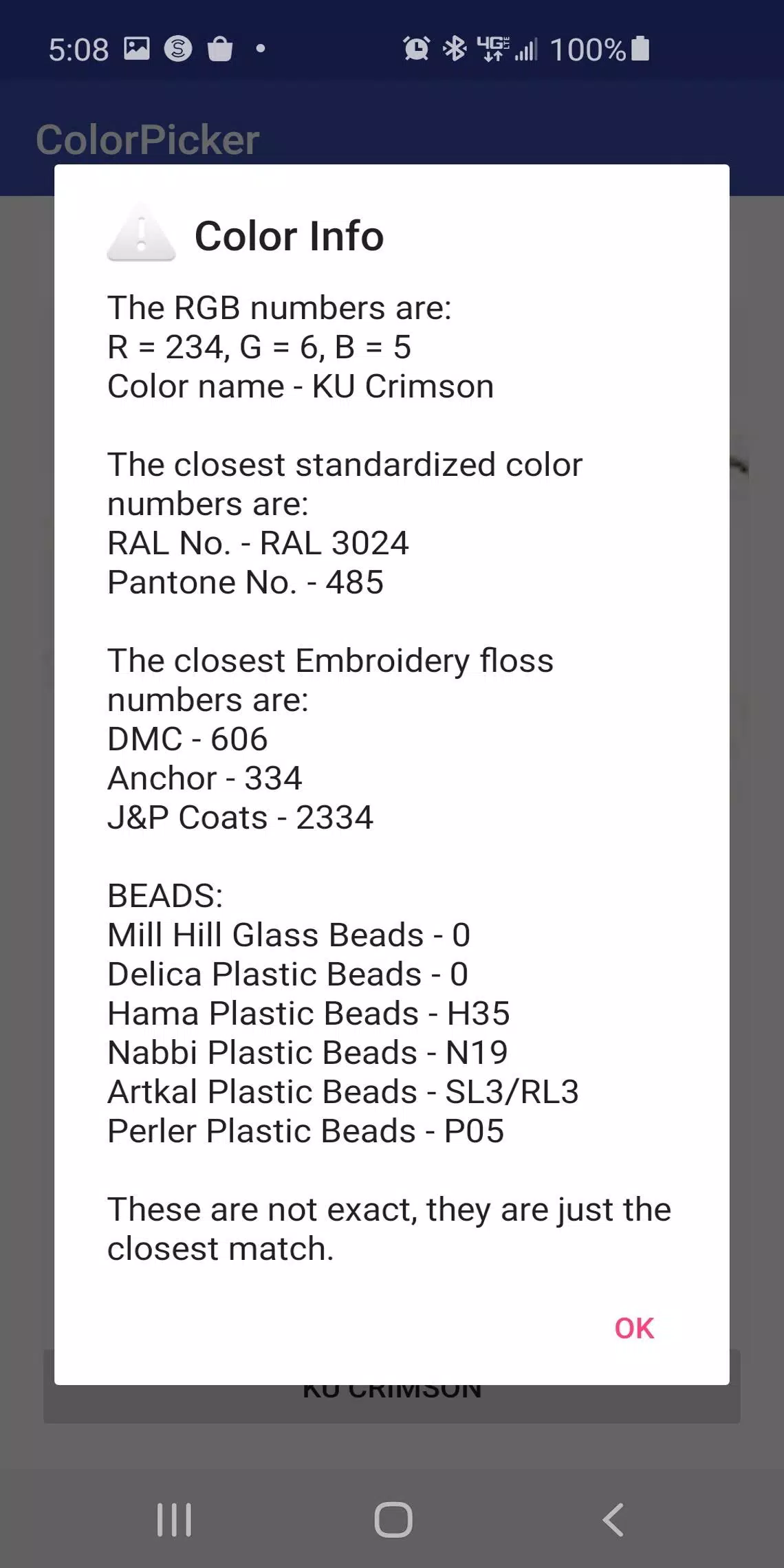
The app combines three practical functions into one lightweight package: an eyedropper for sampling, a converter for translating values between formats, and a palette manager for storing and organizing results. The goal is straightforward—let you extract an exact color from a photo, screenshot, or live view and turn that value into a usable code for CSS, design apps, or image editors. Users will find direct access to HEX, RGB, HSL and approximations for CMYK without navigating through nested menus.
Controls and interaction
Interaction focuses on touch-first controls optimized for phones and tablets. The magnifier follows your finger to isolate pixels and shows a live preview of the sampled color. Tapping the preview opens a detail panel where sliders allow subtle adjustments to hue, saturation, and brightness; numeric fields let you type precise component values. Copy buttons place codes on the clipboard instantly and share controls export palettes as files or plain text. These familiar gestures keep the learning curve low for anyone who has used color tools before.
Conversion and supported formats
Color conversion is available in real time so that when you sample a color you immediately see equivalent values across common formats. The converter supports HEX for web and CSS, RGB for digital graphics, HSL for perceptual adjustments, and CMYK guidance for print-oriented work. The tool also reports nearest web-safe alternatives and provides suggested foreground color candidates to help maintain readable text over the chosen background.
Palette management and progression
Palettes act like simple project folders where you collect swatches by project, client, or visual theme. Each saved swatch records its origin—image filename or capture timestamp—and allows renaming or reordering so palettes can serve as progressive checkpoints in a workflow. Instead of levels or stages in a game, progression here means building a coherent set of swatches from initial captures to refined, publication-ready values, and palettes can be exported for handoff to other tools.
Customization and visual style
The interface is intentionally minimal and high-contrast so your attention stays on color, not decoration. Swatch previews scale for quick scanning, and color labels can be toggled between short codes and descriptive names. Theme settings adjust the app's own UI contrast for working in bright sunlight or dim studio lighting, and the magnifier's zoom level can be customized to suit different screen sizes and personal preference.
Accessibility and quality checks
Built-in accessibility aids help evaluate contrast and legibility. When you select a swatch, the app suggests text color pairings and reports contrast ratios to indicate whether a combination meets common accessibility thresholds. These quick checks act as a lightweight challenge system: if a combination fails, the app offers nearby alternatives and subtle adjustments to bring the design into compliance without guessing.
Performance, offline use and compatibility
The app runs entirely on-device so you can sample and store colors offline without requiring an account or network access. It is optimized to remain responsive on mid-range hardware: sampling and conversions are immediate, and memory usage stays modest even when working with multiple high-resolution images. Exported palette files are saved locally and can be shared via standard Android intents with email or cloud apps when you are online.
Getting started and workflow tips
Open Color Picker FREE, tap the start control to import an image or take a photo, and move the magnifier to sample. Save important shades into named palettes and use the converter to copy ready-to-paste codes for your editor. For best results use the magnifier to avoid blended pixels, save multiple swatches per project to capture variations, and export palettes before switching devices to preserve your library. These simple steps make the tool an efficient part of a designer or developer toolkit without adding unnecessary complexity.
Who benefits most
The app is useful for front-end developers needing precise HEX values, graphic designers assembling color themes, product teams checking UI contrast, and hobbyists who want to capture and recreate real-world hues. Color Picker FREE is built to remove repetitive formatting tasks and speed up decisions so you can spend more time designing and less time converting values.
Information
User Comments

Doodle Art is a compact design tool that helps you explore and choose tattoo ideas by collecting inspiration, templates and practical tips in one place. If you’re planning a new tattoo or researching styles, Doodle Art provides a user-friendly interface to browse downloadable templates, save reference images and sketch concepts you can bring to a studio. The app also explains how to use artist portfolios, prepare original artwork and adapt photographs so a tattooist can work from your files, including tips about transferring sketches to tattoo paper. It highlights placement, size and customization considerations so you can make a thoughtful decision before committing to ink.

Introducing "Build The SPORTY Yamaha Mio Sporty," a revolutionary mobile application that allows users to design their very own Yamaha Mio Sporty in stunning 360 degree 3D. Select your desired model, customize it with various options, and witness your dream bike take shape right before your eyes. With an immersive and interactive user experience, this app caters to motorcycle enthusiasts who crave personalization and creativity when it comes to their two-wheeled machines. Download The Sporty now and unleash your inner designer to create the perfect Yamaha Mio Sporty that truly reflects your style and personality.
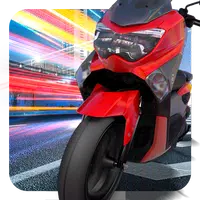
Design your dream Yamaha Nmax with The MAX in stunning 3D! With just a few taps, you can select your preferred model, add custom options, and then witness your unique creation come to life in full 360 degrees. From sleek colors to stylish accessories, the possibilities are endless in creating the perfect ride that fits your personal style. Whether you're a bike enthusiast or simply looking to build your perfect two-wheeled companion, this app offers an immersive and interactive experience that will leave you excited to hit the road with your personalized Yamaha Nmax.

DaFonts Lite brings a large, searchable font library to Android in a compact package, giving designers, content creators and casual users fast access to typefaces without installing bulky software. DaFonts Lite is written for people who want to experiment with typography on a phone or tablet: the app is small (around 3 MB), launches quickly, and focuses on browsing, previewing and downloading fonts so you can use them in presentations, social media graphics, or other creative projects. The interface emphasizes clear previews and short load times, making it easy to test dozens of styles in a single session.
Sung-jin Woo Live Wallpaper is a fan-made wallpaper app that lets Solo Leveling fans customize phones and tablets with high-quality images of the series’ protagonist. The app provides a large, carefully curated gallery of artworks and fan art so you can set dramatic home screens, lock screens, or contact photos with ease. It focuses on presentation and simplicity, offering HD to 4K images, a tidy interface, and straightforward controls for downloading and applying wallpapers. Fans who want frequent new artwork will appreciate the regular updates and notification alerts that bring fresh imagery to their collection.
Sky-Frame B2B is a cloud-focused productivity tool designed for companies that manage sales channels, inventory, and client relationships. The platform centralizes order processing, automates B2B workflows, and delivers realtime analytics so teams can reduce manual tasks, speed fulfillment, and maintain accurate commercial records across suppliers and customers.