
 X
 facebook
 WhatsApp
 Email
Introduction
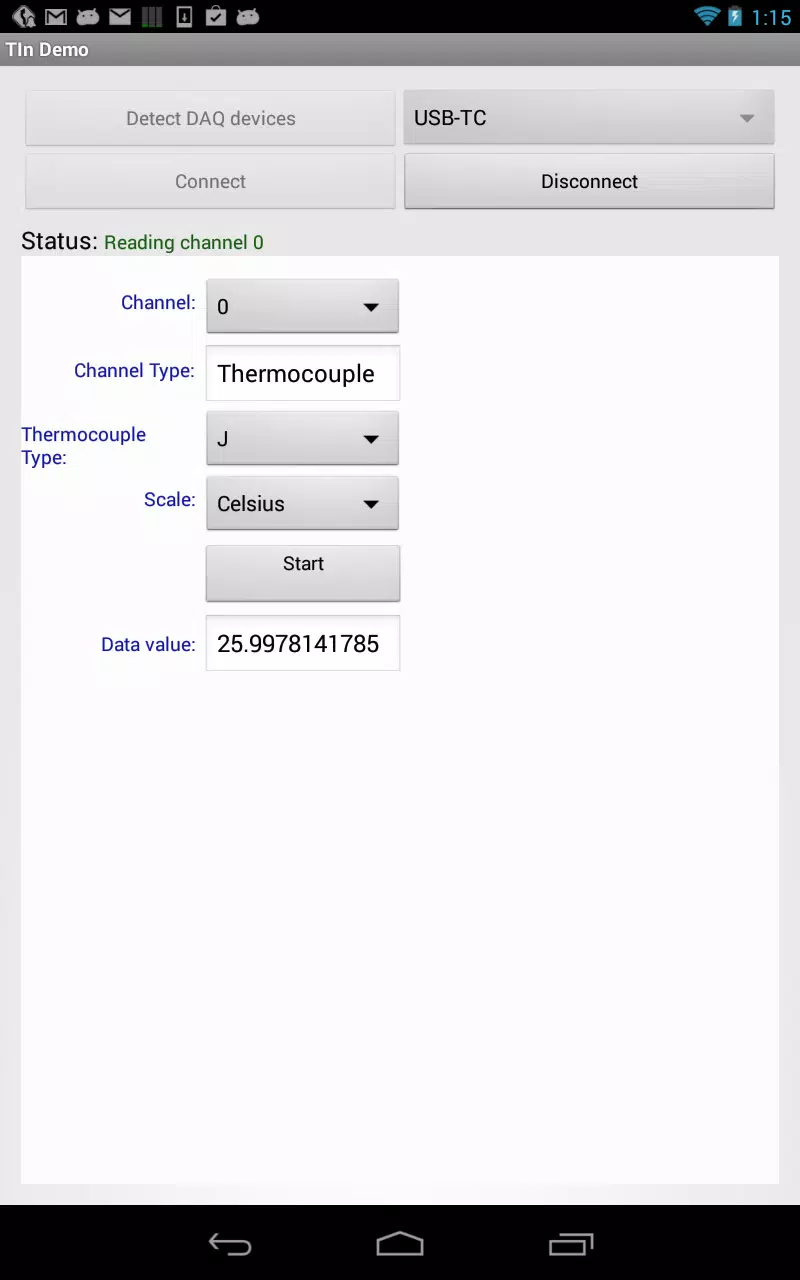
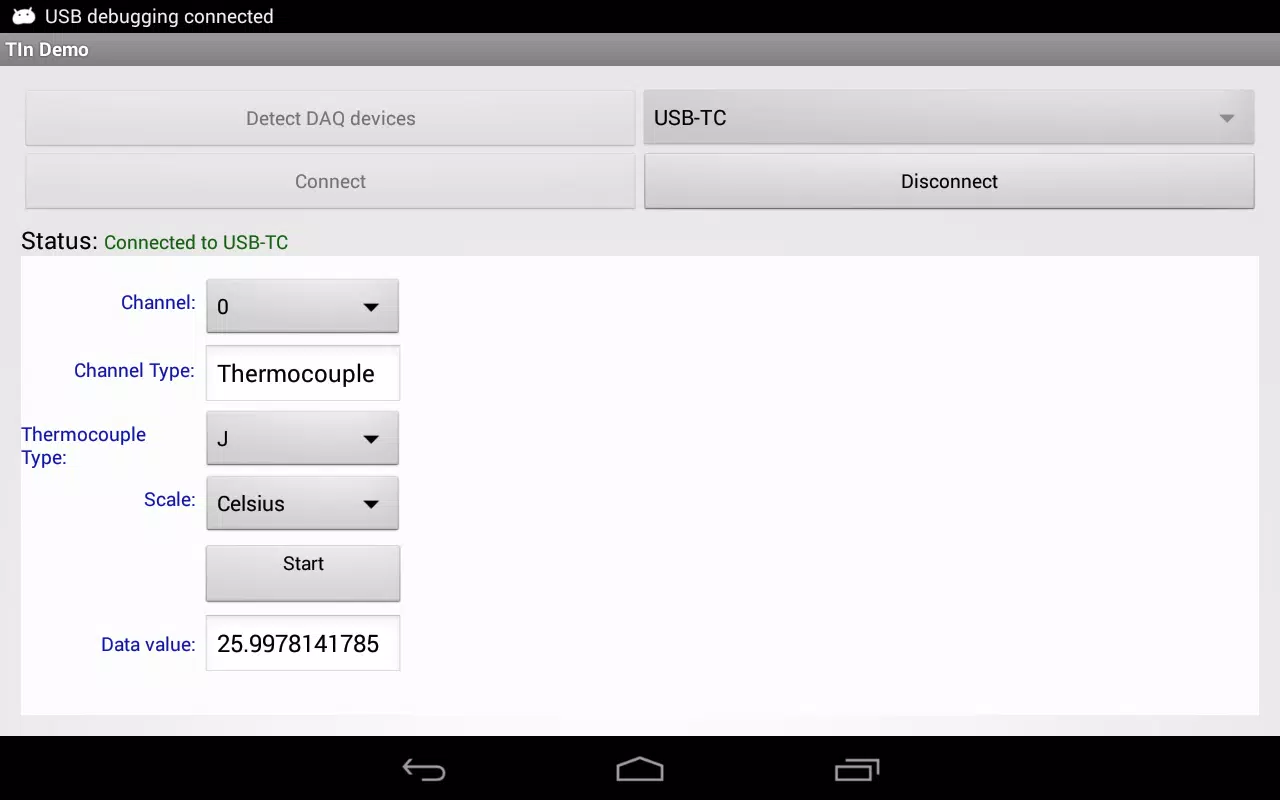
The Temperature Input Demo is a compact utility that demonstrates how to read and display temperature data from Measurement Computing Corporation (MCC) data acquisition hardware using the Universal Library for Android. Temperature Input Demo captures real-time readings from user-selected input channels and presents them in a clear, developer-friendly interface, making it useful for engineers validating sensor setups, developers testing device communication, and hobbyists monitoring environmental conditions. The app includes example source code so programmers can examine API calls, adapt the sample to their own projects, and quickly verify hardware integration without building a complete application from scratch.
Key features and behavior
The Temperature Input Demo delivers immediate temperature values from selected analog temperature channels and supports common temperature units for on-device viewing. Users can choose the active input channel, switch between Celsius and Fahrenheit display modes, and adjust the refresh interval to balance responsiveness and processing overhead. The design emphasizes readability with labeled measurements, clear unit indicators, and concise status messages that indicate device connection, sampling state, and any communication errors. Because the demo relies on the Universal Library for Android, it demonstrates practical patterns for device initialization, channel configuration, and error handling that are directly relevant to production code.
Interface and controls
The app provides straightforward controls for routine measurement tasks: a channel selector for quickly switching the input being monitored, a refresh control to set how often readings are updated, and simple calibration offset controls that let users apply a small correction when validating sensors against a known reference. The primary display focuses on current values with readable typography and clear units; secondary readouts report device status and numerical precision. These controls are designed to be intuitive for technicians and developers alike, reducing the time required to set up tests or confirm sensor behavior.
Progression, customization, and workflow
Progression within the Temperature Input Demo is determined by the measurement workflow rather than game-like levels: connect the MCC DAQ device, verify communication using the onboard status indicators, select the input channel to monitor, and tune the refresh interval and units to match the test scenario. Customization is centered on developer extension points—sample code shows where to insert data-logging features, network export, or custom user interfaces—so teams can evolve the demo into a tailored measurement tool while understanding the core device interactions demonstrated by the app.
Visual style and user experience
The visual style of the Temperature Input Demo prioritizes clarity and contrast to make readings easy to scan in laboratory, workshop, or field environments. The layout minimizes clutter, highlights the active channel and current temperature, and surfaces essential status information without overwhelming the user. Attention to touch target sizes and labeling improves usability on a range of Android devices, and the straightforward UI reduces training time for technicians and students who need to validate sensors quickly.
Reliability, offline operation, and accessibility
This demo operates locally with connected MCC hardware and does not require a network connection to display measurements, which simplifies field testing and preserves deterministic timing for reading acquisition. Accessibility considerations include adjustable font sizes and clear contrast between text and background to assist users with visibility challenges. Because the app is intended as a reference implementation, developers can extend accessibility features as needed when integrating the core measurement code into larger projects.
Limitations and intended use
The Temperature Input Demo is intentionally lightweight and focuses on demonstrating device communication and display of temperature values; it is not a full-featured data-logging or analysis suite. Advanced capabilities such as long-term storage, complex graphing, or cloud synchronization are left to developers to implement based on the included example code and the Universal Library API. The app requires a compatible MCC data acquisition device; without supported hardware it cannot read temperatures, so it is best used as a test tool in environments where MCC DAQ hardware is available.
Developer and support
Measurement Computing, based in Norton, Massachusetts, develops the Universal Library and the DAQ hardware showcased by this demo and provides technical resources and documentation to help developers extend the example to full applications. The Temperature Input Demo is intended to be a practical, hands-on reference that accelerates prototyping and clarifies how an Android application can integrate with MCC hardware for reliable temperature measurement.
Information
Other Games by the Same Measurement Computing
User Comments
HTC Service Pack is a support update package that bundles previously released fixes and improvements to make your HTC device more stable and reliable. Delivered free of charge, this service pack centralizes maintenance updates so users can install a single package rather than hunting individual patches. Installing the latest HTC Service Pack helps keep system components current and can reduce unexpected glitches, improving daily usability. This update focuses on background services and platform reliability rather than adding new consumer-facing features, so it’s recommended for anyone who wants a smoother, more predictable HTC experience.

Get behind the wheel of your dream car with this incredible Minecraft PE addon! With amazing vehicles like a detailed jeep with custom sounds, a classic hot rod with a flame paintjob, a realistic police car with sirens, and a luxurious sports car for fast-paced fun, you'll be cruising in style in no time. Choose from 12 different colors, test your speed on the roads, and enjoy the thrill of driving around in the pixelated world of Minecraft. Don't let your horse hold you back - download Cars mod now and experience the excitement of virtual driving like never before!

Are you tired of losing your precious photos and videos? Say goodbye to the stress of accidentally deleting important files with a simple solution - récuva images delected! This app makes it easy to recover all your deleted images and videos with just one simple step. No need for any complicated programs or computers, just download the app and say hello to effortlessly retrieving your files. Don't let your memories disappear - récuva images delected has got you covered!
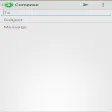
SmartEmail puts email and multimedia services in one app, combining a full-featured mail client with access to apps, music, movies, TV shows and reading material so you can manage communication and entertainment from a single interface. If you want to stop switching between apps and keep your inbox, contacts and calendar synced across devices, SmartEmail offers an all-in-one solution that streamlines productivity and leisure. The app is useful for people who travel or work across phone, tablet and laptop and prefer a consistent, easy-to-navigate interface that keeps important messages and media within reach.

Elberfelder Bible in german is a lightweight, searchable Bible app that brings the classic Elberfelder translation to Android devices. It combines precise German text with fast navigation, offline access, and study-friendly tools to help readers explore scripture anytime, anywhere with clarity and ease.
ALARME ORION IP2 is an app for the ORION IP2 control panel and cameras that lets you manage and monitor your alarm system from anywhere. It enables configuration of the central unit, activation and deactivation control, real-time status checks and access to event history. With ALARME ORION IP2 you receive instant alerts and live video streams remotely and can control numerous electrical devices connected to the system. For users who want continuous remote surveillance and convenient device management, this app centralizes alerts, video and system controls into a single interface.