
 X
X
 facebook
 WhatsApp
 Email
Email
Introduction
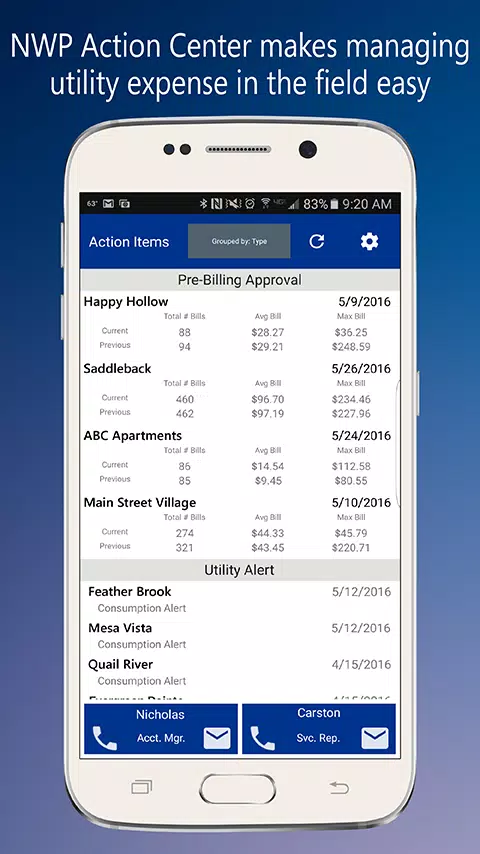
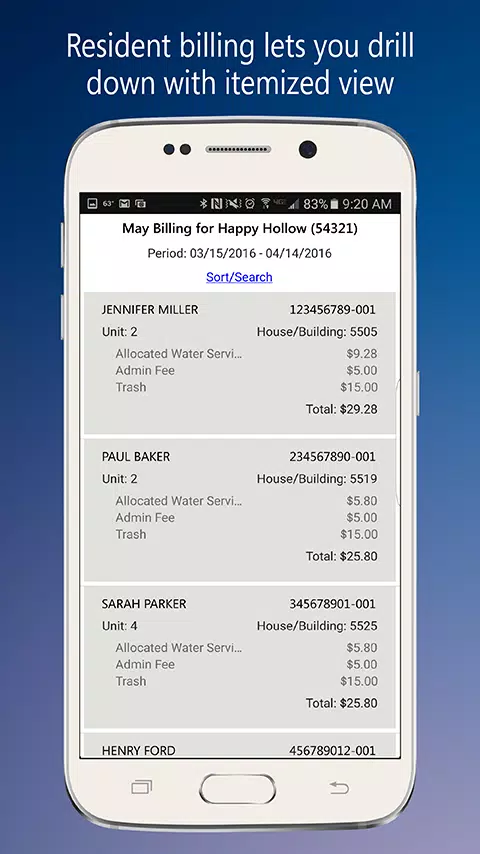
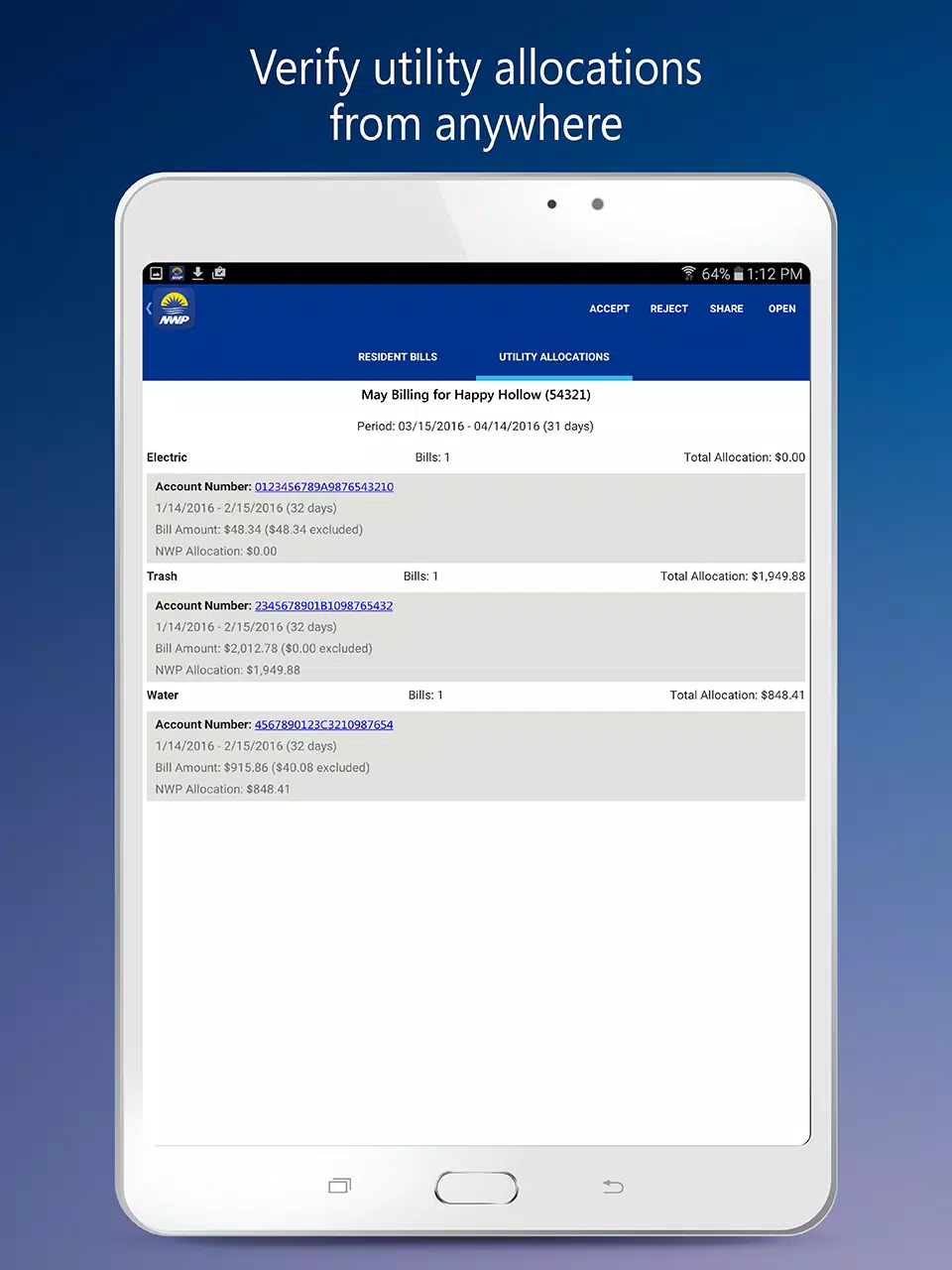
NWP Action Center brings utility management to your mobile device so property owners, operators, and field teams can monitor pre-billing activity, respond to alerts, and manage multiple units while on the go. The NWP Action Center mirrors the account structure and billing information you use on desktop, so you sign in with the same credentials and retain familiar navigation and context. Built for people who travel between properties or spend time offsite, the app consolidates actionable items and provides timely contact to account representatives to speed decisions and resolution.
Key features and what they do
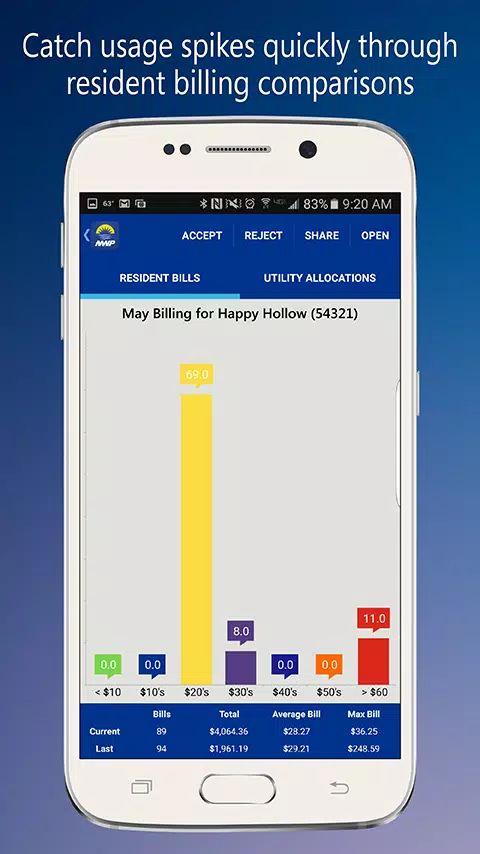
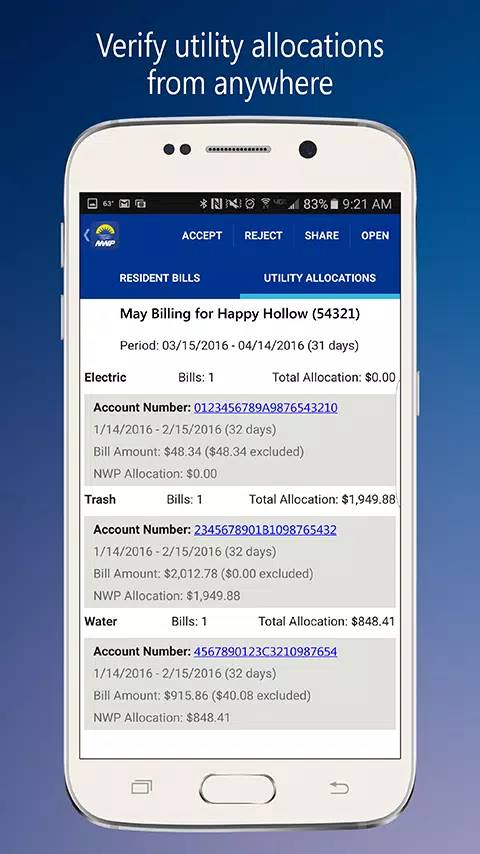
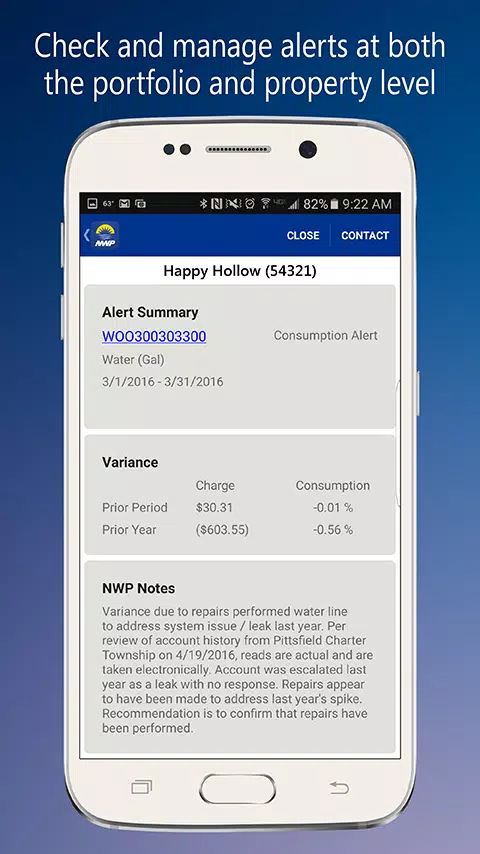
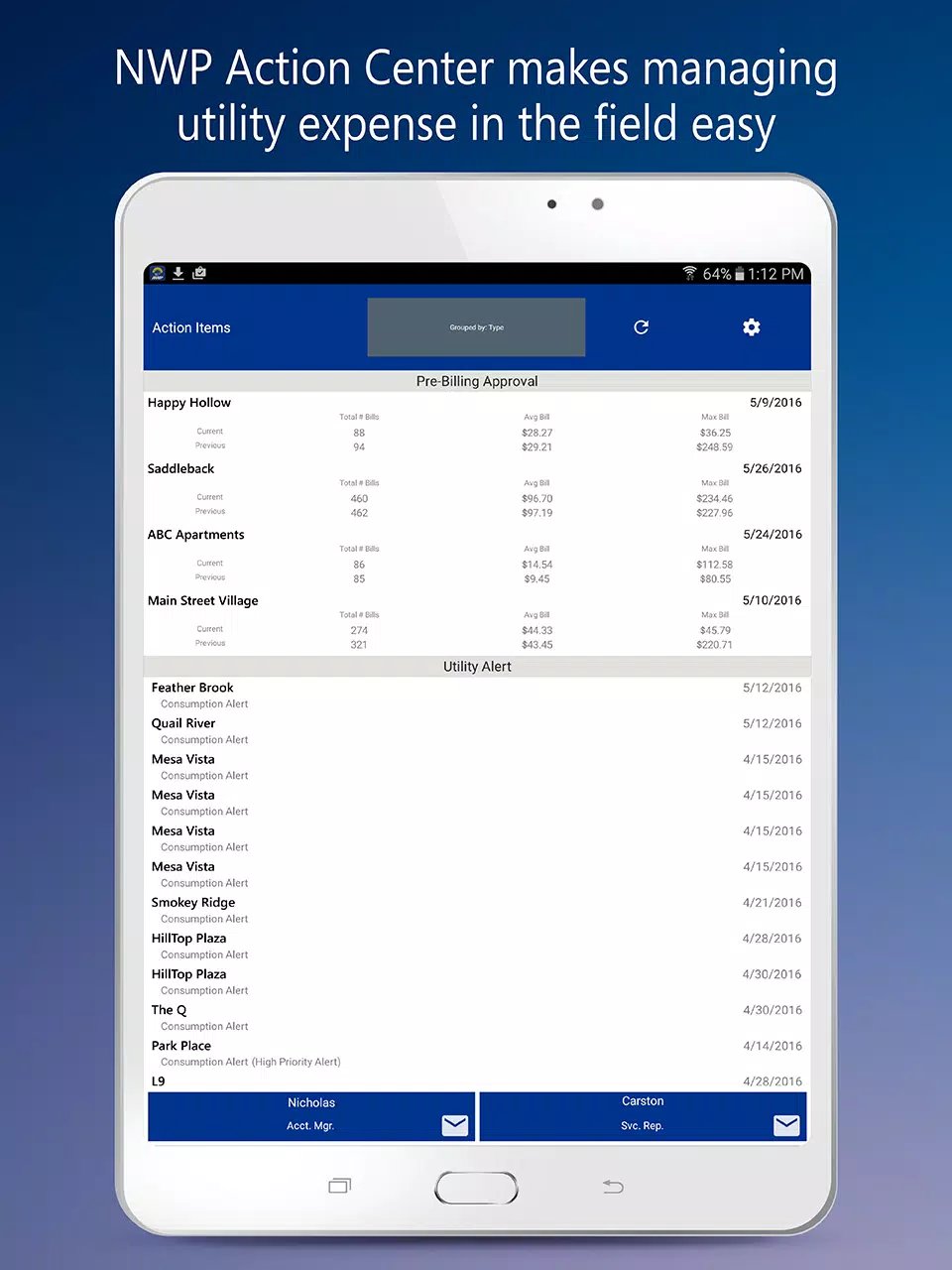
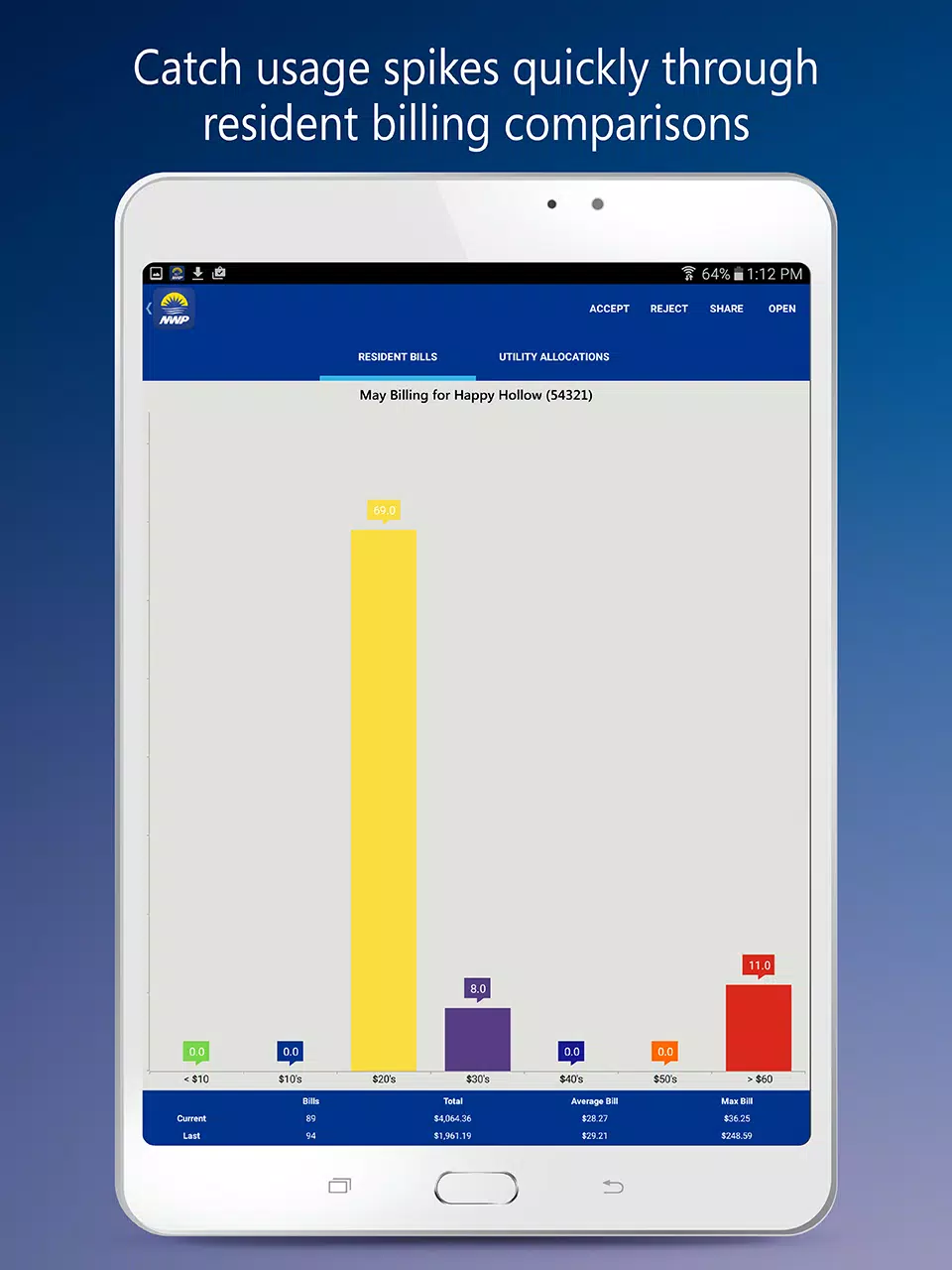
Real-time utility alerts flag unusual usage and provide a clear starting point for investigation; alerts are visible in a prioritized feed so you can address the most critical items first. Mobile pre-billing approvals use swipe gestures and single-tap confirm controls to speed routine authorizations, while in-line notes allow you to annotate variances for the record. Multi-property views aggregate open items and billing exceptions across your assigned portfolio, and a detailed pre-billing dashboard exposes meter-level data, usage trends, and outstanding tasks so you can complete reviews efficiently. One-touch contact options let you email or call your account representative from the same screen where the issue is documented, reducing the friction of follow-up and clarifying handoffs between field staff and office teams.
How the app works day to day
Start your shift by opening the action queue to see pre-billing requests and alerts grouped by priority and property. Approve or reject items with gestures or taps; when you tag an item for further review, the app retains your note with a timestamp so other users can pick up where you left off. Use filters to show only specific unit types, properties, or unresolved exceptions, and switch quickly between high-level portfolio summaries and the line-item detail required for accurate billing decisions. The app keeps a running history of approvals and notes so managers can audit decisions and track workflow progress over time.
Controls, customization and progression
Controls emphasize direct manipulation: swipe to approve, tap to expand details, and long-press to add contextual notes or tags. Notification settings are adjustable so teams can set thresholds for what constitutes a high-priority alert, reduce noise, and route only relevant items to particular users. Progression through an approval workflow is visible at every step, showing whether an item is pending, flagged for review, or completed, which helps teams coordinate handoffs and reduces duplicate work. Visual customization options, such as compact or expanded list views and scalable text sizing, let you tailor the interface to fast field use or deeper desktop-style review sessions.
User experience, accessibility and offline behavior
The design favors clear labels, readable data tables, and touch targets sized for use on rugged devices or phones. Accessibility considerations include scalable text and color contrast choices to improve readability in varied lighting conditions. The app caches recent billing summaries and alerts for limited offline viewing so you can inspect context while in low-coverage areas; actions that change account state, such as approvals, require a network connection and will queue or prompt retry when connectivity is restored to ensure data integrity.
Data, security and account requirements
The app requires an existing NWP account and access rights to display property-level information; permissions determine which properties and items appear in your multi-property view. Functionality depends on the utility data and alert feeds provided by your provider, so gaps in incoming data will limit what the mobile interface can present. Authentication uses the same credentials as your desktop portal to maintain a consistent access model, and in-app contact tools connect you with your account representative when questions require escalated support.
Advantages and practical limitations
NWP Action Center speeds routine approvals, improves oversight by surfacing anomalies quickly, and supports teams that manage multiple properties with filtered task lists and consolidated dashboards. It reduces the need to return to the office to complete billing reviews and makes it easier to coordinate resolution with account representatives. At the same time, it is purpose-built for property owners, operators, and utility managers rather than general consumers, and its usefulness is tied to the completeness and timeliness of the underlying utility data feed. Administrative permissions are required to see and act on many items, so individual users should confirm their access level with their account team.
Development and support
NWP Services Corporation developed this solution and is now part of the RealPage family; the integration brings established utility management experience and ongoing account-level support for troubleshooting, onboarding, and feature requests related to the NWP Action Center. Support channels are available through the app and your account representative to help align mobile workflows with existing desktop processes.
Information
User Comments

FleetDocs is a mobile document management app that helps trucking fleets capture, submit, and organize paperwork using a smartphone camera. FleetDocs puts common driver tasks — photographing bills of lading, scanning receipts, combining multiple pages and sending them to an administrator — into a simple, repeatable workflow designed for fast processing and less paper handling.

InterForum is the official mobile app for attendees of InterForum conferences, designed to simplify planning, participation, and networking at live and virtual events. It centralizes agendas, official programs and session details so users can browse schedules, track updates, and build a personalized timetable that fits their interests. The app also supports live interaction with speakers, real-time polls, and in-app messaging to help attendees stay informed and connected. If you attend InterForum events regularly or are a first-time participant, this app streamlines event logistics and boosts opportunities to learn, ask questions, and meet other professionals.

Visit UIC is a compact guide to the University of Illinois Chicago's annual Open House, offering a clear overview of the September 16 event and why it matters for prospective students, families, and community visitors. The app summarizes what to expect—over 100 sessions, faculty talks, lab and studio demonstrations, hands-on activities on the quad, and practical sessions on admissions and financial aid—so you can quickly see whether UIC's academic programs, facilities, and urban campus culture match your interests before attending in person.

msgKarriere is a mobile career companion designed to help candidates and employees discover job opportunities, follow industry trends, and manage professional development from any location. In the first moments after opening msgKarriere you can search curated listings, read firsthand employee 'Job Stories', and start an application with a streamlined workflow that reduces friction between finding a role and applying. The app centralizes company profiles, event details, and project summaries in a compact, user-focused layout so users can make informed choices about roles and workplace culture on the go.

Dhaka Share Bazar puts Bangladesh's stock market into a compact, mobile-friendly interface so you can check live quotes, indices and company information on the go. Dhaka Share Bazar is designed for anyone who needs concise market reference — from experienced traders who review intraday moves to investors and students who study company filings and sector trends. The app focuses on delivering exchange-sourced data in a clear layout that reduces time spent navigating multiple websites and gives a single place to consult prices, charts and corporate summaries.

政府職缺快找 is a streamlined app that helps users discover and manage government job vacancies in one place. The app aggregates the latest public-sector openings, lets you filter searches, save favorites, and view full job details so you can prepare applications with fewer steps. Job seekers, career changers, and recent graduates will appreciate the ability to create tailored search conditions and receive deadline reminders via calendar sync. If you want a single dashboard for monitoring official vacancy announcements and organizing potential applications, 政府職缺快找 offers the basic tools to simplify the process.