

 X
 facebook
 WhatsApp
 Email


Introduction
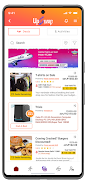
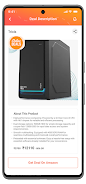
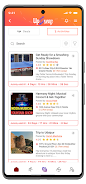
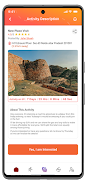
UpSwap is a streamlined file transfer and synchronization tool that simplifies sharing and versioning across devices. It lets users move large files, synchronize folders, and exchange resources securely with minimal setup. Designed for teams and individuals, UpSwap emphasizes speed, clarity, and reliable cross-platform compatibility.
What UpSwap Does
UpSwap centralizes file movement and folder syncing in a lightweight, focused interface. The app supports one-off transfers, scheduled synchronizations, and bidirectional updates so collaborators always see the latest versions. It also handles interrupted transfers gracefully and resumes where it left off, reducing wasted bandwidth and time when connections drop.
Key Capabilities
- Fast transfers: Optimized transfer pipelines and compression options make sending large media or document archives quicker than conventional methods.
- Selective sync: Pick specific folders or file types to mirror across devices, which saves storage and avoids cluttering endpoints.
- Version history: Built-in versioning allows you to restore previous file states or compare changes, useful for collaborative editing and revision control.
- Share links: Generate time-limited or password-protected links for external recipients, keeping access explicit and manageable.
- Bandwidth controls: Throttle upload/download speeds to avoid interfering with other network tasks during peak hours.
Interface and Workflow
The interface is organized around workspaces and transfer queues. New users can add devices or folders in three simple steps, and the app surfaces the most relevant controls without heavy menus. Drag-and-drop support and contextual actions make routine tasks—like prioritizing a transfer or pausing sync—fast and predictable. Notifications summarize transfer outcomes without overwhelming the user.
Integration and Compatibility
UpSwap works across major desktop and mobile platforms and integrates with cloud storage providers to extend existing workflows. Whether you keep files on local drives, NAS devices, or third-party clouds, UpSwap maps those locations into a unified sync view. API endpoints and command-line hooks allow IT teams to automate workflows and integrate transfer jobs into scheduled maintenance or CI pipelines.
Security and Privacy
Security is handled with strong encryption for files in transit and optional at-rest encryption when using UpSwap-hosted relays. Access controls let administrators restrict who can create share links or modify sync rules, and detailed logs provide transparency for auditing. Local encryption keys remain under user control for added privacy in sensitive environments.
Performance and Reliability
Built to perform in both home and enterprise conditions, UpSwap adapts to network quality and device capabilities. Adaptive chunking reduces the impact of latency on long transfers, and integrity checks ensure transferred files match the originals. Resource profiles let you tune CPU and memory usage for older machines or prioritize throughput on powerful servers.
Getting Started with UpSwap
- Install and open the app, then create a workspace to group related folders and devices.
- Add folders or mounts you want to sync and set the direction (one-way or bidirectional).
- Adjust transfer rules and bandwidth limits in settings to match your environment.
- Invite collaborators by email or generate a secure share link for external partners.
- Monitor transfer history and adjust retention or versioning policies as your needs evolve.
UpSwap suits anyone who needs dependable, controllable file movement without sacrificing visibility or security. With clear controls, cross-platform support, and features that scale from single users to team deployments, it turns file sharing and synchronization into a predictable part of daily workflows.
Information
User Comments

Куфар: товары, квартиры, авто is a classifieds app for buying, selling and renting items, apartments and cars. The app lets individuals list products, browse local offers, and communicate securely with sellers and buyers.

Groupon – Deals & Coupons helps you find discounts and local offers for restaurants, activities, travel and goods. Use the app to browse verified deals, access digital coupons and manage bookings from your device.

Step into a world of endless savings and exclusive deals with the leading digital coupon platform, Entertainment Coupons! Say goodbye to full-price purchases and hello to over 500,000 discounts from top brands nationwide. With new offers constantly being added, you can enjoy up to 50% off on various products and services, including irresistible Buy One Get One FREE deals! The revamped app ensures a seamless navigation experience, bringing fantastic deals directly to your inbox. Dive into Entertainment® and unlock a treasure trove of savings, and join a community that values your work and fosters a transparent and supportive culture. Start saving instantly - 1. Click 2. Redeem 3. Save!

interface makes it simple for users to navigate through the app and locate desired items quickly. With intuitive search features, detailed product descriptions, and customer reviews, Club Factory provides a seamless shopping experience for users looking for affordable and stylish items. With its vast product selection, frequent discounts, secure payment options, and exceptional customer service, Club Factory stands out as a reliable and convenient online shopping app for users seeking quality products at competitive prices. Download Club Factory today and experience the convenience of online shopping at your fingertips.
The new Thorntons App is a must-have for anyone on the go! Easily check out the best gas prices nearby and keep track of your Refreshing Rewards with just a few taps. As a member, you'll unlock exclusive offers every time you make a purchase, so the more you visit, the more you save! With this app, you can quickly find the lowest gas prices, save your favorite locations, view and manage your rewards, and even share your feedback with us. Join now and start enjoying the convenience and savings that come with being a Thorntons Refreshing Rewards member.

Coupon Network are completely free. Simply download the app, activate offers, make purchases, and submit proof of purchase to get refunded.How do I get refunded? To get refunded, activate offers on the app, buy the products in-store, in Drive, or for home delivery, and then send your proof of purchase. You will receive your refund within 48 hours to your bank account or PayPal.Can I save on major brands? Yes, Coupon Network offers discounts on major brands such as Coca-Cola, Kellogg's, Ariel, and many more across various sections like beverages, frozen foods, hygiene, and beauty.Don't miss out on great savings and join the Coupon Network community today!