
 X
 facebook
 WhatsApp
 Email
Introduction
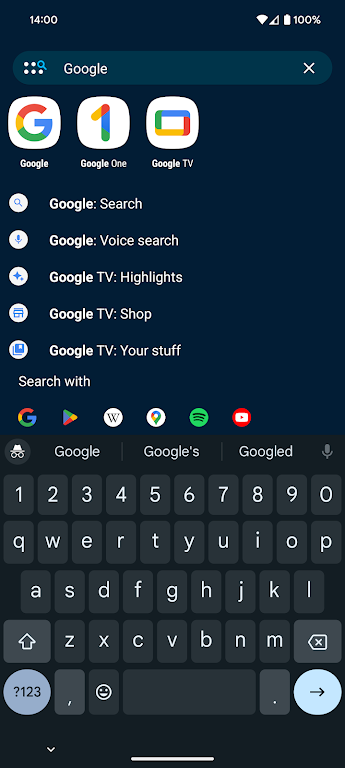
Nova Launcher is a customizable Android launcher that transforms your home screen with performance-focused tools and deep personalization. It brings gesture controls, icon themes, and layout tweaks together in a lightweight package, letting users tailor their device appearance and workflow without sacrificing speed or battery life.
What Nova Launcher Does
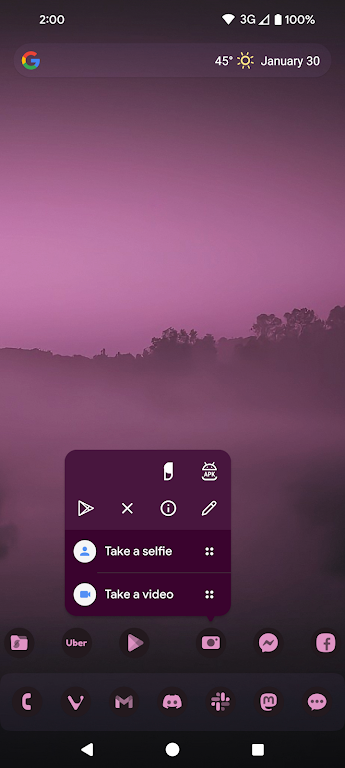
Nova Launcher replaces your default home screen with an interface designed for flexibility. You can rearrange app icons, create custom gestures, configure dock behavior, and apply icon packs. The launcher focuses on clean transitions and efficient memory use, making complex customization accessible to regular users and enthusiasts alike.
Core Features at a Glance
- Home screen grid and layout: Precise control over rows, columns, and icon size to maximize screen real estate.
- App drawer customization: Vertical, horizontal, or landscape drawer options, plus folder organization and searchable lists.
- Gestures and shortcuts: Swipe, pinch, double-tap, and other gestures that speed up common tasks.
- Themes and icon packs: Full support for third-party icon packs and dynamic icon masking for a consistent look.
- Backup and restore: Save multiple setups and restore them quickly after a reset or on a new device.
How It Improves Daily Use
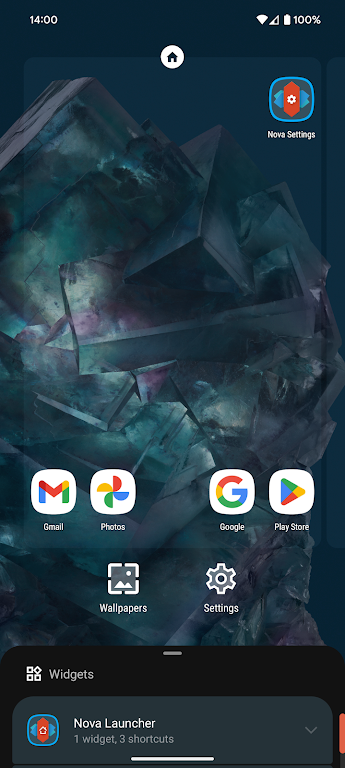
Rather than forcing a single layout, Nova Launcher adapts to how you use your phone. Assign gestures to open apps or toggle settings, hide seldom-used apps from the drawer, and pin widgets to specific pages. These small adjustments reduce friction when navigating the device and help you access important functions faster.
Interface and Performance
Designed with speed in mind, Nova Launcher keeps animations smooth and resource consumption low. Animation curves and speeds are configurable, so users can optimize for quickness or visual flair. The launcher integrates with Android’s features and respects system themes, which minimizes compatibility issues across different manufacturers.
Customization Options Explained
Customization is the main draw. Change icon labels, apply adaptive icons, adjust the dock and folder appearance, and set unique gestures per action. Advanced settings let you tweak notification badges, configure unread counts, and set persistent widgets. Power users will appreciate the ability to fine-tune almost every visual element.
Practical Tools for Productivity
Nova Launcher adds functional benefits beyond looks. Take advantage of app shortcuts for direct actions, use persistent search bars, and assign swipe gestures on app icons for instant commands. The launcher’s backup feature allows creating multiple profiles for work, travel, or leisure, which streamlines switching contexts without rebuilding layouts.
Setup and Getting Started
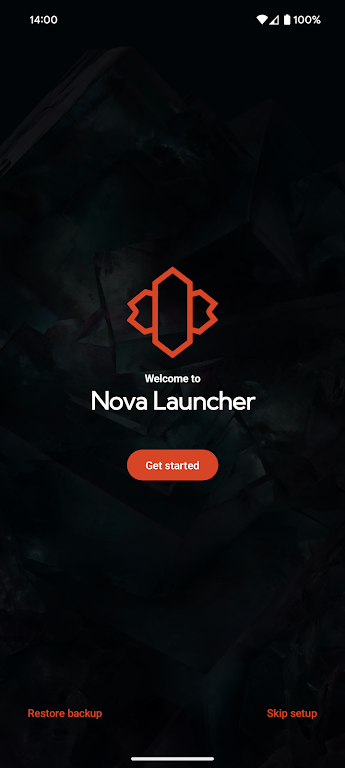
Installing Nova Launcher is straightforward: set it as your default launcher, then choose a layout or import a previous profile. The initial setup offers templates to get a familiar grid, while the settings menu exposes deeper options. New users can make subtle changes over time instead of committing to a complete overhaul immediately.
Tips for New Users
- Start with basic adjustments like grid size and icon pack to get a fresh look fast.
- Enable a couple of gestures, such as swipe down for notifications, to boost everyday efficiency.
- Regularly back up your setup before experimenting with major changes.
- Use folders and the app drawer search to minimize home screen clutter.
Why Many Users Prefer It
Nova Launcher balances depth and simplicity. Whether you want a minimalist home screen or a highly customized one, the launcher gives you control without slowing the device. Its mature feature set, frequent updates, and robust backup system are major reasons people choose Nova Launcher over other launchers.
For anyone who values a tailored Android experience, Nova Launcher provides the tools to shape both aesthetics and workflow. From subtle tweaks to full redesigns, it allows meaningful personalization while keeping system performance a priority.
Information
 Google Play
User Comments
Introducing Phone Ringtones - the ultimate solution to boring phone ringtone music! Say goodbye to generic tones and hello to a world of personalized ringtones that reflect your unique style. With a vast collection of the latest iphone ringtones, notification sounds, and remixes, you'll never have to settle for default sounds again. Our user-friendly app allows for easy customization, so you can set different ringtones for contacts and alarms with ease. And with added features like wallpapers and the ability to share with friends, Phone Ringtones is more than just a ringtone app - it's a complete phone makeover experience. Upgrade your phone now with Phone Ringtones and let your personality shine through!

Upgrade your Android device with the most comprehensive icon pack available today from ENIX. With over 4200 unique icons and regular updates to keep up with the latest trends, your home screen will never look the same. But that's not all - the motion calendar feature offers a fresh take on the traditional calendar view, while a diverse collection of stunning 3D wallpapers adds a whole new level of customization. With ENIX, your phone will always be up-to-date and your user experience will be maximized to its full potential. Try it now and see the difference!
Experience the ultimate personalization for your mobile device with iPhone 11 Pro max. This innovative app provides you with a wide range of stunning themes, icons, and wallpapers designed in 4D to give your phone a fresh and stylish look. With a variety of categories to choose from, you can easily customize your screen display with high-quality graphics and unique designs. The app is user-friendly, free to use, and allows you to easily change and customize icons and names for any app on your device. Give your phone a makeover and download iPhone 11 Pro max today to transform your mobile experience.
Looking to make your phone stand out with a fresh new look? Look no further than Mellows Theme! This comprehensive launcher beautification program covers icons, wallpaper, folders, menus, skins, and more to give your phone a complete makeover. Compatible with popular launchers like CLauncher, Go Launcher EX, and iOS 7 Launcher, Mellows Theme offers a variety of wallpapers and lockers to suit your style. With C Launcher, you can simplify, beautify, and supercharge your Android phone with tools to save battery life and clean up junk files. Download Mellows Theme now and transform your phone into a true reflection of your personality!
USB Screen Share - Phone to TV is the ultimate USB connection app for mirroring your phone or tablet to a TV. With the ability to easily connect your device to a TV using a USB cable or wireless connection, this app allows you to share your favorite videos, photos, and other content on the big screen. With features like USB screen mirroring and customizable settings, USB Screen Share - Phone to TV is perfect for anyone looking to enhance their viewing experience and share content with others effortlessly. Whether you're a tech pro or a beginner, this app is a must-have for enjoying your device's content on a larger display.
Enhance the look and functionality of your Android device with ios 12 launcher xs - ilauncher. Customize your home screen with a variety of themes, wallpapers, icons, and widgets to give your device a fresh and unique look. Enjoy fast and smooth navigation through your phone with options to personalize layouts, hide apps, and optimize app organization. With smart searching capabilities and app suggestions, finding what you need is easier than ever. Keep your apps private with icon hiding and backup your settings for added convenience. Experience a new level of customization and efficiency with ios 12 launcher xs - ilauncher.