

 X
 facebook
 WhatsApp
 Email
Introduction
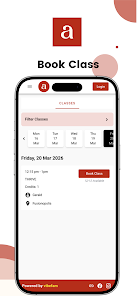
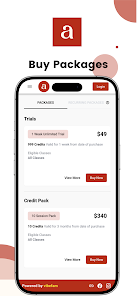
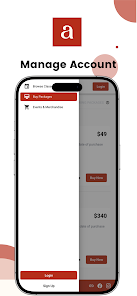
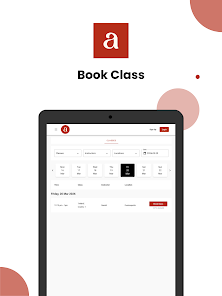
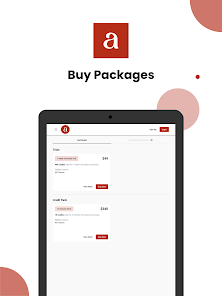
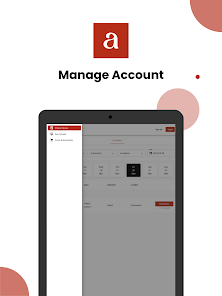
amber is a streamlined productivity app that organizes tasks, notes, and schedules into a single elegant interface. It combines quick capture, smart categorization, and calendar integration so users can plan, focus, and track progress without clutter. Designed for everyday efficiency and minimal setup.
Overview
Designed for people who juggle deadlines, meetings, and creative work, amber brings essential tools together without overwhelming menus. The design philosophy favors clarity: inbox-style capture, tag-based organization, and a unified timeline that surfaces the most important items. Whether you need a lightweight task manager or a daily planner, amber adapts to varied workflows.
Main Features at a Glance
- Quick Capture: Add tasks, voice notes, or images in one tap and assign them later.
- Smart Categories: Automatic sorting with customizable tags and filters.
- Calendar Sync: Two-way integration with popular calendar services to keep events and tasks aligned.
- Focus Mode: Minimal interface that hides distractions and shows only current priorities.
- Offline Access: Work without a connection; changes sync once you’re back online.
How amber Works Day to Day
The workflow is simple: capture, categorize, and act. New items land in a central inbox so nothing is lost. From there you can assign a due date, attach files, or drop a tag for later filtering. The app’s timeline view prioritizes items by due date and relevance, while a separate projects view groups related tasks into milestones. This layout reduces cognitive load and speeds decision-making.
Customization and Personalization
amber supports multiple themes and layout options so you can shape the workspace to your tastes. Choose compact lists for rapid triage or expanded cards when you need more context. Tags can be nested, and custom quick-actions let you mark tasks complete, snooze items, or forward content to external services. Power users will appreciate configurable notification rules and keyboard shortcuts for faster navigation.
Performance and Interface Design
Performance is a focus: amber loads swiftly, keeps animations subtle, and minimizes background battery use. The interface balances readable typography with functional spacing, making long lists easier to scan. Transitions are smooth, and the search function returns results instantly even with large archives. The team optimized database queries for low-latency updates and reliable syncing across devices.
User Experience Highlights
- Onboarding: A guided setup helps map existing calendars and imports tasks from other apps.
- Accessibility: High-contrast options and screen-reader support for inclusive use.
- Collaboration: Share lists or assign tasks to collaborators with permission controls.
Tips for New Users
Start by using the inbox for two days to capture everything. Then spend 10 minutes creating a few tags that match your routines — like Work, Errands, and Ideas. Use the focus mode during your main work block to reduce context switching. If you collaborate, set clear ownership on tasks so amber can remind the right person. Small habits make the app scale from personal planning to team coordination.
Why People Choose amber
Users report amber’s combination of speed and simplicity makes it easier to maintain daily momentum. Its hybrid approach—task manager plus notes and calendar—reduces app hopping. For many, the advantage lies in predictable organization that doesn’t demand constant reconfiguration.
Getting Started and Installation
Installing amber is straightforward: download from your device store, allow calendar access if you want sync features, and import any existing tasks using the import tool. The initial walkthrough suggests three quick actions to personalize notifications and layout. A free tier covers basic use, with optional upgrades for advanced integrations and team features.
For anyone aiming to cut friction from routine work, amber delivers a polished, efficient toolkit. Its focus on capture, flexible organization, and reliable syncing makes it a solid pick for users who want to be more intentional with time and tasks.
Information
 Google Play
User Comments
30 Day Butt Workout Challenges helps you build a stronger, firmer and more lifted butt with a focused month-long program that guides daily routines targeting the glutes. The app walks you through exercises that increase in intensity over time and includes scheduled rest days to support recovery. Clear exercise descriptions and progress statistics make it straightforward to follow whether you're a complete beginner or already active, and the option to create custom training routines lets you tailor workouts to your goals. If you want visible shaping, improved strength and a simple path to consistency, this app is a practical tool to get started.

Maintaining good hearing is crucial for our overall well-being, and hearWHO is here to make that easier for everyone, especially those at higher risk of hearing loss. With a user-friendly interface and easy accessibility, hearWHO provides a convenient way to check your hearing regularly. However, it is essential to keep in mind that the accuracy of the results may vary based on factors like headphone type and ambient noise levels. For any concerns or unfavorable results, seeking advice from a medical professional is highly recommended. Let's prioritize our hearing health with hearWHO, a valuable tool for early detection and intervention. Visit their website or social media pages for more information.

Recipes from Cyprus and Greece brings the rich, diverse flavors of Greek and Cypriot cooking to your device, offering a comprehensive collection that helps you recreate authentic Mediterranean meals at home. The app includes over 100 traditional recipes plus two free selections, covering appetizers, soups, mains, desserts and drinks so you can prepare dishes like ntakos salad, giouvarlakia augolemono and melomakarona. Designed for both beginners and experienced cooks, Recipes from Cyprus and Greece gathers classic and modern recipes found in taverns, restaurants and street food spots, making regional cooking accessible and inspiring.

Endobits™ Companion is a mobile application designed to simplify how people with diabetes share glucose data with their healthcare teams. The app connects continuous glucose monitors, blood glucose meters, and health kit entries so readings and trends are available for review during appointments or between visits. Users may want this app because it eliminates manual uploads and enables instant, secure sharing that supports remote consultations and timely feedback. By keeping data organized and accessible, Endobits™ Companion helps patients and clinicians focus conversations on treatment decisions rather than file transfers.

The INDURO Instructors App is a dedicated training and resource platform for fitness and cycling professionals, enthusiasts, and beginners who want structured learning and practical workouts in one place. It combines written and visual content - exercise videos, study materials, and exams - so instructors can refine teaching methods while participants follow guided workouts. Users may download the app to prepare for certification exams, earn Continuing Education Credits (CECs) and Continuing Education Units (CEUs), or simply to build a consistent fitness routine. The app's modular layout and intuitive interface make it easy to navigate courses and consume content at your own pace.
Home Remedies : Natural Cure is a compact, practical app that brings natural health advice and easy DIY treatments to your phone, helping you manage minor ailments and maintain wellness from home. The app collects thousands of remedies for common problems—colds, headaches, digestive issues—and pairs them with practical tips, healthy recipes and herbal tea guides so users can try safe, natural solutions without leaving the house. It also includes tools like a Body Mass Index calculator and a smart search to find remedies quickly, making Home Remedies : Natural Cure useful for anyone interested in simple, science-informed self-care routines.