
 X
 facebook
 WhatsApp
 Email
Introduction
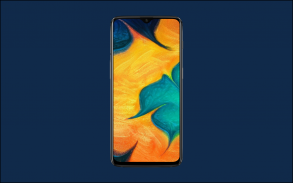
A50 Wallpapers collects high-resolution backgrounds optimized for modern Android screens, offering an organized gallery and easy one-tap application. The app streamlines wallpaper browsing with thematic categories, daily updates, and quick cropping tools, designed to refresh your home and lock screens with minimal fuss and reliable performance.
Overview: What A50 Wallpapers Delivers
A50 Wallpapers is a lightweight utility tailored for users who change their phone look frequently. The focus is on crisp imagery and a straightforward workflow: browse, preview, crop, and apply. It supports a wide range of aspect ratios and displays device-friendly thumbnails so you know exactly how an image will appear on your device before committing.
Key Capabilities
- Curated Collections: Scenes, abstract art, nature, gradients and themed packs keep the catalog fresh and navigable.
- Daily Refresh: New entries arrive regularly so the library evolves without manual updates.
- One-tap Apply: Set wallpapers to home or lock screen instantly with a single action.
- Smart Cropping: Built-in tools preserve focal points while adapting images to varying screen sizes.
- Offline Access: Download favorites to view or use them without an internet connection.
How It Works: Practical Workflow
The app's navigation prioritizes speed. A tiled gallery shows large previews; tapping any image opens a full-screen view with options to apply, save, or crop. The cropping interface uses drag handles and aspect presets to match common display formats. You can also mark images as favorites for a simple way to curate your own rotation.
Customization and Personalization
Beyond picking a static image, A50 Wallpapers offers several personalization layers. Choose from subtle filters and blur effects to improve readability of icons and widgets. The app allows scheduled wallpaper changes so your device can rotate designs at intervals you specify. For power users, there are preconfigured themes that group coordinating home and lock screen images.
User Interface and Performance
The interface emphasizes clarity: large thumbnails, minimal chrome, and readable labels. Load times are modest thanks to optimized image caching. Memory use is conservative; even devices with modest RAM handle browsing smoothly. The app adapts to light and dark system themes which keeps it consistent with the rest of your phone’s UI.
Tips for New Users
- Start with Collections: Browse by category to narrow choices quickly.
- Use the Preview: Always preview before applying to check icon contrast and alignment.
- Try Scheduled Rotation: Set a morning or weekly change to keep the look fresh without effort.
- Save Favorites Locally: Download images you love to ensure access when offline or to avoid re-downloading mobile data.
Why People Choose This App
Many users pick A50 Wallpapers for its blend of variety and convenience. It doesn’t overload with unnecessary features; instead, it concentrates on high-quality visuals and reliable tools. The curated approach helps users discover appealing combinations quickly, and the one-tap workflow suits those who want immediate results.
Compatibility and Setup
Installing and running A50 Wallpapers is straightforward. After granting storage and display permissions, you can start exploring the gallery. The app keeps a small footprint on your device, and installation is quick. Refresh intervals, download locations, and default save folders can be adjusted in settings to match your storage preferences.
Practical Uses and Scenarios
Whether you like seasonal changes, minimalist screens, or bold wallpapers that match your avatar, A50 Wallpapers supports different tastes. Photographers and designers can use the save-and-share features to move images into other apps. Users who present their phones in meetings will appreciate the preview mode that ensures professional composition before displaying your device.
Final Notes for Consideration
For anyone who regularly customizes their device, A50 Wallpapers is a focused tool that balances visual quality with uncomplicated controls. It offers enough flexibility for casual users while providing useful options for those who like to fine-tune appearance. Regular updates and the ability to work offline increase its practicality for daily use.
Information
User Comments

Introducing Phone Ringtones - the ultimate solution to boring phone ringtone music! Say goodbye to generic tones and hello to a world of personalized ringtones that reflect your unique style. With a vast collection of the latest iphone ringtones, notification sounds, and remixes, you'll never have to settle for default sounds again. Our user-friendly app allows for easy customization, so you can set different ringtones for contacts and alarms with ease. And with added features like wallpapers and the ability to share with friends, Phone Ringtones is more than just a ringtone app - it's a complete phone makeover experience. Upgrade your phone now with Phone Ringtones and let your personality shine through!

Upgrade your Android device with the most comprehensive icon pack available today from ENIX. With over 4200 unique icons and regular updates to keep up with the latest trends, your home screen will never look the same. But that's not all - the motion calendar feature offers a fresh take on the traditional calendar view, while a diverse collection of stunning 3D wallpapers adds a whole new level of customization. With ENIX, your phone will always be up-to-date and your user experience will be maximized to its full potential. Try it now and see the difference!
Experience the ultimate personalization for your mobile device with iPhone 11 Pro max. This innovative app provides you with a wide range of stunning themes, icons, and wallpapers designed in 4D to give your phone a fresh and stylish look. With a variety of categories to choose from, you can easily customize your screen display with high-quality graphics and unique designs. The app is user-friendly, free to use, and allows you to easily change and customize icons and names for any app on your device. Give your phone a makeover and download iPhone 11 Pro max today to transform your mobile experience.

Looking to make your phone stand out with a fresh new look? Look no further than Mellows Theme! This comprehensive launcher beautification program covers icons, wallpaper, folders, menus, skins, and more to give your phone a complete makeover. Compatible with popular launchers like CLauncher, Go Launcher EX, and iOS 7 Launcher, Mellows Theme offers a variety of wallpapers and lockers to suit your style. With C Launcher, you can simplify, beautify, and supercharge your Android phone with tools to save battery life and clean up junk files. Download Mellows Theme now and transform your phone into a true reflection of your personality!
USB Screen Share - Phone to TV is the ultimate USB connection app for mirroring your phone or tablet to a TV. With the ability to easily connect your device to a TV using a USB cable or wireless connection, this app allows you to share your favorite videos, photos, and other content on the big screen. With features like USB screen mirroring and customizable settings, USB Screen Share - Phone to TV is perfect for anyone looking to enhance their viewing experience and share content with others effortlessly. Whether you're a tech pro or a beginner, this app is a must-have for enjoying your device's content on a larger display.
Enhance the look and functionality of your Android device with ios 12 launcher xs - ilauncher. Customize your home screen with a variety of themes, wallpapers, icons, and widgets to give your device a fresh and unique look. Enjoy fast and smooth navigation through your phone with options to personalize layouts, hide apps, and optimize app organization. With smart searching capabilities and app suggestions, finding what you need is easier than ever. Keep your apps private with icon hiding and backup your settings for added convenience. Experience a new level of customization and efficiency with ios 12 launcher xs - ilauncher.