

 X
X
 facebook
 WhatsApp
 Email
Email




Introduction
DOUKIスマート is a compact salon management utility designed for businesses that use the Online Reservation Synchronization System DOUKI; the app centralizes bookings and keeps schedules synchronized across multiple reservation platforms so salon staff can manage appointments from a single interface without repeated manual entry. Built for contracted salons, DOUKIスマート monitors reservation changes that occur in the device's web browser and distributes updates to connected booking services, helping teams maintain accurate availability even outside normal business hours. The app focuses on reducing double bookings and administrative overhead while providing fast feedback so staff can stay focused on client care.
Key features
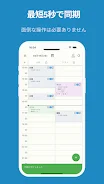
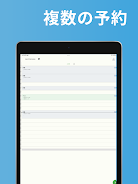
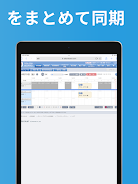
DOUKIスマート automatically synchronizes reservations, staff schedules, breaks, and service availability across all linked booking services, minimizing conflicts between systems. It detects changes by observing the browser session used to access reservation portals and then propagates those edits to other connected sites, so a single update is reflected widely. Synchronization is designed to be quick in normal network conditions, often completing within about ten seconds and displaying a simple pop-up notification when finished. The app provides centralized schedule controls allowing staff to view daily and weekly availability, make manual adjustments when needed, and confirm that updates have been delivered to partner services.
How synchronization works
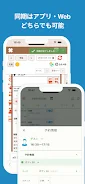
The synchronization process relies on the device's browser activity as the primary trigger: when a booking is created, modified, or canceled through approved reservation sites, the app recognizes the change and prepares corresponding updates for the other linked platforms. Changes are packaged and sent in the background without requiring staff to re-enter information multiple times; conflict detection highlights overlapping entries so front-desk staff can resolve ambiguous cases before confirmations are sent. While the system is optimized to minimize delay, successful propagation depends on network stability and the availability of each external reservation service.
Controls, setup and progression
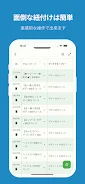
Setting up DOUKIスマート is oriented around a step-by-step onboarding flow that links a salon's contracted reservation accounts to the synchronization service. The interface is designed for touch-first operation: staff can tap calendar entries to edit details, drag to change time slots on supported views, and use simple confirm or cancel actions to finalize updates. Progression through the app tends to follow a clear cycle—connect accounts, configure service and staff mappings, monitor sync activity, and use centralized controls to maintain availability—so teams can adopt the tool quickly and keep procedures consistent across multiple locations.
Visual style and user experience
The app presents schedules in familiar calendar formats with day and week views to support common salon workflows; appointments are displayed with clear labels for times, services, and assigned staff to reduce ambiguity during busy periods. Notifications and status messages use straightforward language to indicate successful synchronizations or to flag issues that require attention. The goal of the visual design is functional clarity rather than flash, with emphasis on reducing clicks and showing the most relevant information for front-desk and floor staff at a glance.
Reliability, offline behavior and compatibility
DOUKIスマート operates continuously to handle updates that occur after hours or during ongoing appointments, but it requires a stable network connection to send and receive synchronization messages. In conditions of poor connectivity, synchronization may be delayed or fail; the app attempts to retry transmission when a connection is reestablished, and it surfaces status information so staff are aware of pending updates. The app is intended for salons that hold an active contract with the Online Reservation Synchronization System DOUKI and may require specific browser settings and permissions to detect and propagate changes correctly.
Accessibility, customization and daily use
The app is built to support routine salon operations with straightforward controls and an uncluttered layout that adapts to common accessibility settings on Android devices. Salon administrators can prioritize which services or staff schedules are synchronized and can choose how aggressive their notification preferences are so that alerts do not interrupt treatments. Regular use of DOUKIスマート helps reduce repetitive administrative tasks, enabling teams to spend more time with clients and less time reconciling calendars.
Limitations and support
DOUKIスマート is limited to salons contracted with the DOUKI synchronization service and depends on third-party reservation sites for full interoperability; some integrations may require additional configuration or permissions. A reliable mobile or Wi‑Fi connection is important for timely updates, and the developer does not guarantee resolution of every possible issue. For operational concerns, the app exposes synchronization status and basic diagnostics to help local staff and technical contacts identify where a problem may exist.
For salon teams seeking a focused solution to manage multiple online booking sources from one place, DOUKIスマート provides a practical synchronization layer that reduces duplicated entry and scheduling conflicts while keeping appointment data current across services. Its straightforward controls, clear schedule views, and background sync behavior make it a useful tool for salons that need to streamline reservation management and maintain consistent availability for clients.
Information
 Google Play
User Comments

FleetDocs is a mobile document management app that helps trucking fleets capture, submit, and organize paperwork using a smartphone camera. FleetDocs puts common driver tasks — photographing bills of lading, scanning receipts, combining multiple pages and sending them to an administrator — into a simple, repeatable workflow designed for fast processing and less paper handling.

InterForum is the official mobile app for attendees of InterForum conferences, designed to simplify planning, participation, and networking at live and virtual events. It centralizes agendas, official programs and session details so users can browse schedules, track updates, and build a personalized timetable that fits their interests. The app also supports live interaction with speakers, real-time polls, and in-app messaging to help attendees stay informed and connected. If you attend InterForum events regularly or are a first-time participant, this app streamlines event logistics and boosts opportunities to learn, ask questions, and meet other professionals.

Visit UIC is a compact guide to the University of Illinois Chicago's annual Open House, offering a clear overview of the September 16 event and why it matters for prospective students, families, and community visitors. The app summarizes what to expect—over 100 sessions, faculty talks, lab and studio demonstrations, hands-on activities on the quad, and practical sessions on admissions and financial aid—so you can quickly see whether UIC's academic programs, facilities, and urban campus culture match your interests before attending in person.

msgKarriere is a mobile career companion designed to help candidates and employees discover job opportunities, follow industry trends, and manage professional development from any location. In the first moments after opening msgKarriere you can search curated listings, read firsthand employee 'Job Stories', and start an application with a streamlined workflow that reduces friction between finding a role and applying. The app centralizes company profiles, event details, and project summaries in a compact, user-focused layout so users can make informed choices about roles and workplace culture on the go.

Dhaka Share Bazar puts Bangladesh's stock market into a compact, mobile-friendly interface so you can check live quotes, indices and company information on the go. Dhaka Share Bazar is designed for anyone who needs concise market reference — from experienced traders who review intraday moves to investors and students who study company filings and sector trends. The app focuses on delivering exchange-sourced data in a clear layout that reduces time spent navigating multiple websites and gives a single place to consult prices, charts and corporate summaries.

政府職缺快找 is a streamlined app that helps users discover and manage government job vacancies in one place. The app aggregates the latest public-sector openings, lets you filter searches, save favorites, and view full job details so you can prepare applications with fewer steps. Job seekers, career changers, and recent graduates will appreciate the ability to create tailored search conditions and receive deadline reminders via calendar sync. If you want a single dashboard for monitoring official vacancy announcements and organizing potential applications, 政府職缺快找 offers the basic tools to simplify the process.