

 X
 facebook
 WhatsApp
 Email

Introduction
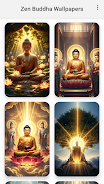
Zen Buddha Wallpapers delivers a curated collection of serene, high-resolution backgrounds designed for mindful and minimalist Android homescreens. This app combines calming imagery, easy organization, and smart cropping tools to help users personalize devices with tranquil landscapes and Zen-inspired art, while keeping battery and readability in mind during everyday use.
Overview and Purpose
Zen Buddha Wallpapers targets users who prefer subtle, relaxing aesthetics rather than flashy or busy wallpapers. The app focuses on images that reduce visual clutter and complement both dark and light icon packs. It’s useful for anyone seeking a calming visual starting point for productivity, meditation, or simply a cleaner phone look.
Design Philosophy
The visual approach emphasizes balance, negative space, and muted palettes. Wallpapers favor soft gradients, natural textures, and minimalist compositions that keep home screens legible. The result is a cohesive set of backgrounds that work well across phones with varying aspect ratios and launcher setups.
Key Features at a Glance
Zen Buddha Wallpapers includes a compact suite of tools tailored to wallpaper selection and application. The feature set strikes a balance between quick one-tap actions and simple customization for users who want control without complexity.
- High-resolution images: Optimized photos and illustrations that scale smoothly to modern displays.
- Category browsing: Easily navigate themes like nature, monochrome, texture, and Zen art.
- Smart crop and preview: Live preview with adjustable crop to fit home and lock screens.
- Favorites and offline access: Save preferred wallpapers for quick reuse without internet.
- Lightweight performance: Minimal memory footprint to preserve battery and speed.
User Interface and Experience
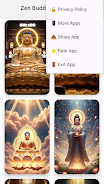
The interface is organized around a simple grid and an expandable preview pane. Navigation uses familiar swipe and tap gestures, while the preview mode displays safe zones for widgets and system UI. Small animations make browsing feel polished without being distracting.
Settings are intentionally limited to the essentials: image quality, auto-apply behavior, and a few display preferences. That keeps the app approachable for new users while allowing power users to fine-tune output quality and storage options.
Customization Options
Even though the focus is minimalism, customization is available where it matters. Users can adjust crop, rotation, and a subtle blur overlay to improve contrast with icons. For simplicity, default presets are provided so you can apply a polished look in a single tap.
- Preset crops: Recommended framing for common launcher grids.
- Contrast and blur controls: Small adjustments to ensure text legibility.
- Auto-scale: Ensures the image fills the screen without awkward stretching.
Performance and Compatibility
Zen Buddha Wallpapers is optimized for prevalent Android versions and a range of hardware. Images are delivered in compressed formats that balance fidelity and storage. Memory usage stays low during browsing, and background processes are limited to caching and scheduled downloads when enabled.
Compatibility notes include adaptive handling of different aspect ratios and support for both single-screen and dual-screen previewing on foldable devices. The app also respects power-saving modes to avoid unnecessary background activity.
Practical Tips for Best Results
To get the most pleasing outcomes, pick images with natural blank areas where widgets sit. Use the built-in preview to test readability with your icon pack. If your launcher supports parallax or scrolling wallpapers, try different crops to see how movement changes focal points.
- Test a few crops in preview before applying.
- Use the blur control when icons become hard to read.
- Save favorites to quickly switch between seasonal looks.
Getting Started
Begin by browsing categories and marking a favorite. Apply the image to your home or lock screen with one tap or customize crop first if you prefer finer control. The onboarding flow is brief and highlights the main tools so you can personalize your device in under a minute.
Why Users Recommend It
Users often praise Zen Buddha Wallpapers for its thoughtful curation and unobtrusive interface. The combination of high-quality imagery and sensible defaults makes it a reliable choice for anyone who wants a calmer, more focused home screen. Regular updates add new collections without changing the core experience.
Overall, the app is well-suited for those who value aesthetics that enhance daily focus and complement launcher setups rather than compete with them. Zen Buddha Wallpapers stands out by keeping customization practical and design-driven, delivering a stable, pleasant way to refresh your device’s look.
Information
 Google Play
User Comments

Introducing Phone Ringtones - the ultimate solution to boring phone ringtone music! Say goodbye to generic tones and hello to a world of personalized ringtones that reflect your unique style. With a vast collection of the latest iphone ringtones, notification sounds, and remixes, you'll never have to settle for default sounds again. Our user-friendly app allows for easy customization, so you can set different ringtones for contacts and alarms with ease. And with added features like wallpapers and the ability to share with friends, Phone Ringtones is more than just a ringtone app - it's a complete phone makeover experience. Upgrade your phone now with Phone Ringtones and let your personality shine through!

Upgrade your Android device with the most comprehensive icon pack available today from ENIX. With over 4200 unique icons and regular updates to keep up with the latest trends, your home screen will never look the same. But that's not all - the motion calendar feature offers a fresh take on the traditional calendar view, while a diverse collection of stunning 3D wallpapers adds a whole new level of customization. With ENIX, your phone will always be up-to-date and your user experience will be maximized to its full potential. Try it now and see the difference!
Experience the ultimate personalization for your mobile device with iPhone 11 Pro max. This innovative app provides you with a wide range of stunning themes, icons, and wallpapers designed in 4D to give your phone a fresh and stylish look. With a variety of categories to choose from, you can easily customize your screen display with high-quality graphics and unique designs. The app is user-friendly, free to use, and allows you to easily change and customize icons and names for any app on your device. Give your phone a makeover and download iPhone 11 Pro max today to transform your mobile experience.
Looking to make your phone stand out with a fresh new look? Look no further than Mellows Theme! This comprehensive launcher beautification program covers icons, wallpaper, folders, menus, skins, and more to give your phone a complete makeover. Compatible with popular launchers like CLauncher, Go Launcher EX, and iOS 7 Launcher, Mellows Theme offers a variety of wallpapers and lockers to suit your style. With C Launcher, you can simplify, beautify, and supercharge your Android phone with tools to save battery life and clean up junk files. Download Mellows Theme now and transform your phone into a true reflection of your personality!
USB Screen Share - Phone to TV is the ultimate USB connection app for mirroring your phone or tablet to a TV. With the ability to easily connect your device to a TV using a USB cable or wireless connection, this app allows you to share your favorite videos, photos, and other content on the big screen. With features like USB screen mirroring and customizable settings, USB Screen Share - Phone to TV is perfect for anyone looking to enhance their viewing experience and share content with others effortlessly. Whether you're a tech pro or a beginner, this app is a must-have for enjoying your device's content on a larger display.

Enhance the look and functionality of your Android device with ios 12 launcher xs - ilauncher. Customize your home screen with a variety of themes, wallpapers, icons, and widgets to give your device a fresh and unique look. Enjoy fast and smooth navigation through your phone with options to personalize layouts, hide apps, and optimize app organization. With smart searching capabilities and app suggestions, finding what you need is easier than ever. Keep your apps private with icon hiding and backup your settings for added convenience. Experience a new level of customization and efficiency with ios 12 launcher xs - ilauncher.