
 X
 facebook
 WhatsApp
 Email
Introduction
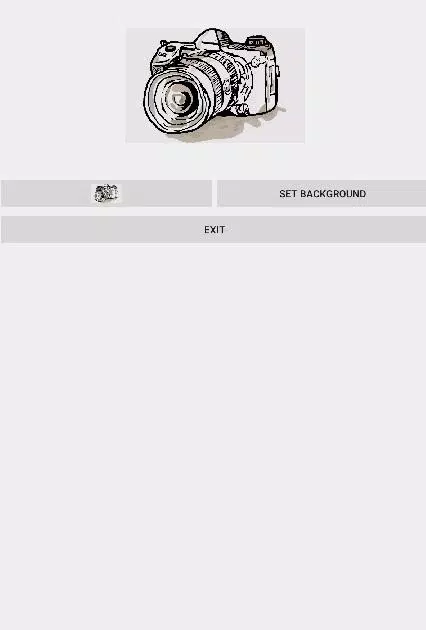
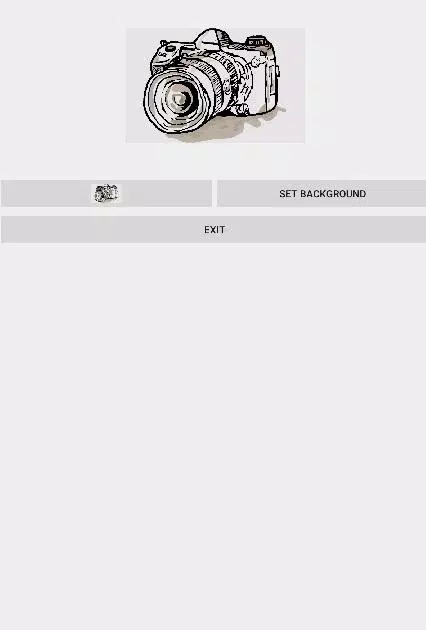
Set Background is a lightweight Android utility that lets you choose, crop and assign wallpapers quickly across home and lock screens. It streamlines wallpaper selection from your gallery or external sources, supports multiple image formats, and provides simple controls to preview and apply backgrounds with precision.
Core features and tools
The app focuses on doing one job well: setting backgrounds without clutter. Key tools include an intuitive cropper, aspect ratio presets, and instant preview modes for both home and lock screens. Batch selection is supported so you can queue several images and apply them in sequence or switch between wallpapers with minimal taps.
- Crop & fit: precise cropping handles portrait, landscape, and custom ratios.
- Multi-format support: works with JPG, PNG, and common image types.
- Preview modes: see how an image looks on home and lock screens before applying.
- Batch management: set multiple wallpapers or save sets for quick swapping.
- Integration: open images directly from the gallery, file managers, or other apps.
Interface and workflow
Set Background keeps the interface uncluttered and fast. The main screen presents recent images and folders, while a single tap opens the editor for cropping and minor adjustments. Controls are laid out to minimize steps: pick an image, crop if needed, choose the target screen, and confirm. A small settings area offers defaults like whether to apply to home, lock, or both screens.
Customization options
Even though it’s compact, the app offers practical customization choices. Users can select from aspect ratios suited to popular devices, toggle wallpaper scrolling on or off, and apply simple color filters to improve contrast against icons. There’s also a centering option and a fill/stretch choice to decide how images scale on different screen sizes.
Performance and compatibility
Performance is a priority: image processing is done locally for speed and privacy, and memory usage is conservative to avoid slowing down older phones. The app is compatible across a wide range of Android versions and screen resolutions, making it suitable for budget devices as well as flagship models. Background application happens quickly, and the lightweight design minimizes battery impact compared with heavier wallpaper apps that run background services.
Workflow tips for reliable results
To get the most out of the app, start with high-resolution images that match or exceed your device resolution. When cropping, use the preview tool to ensure important parts of the image aren’t hidden behind widgets or the clock. If icons blend into the background, try a mild blur or a subtle vignette to enhance legibility. The batch mode is handy for setting up a theme collection that you can cycle through.
Privacy and local processing
All edits and settings are stored locally on your device. The app does not require an account or cloud sync, which means your wallpapers and crop settings remain private. For users who prefer to share or back up collections, Set Background supports exporting selected images to a folder that can be uploaded manually to a cloud service.
Getting started in minutes
Begin by granting access to your images when prompted, then navigate to the folder containing the image you want. Use the crop handles to frame the subject, select whether it should apply to the home screen, lock screen, or both, and tap apply. The process is fast enough to try multiple variations until you find the right look.
Who will benefit most
This app is ideal for users who want a straightforward, dependable way to manage wallpapers without a heavy feature set or intrusive ads. Photographers who like to showcase shots as wallpapers, minimalists who change backgrounds regularly, and anyone who wants faster controls than the default system picker will find Set Background a useful addition to their toolkit.
Final practical notes
Regular updates keep compatibility current and add small quality-of-life improvements. If you use multiple launchers or a custom ROM, test the preview and apply sequence to confirm behavior, as some launchers handle wallpaper scrolling differently. Otherwise, Set Background delivers a clean, efficient experience for personalizing your device’s look quickly and reliably.
Information
User Comments

Stake Lottery is a compact, luck-driven app designed for players who prefer short, decisive sessions with immediate feedback. Stake Lottery places a clean, touch-first interface at the center of each draw so users can start a round with a single tap and experience quick outcomes with smooth animation and clear audio cues. The app’s lightweight design keeps the installation small and ensures that rounds load quickly on a wide range of devices, making Stake Lottery a convenient choice for brief breaks or repeated play throughout the day.

hiesig transforms your smartphone into a time-aware guide for an audio-augmented-reality walk through MEMOPARK Hainersdorf, letting you explore a village as if stepping into alternate pasts and possible futures. The app layers audio, video and AR content onto a local map so visitors can uncover stories, images and fictionalized scenarios developed from conversations with residents. If you visit Hainersdorf you'll activate location-based pieces that reveal buildings and people from unexpected angles; headphones are recommended to fully appreciate the immersive sound design. hiesig is ideal for anyone interested in contemporary art, local history and site-specific storytelling.

SPOTNEVENTS is a local event discovery app that helps you find nearby concerts, meetups, classes and community activities. The app provides personalized recommendations, clear event details and directions so you can plan your schedule with confidence. SPOTNEVENTS minimizes unnecessary permissions and focuses on practical planning tools for everyday use.

Vesper is the ultimate party planning app that takes the stress out of organizing get-togethers with friends, family, or colleagues. With its collaborative to-do list, date/location polls, and interactive map of nearby events, you can plan your event in seconds. The app features guided steps and adaptive templates to help you create an event in under a minute, along with integrated chats, photo/video albums, and automatic reminders. Whether it's a small morning run or a big birthday bash, Vesper can cater to events of all sizes with its seamless web/mobile experience. Say goodbye to party planning headaches and hello to enjoying the moment with Vesper.

Step into the world of horror and unleash terror with Scary Sound Effects! Perfect for Halloween parties, haunted houses, or simply spooking your friends, this app offers a vast collection of high-quality sound effects that will send chills down your spine. From ghostly whispers to monster screams, zombie roars, and eerie background noises, you can create a bone-chilling atmosphere with just a tap. Whether you're a horror enthusiast, a fan of ghost stories, or just in the mood for a scare, Scary Sound Effects is the ultimate tool for bringing your terrifying visions to life. Get ready to turn any setting into a scene from your worst nightmare!

Happy Birthday Photo is the ultimate app for creating and sharing unforgettable birthday moments with your loved ones. With over 2000 birthday stickers and frames, you can easily customize your photos with birthday cakes, gifts, and more. The advanced editing features allow you to add text, filters, and effects to make your photos truly special. Whether it's a birthday wish for a child, parent, friend, or partner, Happy Birthday Photo has you covered. Share your personalized birthday photos on social media and create lasting memories with this fantastic app. Download Happy Birthday Photo now and spread the joy on every special occasion!
