

 X
 facebook
 WhatsApp
 Email




Introduction
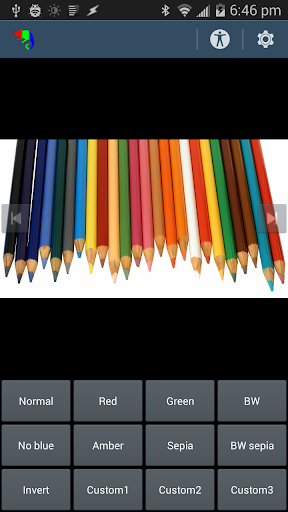
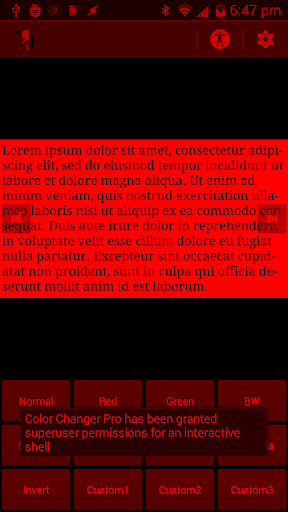
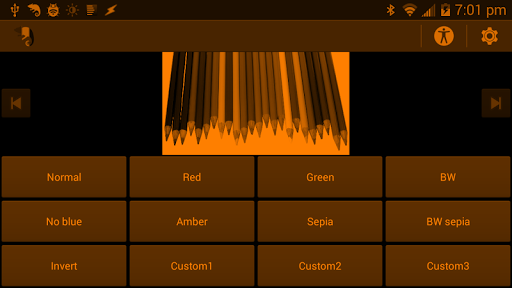
Color Changer Pro [root] lets you recolor every app on a rooted Android device by remapping screen colors at the system level rather than applying overlays. It’s useful for anyone who wants to preserve night vision with red, amber or green on black, reduce blue light before bed, get pleasant sepia tones for reading, or try high‑contrast monochrome looks. The tool offers presets and fine‑tuning with RGB, saturation and hue controls, an overbright outdoor mode, widget support and a Tasker plugin. Note this method is experimental and requires root; some apps and devices may behave differently.
Key Features
⭐ System‑wide color remapping — Color Changer Pro [root] changes colors across all apps instead of layering an overlay.
⭐ Real NO BLUE mode without overlays to remove blue light for evening use and better sleep preparation.
⭐ Presets for red, amber, green, sepia, monochrome and an overbright outdoor mode for different viewing needs.
⭐ Precise color control with RGB sliders, saturation adjustment and hue rotation for custom palettes.
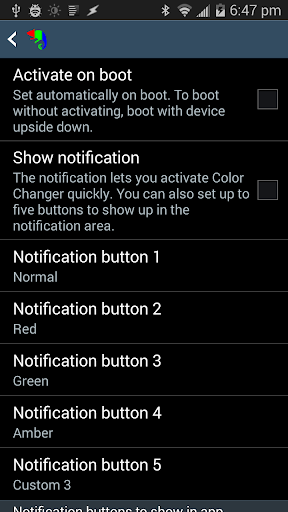
⭐ Widget support plus a Tasker integration plugin for quick profiles and automation.
⭐ Works on black backgrounds to preserve night vision, useful for astronomy or reading ebooks in bed.
Advantages
✅ Consistent, system‑level color changes so every app reflects your chosen palette — Color Changer Pro [root] delivers uniform results.
✅ Multiple presets and fine controls let you tailor color balance for reading, low‑light use or outdoor visibility.
✅ True blue‑light reduction and sepia options help ease eye strain and prepare you for sleep.
✅ Widget and Tasker support make it easy to switch profiles or automate color changes based on context.
Disadvantages
❎ Requires a rooted device; it will not work on unrooted phones or tablets.
❎ The recoloring method is experimental and may not be compatible with all devices or ROMs.
❎ May interfere with screenshots and screen recording apps, and graphically demanding games can see reduced framerate.
Information
 Google Play
User Comments

Board Game Stats is a dedicated tracking and collection-management app that helps tabletop players record plays, scores and collections with precision. It streamlines score entry with more than 2,300 game-specific score sheets and thousands of customizable templates so you can log results quickly and accurately after every session. The app produces visual charts from your play history, records wins and player positions, and supports two-way synchronization with an online board game database to keep records consistent across devices. Whether you want clearer insight into your win rate, analyze how different strategies perform over time, or maintain an organized game library, this app aims to make those tasks straightforward and reliable for hobbyists and hobby stores alike.

Himunda Slot is a mobile slot application that brings a classic casino-style experience to your device, combining an uncluttered interface with continuous play mechanics designed for casual and repeat sessions. The app delivers a wide selection of slot titles and visually distinct machines so users can experiment with different mechanics and themes without a steep learning curve. Himunda Slot is built around uninterrupted play: it supplies free chips on an ongoing basis to help keep sessions flowing and reduce the frustration of running out of credits, and it includes in-app support to answer basic questions or troubleshoot issues.

If you're a pilot or aviation enthusiast, look no further than the Spidertracks application. This must-have app allows users to access their Spidertracks account on their Android phone, providing real-time flight information, communication through Spidertxt, and a history of past flights. With the ability to view the location of all aircraft, overlay live weather updates on various map types, and more, this app is a comprehensive tool for staying informed and connected while in the air. Download Spidertracks today to take your aviation experience to new heights.

Скачать приложение 7K Casino Online на Андроид brings a curated selection of slots and classic casino-style games to your Android device in a compact APK designed for quick access and modest hardware. This editor introduction explains how the app structures its library, how gameplay and controls behave on phones, what to expect from progression and rewards, and practical notes for installing and running the package safely. The description focuses on the user experience, accessibility choices and the ways the app balances visual polish with performance on budget devices.

Скачать приложение Martin Casino APK на Андроид brings a mobile-first hub for online casino entertainment directly to your Android device. The app packages slots, roulette, live dealer tables and card games into a single APK so you can install and play without using a browser. Menus and customer support are available in English, and in-app promotions like free spins and tournaments give extra value to regular players. If you want quick, on-the-go access to a broad selection of casino titles with an interface optimized for one-handed use, this APK delivers a compact and convenient experience.

Salt & Pepper Grill and Pub launches its official mobile app to simplify ordering, browsing the menu, and accessing exclusive offers from your phone. The Salt & Pepper Grill and Pub app gathers the full menu, customizable order options and real-time promotions into a clean, user-friendly interface so guests can place orders, skip queues, or manage rewards with minimal fuss. Built with customer feedback in mind, the app aims to make dining faster and more personal while keeping navigation straightforward and promotions timely—ideal for regulars and new visitors who want a smoother restaurant experience.