

 X
 facebook
 WhatsApp
 Email
Introduction
PHAT Returns Tax Tools puts a practical suite of tax and finance utilities on your phone, helping freelancers, contractors and small business owners manage mileage, receipts and income without carrying a stack of paperwork. The PHAT Returns Tax Tools app combines an automatic GPS logbook, a camera-backed receipt archive, an income tracker and a collection of calculators with a concise news feed so you can keep organised and make informed decisions throughout the year. This editor summary covers how the app works, what to expect from its controls and progression, and the areas where it is best applied.
Core tools and functionality
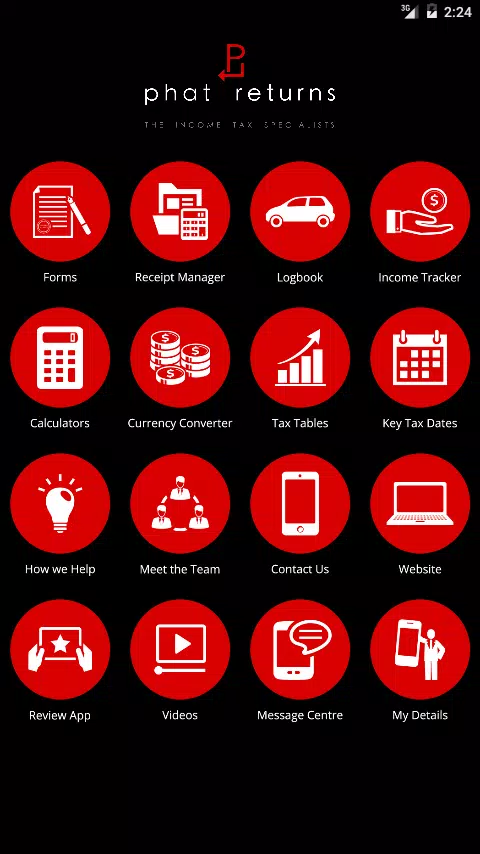
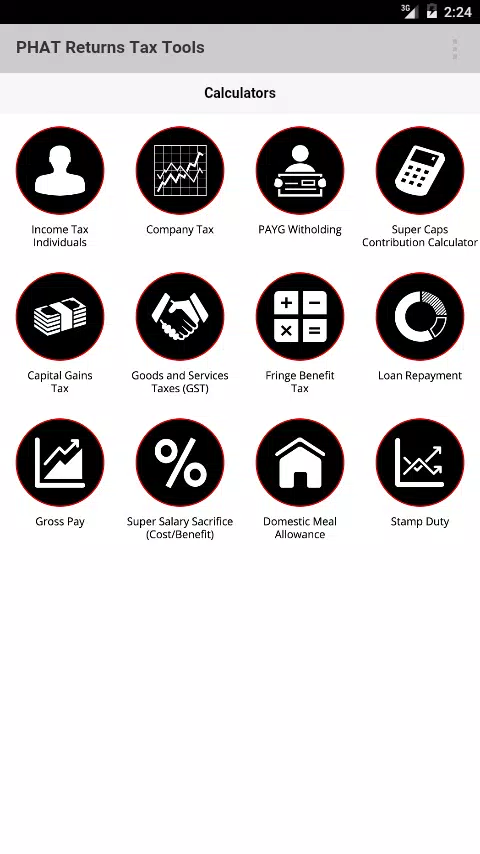
The app centres on a handful of everyday accounting aids that are useful for sole traders and small teams. The GPS logbook records business journeys using your device location and lets you export trip logs for tax claims or record-keeping. Receipt and expense capture uses the device camera to take images, attach categories and store entries for later review. An income tracker gathers multiple income streams and expenses so you can see a simple cashflow snapshot. A set of twelve calculators helps with routine scenarios such as VAT calculations, salary versus dividend comparisons and company car benefit estimates. Finally, an in-app news area publishes timely tax updates and key dates provided by the developer.
How the app works — controls and workflow
Navigation is designed around a few clear tasks: start and stop journeys, capture a receipt photo, add or edit an income entry, and run a calculator. Controls are straightforward: a map view for the logbook, a camera view with quick category options for receipts, and simple form fields for income and expense entries. Entries can be edited after capture, tagged for expense categories and filtered by date ranges. Reporting and sharing options are accessible from the same toolbar, enabling you to prepare a folder of receipts or a trips file for your accountant in a few taps.
Progression, record keeping and repeated use
Rather than one-off features, the app supports ongoing bookkeeping habits. Over weeks and months you build a continuous log of trips and receipts that simplifies end-of-period reconciliation. The calculators help you model the impact of business choices as your records grow, while the income tracker provides a running view of profitability. Regular use rewards users with cleaner records, faster claim preparation and a clearer picture of cashflow trends without manual spreadsheets.
Visual style, layout and customization
The visual approach favours clarity: list views show receipts and trips with thumbnails and dates, maps display route summaries, and calculator screens present inputs and results in an uncluttered format. Basic customization options let you choose preferred measurement units, add or edit expense categories and set tax-year boundaries so the data aligns with your reporting needs. These small adjustments make the app more practical for different trades and accounting preferences.
Offline capture, export and backups
Important tasks such as photographing receipts and recording GPS points are designed to work when you are away from a reliable connection; captured items remain on the device and the app will synchronise or enable export when connectivity is restored. Export and sharing are flexible so you can provide the information your accountant needs or attach files when submitting claims. The app supports common accounting workflows by enabling grouped exports of trips, receipts and summary reports.
Accessibility, permissions and user experience
The app requests only the permissions necessary for its core functions, namely location for the logbook and camera access for receipt capture; both features are optional and can be used independently. Text sizing and contrast are kept readable and controls avoid deep multi-level menus, which helps users with different levels of technical experience. Where connectivity is required, the app explains when content will update and which features depend on online access.
Limitations and target audience
PHAT Returns Tax Tools is aimed at freelancers, contractors and small business owners who need pragmatic mobile tools rather than enterprise-grade accounting suites. It simplifies common bookkeeping tasks and complements desktop software and accountant services, but it does not replace full accounting packages for large organisations. Some features — notably news updates and shared reports — depend on occasional connectivity and the granting of device permissions to operate at full capacity.
Development team
Developed by the team behind PHAT Returns Tax Tools, the app reflects a practical accountancy practice approach: build tools that reduce friction in everyday finance tasks and help clients keep clean records. The developers continue to update the app to reflect tax rule changes and to improve reliability based on user feedback, while keeping the core focus on straightforward bookkeeping for small-scale businesses.
Information
User Comments

Huntplex ACE puts essential management tools for fitness businesses into a single mobile app, helping gym owners, class instructors and studio managers run daily operations more smoothly. Designed to centralize billing, invoices, attendance tracking, customer enquiries and promotional messaging, Huntplex ACE reduces the need to juggle multiple systems and gives clearer visibility into revenue and client engagement across gyms, yoga studios, group classes and martial arts schools.

Adzshop is an Android utility that brings campaign setup, creative management, and real-time analytics into a single, mobile-friendly dashboard. It helps marketers and small business owners launch ads, track ROI, and optimize budgets on the go, combining practical tools for ad creation, scheduling, and performance monitoring in one compact package.

Journote is an all-in-one toolkit for journalists who need to record, organize and publish on the go. The app combines a document scanner, an audio recorder, a quick note pad, a built-in calendar and a camera so reporters can capture interviews, paperwork, photos and deadlines without switching apps. It also offers a radio stream for news monitoring and direct blog publishing from the app, making it a practical companion for fast-paced reporting. Journalists will want Journote for its convenience: it reduces context switching and keeps essential reporting tools together in one streamlined interface.

SIIP Alexandre Luz is an application designed for municipal public lighting technicians to manage maintenance tasks and service orders efficiently. The app centralizes reporting and reception of work requests so field teams can notify faulty points, receive assignments from a control center, and close or update existing orders directly from a mobile device. Technicians may create new posts, record inspections, and track previously reported locations using a straightforward, easy-to-use interface. SIIP Alexandre Luz aims to reduce paperwork and speed up repair workflows by keeping communication and status updates in one place for municipal lighting operations.

With Dynamics 365 Mobile, your sales team will be equipped with a powerful tool that seamlessly integrates data, tasks, and insights into one streamlined platform. Whether you're at the office or on the go, this app provides offline capabilities, innovative note-taking features, personalized workspaces, and visual tracking of key metrics to keep your business moving forward. Say goodbye to data loss and hello to increased productivity, efficiency, and confidence in your mobile operations. Experience the command center that is redefining business agility with Dynamics 365 Mobile today.

With just a few simple steps, our innovative Letterhead Maker app can help you create a sleek and professional letterhead in minutes. Begin by filling in your profile information, then select a template from our vast collection of modern designs. Preview your customized letterhead and easily download it to your device. Share it with ease via various messaging channels and rest assured knowing that all data is securely stored locally on your phone. No more time-consuming processes or hassle - our app streamlines the creation of personalized letterheads with ease and efficiency. Choose your template, input your details, and voila - your professional letterhead is ready to go!