
 X
 facebook
 WhatsApp
 Email
Introduction
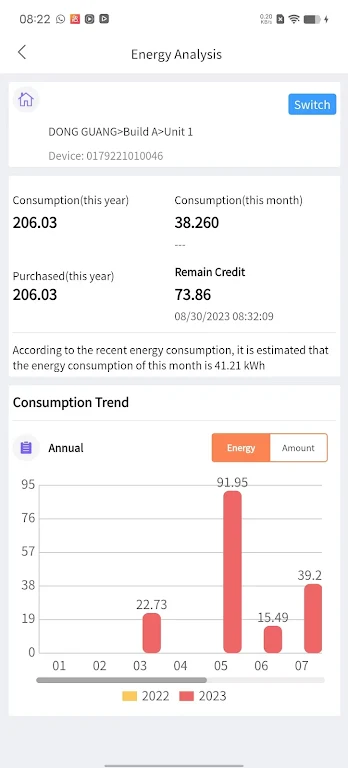
EnergyMan Smart helps homeowners and facility managers monitor, analyze, and reduce energy consumption through real-time data, intuitive dashboards, and automated alerts. Designed for clarity and efficiency, EnergyMan Smart provides actionable insights, usage trends, and device-level tracking to drive smarter decisions and lower utility costs across residential and commercial sites.
Key capabilities
The core of EnergyMan Smart is a suite of tools built around visibility and control. Users can view live consumption metrics, compare historical patterns, and set thresholds that trigger notifications. The app includes customizable reports, automated schedules for smart devices, and a recommendations engine that highlights high-impact opportunities for savings.
- Real-time monitoring with second-by-second or minute-by-minute updates.
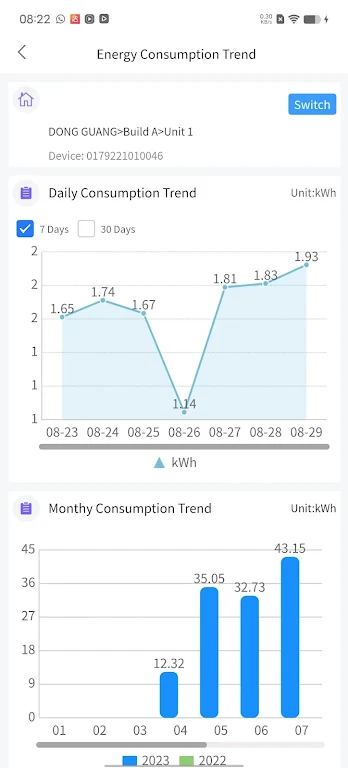
- Historic trend analysis to spot seasonal or behavioral patterns.
- Automated alerts for unusual spikes or system malfunctions.
- Device-level breakdown so you know which appliances drive costs.
- Actionable insights and prioritized recommendations.
How the system operates
EnergyMan Smart connects to meters, smart plugs, and building management systems to aggregate energy data. It normalizes different input formats and uses analytics to compute consumption, cost estimates, and carbon equivalents. The platform applies rules and machine learning models to detect inefficiencies and suggest changes that can be implemented directly from the app or exported as operational tasks.
Interface and daily workflow
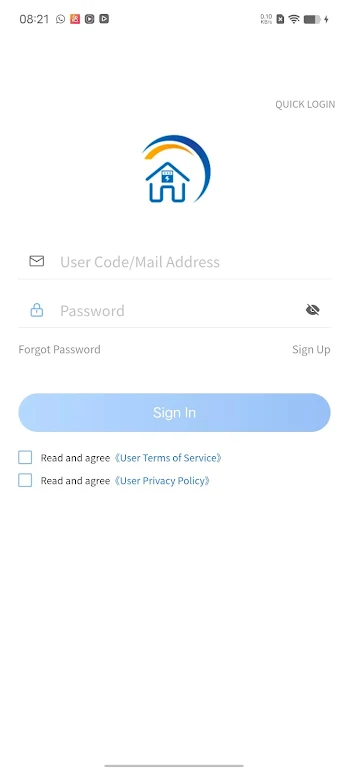
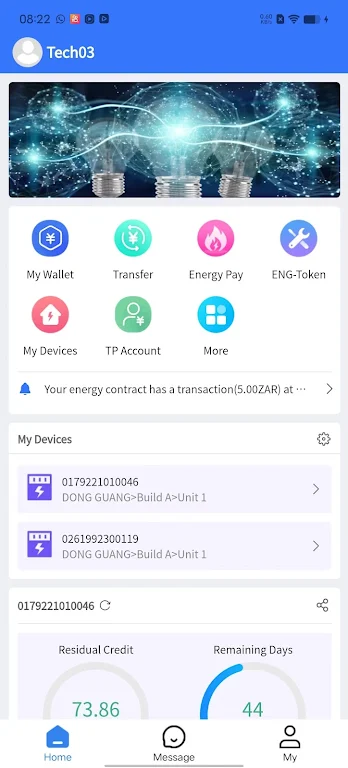
The user interface prioritizes quick access to the most relevant metrics. Dashboards are modular: add, remove, or resize widgets to match roles like homeowner, facility manager, or energy auditor. A dedicated timeline view lets you replay a day’s energy use, while a notification center keeps all alerts and recommendations in one place so that follow-up actions can be tracked and closed out.
- Custom dashboards for distinct users.
- A timeline replay for situational diagnostics.
- Task assignment and follow-up tracking for team workflows.
Integration and compatibility
EnergyMan Smart supports a wide range of protocols and devices including Modbus, BACnet, MQTT, and common smart home standards. Out-of-the-box connectors make onboarding meters and third-party platforms straightforward. Export options include CSV, PDF reports, and API endpoints for integration with enterprise software or energy management systems.
- Protocol support: Modbus, BACnet, MQTT, REST APIs.
- Connectors for major smart meter brands and IoT hubs.
- Data export for reporting and regulatory compliance.
Data protection and reliability
Security is treated as a priority; EnergyMan Smart encrypts data in transit and at rest, uses role-based access controls, and logs audit trails for critical actions. Redundancy and offline buffering ensure that short network outages do not lead to data loss, and the system includes configurable retention policies to meet internal or regulatory requirements.
Setup and practical tips
Getting started with EnergyMan Smart is staged to minimize disruption. Begin with a baseline audit to identify primary meters and high-consumption devices, then deploy the monitoring endpoints and configure dashboards. Set up threshold alerts for the most costly assets first and schedule weekly review sessions to act on surfaced recommendations. For larger installations, phased rollouts let teams validate savings before scaling.
- Start with critical circuits and expand gradually.
- Use baseline reports to measure the impact of changes.
- Automate routines for predictable savings (lighting, HVAC).
Choosing EnergyMan Smart for energy optimization
EnergyMan Smart combines granular metering, clear visualization, and automated guidance to turn raw energy data into measurable outcomes. With compatibility across devices, enterprise-grade security, and workflow features that support teams, it’s built to reduce waste and make energy management part of routine operations. For property managers, small businesses, and sustainability programs, EnergyMan Smart delivers the tools needed to lower costs and improve efficiency.
Information
 Google Play
User Comments
Introducing Phone Ringtones - the ultimate solution to boring phone ringtone music! Say goodbye to generic tones and hello to a world of personalized ringtones that reflect your unique style. With a vast collection of the latest iphone ringtones, notification sounds, and remixes, you'll never have to settle for default sounds again. Our user-friendly app allows for easy customization, so you can set different ringtones for contacts and alarms with ease. And with added features like wallpapers and the ability to share with friends, Phone Ringtones is more than just a ringtone app - it's a complete phone makeover experience. Upgrade your phone now with Phone Ringtones and let your personality shine through!
Upgrade your Android device with the most comprehensive icon pack available today from ENIX. With over 4200 unique icons and regular updates to keep up with the latest trends, your home screen will never look the same. But that's not all - the motion calendar feature offers a fresh take on the traditional calendar view, while a diverse collection of stunning 3D wallpapers adds a whole new level of customization. With ENIX, your phone will always be up-to-date and your user experience will be maximized to its full potential. Try it now and see the difference!
Experience the ultimate personalization for your mobile device with iPhone 11 Pro max. This innovative app provides you with a wide range of stunning themes, icons, and wallpapers designed in 4D to give your phone a fresh and stylish look. With a variety of categories to choose from, you can easily customize your screen display with high-quality graphics and unique designs. The app is user-friendly, free to use, and allows you to easily change and customize icons and names for any app on your device. Give your phone a makeover and download iPhone 11 Pro max today to transform your mobile experience.

Looking to make your phone stand out with a fresh new look? Look no further than Mellows Theme! This comprehensive launcher beautification program covers icons, wallpaper, folders, menus, skins, and more to give your phone a complete makeover. Compatible with popular launchers like CLauncher, Go Launcher EX, and iOS 7 Launcher, Mellows Theme offers a variety of wallpapers and lockers to suit your style. With C Launcher, you can simplify, beautify, and supercharge your Android phone with tools to save battery life and clean up junk files. Download Mellows Theme now and transform your phone into a true reflection of your personality!
USB Screen Share - Phone to TV is the ultimate USB connection app for mirroring your phone or tablet to a TV. With the ability to easily connect your device to a TV using a USB cable or wireless connection, this app allows you to share your favorite videos, photos, and other content on the big screen. With features like USB screen mirroring and customizable settings, USB Screen Share - Phone to TV is perfect for anyone looking to enhance their viewing experience and share content with others effortlessly. Whether you're a tech pro or a beginner, this app is a must-have for enjoying your device's content on a larger display.

Enhance the look and functionality of your Android device with ios 12 launcher xs - ilauncher. Customize your home screen with a variety of themes, wallpapers, icons, and widgets to give your device a fresh and unique look. Enjoy fast and smooth navigation through your phone with options to personalize layouts, hide apps, and optimize app organization. With smart searching capabilities and app suggestions, finding what you need is easier than ever. Keep your apps private with icon hiding and backup your settings for added convenience. Experience a new level of customization and efficiency with ios 12 launcher xs - ilauncher.