
 X
X
 facebook
 WhatsApp
 Email
Email

Introduction
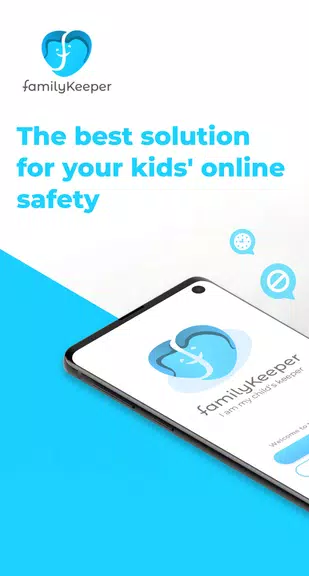
Parental Control for Families is the answer to every parent's worry about their children's safety online. This comprehensive parental control app offers a range of features to keep your children safe in the digital world. From monitoring online activity and managing screen time schedules to tracking your child's location through GPS alerts, FamilyKeeper has got it all. With advanced features like AI-driven cyberbullying prevention and real-time alerts for age-inappropriate activities, this app is a must-have for any parent. Download now!
Features of Parental Control for Families:
> Parental Control for Security
- Give parents access to their child's device
- Customize online content access
- Filter inappropriate app, site, and browser usage
- Block harmful sites and malicious content
- Monitor new photos and saved images
- Battery tracker for low battery notifications
> Cyberbullying Prevention
- Uses AI to detect worrying behavioral patterns
- Recognizes potential cyber threats
- Identifies incendiary keywords in texts
- Detects suspicious or dangerous images
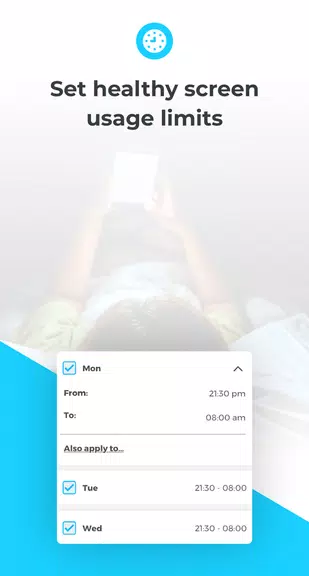
> Screen Time Schedule
- Limits online time to combat addiction
- Tracks screen time history
- Schedules fixed device usage times
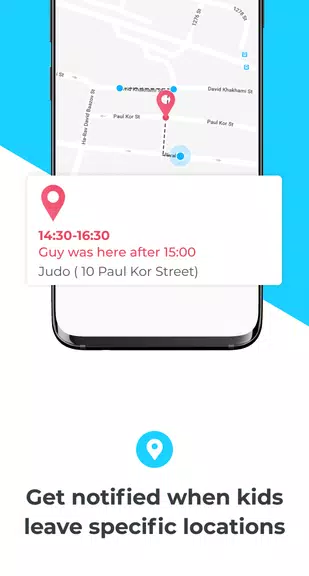
> GPS Alerts
- Location tracking for peace of mind
- Receive notifications for entering/leaving specific areas
- View location history
Tips for Users:
> Set up customized parental controls to ensure your child's safety
> Monitor your child's online activity regularly for any red flags
> Use the screen time schedule feature to promote healthy device usage
> Utilize the GPS alerts for added security when your child is out
Conclusion:
Parental Control for Families serves as a valuable tool for parents looking to protect their children from online dangers. By utilizing its advanced features such as parental controls, cyberbullying prevention, screen time scheduling, and GPS alerts, you can actively safeguard your child's online experience. Download FamilyKeeper today for peace of mind and enhanced parental supervision.
Information
User Comments

Fruits and Vegetables for Kids is a compact, child-friendly flashcard app designed to introduce toddlers and preschoolers to everyday plant-based vocabulary using large photographic cards, clear spoken labels and simple interactions that parents, caregivers and early-years teachers can rely on.
НейроЧат is a messenger built specifically to connect mothers with the platform's curators and specialists, providing a direct line for questions, feedback and guidance. The app streamlines communication between parents and the platform team so users can quickly reach the people responsible for advice and support. If you are a mother looking for a focused, parent-oriented communication tool, НейроЧат offers a purpose-driven space to interact with platform professionals without unrelated noise. Lightweight and straightforward, it is intended to make expert contact accessible on modern Android devices.

SyncParents is a shared baby-tracking app that keeps both caregivers in step by syncing logs in real time across devices. Designed for busy households, it records feedings (breast or bottle), diaper changes and daily routines so partners always know what happened and when. The app also provides a shared recipe library for baby-friendly meals, privacy controls that limit access to invited family members, and a 7-day free trial to explore full synchronization features. If you want to cut down on repeated questions and stay organized, SyncParents delivers a simple, focused tool for coordinated parenting.
Snoozzles: Sleep Trainer & Log helps parents guide their baby toward better sleep with gentle, structured methods and built-in tracking tools. The app combines a smart, adjustable timer for timed check-ins, three fading-based approaches (chair method, pick up/put down, bedtime fading), and detailed logs for sleep, feeds, diapers and growth so caregivers can spot patterns and measure progress. Families with more than one child can create separate profiles, view weekly charts, and receive reminders for active sessions. If you want a practical way to introduce consistent sleep routines while tracking care metrics, Snoozzles offers a clear, step-by-step toolkit.

My Bump: Pregnancy Tracker is a compact, private pregnancy companion that puts core information and calculations on your device without requiring an account or an internet connection. Enter the first day of your last period, set your average cycle length, and the app estimates your due date, shows the current pregnancy week and trimester, and delivers concise week-by-week guidance about fetal development and maternal changes. My Bump: Pregnancy Tracker is designed for people who prioritize privacy, simple navigation, and reliable, easy-to-read summaries rather than a crowded suite of online features.

Dancify is an organizational app built for dance parents and guardians who juggle competitions, recitals and rehearsals across a busy season. Dancify centralizes schedules, costume inventories, packing lists and contact details so you can see upcoming events at a glance and prepare what is needed for each performance without last‑minute panics. The app focuses on practical tools for real-life routines: calendar overviews, photo-tagged costume records and quick access to teacher and venue notes from your phone.