
 X
X
 facebook
 WhatsApp
 Email
Email
Introduction
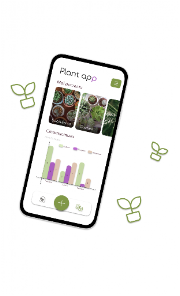
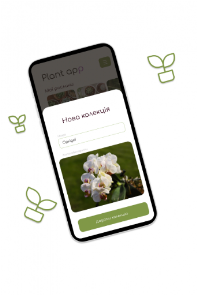
Plant App is a compact organizational tool for hobbyists, small sellers and nurseries that need a straightforward way to track plant stock and outcomes. Plant App helps you create unlimited named collections, add individual plants with genus and species fields, attach photos from your device camera or gallery, and mark items as sold or lost so records remain accurate. The app displays basic statistics by month or season so you can follow trends over time without the complexity of a full inventory suite.
How it works
The structure of the app is intentionally simple: collections act as top-level folders and each collection contains plant records. When you add a plant record you provide identification fields, a photo and an initial status. Status flags allow quick lifecycle updates, for example switching an item to sold or lost, and dedicated lists keep those outcomes separated for easy review. Built-in counts show how many items were added, sold or lost in a chosen month or season, giving a clear progression of activity across periods.
User experience and controls
Interaction follows familiar Android patterns to keep data entry fast. Tap to create or open a collection, tap an entry to view or edit details, and use standard photo selection to attach images from your gallery or capture a new picture with the camera. Long-press actions or contextual menus provide quick status changes and deletion options where appropriate. The layout prioritizes readable labels and thumbnails so that plant identity is clear at a glance, helping you work efficiently when managing dozens or hundreds of items.
Progression, reporting and replay value
Rather than gamified progression, Plant App provides practical progression tracking: use the collection hierarchy and monthly/seasonal summaries to measure stock turnover, assess losses, and identify seasons when additions peak. Because the app keeps simple, repeatable workflows for adding and reconciling plants, it becomes a useful seasonal tool you can revisit year after year to compare performance and refine planting or sales schedules.
Visual style and customization
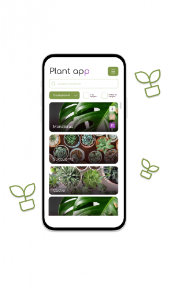
The visual design favors clarity over decoration: collections display a cover photo and creation date, and plant records show a thumbnail alongside genus and species text so identification is immediate. You can name collections to reflect physical benches, displays or inventory categories and choose cover images that make navigation faster. The interface keeps controls visible and avoids deep menus so customization is limited to the things that directly affect organization and visual recognition.
Organization and level structure
The app organizes information in two clear levels: collections and plant entries. This structure supports varied use cases, from a single grower keeping a handful of collections to a small nursery managing many categories. Dedicated sold and lost lists let you audit outcomes independently of active stock, and creation dates on collections and entries help you sort and review items chronologically.
Accessibility and offline use
Plant App is designed to work as a local, lightweight inventory tool so you can use it in the greenhouse or at market stalls without needing a constant internet connection. The interface uses clear text, simple touch targets and visible thumbnails to support quick scanning and reduce input errors. Because data is stored locally, the app avoids the complexity of account management; note that there is no built-in cloud synchronization, so cross-device sharing or backup must be handled externally.
Limitations and expected use
Plant App focuses on core inventory tasks and intentionally keeps analytics basic: the monthly and seasonal summaries provide a high-level view but do not replace advanced reporting or accounting tools. There is no automatic multi-device sync included, and detailed custom reports are outside the app's scope. For users who need simple, reliable local tracking of plants, however, Plant App offers a pragmatic balance of features and usability.
Who will benefit
Growers with small to medium inventories, market sellers who need a portable record of what they have on hand, and hobbyists who want clear identification and lifecycle tracking will find the app useful. Plant App is particularly well suited to seasonal operations where monitoring how many plants are added, sold or lost over time informs planting and sales planning for future cycles.
Information
 Google Play
User Comments
Plant App is a compact organizational tool for hobbyists, small sellers and nurseries that need a straightforward way to track plant stock and outcomes. Plant App helps you create unlimited named collections, add individual plants with genus and species fields, attach photos from your device camera or gallery, and mark items as sold or lost so records remain accurate. The app displays basic statistics by month or season so you can follow trends over time without the complexity of a full inventory suite.

Real Homes helps you browse property listings, compare options, and connect with sellers or agents. The app provides detailed property information, high-resolution photos, and practical tools to evaluate affordability and neighborhood details.

Home Design AI - Room Planner lets you visualize and plan interior and exterior renovations using AI-driven image editing and 3D visualization. Upload photos of rooms or outdoor spaces and instantly generate photorealistic redesigns with new layouts, color palettes, furniture and landscaping so you can preview changes before committing. The app is useful for homeowners, renters, designers and real estate agents who want to experiment with styles, test different finishes and share ideas with clients or family. It simplifies decision-making by turning inspiration into concrete design options and saved project versions.

Propenu is a next-generation real estate app that streamlines how people discover, buy, sell and manage property by combining verified listings, secure transactions and a low-noise interface. With Propenu's defined verification process for both users and properties and a zero-spam communication environment, users find a more reliable market experience. Propenu also integrates access to home loans and post-purchase services so buyers and owners can complete the journey in one place.

EVRS Connect is Nepal’s all-in-one service marketplace that links customers with verified local technicians, freelancers, and shopkeepers through a simple digital interface. The app helps users find and book electricians, plumbers, computer and laptop technicians, vehicle mechanics, towing teams and home maintenance experts quickly, so urgent repairs and routine jobs are solved without long searches. EVRS Connect is ideal for anyone who values fast, reliable local help: compare profiles, read reviews, and schedule services instantly to save time and avoid the usual hassle of contacting multiple providers.

Lesefy is a property management app designed to help landlords and managers handle day-to-day rental tasks from a mobile device. It lets you sign leases electronically, collect rent payments, chat directly with tenants, log maintenance requests, and track expenses in one place. If you manage a few units or a larger portfolio, Lesefy can reduce paperwork and centralize communication so issues get resolved faster and records stay organized. The app focuses on practical tools that speed up routine workflows and make on-the-go management straightforward.