
 X
X
 facebook
 WhatsApp
 Email
Email
Introduction
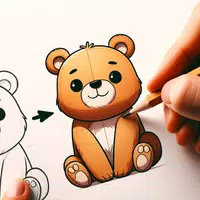
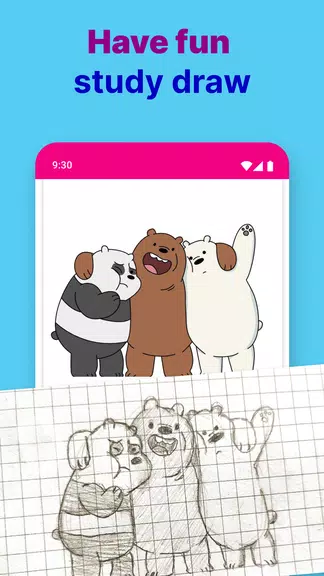
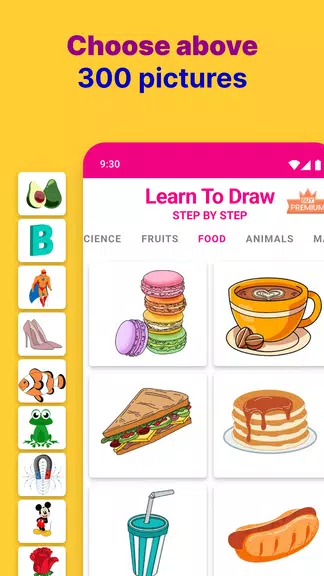
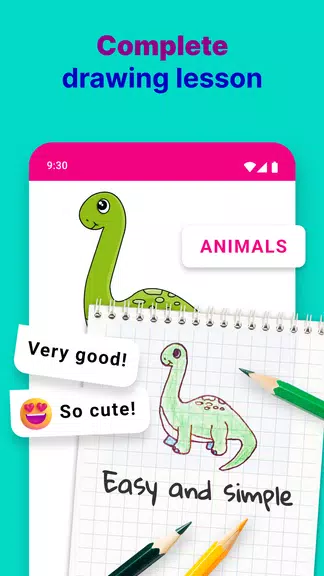
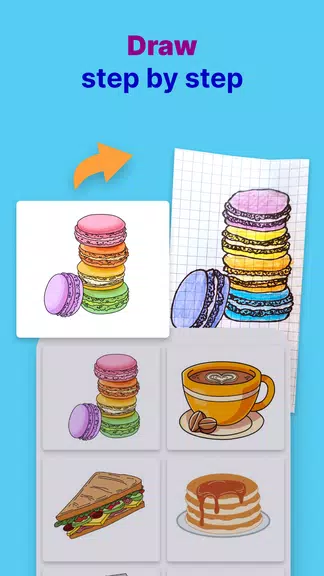
Embark on a creative journey with the ultimate drawing guide - a one of a kind app that will unlock your inner artist. Learn To Draw Step By Step Drawing App is your personal art tutor, designed to make the art of drawing accessible and enjoyable for beginners and budding artists alike. With user-friendly lessons that break down complex pictures into manageable steps, you'll quickly transform simple lines into stunning masterpieces. Whether you dream of sketching cartoons, anime, flowers, or anything in between, this app has over 10+ categories to spark your creativity and hone your skills.
Features of Learn To Draw Step By Step:
❤ Step by step drawing for beginners: Follow clear, step-by-step instructions designed specifically for beginners, making it easy to start your drawing journey with confidence.
❤ Easy drawing lessons for all levels: Access a variety of drawing lessons tailored for all skill levels, from novice to advanced, ensuring that everyone can find something suitable to improve their skills.
❤ Vast collection of drawings: Explore a comprehensive collection of drawing examples and tutorials, covering a wide range of subjects and styles to inspire your creativity.
❤ Easy-to-follow steps: Benefit from simple, easy-to-follow steps that break down the drawing process, making it accessible and enjoyable for learners of all backgrounds.
❤ Progress at your own pace: Enjoy the flexibility to learn at your own pace, allowing you to take your time with each lesson and master the techniques before moving on to more complex drawings.
❤ Suitable for all ages and skill levels: This program is designed to be inclusive, making it suitable for artists of all ages and skill levels, from children to adults, fostering a love for drawing in everyone.
Conclusion:
Learn To Draw Step By Step Drawing App is the ultimate drawing guide for unlocking your inner artist. With user-friendly lessons, a diverse range of drawings, and the flexibility to practice anytime, anywhere, this app is perfect for beginners and budding artists looking to enhance their skills and explore their creativity. Download now and start your drawing adventure today!
Information
 Google Play
User Comments
Magic town theme for galaxy m3 transforms your Android home screen with a curated collection of vibrant wallpapers, matching icon packs and integrated widgets designed to give your device a fresh, personalized look. Within moments you can apply a full visual package or mix and match individual elements: high-resolution backgrounds, alternate icon styles and a real-time clock and date widget all work together to create a consistent appearance. The theme is built for straightforward use, with simple controls that let both beginners and experienced customizers change colors, icon sizes and layout options without needing technical steps.

Tattoo Designs is an app for discovering and organizing tattoo artwork, helping users explore ideas and plan body art. It offers a central visual library so you can browse a wide variety of styles, compare concepts and save promising designs for later review. Whether preparing for a first tattoo or refining a larger piece, Tattoo Designs works as a reference and simple sketchboard to shortlist options and test visual balance. The layout emphasizes fast image browsing, easy organization and straightforward sharing so inspiration stays accessible while you discuss ideas with an artist.

Sticker Universe is a sticker library app that brings a huge collection of expressive images and designs into your messaging, so you can add humor, emotion, and personality to conversations quickly and visually. This tool organizes stickers across themes—cute animals, witty memes, and custom artwork—so sharing the right reaction is fast and fun. Users will appreciate fresh content pushed regularly, including seasonal packs and pop-culture releases, making it easy to keep messages current and engaging. If you want a simple way to enrich chats and stand out in everyday conversations, Sticker Universe delivers a broad, curated sticker experience.
Circle Painter is a focused drawing app built for creating symmetrical circular artwork, from quick doodles to detailed mandala-style illustrations. In Circle Painter every stroke is reflected across a configurable number of radial segments so a single motion produces complex, balanced patterns; the interface keeps the canvas visible and uncluttered so you can concentrate on composition rather than menus.
Mod Bussid DJ Truck Simulator is a compact, curated mod library and installer for Bus Simulator Indonesia players who want to add DJ-style trucks, pickup variants, and dedicated sound packs quickly and without manual extraction. The app focuses on practical compatibility and ease of use: thumbnails and preview audio let you evaluate mods before installation, a small download footprint keeps the app friendly to low-storage phones, and clear version tags reduce guesswork when matching mods to your map or simulator build.

AI Image Generator - AI Avatar is a powerful creative app that converts simple text prompts and photos into original images and personalized avatars, perfect for artists, content creators, and anyone who wants a distinctive digital presence. The app produces visuals in a wide variety of styles—from stylized manga and painted illustrations to photorealistic renders—so you can quickly prototype concepts, create profile pictures, or generate artwork for social posts and projects. Its interface is approachable for beginners while offering deeper controls for users who want to refine details and guide the AI’s output.