

 X
X
 facebook
 WhatsApp
 Email
Email
Introduction
Word App is a fast, reliable word-generator and validation tool built for puzzle solvers, Scrabble players, crossword enthusiasts, and anyone who needs accurate word lookup on the go. Word App puts authoritative tournament lists such as NWL 2023 and CSW24 at your fingertips while also supporting a range of legacy lists, giving you confidence when you validate plays, find anagrams, or explore word-building options from a set of letters.
Key features and search modes
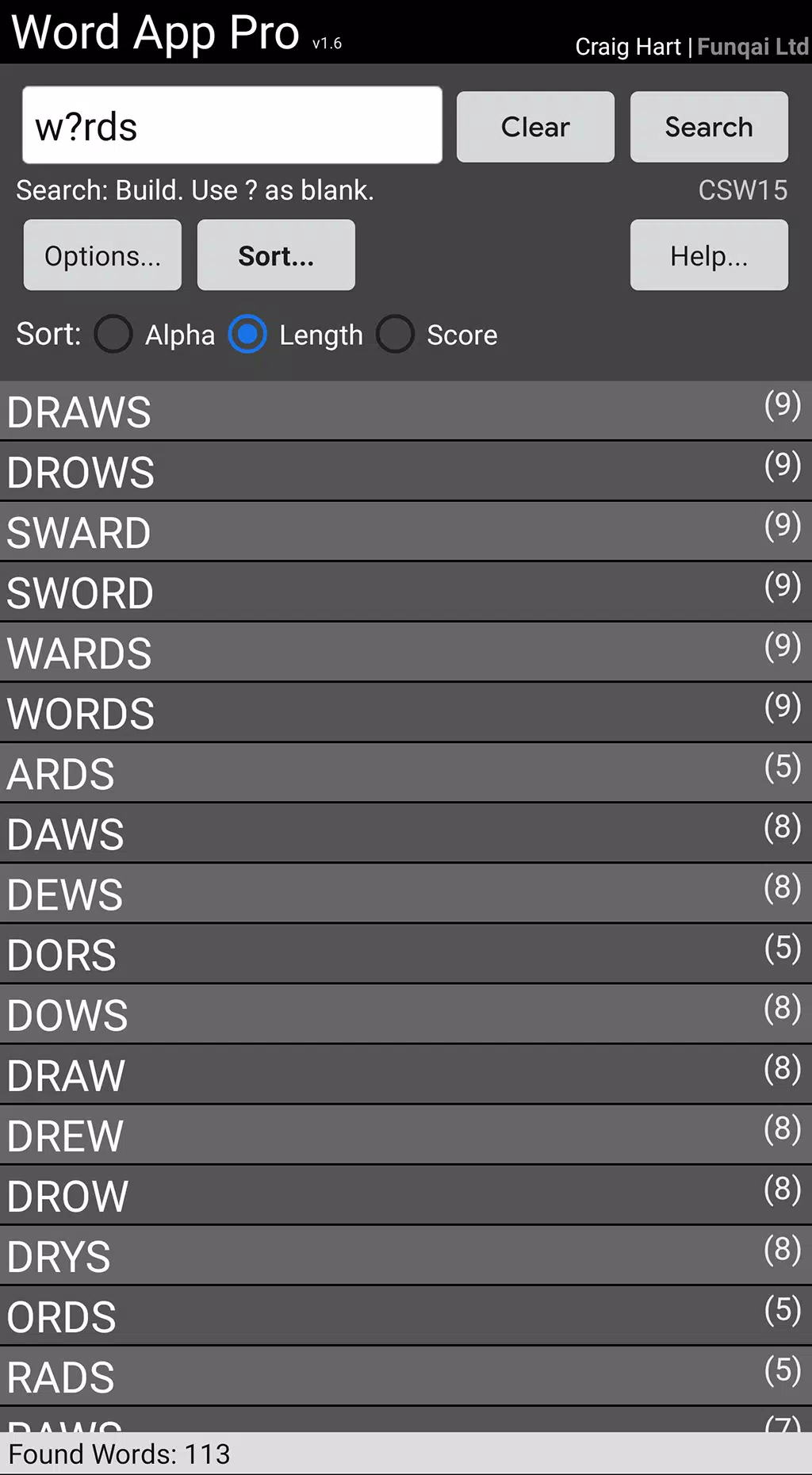
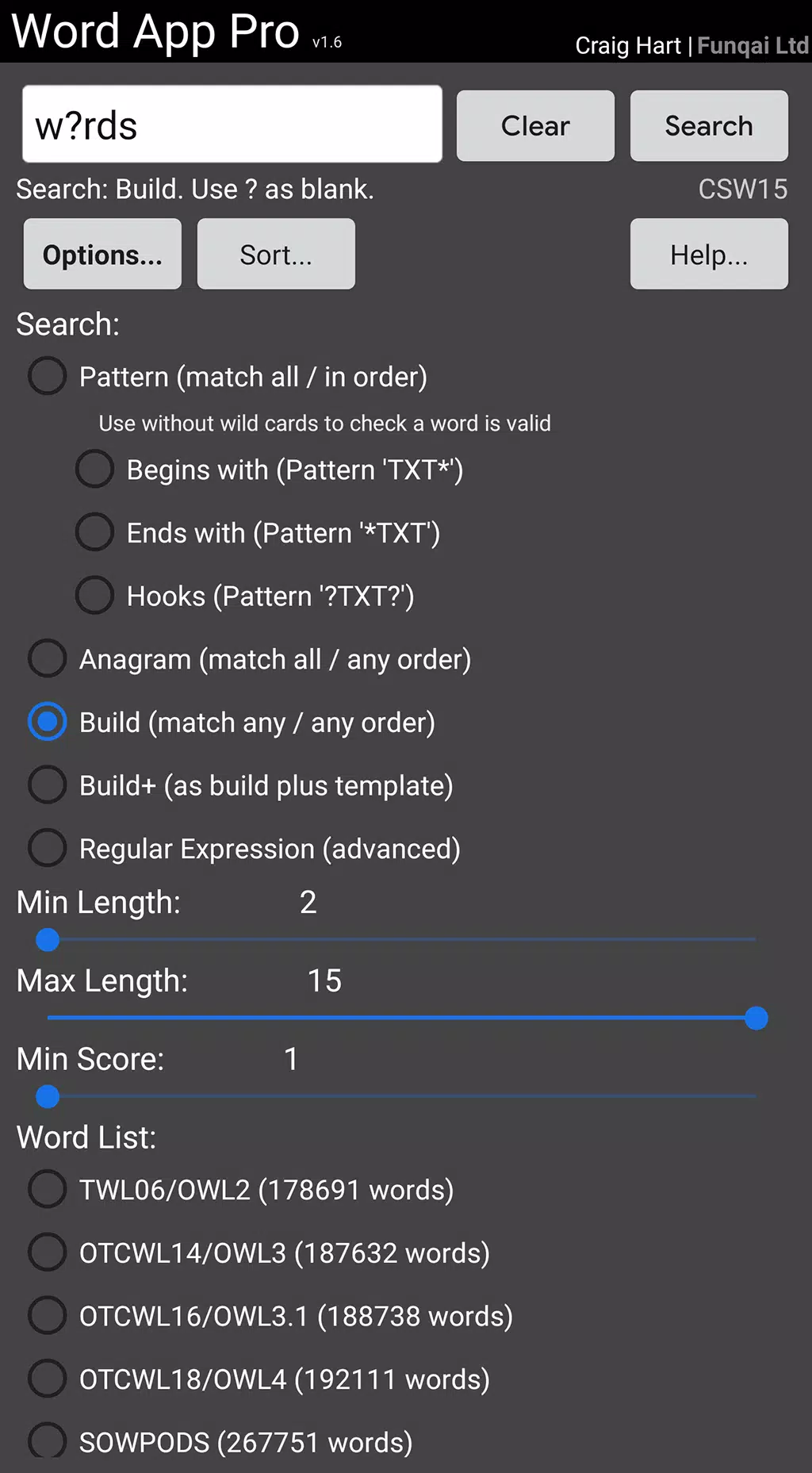
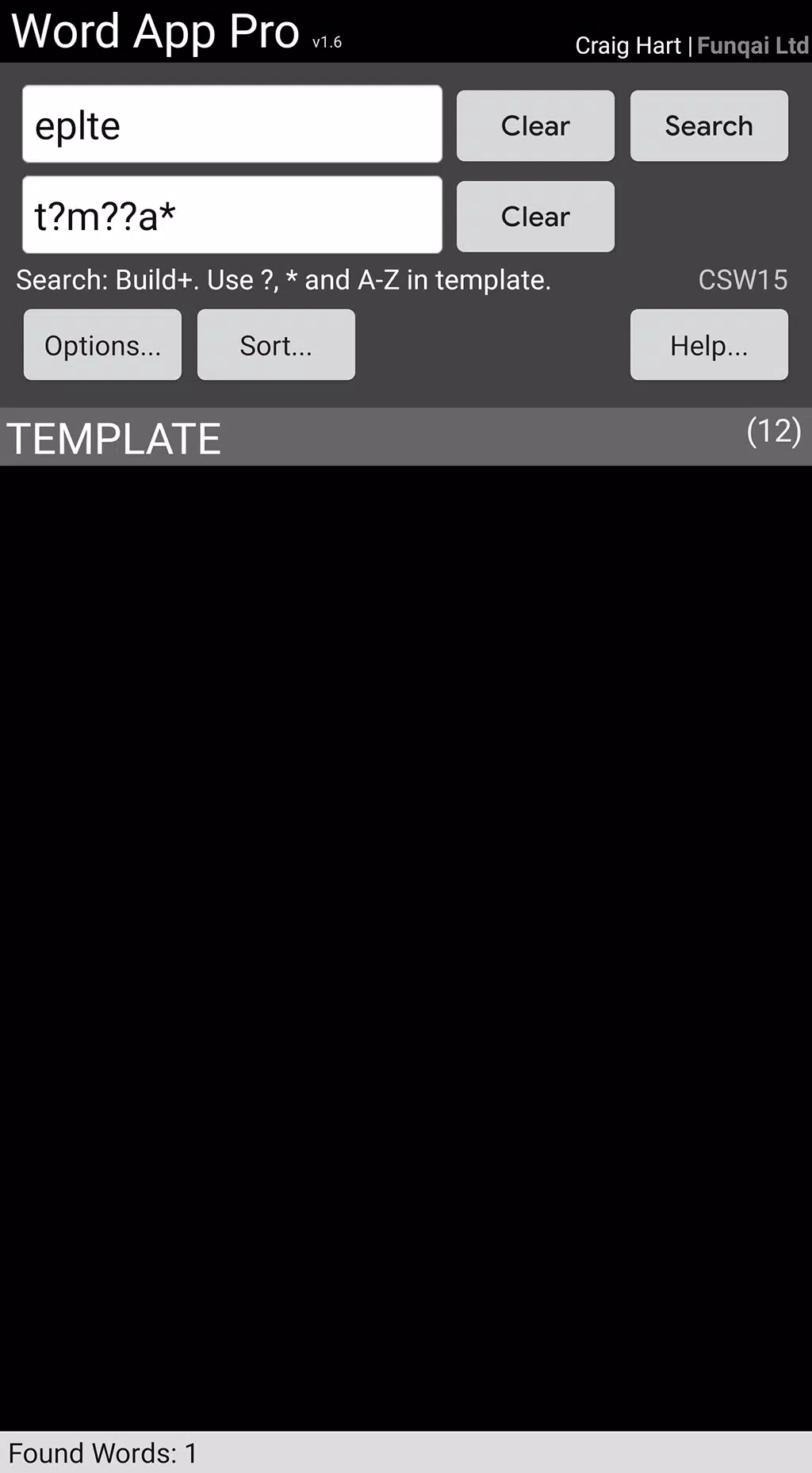
The app supports multiple search types: build words from a letter rack, find anagrams, search by prefix or suffix, and apply pattern masks or wildcards to match complex constraints. You can select the official word list you want to use for validation so results match the exact rule set for different competitive formats. Searches return ranked, sortable lists with optional filters for word length, allowed letters, and placement constraints, making it easy to refine results and discover playable or study-worthy entries.
How the tool works
At its core, Word App combines a compact on-device dictionary with a flexible query engine. Type or paste letters into the input field, set optional constraints, and the engine quickly generates all valid combinations according to the selected list. Results are presented with explanations about the list used for validation, and common forms or alternate spellings are indicated when applicable. Because the primary data lives on the device, lookups remain fast and available without needing a constant internet connection.
Controls and user interface
The interface focuses on straightforward controls: a single input bar for letters or patterns, dropdowns to switch dictionaries and filters, and intuitive buttons to toggle wildcards or letter blanks. Common actions such as copying a result, marking a word as a favorite, or repeating the last search are accessible directly from the results view. The layout uses clear typography and spacing so you can read long word lists without strain, and font size can be adjusted to suit different devices and viewing preferences.
Progression, practice and challenge options
Rather than a level-based game structure, progression in Word App comes from increasing the difficulty of your own searches and practicing with stricter rule sets. Start with broad searches, then challenge yourself by switching to tournament-grade lists, adding placement constraints, or restricting allowed letters. These self-directed drills help players build pattern recognition and vocabulary. The app also supports creating repeatable constraints so you can practice the same scenario multiple times to measure improvement.
Customization and saved data
You can customize the app experience by choosing which dictionary is active, setting default search filters, and selecting result sorting preferences. Favorite words and recent searches are saved locally so you can revisit interesting finds or common problem racks. The Pro option removes ads and preserves focus during longer study sessions while keeping the same search capabilities.
Visual style and accessibility
The visual design emphasizes readability and efficiency: high-contrast text, simple icons, and uncluttered result panels. Accessibility options include adjustable font sizes and layouts that work well with screen readers; controls are structured to minimize unnecessary taps and reduce cognitive load for users with visual or motor accessibility needs. These choices are intended to make the app useful for a wide range of players and learners.
Offline use and data updates
Most official and legacy word lists are bundled for offline use so you can run lookups without a network connection, which is helpful during travel or in tournament halls where connectivity may be limited. The development team provides periodic dictionary updates; when you choose to update, the app applies new lists so you can align with the latest accepted vocabulary for competitive play.
Replay value and real-world use cases
Replay value comes from the near-endless permutations of letter racks and the variety of supported lists. Word App is useful for pre-game practice, during casual play to verify a doubtful entry, or for focused vocabulary study. Players preparing for tournaments can mirror the exact rule set they expect to face, while casual users can explore anagrams and word patterns for enjoyment and learning.
Development and support
Word App is part of the Funqai Word family, a suite of word-focused tools that emphasizes accuracy and official lists from organizations such as WESPA and NASPA. The team aims to maintain consistent behavior across titles and to respond to user feedback about search behavior and dictionary coverage. If you rely on precise word validation for practice or play, Word App offers a compact, reliable toolset with options to tailor the experience to your needs.
Information
 Google Play
User Comments

Tafsir Al Tanwir is a mobile application that brings the classical exegesis of the Holy Quran into an accessible, modern interface, helping users read, search and understand Quranic verses with ease. The app combines a respected tafsir text with practical tools—chapter index, search, favorites and sharing—so readers can locate explanations quickly and build a personal collection of meaningful passages. Whether you are studying, teaching, or simply deepening your faith, Tafsir Al Tanwir makes interpretation approachable with adjustable fonts, saved reading position and straightforward navigation that suits both newcomers and long-time students of the Quran.

Delayed Entry Program is a mobile guide for aspiring United States Air Force recruits that consolidates the core pre-enlistment information into one portable app, combining reporting statements, drill commands, fitness guidance, packing checklists and interactive study tools so users can prepare efficiently before leaving for basic training.

Inspanet is a lightweight reading app that puts classic books and short stories at your fingertips; from Charles Dickens and Jane Austen to Mark Twain and other public-domain authors, Inspanet organizes a broad library for calm, distraction-free reading without subscriptions or paywalls. The app runs as a single, compact reader so you do not need an external e‑reader, and it remembers where you left off while offering a place for readers to leave comments on each story. This introduction explains how the app is structured, what to expect while using it, and practical details about controls, personalization, offline use and accessibility.

Communicate With Computer 4 puts natural language control, automation and cross-device integration in a single app, letting you control a PC or mobile device, automate repetitive tasks and simplify workflows without memorizing shortcuts. Using advanced algorithms and natural language processing, Communicate With Computer 4 accepts spoken or typed commands in plain English and other supported languages and executes actions across Windows, macOS, Linux and mobile platforms. Users who want to speed up daily tasks, set up automatic file handling or build custom workflows will find its dashboard, profiles and scripting tools especially useful.

Mzantsi Job Interview Companion is a practical mobile resource tailored for South African job seekers who want a single app to combine vacancy alerts, interview practice and locally relevant context. The app bundles a live jobs feed, bite-sized CV and interview guidance, and concise political and economic briefs that help users interpret how local trends influence hiring. Designed for straightforward use, Mzantsi Job Interview Companion keeps essential tools within a few taps so you can prepare on the commute, between meetings or when you have a spare half hour.

History of Angola is a mobile reference app that guides readers through Angola's complex past with clear narratives, historical images, and chronological timelines. Built for both Angolan citizens and global history enthusiasts, the app summarizes key eras—from pre-colonial kingdoms and Portuguese contact through the transatlantic slave trade, abolition, and the independence struggles of the 20th century—into an approachable, image-rich format. Useful tools such as bookmarking, zoom controls, and background customization improve readability, while an emphasis on efficient performance helps conserve battery. Users seeking a compact, well-organized overview of Angolan history will find this app practical for learning and sharing insights.