
 X
X
 facebook
 WhatsApp
 Email
Email

Introduction
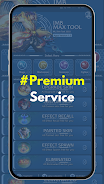
IMB MAX is a compact utility designed to help collectors and creators preview cosmetic skins and battle effects before committing to in-game purchases; IMB MAX places those assets into a safe staging environment so you can inspect animations, color schemes, and compatibility without affecting your live account. The app is built around a simple workflow: import or load a skin package from independent creators, select a test scenario, and step through the visual behaviors in real time. Whether you want a quick look at a particle effect or a frame-by-frame inspection of an animation, IMB MAX aims to make that process transparent and efficient.
Key features
The core feature set focuses on realistic previewing rather than gameplay modification, with a gallery to organize imported skins, side-by-side comparison mode to evaluate two variants at once, and a staging scene selector that lets you view cosmetics under different lighting and background settings. Real-time playback controls allow scrubbing through animations, looping sequences, and pausing at any frame to examine details. Creator content is supported through common package formats, and a compatibility report flags obvious issues such as missing textures or mismatched rigging so you can see potential problems before attempting to use a skin in the official game.
How it works
IMB MAX runs locally on your device and simulates in-game rendering using a configurable preview engine that mirrors typical visual conditions. You choose a character model, select a skin file, and then pick a test scenario, which might be an idle pose, a basic combat animation, or a scripted effects sequence. The engine applies textures, shaders, and particle effects in a controlled setting so you can evaluate color fidelity, animation smoothness, and action timing. This approach keeps testing isolated from the live game and preserves your saves and settings.
Controls and interface
The interface is designed for touch-first interaction: tap to select models and skins, swipe to rotate the camera, pinch to zoom, and use onscreen sliders to adjust playback speed and lighting intensity. Contextual tooltips explain each control, and an undo history lets you revert recent imports or changes. For power users there are preset slots and quick-access favorites so frequently tested skins can be loaded with a single tap. The layout keeps testing tools visible while maximizing the preview viewport for detailed inspection.
Customization and compatibility checks
Beyond simple previews, IMB MAX offers tools to inspect how a skin maps to different character shapes and equipment combinations. A compatibility panel shows whether attachments, helmets, or weapon skins align properly across common rigs, and visual overlays help detect clipping or texture stretching. You can save custom display presets—such as high-contrast lighting or slow-motion playback—to standardize evaluations across multiple skins or creator submissions.
Visual style, level structure, and replay value
Preview scenes are designed to be neutral but informative: studio lighting, an arena background, and a few action templates provide reference points for color balance and particle scale. These scenes function like short demo levels that highlight different aspects of a cosmetic package, such as idle particle persistence or impact spark timing. Because the app makes it easy to create and store scenarios, users often return to re-evaluate updated creator releases, try alternative lighting, or compare seasonal variants, which adds meaningful replay value for collectors and creators refining their work.
Progression, organization and challenge systems
IMB MAX includes an organizational progression rather than a gameplay progression: collections, tags, and completion checklists help you track which items you have reviewed, which need compatibility fixes, and which are approved for purchase. For creators there are built-in validation checks that act as gentle challenge systems—identifying performance hot spots, warning about large texture sizes, and suggesting optimizations to meet device targets. These checks encourage iterative improvement without introducing game-like rewards or rankings.
User experience, accessibility and offline play
Usability is central, with a clean, readable UI, adjustable font sizes, and high-contrast mode for visibility. Colorblind-friendly palettes and toggles for motion reduction are available in preview scenes to aid accurate assessment for all users. The app is designed to operate offline once assets are imported, so you can inspect content without an internet connection and without sending data externally. Local storage and export options let creators package fixes and share validated builds with peers.
Who should use it
IMB MAX is aimed at cosmetic collectors who want to avoid unwanted purchases, creators who need a practical staging tool to test and refine their work, and community curators who evaluate third-party content for compatibility. It is an editor-style utility rather than a gameplay extension, focused on visual evaluation, workflow efficiency, and device-friendly testing so users can make informed decisions about cosmetics before interacting with the live game environment.
Information
User Comments

Smart Budget Tracker is a compact utility that helps you reclaim storage and improve phone responsiveness by removing unnecessary files, clearing app caches and trimming notification clutter. Although its name suggests budgeting, this build focuses on device maintenance: select which files and software caches to sweep away, dismiss interruptive notifications after you review messages, and free up RAM to accelerate daily use. Users who need a straightforward cleanup tool will appreciate the granular file selection, integrated notification management and a built-in speed test to verify improvements, making routine maintenance quick and transparent.

Joxko is a mobile top-up and digital gifting app that makes it easy to support friends and family abroad by sending airtime, data bundles, food vouchers and electronic gift cards in just a few taps. The app delivers instant prepaid credit to phones in more than 125 countries and lets users buy top-ups for their own numbers in France and Italy, while also offering voucher codes that recipients can redeem at partner stores. If you need a fast, secure and simple way to send support across borders, Joxko centralizes recharges, vouchers and gift cards in a single, convenient tool.

Photo Recover Pro helps you retrieve accidentally deleted photos, videos and other files from your Android device without rooting or uploading your data. Built for users who need a fast and private recovery tool, this app scans internal storage and SD cards, previews recoverable items and restores only what you choose. The design emphasizes a simple three-step workflow—scan, preview and recover—so you can find lost pictures, important videos or documents quickly while keeping everything local and secure on your device.

My Resume Maker helps you build professional resumes and CVs quickly using guided steps and modern, ATS-friendly templates. The app lets job seekers, students and professionals choose polished layouts, customize sections, and pair a matching cover letter so applications look consistent. With PDF export, optional photo and signature, and the ability to manage multiple CV profiles, it’s useful for preparing tailored applications for internships, remote roles or executive positions. Offline support means you can work on your CV without internet access, then export a high-quality PDF when ready. This tool aims to speed up the application process and improve interview chances.

IMB MAX is a compact utility designed to help collectors and creators preview cosmetic skins and battle effects before committing to in-game purchases; IMB MAX places those assets into a safe staging environment so you can inspect animations, color schemes, and compatibility without affecting your live account. The app is built around a simple workflow: import or load a skin package from independent creators, select a test scenario, and step through the visual behaviors in real time. Whether you want a quick look at a particle effect or a frame-by-frame inspection of an animation, IMB MAX aims to make that process transparent and efficient.

ClyoXVPN is a lightweight VPN client for Android that secures your internet connection and helps protect your privacy. It uses strong encryption (AES-256) and supports common protocols such as OpenVPN and WireGuard, while offering one-tap connection, automatic reconnect and designs intended to minimize battery impact.

Look no further than Cast to TV - Screen Mirroring, Cast For Chromecast! This powerful app allows you to effortlessly broadcast your Android screen and audio in real-time speed, giving you the opportunity to enjoy movies and videos with friends and family on larger TV screens. With features like Smart View & Screen Share and control for Roku TV, this app ensures a seamless and stable screen mirroring experience. Say goodbye to small screens and hello to a whole new level of entertainment with Cast to TV!

With Screen Share With TV - Mirror Screen, you can easily mirror your Android device's screen on any smart TV, laptop, tablet, or other devices without the need for additional dongles or cables. Simply start the app, connect to the same Wi-Fi network as your TV, and begin sharing videos, music, photos, and more with just a click. This powerful app allows you to broadcast your screen and audio in real time, making it perfect for sharing content with friends and family. Try out Screen Share With TV - Mirror Screen today and enjoy seamless screen mirroring on your Samsung smart TV.

Control your TV effortlessly with WiFi TV Remote! This user-friendly app allows you to easily manage your network-enabled TV from the convenience of your phone. Simply ensure both your TV and phone are connected to the same wireless network, enter the IP address of your TV in the app settings, and voila! You'll be able to change channels, adjust volume, and more with just a few taps. Please note, this app is not a universal remote and has been tested on Fox 32LE7000T2 LED Surf TV. It may also work on other TVs made in China and sold under local brands.
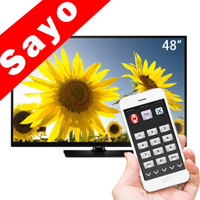
Control all of your favorite TVs with just one app - TV Remote Control for Sanyo TV! Whether you have a Samsung, Vizio, Sony, LG, or any other brand of TV, this universal remote control app has got you covered. With infrared technology, you can easily navigate and control your TV from the convenience of your phone. Say goodbye to multiple remote controls cluttering your space. Simplify your TV-watching experience with TV Remote Control for Sanyo TV. Get ready to take control and enjoy your favorite shows and movies hassle-free. Please note that this app requires an IR blaster.
Look no further than AIR Remote PRO for Apple TV, an innovative app that allows you to easily control your Apple TV using your Android phone. No need to jailbreak your Apple TV, as AIR Remote utilizes default infrared codes to seamlessly replace or extend your remote. Compatible with a variety of Android devices with built-in infrared support, as well as certain Mac products with an infrared receiver, AIR Remote offers all essential functions and even additional features like swipe gestures.
Experience the convenience of controlling your FPT TV directly from your mobile with FPT TV Remote. Say goodbye to traditional remotes and hello to a seamless user experience with the ability to search for the best films and entertainment programs with just the sound of your voice. Easily access your personalized favorites list stored in the cloud and sync it with your FPT TV device. The app offers a simple registration process, quick connectivity to any FPT TV device, accurate search functionality, and personalized recommendations.