
 X
X
 facebook
 WhatsApp
 Email
Email
Introduction
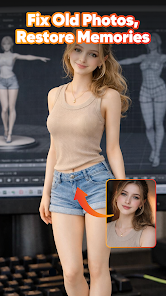
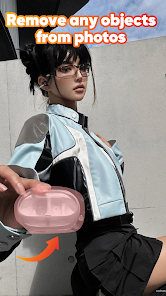
Remii AI: AI Photo & Enhance is an all-in-one AI photo editor that turns ordinary pictures into studio-quality images quickly and with minimal effort. Whether you need to repair a blurred memory, generate a polished portrait, or produce a clean product cutout, this app uses automatic AI tools to boost clarity, adjust lighting, and apply stylistic transformations. Users who want fast, high-definition results without complex editing workflows will appreciate the straightforward interface and one-tap effects that make pro-level retouching accessible on a phone.
Key Features
⭐ Instant AI styles: Remii AI: AI Photo & Enhance converts selfies into studio portraits, swaps hairstyles and outfits, and creates professional ID photos and greeting cards with one tap.
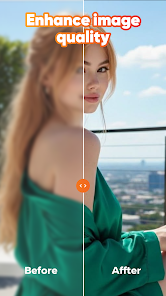
⭐ AI Photo Enhancer: Automatically sharpen blurry or pixelated images, improve lighting and contrast, and produce crystal-clear HD results.
⭐ Headshots & avatars: Generate natural, expressive AI avatars and professional headshots tailored to your features for social profiles and portfolios.
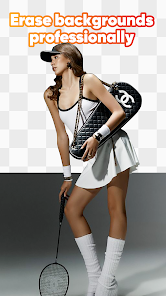
⭐ Smart object & background tools: Remove unwanted people or text seamlessly and get quick background cutouts for product shots and posters.
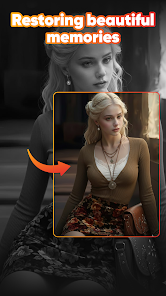
⭐ Photo restoration: Restore old, scratched, or faded photos with AI-assisted repair to bring memories back to life.
Advantages
✅ Fast one-tap results from Remii AI: AI Photo & Enhance that require no advanced editing skills.
✅ High-definition exports suitable for sharing across social platforms and presentations.
✅ A single app that combines enhancement, retouching and creative AI effects in one toolkit.
✅ Intuitive interface that shortens the editing workflow for casual and professional users alike.
Disadvantages
❎ Some advanced features and high-resolution exports require in-app purchases.
❎ Output quality depends on the original photo; extremely damaged or tiny images may not fully recover.
Development Team
Remii AI: AI Photo & Enhance is developed and offered by Ares Logic.
Market Performance
Last updated Apr 8, 2026; downloads listed as 0+ and content rating set to Everyone.
Version Information
Last update recorded on Apr 8, 2026.
Information
 Google Play
The Photo Editor app collection includes a wide range of apps for editing images. These apps can help you quickly modify photos, adjust tones, change backgrounds, and more. The edited images are high-quality and can be easily shared across various social media platforms. If you need to edit images, don't miss out on these apps!

Social networking apps have become essential tools in everyday life, making communication with others more convenient. These apps allow you to easily stay in touch with old friends while also providing opportunities to meet new people, helping to expand your social network beyond its usual boundaries. This page features a handpicked selection of the best social apps, making it your go-to choice for mobile socializing!




User Comments
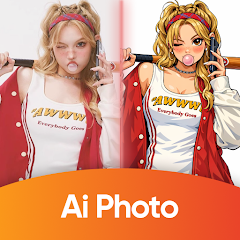
Remii AI: AI Photo & Enhance is an all-in-one AI photo editor that turns ordinary pictures into studio-quality images quickly and with minimal effort. Whether you need to repair a blurred memory, generate a polished portrait, or produce a clean product cutout, this app uses automatic AI tools to boost clarity, adjust lighting, and apply stylistic transformations. Users who want fast, high-definition results without complex editing workflows will appreciate the straightforward interface and one-tap effects that make pro-level retouching accessible on a phone.

LuminoVid: AI Video Generator converts text prompts and images into short videos using AI-powered templates, providing voiceover, captioning, and basic timeline editing for social clips.

Kids Photo Frame is an easy-to-use photo editor for decorating family and portrait photos with themed frames, stickers, text and filters. The app helps you create keepsakes, birthday greetings and photo albums by offering single and dual-frame layouts alongside birthday and event templates, and a quick camera capture that previews frames in real time. Users can apply stickers, add captions, adjust colors and export high-quality images for sharing or printing while keeping the workflow simple and approachable.

AirBrush - AI Photo Editor is a mobile app for retouching photos with AI-powered tools. The app simplifies common edits such as skin smoothing, blemish removal, background replacement and color adjustments while keeping edits natural.

Kawaii Photo Stickers & Editor turns ordinary selfies into charming, stylized images with a range of soft filters, anime-inspired stickers and playful emojis. This app helps you add dreamy blush, sparkles and expressive decorations to portraits, perfect for users who want to personalize photos or create eye-catching social media posts. With simple controls you can apply kawaii face filters, layer chibi characters, and tweak color, brightness and contrast until the look feels right. If you like cute, whimsical edits that emphasize character and color, Kawaii Photo Stickers & Editor puts the tools to craft those looks in one easy app you’ll want to download.
BeautyPlus-AI Photo/Video Edit offers AI-assisted tools for photo and short video editing, including portrait retouch, color grading, background adjustment, and creative filters in a clear, easy-to-use interface.