
 X
X
 facebook
 WhatsApp
 Email
Email
Introduction
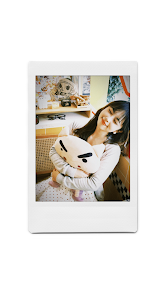
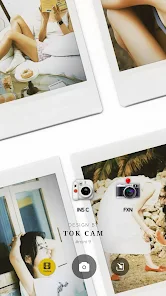
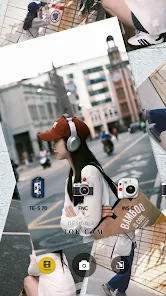
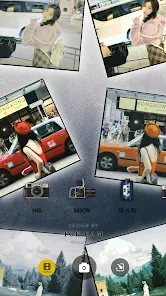
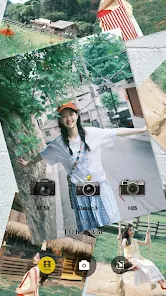
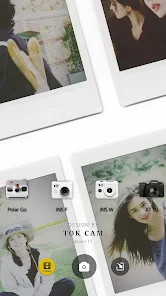
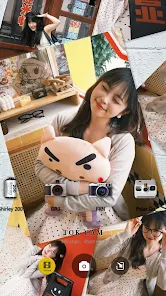
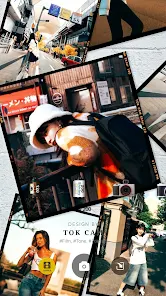
TOK CAM - Analog Camera brings classic instant, CCD and film-style photography to your phone with one-tap realism and a familiar, tactile interface. TOK CAM - Analog Camera reinterprets over 20 camera models and film formats so you can capture images that read like prints or scanned negatives, with authentic grain, film borders, mechanical-style shutter feedback and optional timestamps displayed on export. The app is designed for photographers and visual storytellers who want a nostalgic analog aesthetic without film processing or darkroom work.
Key features and visual style
The app recreates a range of camera personalities, including instant-camera tones, CCD sensor simulations and traditional film stocks in multiple formats such as 135 and 120. Each camera preset combines color tone, contrast curve, film grain and border framing to suggest a particular era or look rather than attempting a pixel-perfect scientific match. Grain is rendered in real time and remains visible when you zoom in for detail, helping images retain an organic texture during editing and export.
How the controls work
Controls emphasize speed and clarity: one-tap presets let you shoot immediately with a chosen camera simulation, while simple adjustment controls allow quick tweaks to grain strength, exposure bias, vignette and border presence. The shutter provides optional tactile feedback so the physical sensation of taking a photo is preserved on devices that support vibration. For multi-lens phones the app can simulate different lens characters so you can choose a look that suits wide, standard or tele perspectives.
Modes, progression and customization
Rather than levels, TOK CAM - Analog Camera organizes tools into shooting modes — instant, CCD and film — and each mode includes a set of customizable presets. Users can refine a preset and save it to a personal collection, making it easy to build a workflow that fits specific subjects or lighting conditions. Preset collections and film packs expand over time as the app is updated; this provides a natural progression for users who like to experiment and build a coherent visual library.
Editing, export and offline use
Edits are non-destructive and remain available while working offline, so you can shoot and refine images without a permanent internet connection. Exports preserve visible grain and chosen borders, and timestamps can be applied or removed at export time. The app produces digital image files only; it reproduces the look of printed film scans but does not create physical prints or film negatives.
Customization options and accessibility
Customization focuses on meaningful photographic controls: film border selection, timestamp style, grain intensity, tone curve presets and simple exposure compensation. Haptic feedback and shutter vibration can be toggled off for quieter shooting, and the interface uses clear labels and large touch targets to make essential controls easy to reach. These design choices aim to support a range of users and shooting situations without overwhelming beginners.
User experience and replay value
The appeal of TOK CAM - Analog Camera lies in repeatable creative choices and the variety of combinations between camera simulations, film formats and borders. Re-shooting familiar scenes with different presets often produces strikingly different results, which gives the app strong replay value for hobbyists, content creators and visual experimenters. Lightweight performance and a compact app size make it suitable for travel and street photography workflows.
Community and creative sharing
Although the app itself focuses on in-device capture and editing, users often participate in community showcases by tagging images with #TOKCAM on social platforms. Selected photos may be featured by the app editors as part of periodic showcases, which creates optional community-driven themes and informal challenges without requiring server-side multiplayer or ranking systems.
Limitations and development notes
Digital replication has limits: TOK CAM - Analog Camera reproduces the appearance of film and instant prints on-screen but cannot mimic exact chemical responses or produce physical media. Some very specific camera quirks are simplified in order to keep the app accessible and responsive. The project is actively developed, with additional presets and refinements planned in future updates to broaden the available aesthetic choices.
Developer approach
The development team built TOK CAM - Analog Camera around tactile details and visual authenticity, adding film borders, realistic grain rendering and mechanical-style shutter sensations to create a convincing analog feel on modern devices. The app’s workflow emphasizes fast capture, simple customization and reliable results so photographers can focus on composition and storytelling while achieving a consistent retro look.
Information
 Google Play
Social networking apps have become essential tools in everyday life, making communication with others more convenient. These apps allow you to easily stay in touch with old friends while also providing opportunities to meet new people, helping to expand your social network beyond its usual boundaries. This page features a handpicked selection of the best social apps, making it your go-to choice for mobile socializing!



User Comments
TOK CAM - Analog Camera brings classic instant, CCD and film-style photography to your phone with one-tap realism and a familiar, tactile interface. TOK CAM - Analog Camera reinterprets over 20 camera models and film formats so you can capture images that read like prints or scanned negatives, with authentic grain, film borders, mechanical-style shutter feedback and optional timestamps displayed on export. The app is designed for photographers and visual storytellers who want a nostalgic analog aesthetic without film processing or darkroom work.

AI Photo - AI Generator lets you transform ordinary photos into anime-inspired art and avatars using AI-powered styles, filters and textures. Whether you want a distinctive profile picture, a wallpaper, or playful avatars for social media, AI Photo - AI Generator converts selfies and portraits into stylized headshots in seconds with minimal effort. The app targets users who enjoy creative self-expression and visual customization: you get HD exports for printing or sharing, a range of trending artistic looks, and a simple interface that avoids complex editing tools—so both casual users and content creators can produce striking anime-style images quickly.

Colorize Photos restores color to black-and-white and faded images with AI-assisted colorization and manual adjustment tools for natural-looking results.

AI Photo Generator - acha AI turns ordinary selfies and photos into cinematic, fashion-style portraits with a few taps. This app uses a growing set of creative Recipes to apply looks inspired by movie scenes, retro film photography, fantasy art and editorial fashion so you can create professional-looking images for social feeds or personal projects. Choose a style, upload a photo or take one in the app, and generate high-resolution portraits in seconds — ideal for creators who want striking profile pictures, avatars or standout content without complex editing.

Lumina Cam is a photography app that helps you capture and edit photos with precise controls and intuitive tools. Lumina Cam offers manual exposure, white balance, and focus settings so you can tailor each shot. The Lumina Cam interface groups capture modes and editing tools for a clear workflow.
Komorebi Studio is a touch-first photo editor for phones and tablets that focuses on cinematic color grading, adjustable light accents and responsive on-device rendering so you can refine mood and export social-ready images without switching apps.