

 X
 facebook
 WhatsApp
 Email
Introduction
Snapseed is a powerful mobile photo editor that delivers professional-grade tools in a concise, touch-friendly package. Designed for photographers who want precise control without a steep learning curve, the app brings RAW support, selective adjustments, and creative filters together for quick, high-quality edits on Android devices.
Core features and tools
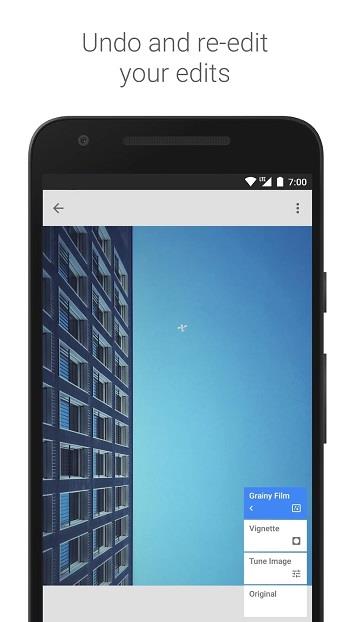
At the heart of Snapseed are modular tools that let you refine images at pixel level or apply broad stylistic changes. Essential options include exposure and color correction, selective brushes for targeted edits, a healing tool for removing distractions, and advanced curve controls for tonal adjustments. The app also supports non-destructive editing through a stack-like history, so each change can be revisited or modified.
User interface and workflow
Snapseed’s interface is built around gestures: swipe to change parameter intensity, tap to access presets, and pinch to compare before-and-after views. The layout keeps tool sets accessible without cluttering the workspace, making it simple to move between basic fixes and more intricate manipulations. Clear icons and labeled sliders speed up routine tasks, while the History panel records every adjustment for easy reversion.
Editing toolkit explained
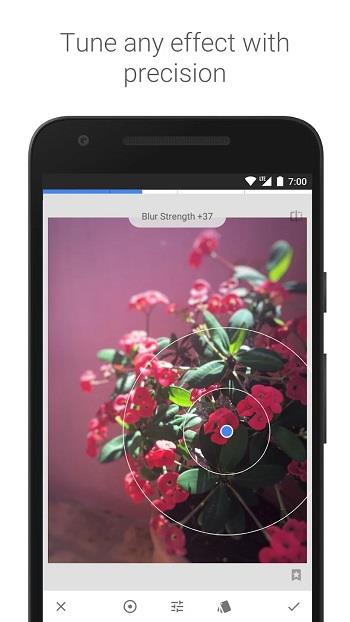
The toolkit balances automated enhancements with manual precision. Auto-correct quickly normalizes exposure and color, while White Balance and Ambiance let you tune temperature and midtones. The Selective tool uses control points for localized contrast, brightness, and saturation adjustments. For portrait work, subtle face enhancement and structure controls help preserve natural textures while improving clarity.
Creative effects and looks
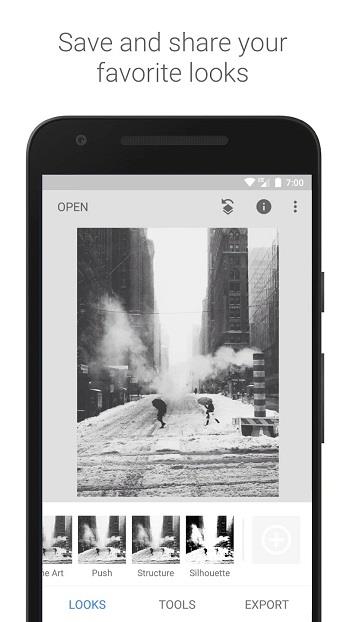
Filters and Looks provide instant stylistic changes, from film-inspired tones to high-contrast monochrome styles. Each Look is a starting point that you can tweak further with the same core tools. Stacking multiple effects allows creative experimentation without committing to a single direction, and custom Looks can be saved to reuse preferred combinations on future photos.
Advanced capabilities
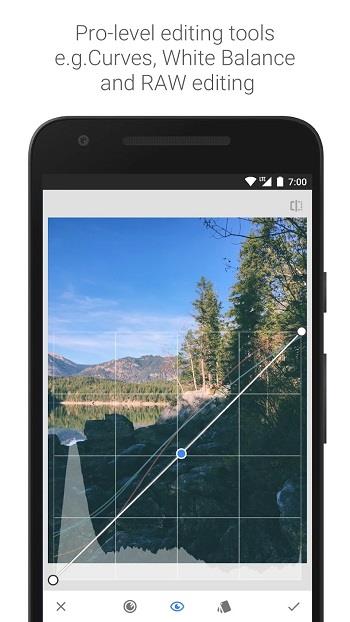
For photographers who shoot in RAW, Snapseed reads and edits DNG files, retaining access to wide dynamic range and high-quality color data. Curves and Selective Tone give precise control over highlights, shadows, and midtones, while the Perspective and Transform tools correct keystone distortion or realign horizons. The app’s precise healing feature is useful for removing power lines, blemishes, or small distractions from landscapes and portraits.
Exporting and sharing
Export options are straightforward: save a copy, export a flattened image, or share directly to social networks and cloud services. Snapseed preserves image resolution and provides options to control export quality, ensuring edits look consistent across platforms. Saved Looks and export presets streamline repetitive workflows when preparing batches of images for publication.
Performance and compatibility
Snapseed is optimized for mobile devices, delivering responsive performance even on mid-range hardware. Editing RAW files or applying multiple filters may use more processing time, but the app manages memory efficiently to minimize slowdowns. Compatibility extends across modern Android versions, with periodic updates improving stability and adding features based on user feedback.
Tips for effective use
- Start with global corrections: Use Tune Image to set exposure and color balance before applying local edits.
- Leverage selective points: Place control points for precise adjustments that blend naturally with surrounding pixels.
- Save Looks: Store custom combinations as Looks to speed up editing of similar photos.
- Use Curves sparingly: Small adjustments can significantly enhance contrast without introducing artifacts.
Getting started
Begin by importing a high-quality image, explore the suggested Looks, then refine using selective and global tools. Take advantage of the Undo and History features to compare variations, and save final versions at full resolution for printing or archiving. Frequent experimentation helps reveal how subtle changes can dramatically improve an image.
Snapseed is a versatile editor that blends intuitive controls with advanced options, making it suitable for quick touch-ups and detailed photo retouching alike. Its combination of precision tools, RAW support, and a logical workflow keeps mobile image editing efficient and creatively flexible.
Information
 Google Play
Other Games by the Same Google LLC




The Photo Editor app collection includes a wide range of apps for editing images. These apps can help you quickly modify photos, adjust tones, change backgrounds, and more. The edited images are high-quality and can be easily shared across various social media platforms. If you need to edit images, don't miss out on these apps!




Social networking apps have become essential tools in everyday life, making communication with others more convenient. These apps allow you to easily stay in touch with old friends while also providing opportunities to meet new people, helping to expand your social network beyond its usual boundaries. This page features a handpicked selection of the best social apps, making it your go-to choice for mobile socializing!





User Comments

Ctronics is a companion app for managing home and small-business security cameras, giving you live video, instant motion alerts and essential camera controls from your phone or tablet. Users will want Ctronics for its simple wireless setup, reliable day-and-night monitoring and HD video that makes it easier to spot important details from anywhere. The app uses WiFi to connect compatible cameras without complicated wiring, adds wide dynamic range (WDR) for better images in mixed lighting, and delivers a straightforward interface so homeowners and property managers can stay informed and in control.
Looking to refresh your phone and free up some storage space? Look no further than this handy app, Pure cleaning! Say goodbye to clutter and junk files clogging up your device with just a few taps. With a focus on efficiency and ease of use, this app quickly identifies and removes unnecessary files such as installation packages, application cache, and empty folders. Enjoy smoother performance and more available space on your phone in no time. Keep your device running smoothly and efficiently with this essential cleaning tool at your fingertips. Say hello to a cleaner, faster phone with this must-have app.
The Go Speed app is the go-to choice for professionals offering motorcycle freight services. This professional application is designed to help you easily connect with nearby delivery opportunities by capturing your location in the background. By registering on the Go Speed website, you can gain access to a stream of service requests in Rio de Janeiro, Brazil. Simply install the app, sign up, and wait for your registration to be activated by the team. Whether you're a seasoned pro or just starting out in the delivery industry, Go Speed is here to help streamline your business and connect you with clients in need.

Tigerleap VPN is a lightweight VPN utility designed to route your internet traffic through optimized servers to protect privacy, bypass regional restrictions and improve everyday connection performance. With a simple one-tap connection and an Always-On option, Tigerleap VPN automatically selects the most appropriate server node for your current network conditions and keeps the tunnel active without retaining user-identifying logs. This editor summary explains what to expect from the app, how it manages connectivity, and which trade-offs to consider before downloading.

Hindi Calendar 2025 is a practical, visually pleasing calendar app that brings traditional Hindu panchang and festival information to your phone. It displays the current day’s Rashi, Tithi, Nakshatra and Choghadiya on a clean home screen so users can see essential astrological details at a glance. The app covers public and banking holidays across India and lists major festivals, plus a full Hindi calendar and almanac for 2025 highlighting auspicious days such as Amavasya, Huttinime Habba and Hari Dinagalu Kaalagal. It’s useful for planning events, ritual observance and keeping cultural dates handy.

Portal Juris Agenda OAB is a focused productivity app for legal professionals that centralizes event calendars, personal schedules and official publication alerts so users can stay organized and responsive. Designed with lawyers, law students and practice teams in mind, the app tracks OAB-related events — conferences, seminars and workshops — while letting you manage case tasks, set reminders and monitor progress on matters. Real‑time push notifications notify you of relevant entries in official journals, including mentions of your name or practice area. Downloading Portal Juris Agenda OAB helps busy legal professionals reduce missed deadlines and keep up with regulatory changes.

Look no further than Cast to TV - Screen Mirroring, Cast For Chromecast! This powerful app allows you to effortlessly broadcast your Android screen and audio in real-time speed, giving you the opportunity to enjoy movies and videos with friends and family on larger TV screens. With features like Smart View & Screen Share and control for Roku TV, this app ensures a seamless and stable screen mirroring experience. Say goodbye to small screens and hello to a whole new level of entertainment with Cast to TV!

With Screen Share With TV - Mirror Screen, you can easily mirror your Android device's screen on any smart TV, laptop, tablet, or other devices without the need for additional dongles or cables. Simply start the app, connect to the same Wi-Fi network as your TV, and begin sharing videos, music, photos, and more with just a click. This powerful app allows you to broadcast your screen and audio in real time, making it perfect for sharing content with friends and family. Try out Screen Share With TV - Mirror Screen today and enjoy seamless screen mirroring on your Samsung smart TV.

Control your TV effortlessly with WiFi TV Remote! This user-friendly app allows you to easily manage your network-enabled TV from the convenience of your phone. Simply ensure both your TV and phone are connected to the same wireless network, enter the IP address of your TV in the app settings, and voila! You'll be able to change channels, adjust volume, and more with just a few taps. Please note, this app is not a universal remote and has been tested on Fox 32LE7000T2 LED Surf TV. It may also work on other TVs made in China and sold under local brands.
Control all of your favorite TVs with just one app - TV Remote Control for Sanyo TV! Whether you have a Samsung, Vizio, Sony, LG, or any other brand of TV, this universal remote control app has got you covered. With infrared technology, you can easily navigate and control your TV from the convenience of your phone. Say goodbye to multiple remote controls cluttering your space. Simplify your TV-watching experience with TV Remote Control for Sanyo TV. Get ready to take control and enjoy your favorite shows and movies hassle-free. Please note that this app requires an IR blaster.
Look no further than AIR Remote PRO for Apple TV, an innovative app that allows you to easily control your Apple TV using your Android phone. No need to jailbreak your Apple TV, as AIR Remote utilizes default infrared codes to seamlessly replace or extend your remote. Compatible with a variety of Android devices with built-in infrared support, as well as certain Mac products with an infrared receiver, AIR Remote offers all essential functions and even additional features like swipe gestures.
Experience the convenience of controlling your FPT TV directly from your mobile with FPT TV Remote. Say goodbye to traditional remotes and hello to a seamless user experience with the ability to search for the best films and entertainment programs with just the sound of your voice. Easily access your personalized favorites list stored in the cloud and sync it with your FPT TV device. The app offers a simple registration process, quick connectivity to any FPT TV device, accurate search functionality, and personalized recommendations.