
 X
X
 facebook
 WhatsApp
 Email
Email
Introduction
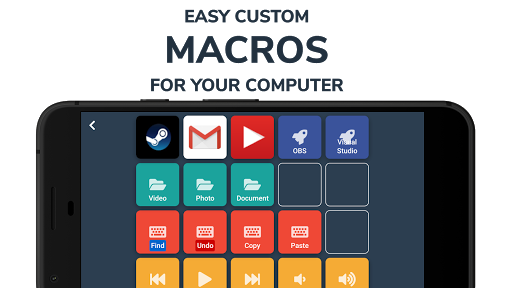
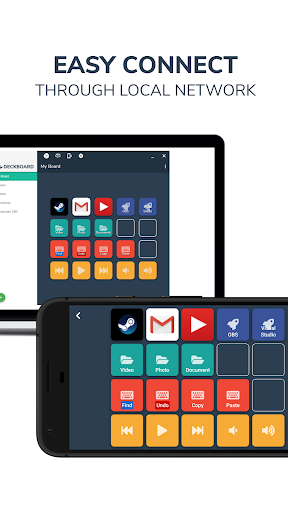
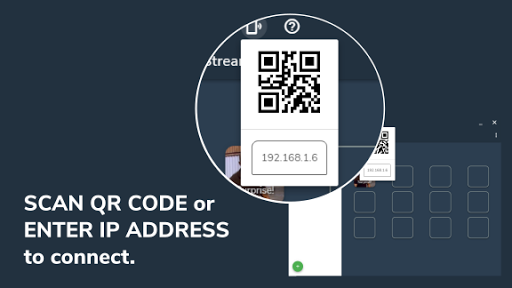
Deckboard PRO turns your Android device into a customizable remote for your PC, letting you create and trigger macros, launch programs, open folders or websites, and control media without switching windows. It's designed for streamers and power users who want to speed up repetitive tasks: set up on-device buttons with images, text or animated GIFs, connect to your computer over local Wi‑Fi by scanning a QR code or entering an IP address, and run keyboard shortcuts, multimedia commands or application launches instantly. The Deckboard PRO app also offers an ad-free PRO option that increases button capacity for larger layouts.
Key Features
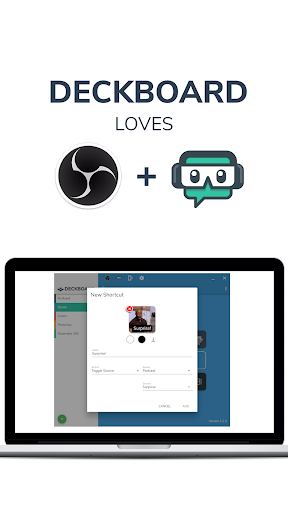
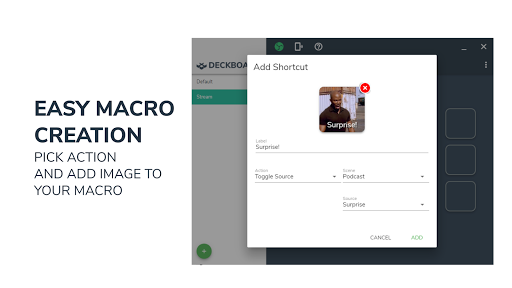
Create custom macros to send keyboard combinations, launch programs or open folders and websites. Multimedia controls include play, pause, next and previous track plus system media actions. Integration with streaming and chat tools and audio plugins lets you control scenes, toggle sources and manage messages from your device. Connect to your computer over local Wi‑Fi by entering an IP address or scanning a QR code; a companion desktop server app is required. Personalize buttons with images, text or animated GIFs; the PRO version removes ads and expands the number of buttons for bigger layouts.
Advantages
Speeds up workflows by letting you trigger complex actions without switching apps or windows. Clean, ad‑free experience and larger, customizable button grids when using Deckboard PRO. Designed for streamers and content creators — control scenes, manage sources and handle chat from a single device. Highly customizable buttons provide quick visual cues using images or animated GIFs. Extend functionality by creating your own actions or adding third‑party extensions.
Disadvantages
Requires the companion desktop server app to be installed and running on the target computer. Some streaming controls need an additional plugin or extra setup on the PC before features are available. Operates over the local network only, so remote cloud control is not supported out of the box.
Information
 Google Play

The Remote App Tool collection includes many Android apps that allow remote control. With the growing number of smart devices, it's easy to misplace remotes. These apps solve that problem, offering a convenient, free way to control your devices. They provide great convenience for your daily life!





User Comments
Deckboard PRO turns your Android device into a customizable remote for your PC, letting you create and trigger macros, launch programs, open folders or websites, and control media without switching windows. It's designed for streamers and power users who want to speed up repetitive tasks: set up on-device buttons with images, text or animated GIFs, connect to your computer over local Wi‑Fi by scanning a QR code or entering an IP address, and run keyboard shortcuts, multimedia commands or application launches instantly. The Deckboard PRO app also offers an ad-free PRO option that increases button capacity for larger layouts.
iCircuit Electronics Simulator is a powerful, real-time circuit design and learning tool that lets students, hobbyists, and engineers build and test analog and digital circuits on a touchscreen. Unlike traditional CAD tools, it continuously simulates while you edit so you can probe voltages, currents and behavior without pausing for reports. The app includes an interactive multimeter and a built-in oscilloscope for tracing signals over time, and a library of more than thirty elements so you can prototype everything from simple resistor networks to MOSFET stages and digital logic systems.
Technozon Installer lets you install and manage APK files on Android devices. Technozon Installer provides a straightforward workflow to install, update, and organize APKs while keeping control over permissions and storage.

M3u8Capturer is a lightweight web video utility that captures and downloads .m3u8 streams directly from web pages, letting you save or play video files without unexpected advertisements and with faster access to the original source. M3u8Capturer acts like a compact browser add-on with a simple interface so users can create offline copies or enjoy ad-free playback. Open a page containing a stream, wait for the "A source is found" notification, then choose to play, copy the link, or download with M3u8Capturer.

ZALA yasna is a lightweight app for discovering and organizing media content on Android. ZALA yasna provides a simple interface for browsing categories, creating playlists, and adjusting playback and display settings to match your preferences. ZALA yasna focuses on clarity, basic privacy controls, and accessible navigation.

Sup Star Pro is a compact Android utility that helps you create and edit personalized status images and short social visuals. Sup Star Pro provides a clean editor with basic filters, text overlays and templates designed for quick updates. Many users rely on Sup Star Pro to prepare visuals for social profiles without complex tools.