

 X
X
 facebook
 WhatsApp
 Email
Email
Introduction
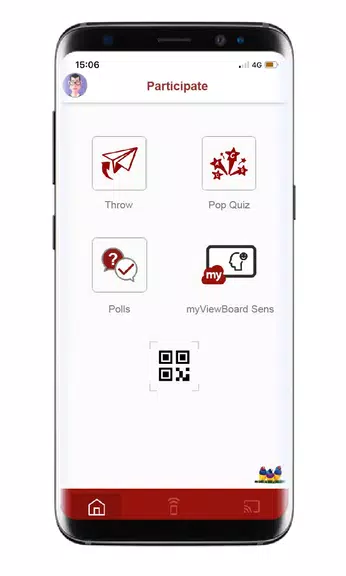
Elevate your collaboration and interaction with the myViewBoard Companion app! This convenient tool allows users to remotely control the myViewBoard Whiteboard software with features like flipping pages, screen sharing, and more. Collaborate effortlessly through Throw, PopQuiz, and Poll/Quiz features for a seamless interactive experience. Designed for interactive displays and whiteboards, the myViewBoard Whiteboard software is user-friendly and highly secure. To get started, simply create a free account on myviewboard.com and download the software. Embrace the power of digital collaboration and enhance your presentations with the myViewBoard Companion app today!
Features of myViewBoard Companion:
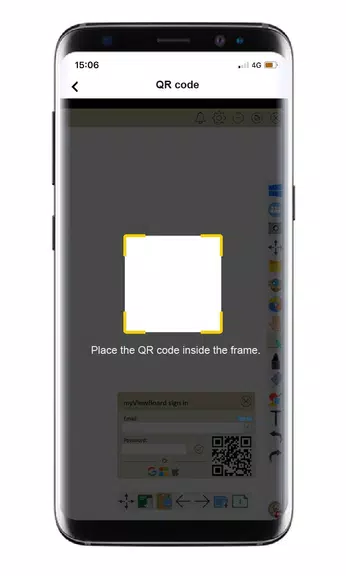
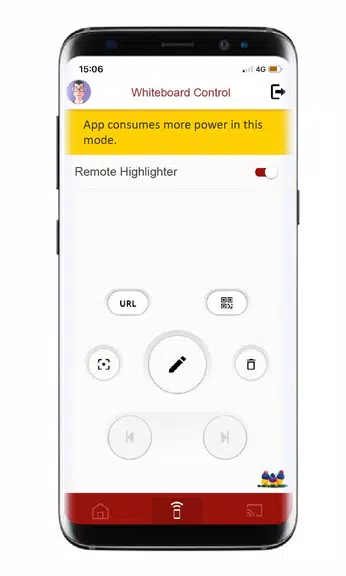
Remote Control: Easily interact with myViewBoard™ Whiteboard software by signing in and controlling it remotely, such as flipping pages and turning on screen sharing functionality.
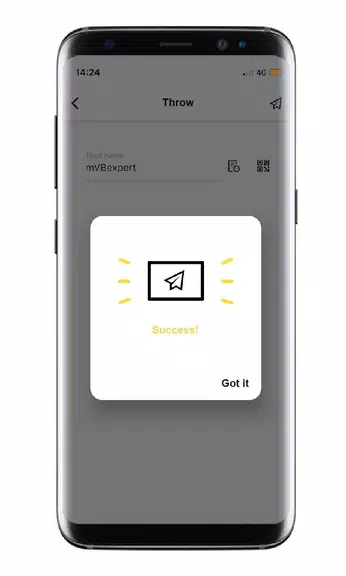
Collaboration Tools: Collaborate with myViewBoard™ Whiteboard software using features like Throw, PopQuiz, and Poll/Quiz for engaging and interactive sessions.
User-Friendly Interface: The app is designed to be easy to use, with a simple and intuitive interface that allows for seamless navigation and interaction.
Secure Platform: Rest assured that your data and information are safe with the incredibly secure whiteboarding software designed specifically for interactive displays and whiteboards.
FAQs of myViewBoard Companion
Is my personal information secure when using the app?
- Yes, the app is designed to be incredibly secure, and ensures that your personal information is protected at all times.
Can I access the app from multiple devices?
- Yes, you can access the app from any device that supports myViewBoard™ Whiteboard software.
Are there any additional features or tools available in the app?
- Yes, the app offers a range of collaboration tools and features to enhance your interactive sessions and meetings.
Conclusion
Experience the convenience of remote control functionality, engaging collaboration tools, and a secure platform with the myViewBoard Companion app. With a user-friendly interface and a range of features to enhance your interactive sessions, this app is a must-have for anyone using myViewBoard™ Whiteboard software. Download the app today and take your whiteboarding experience to the next level.
Information
 Google Play

The Remote App Tool collection includes many Android apps that allow remote control. With the growing number of smart devices, it's easy to misplace remotes. These apps solve that problem, offering a convenient, free way to control your devices. They provide great convenience for your daily life!





User Comments

FleetDocs is a mobile document management app that helps trucking fleets capture, submit, and organize paperwork using a smartphone camera. FleetDocs puts common driver tasks — photographing bills of lading, scanning receipts, combining multiple pages and sending them to an administrator — into a simple, repeatable workflow designed for fast processing and less paper handling.

InterForum is the official mobile app for attendees of InterForum conferences, designed to simplify planning, participation, and networking at live and virtual events. It centralizes agendas, official programs and session details so users can browse schedules, track updates, and build a personalized timetable that fits their interests. The app also supports live interaction with speakers, real-time polls, and in-app messaging to help attendees stay informed and connected. If you attend InterForum events regularly or are a first-time participant, this app streamlines event logistics and boosts opportunities to learn, ask questions, and meet other professionals.

Visit UIC is a compact guide to the University of Illinois Chicago's annual Open House, offering a clear overview of the September 16 event and why it matters for prospective students, families, and community visitors. The app summarizes what to expect—over 100 sessions, faculty talks, lab and studio demonstrations, hands-on activities on the quad, and practical sessions on admissions and financial aid—so you can quickly see whether UIC's academic programs, facilities, and urban campus culture match your interests before attending in person.

msgKarriere is a mobile career companion designed to help candidates and employees discover job opportunities, follow industry trends, and manage professional development from any location. In the first moments after opening msgKarriere you can search curated listings, read firsthand employee 'Job Stories', and start an application with a streamlined workflow that reduces friction between finding a role and applying. The app centralizes company profiles, event details, and project summaries in a compact, user-focused layout so users can make informed choices about roles and workplace culture on the go.

Dhaka Share Bazar puts Bangladesh's stock market into a compact, mobile-friendly interface so you can check live quotes, indices and company information on the go. Dhaka Share Bazar is designed for anyone who needs concise market reference — from experienced traders who review intraday moves to investors and students who study company filings and sector trends. The app focuses on delivering exchange-sourced data in a clear layout that reduces time spent navigating multiple websites and gives a single place to consult prices, charts and corporate summaries.

政府職缺快找 is a streamlined app that helps users discover and manage government job vacancies in one place. The app aggregates the latest public-sector openings, lets you filter searches, save favorites, and view full job details so you can prepare applications with fewer steps. Job seekers, career changers, and recent graduates will appreciate the ability to create tailored search conditions and receive deadline reminders via calendar sync. If you want a single dashboard for monitoring official vacancy announcements and organizing potential applications, 政府職缺快找 offers the basic tools to simplify the process.