
 X
 facebook
 WhatsApp
 Email
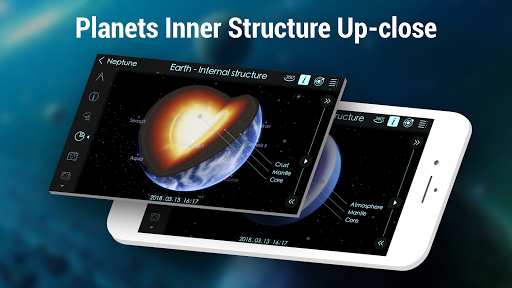
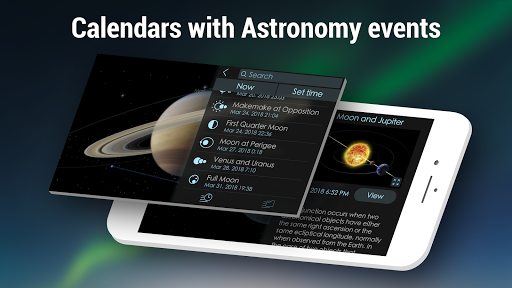
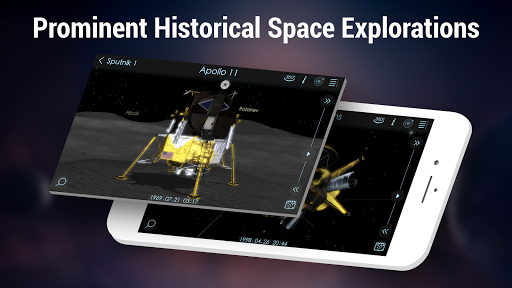
Introduction
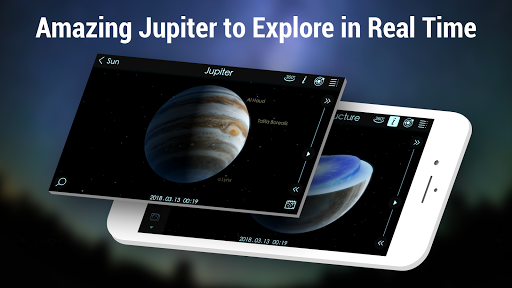
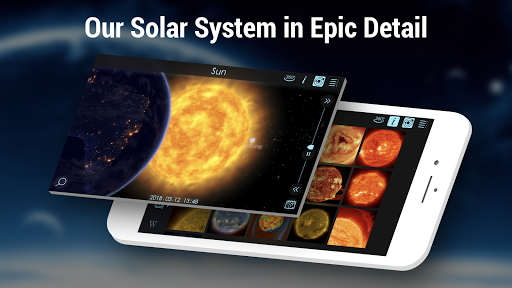
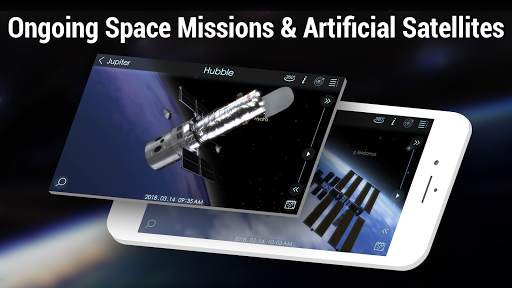
Solar Walk 2 Ads+:Solar System is an interactive 3D model of our planetary neighborhood that lets users explore planets, moons, and spacecraft in real time. The app combines scientific data with vivid visualization, offering guided tours, adjustable timelines, and intuitive tools to examine orbits, surfaces, and astronomical events.
What the app delivers
Solar Walk 2 Ads+:Solar System is designed for learners, educators, and space enthusiasts who want a hands-on way to inspect the solar system. It places accurate planetary positions, rotation, and scale into a single environment where you can zoom, rotate, and travel between objects while reading concise, reliable descriptions.
Core features at a glance
- Interactive 3D models: High-detail renderings of planets, moons, rings, and major spacecraft let you examine surfaces and atmospheres from any angle.
- Time control: Toggle forward or backward through time to watch planetary alignments, eclipses, and orbital motion at different speeds.
- Educational content: Informative panels and narrated mini-tours summarize scientific facts, distance measures, and historical mission data.
- Search and navigation: Quickly jump to specific objects, compare orbits, and follow trajectories for deeper study.
How interactions work
The interface favors touch-driven exploration. Pinch to zoom, swipe to rotate, and tap an object to open detailed information with metrics like diameter, orbital period, and surface temperature. A timeline slider provides granular control over time steps so you can observe gradual changes or fast-forward to future configurations.
Visuals and performance
Graphics are balanced to run smoothly across a wide range of Android devices. Textures and lighting reproduce the distinctive look of planetary surfaces without excessive battery drain, while optional higher-resolution assets can be enabled on powerful hardware. The app uses GPU acceleration and adaptive detail levels to keep frame rates steady during complex scenes.
Tools for learning and demonstration
Beyond casual exploration, Solar Walk 2 Ads+:Solar System includes several tools useful for classroom or self-study. A comparative mode lets you place multiple bodies side-by-side to judge relative sizes and distances. The measurements overlay helps visualize scales that are otherwise hard to grasp, and the timeline narration walks through key events like planetary transits and past mission flybys.
Customization and settings
Users can tailor the experience by adjusting display options, enabling labels, or switching between illuminated and night-side views. Audio narration can be turned on for guided tours or muted for silent study. The app stores recent views and bookmarks so you can return to favorite perspectives quickly.
Compatibility and device tips
Solar Walk 2 Ads+:Solar System performs best on devices with modern processors and sufficient RAM, but it maintains compatibility with many mid-range phones by scaling detail automatically. For the smoothest experience, close background apps, allow hardware acceleration, and, when available, enable high-resolution textures only on devices that report strong GPU performance.
Practical use cases
- Classroom demonstrations: Use the timeline and narration to introduce orbital mechanics and planetary facts.
- Public outreach: Share annotated views of eclipses or planetary alignments with an audience.
- Personal study: Save bookmarks for favorite objects and track upcoming celestial events.
Getting started quickly
Launch the app, use the search bar to find a planet or moon, then pinch and drag to explore. Try the timeline to watch motion in action, and open the info panel for concise scientific summaries. Bookmarks and recent views let you build a personalized tour of the solar system over time.
Why users choose it
The combination of scientific accuracy, accessible controls, and polished visuals makes the app a practical tool for educators and curious users alike. Whether preparing a lesson or satisfying personal curiosity, Solar Walk 2 Ads+:Solar System provides a compact, informative window into our celestial neighborhood.
Information
 Google Play
User Comments

Lotus Chess is an opening-focused chess trainer that uses machine learning to analyze your games and deliver short, targeted practice designed to improve your results from move one. Lotus Chess studies recurring patterns in how you respond to common opening choices, then creates daily exercises that reinforce practical ideas and reactions rather than rote memorization.
AYT Coğrafya is a focused study application created to help Turkish high-school students prepare for the AYT Geography exam by combining clear lessons, visual material and practice tests into a single, mobile-friendly tool. AYT Coğrafya places curriculum-aligned topics into concise, step-by-step modules so learners can study in short sessions or longer blocks depending on their schedule, track improvements over time and concentrate revision on the areas that need the most attention.
Plantale blends casual farming simulation with light puzzle mechanics to create a relaxed yet strategic experience. In Plantale you cultivate a variety of hybrid plants, manage limited space, and solve seasonal challenges while unlocking new seeds and tools. Its approachable systems make it easy to enjoy short sessions or longer campaigns.

Finlit.uz is a mobile application that gathers the educational content and interactive services of the Central Bank of the Republic of Uzbekistan’s financial literacy website into a single, easy-to-use platform. It delivers articles, videos, practical tools and structured training designed for schoolchildren, students, entrepreneurs and retirees who want to improve their personal finance skills. Available in three language versions—Uzbek (Cyrillic and Latin) and Russian—the app covers budgeting, loans, deposits, financial markets and currency regulation, and includes calculators, assessments and a personal results journal to track learning progress.

PRESIDENT OF THE PHILIPPINES is an educational trivia app that helps users learn about the country's presidents and vice presidents through carefully written questions and chronological coverage. It tests your recall of the 17 presidents of the Philippines, from the current officeholder back to the earliest leaders, and highlights key events, policies, and milestones from each administration. Users may want it as a compact reference and study aid to refresh historical facts, understand political transitions, and explore how different presidencies shaped national policy. The interface focuses on quizzes and informative prompts to make review efficient and engaging.
PIANO FARM is an educational music app that helps children explore piano basics through a bright, playful interface. It combines interactive instrument sounds, simple visual theory and three learning modes to keep lessons engaging and accessible for young learners. Parents and educators may want it because it turns abstract concepts into tangible actions—using color-coded notes, familiar animal sounds and an easy keyboard layout—so beginners can practice listening, hand coordination and note recognition without pressure. The app is designed as a learning tool rather than a game, suitable for early music education and casual practice sessions.