

 X
 facebook
 WhatsApp
 Email



Introduction
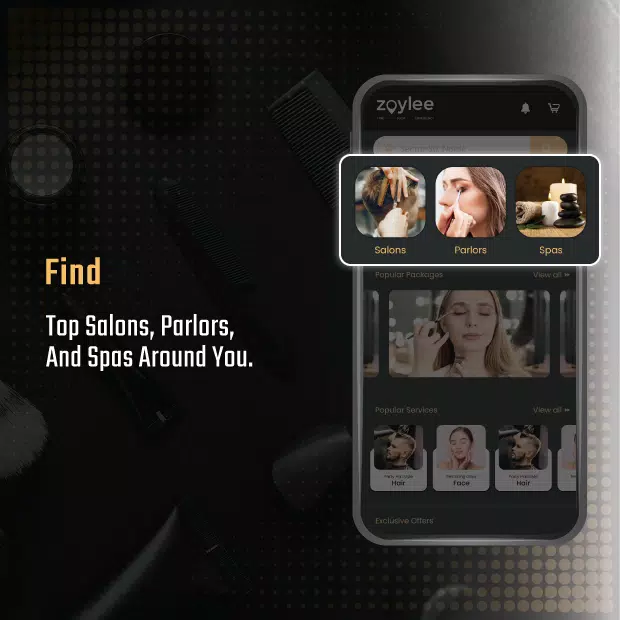
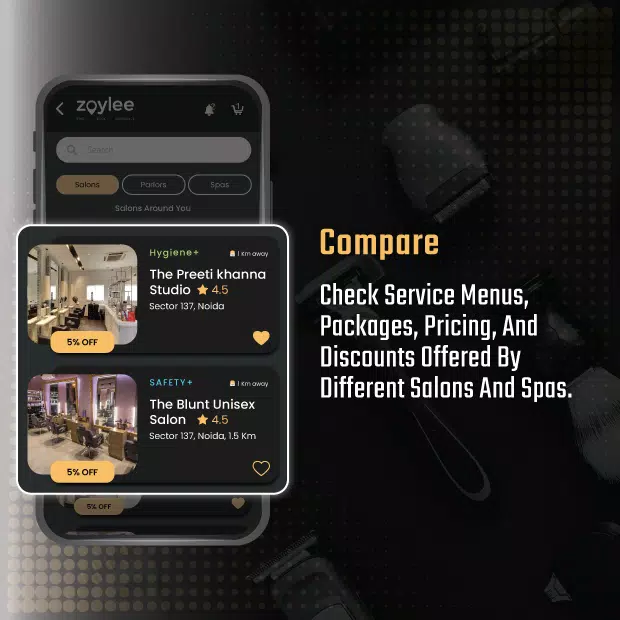
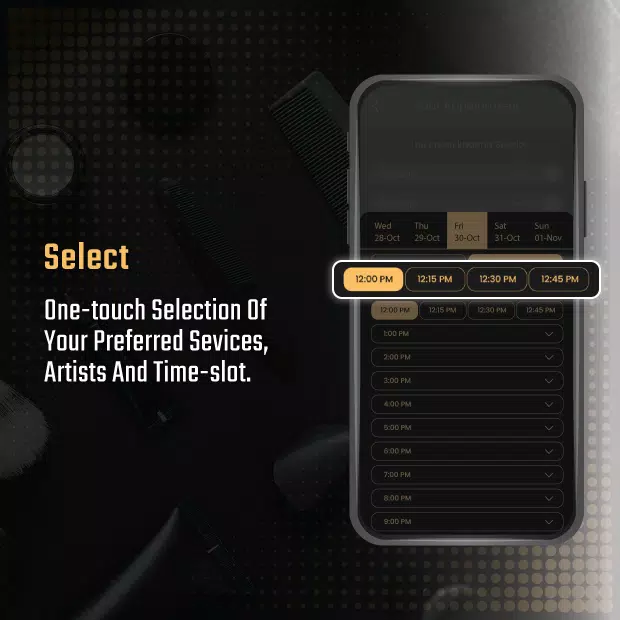
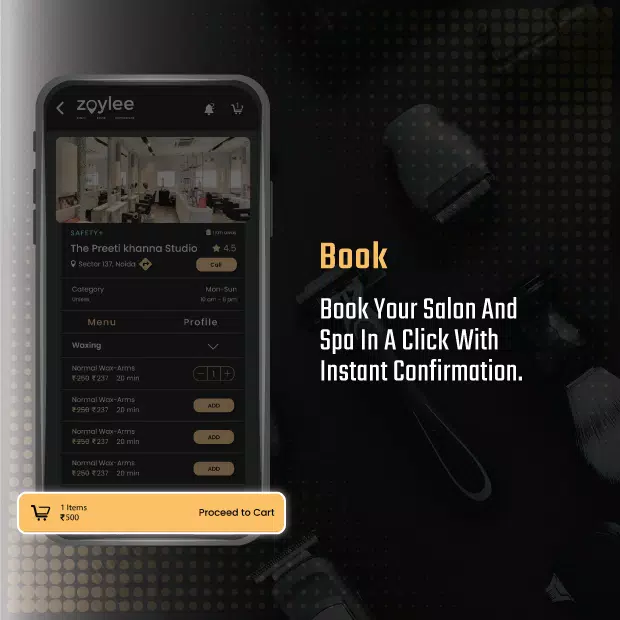
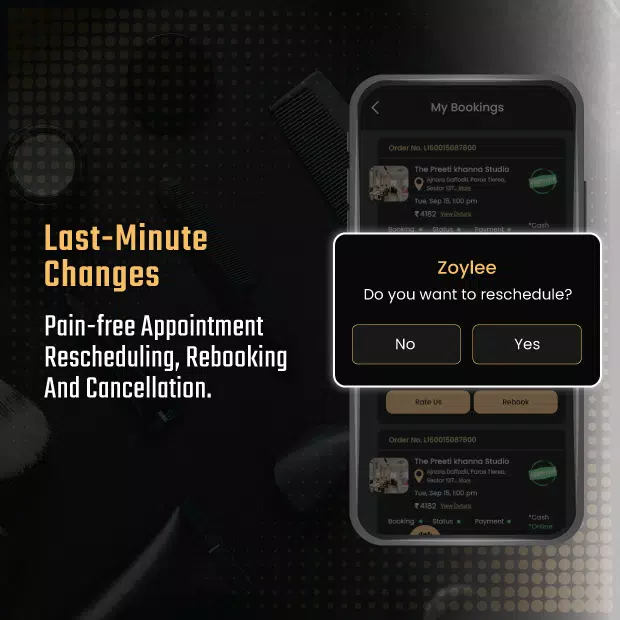
Zoylee is a compact productivity app designed to streamline daily tasks, organize notes, and manage reminders with minimal fuss. It balances a simple interface and useful automation so users can plan routines, track deadlines, and sync content across devices without a steep learning curve.
Overview and purpose
Zoylee aims to replace a scattered set of tools by combining task lists, note-taking, and lightweight scheduling into one coherent workflow. It targets users who want a fast, low-friction way to capture ideas, set priorities, and come back to work with clear context. The app keeps core functions visible while hiding advanced settings behind intuitive menus.
Core features at a glance
- Task management: Create, prioritize, and check off tasks with due dates and quick-recurrence options.
- Notes and attachments: Store text snippets, photos, and links in organized notebooks or tag-based collections.
- Smart reminders: Receive time- or location-triggered alerts that adapt when tasks are snoozed or postponed.
- Light automation: Use simple rules to auto-assign tags, set reminders, or convert notes into tasks.
- Cross-device sync: Keep data mirrored across phones and tablets with minimal delay.
How it works
The interface centers on three panes: an inbox for quick capture, a task board for active work, and an archive for reference material. Adding an item is fast: tap the plus icon, choose the type, and decide whether it belongs to a notebook or gets a tag. Built-in templates speed up repeated entries like shopping lists or meeting notes.
Organizational systems
Zoylee supports tag-based organization and nested notebooks, letting you mix methods without forcing a single model. Filters combine tags, due dates, and priority levels so you can form focused views like "today's tasks" or "research notes." Saved filters act like custom dashboards for recurring workflows.
User interface and performance
The design emphasizes clarity: readable fonts, deliberate spacing, and contrast that holds up in both light and dark modes. Animations are subtle, keeping transitions responsive without distracting. On most mid-range devices the app runs smoothly; database operations are optimized to minimize lag when switching sections or syncing across accounts.
Customization and personalization
Users can tailor several aspects of Zoylee without diving into complex menus. Choose a default view on startup, enable compact or comfortable list spacing, and pick from a handful of color themes. Notification rules let power users manage how often they are nudged for overdue items.
Practical uses and workflows
Professionals can use Zoylee to manage client tasks and meeting notes, while students may group study materials and assignment timelines. The app is also suited for household planning—shared lists for groceries and chores sync between devices, reducing duplication and missed items. Templates make recurring processes repeatable and reliable.
Tips for getting the most out of Zoylee
- Start with an inbox habit: Capture everything immediately and triage once a day to avoid backlog.
- Use tags sparingly: A small, consistent tag set works better than many overlapping labels.
- Set concise reminders: Keep reminder text actionable—what to do and when.
- Leverage templates: Save time on recurring meetings or routines by converting common items into reusable patterns.
Security, backup, and reliability
Data sync uses encrypted connections and periodic local backups to reduce risk of accidental loss. Export options include standard formats so you can archive or migrate content if needed. The app also offers a local-only mode for users who prefer not to enable cloud syncing.
Who should try this app
Zoylee is well-suited to users who want structure without complexity: freelancers, students, small teams, and busy households. If you value quick capture and flexible organization over heavyweight project management features, this app delivers a balanced, efficient experience.
Getting started is straightforward: install, create an account or opt for local mode, and spend a few minutes customizing your default view and notification preferences. With a small initial setup and daily capture habit, Zoylee can become the central hub for tasks and notes in a matter of days.
Information
User Comments

entascan is a compact skin-care companion that combines a handheld moisture meter with a smartphone app to turn hydration readings into clear, practical guidance. Designed for people who want to monitor skin moisture without clinical equipment, entascan connects to your device via Bluetooth to record measurements, generate readable reports, and offer personalized recommendations you can apply in daily routines at home, in the office, or while traveling.

moz5 Apps is a compact Android utility suite designed to simplify daily tasks and streamline app management on mobile devices. It bundles a selection of practical tools into a lightweight package, focusing on speed, clarity, and compatibility for users who want straightforward functionality without unnecessary complexity.

C.Kamura is the official mobile app from renowned Brazilian stylist Celso Kamura that brings salon booking, service details and client management directly to your phone. Designed for clients who want straightforward scheduling and access to Kamura’s salons in São Paulo, Campinas and Rio de Janeiro, the app lets users book appointments, receive reminders, view service history and unlock app-only offers. Whether you seek routine maintenance or a bold new look guided by an experienced team, C.Kamura simplifies appointment management and feedback while preserving the creative standards associated with his salons and fashion collaborations.
Are you in need of some self-care and pampering? Look no further than BEWA, the ultimate platform for all things beauty and wellness. With BEWA, you can easily book appointments at barbers, hair stylists, wellness centers, spas, and beauty professionals in your area, all from the convenience of your smartphone. Say goodbye to the hassle of calling around for availability and let BEWA take care of it all for you. Discover new professionals, manage your appointments, and start your journey to wellness today by downloading the app. Treat yourself to some much-needed relaxation and rejuvenation with BEWA.
Hair Fall Home Remedies helps users address hair loss with a practical, natural toolkit that fits into daily routines. The app compiles easy-to-follow home treatments using common ingredients and delivers clear, step-by-step instructions so non-experts can try remedies at home. Designed for both men and women, it emphasizes simple guidance, personalized tips based on hair type, and an uncluttered interface that makes finding suitable solutions quick and straightforward. If you prefer affordable, do-it-yourself alternatives to salon appointments and complex products, Hair Fall Home Remedies provides a convenient reference to explore options that may support healthier, fuller-looking hair over time.

Skin Expert: all about aesthet is an innovative application that connects cosmetologists, dermatologists and patients through secure chat and video consultations while helping clinics and practitioners manage daily workflows. The app centralizes doctor and clinic profiles, services and pricing so patients can compare options and access exclusive offers, and it gives professionals tools to build patient dossiers, store treatment photos and plan courses of care. For clinics, the platform helps automate routine tasks and improve resource allocation to deliver more personalized care. Users who want streamlined communication and consolidated practice management will find this app useful.