
 X
X
 facebook
 WhatsApp
 Email
Email
Introduction
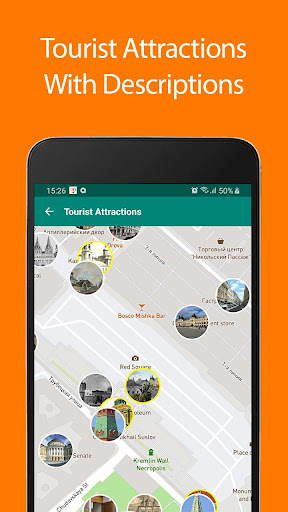
Moscow Offline Map and Travel provides travelers with a compact, reliable way to carry Moscow’s streets and sights on their device without a data connection. This editor-tested app places detailed offline maps, searchable points of interest and short wiki-style descriptions into a single package so you can plan routes, identify nearby services and explore neighborhoods even when roaming or Wi‑Fi are unavailable.
Key Features
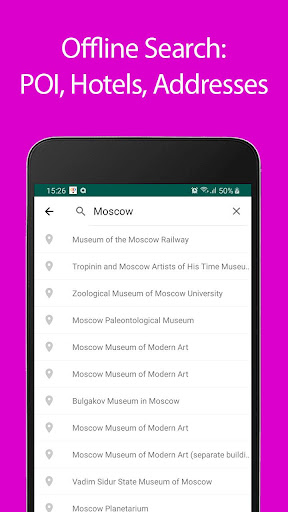
The core of Moscow Offline Map and Travel is its locally stored map data and searchable point-of-interest database. You can search addresses and filter categories such as airports, metro stations, train terminals, hotels, museums and restaurants. Each POI includes a concise description to help you decide whether to visit and to provide quick context for the surrounding area. Favorites can be saved and edited, enabling straightforward trip planning and rapid access to important addresses.
Controls and Interaction
Navigation within the app is designed for touchscreen simplicity: pinch to zoom, tap to open place cards, and long-press to drop a custom marker. The address search supports typed queries and basic partial matches, plus category taps to show all nearby results. When GPS is available, the marker shows your real-time position on the offline map to assist with pedestrian movement through districts or when transferring between metro lines.
Routing and Progression
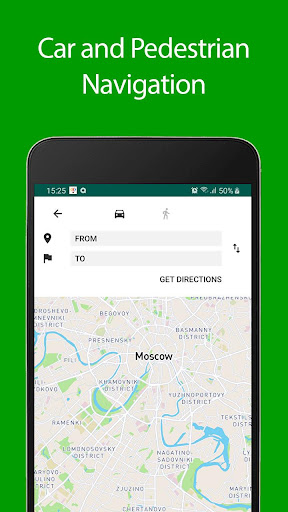
For basic route planning the app helps you plot point-to-point paths and estimate distances on the map, and the premium option unlocks automotive and pedestrian GPS guidance that offers turn-by-turn cues when purchased. Your progression through trip planning is centered on saved lists: create a day-by-day itinerary by grouping favorites, reorder stops, and revisit previous trips to reuse routes and notes.
Visual Style and Customization
The map view focuses on clarity: street names, major landmarks, transit lines and key services are emphasized so you can read the map quickly on small screens. Users can adjust display settings to change label density and toggle POI layers, helping to reduce clutter in dense central neighborhoods or to highlight transit stations when needed. Map zoom levels are responsive to preserve readability at both city and neighborhood scales.
Offline Use and Storage
All essential map tiles and place information are stored locally to keep performance fast and to eliminate reliance on mobile networks while you explore. The installer indicates required storage for downloaded areas so you can manage space on your device. Offline search and category filters operate from the local database, which makes the app dependable in metro tunnels, remote parts of the city or during international flights.
Accessibility and User Experience
Text sizes, high-contrast map options and clear iconography are available to support users with varying vision needs, and simple gestures minimize the learning curve for new visitors. The app emphasizes legible place cards and a predictable layout so travelers can find transit stations, emergency services and hotel addresses quickly, improving confidence in unfamiliar parts of the city.
Advantages
The main advantages of Moscow Offline Map and Travel include reduced roaming costs since maps are local, fast loading even when mobile data is slow, and integrated attraction descriptions that turn a map into a compact travel guide. Because the app is focused on a single city, depth and local detail are prioritized, making it easier to locate neighborhood services and tourist sites with fewer taps.
Disadvantages
Full GPS navigation features are part of the paid upgrade, and the app concentrates on Moscow only, so it does not provide maps for other cities or broader regional coverage. Users planning multi-city trips should consider how they will manage maps for additional destinations, but for visits limited to Moscow the specialized dataset offers rich local information.
Practical Tips for Travelers
Before arriving, download the Moscow area you plan to use and add your hotel, emergency contacts and transit hubs to favorites. Use Moscow Offline Map and Travel to preview walking times between attractions and to create a sequence of stops for each day. Regularly back up your saved favorites if you switch devices, and enable the premium navigation only when you need hands-free turn guidance for driving or detailed pedestrian routing.
Information
 Google Play
Other Games by the Same Aerostatmaps


The Remote App Tool collection includes many Android apps that allow remote control. With the growing number of smart devices, it's easy to misplace remotes. These apps solve that problem, offering a convenient, free way to control your devices. They provide great convenience for your daily life!






User Comments

Descubre Málaga helps you explore Málaga through personalized, sensory-led routes that combine food, culture and local stories into a single travel tool. The app generates tailored itineraries based on your preferences, available time and budget, and lets you save or start a plan immediately. It supports walking, cycling, driving and public transit, and offers flexible durations from a few hours to full days, with photos, text and audio so you can learn the context behind each stop.

Trackline Pro is a vehicle tracking and diagnostics tool that delivers real-time location and operational data so you can monitor a single car or an entire fleet from your mobile device. The app provides precise GPS coordinates, plus speed, fuel level, odometer readings and battery voltage to help you detect issues early and keep vehicles running efficiently. Fleet managers get better route oversight and timely delivery visibility, while individual owners gain reassurance about vehicle status and driver behavior. With a clear, easy-to-use interface, Trackline Pro is built to simplify day-to-day vehicle management and reduce surprises on the road.

MOVI VIRTUAL is an Android utility that provides a virtual camera and media routing for video calls and streaming. The app simplifies connecting graphics, overlays, or prerecorded video to other apps without requiring special hardware.

Moscow Offline Map and Travel provides travelers with a compact, reliable way to carry Moscow’s streets and sights on their device without a data connection. This editor-tested app places detailed offline maps, searchable points of interest and short wiki-style descriptions into a single package so you can plan routes, identify nearby services and explore neighborhoods even when roaming or Wi‑Fi are unavailable.

马蜂窝-全球旅游攻略,旅行度假酒店预订 is an all-in-one travel app that helps travellers plan trips, discover reliable destination guides and book hotels, local tours and holiday packages from a single, practical interface. Designed for people who prefer experience-based advice, the app blends crowd-sourced travelogues, short videos and an active Q&A community with an integrated booking marketplace so you can go from inspiration to reservation without switching apps.

Offline Translator: German is a compact offline speech translator and bilingual dictionary designed for travelers, students and professionals who need dependable English–German communication without an internet connection. Offline Translator: German translates typed text, spoken phrases and printed text captured with your camera, automatically detects the input language and can speak translations aloud in both English and German. The app keeps translations and language data on your device so you can avoid roaming charges and maintain privacy while navigating menus, signs and conversations.