
 X
X
 facebook
 WhatsApp
 Email
Email
Introduction
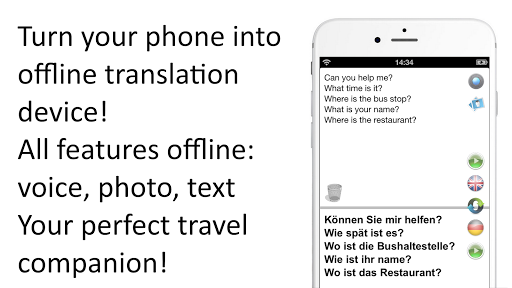
Offline Translator: German is a compact offline speech translator and bilingual dictionary designed for travelers, students and professionals who need dependable English–German communication without an internet connection. Offline Translator: German translates typed text, spoken phrases and printed text captured with your camera, automatically detects the input language and can speak translations aloud in both English and German. The app keeps translations and language data on your device so you can avoid roaming charges and maintain privacy while navigating menus, signs and conversations.
Key features
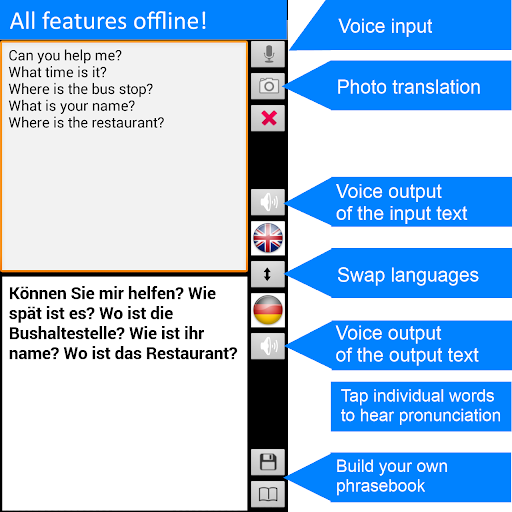
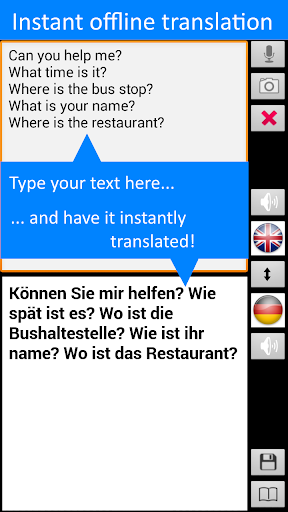
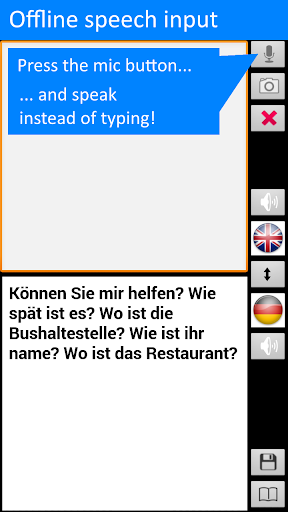
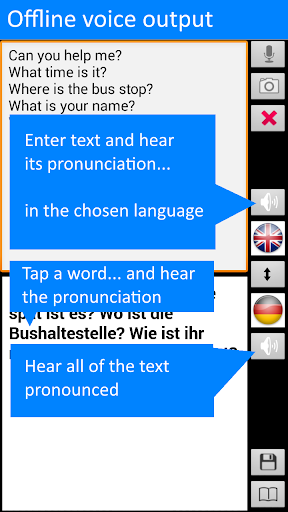
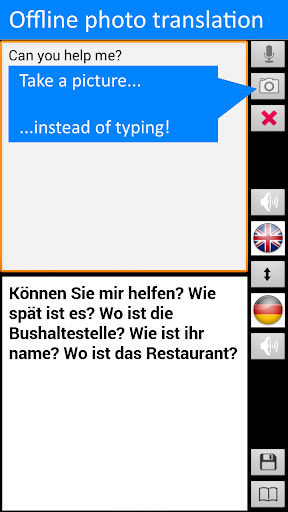
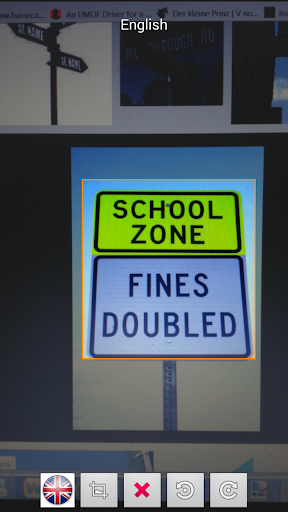
This app combines three core translation modes: text entry, voice input/output and photo-based OCR. The text mode accepts typed sentences and single words, with automatic detection between English and German. The voice mode recognizes spoken phrases and plays back synthesized translations; you can adjust speaking speed in settings and tap individual words to hear them pronounced. The camera mode uses offline OCR to convert printed text from photos into editable, translatable text so you can read signs, brochures and menus without uploading images.
How it works
Begin by downloading the language data package while online; this one-time step prepares the app for fully offline operation. Once the data is installed the whole translation engine runs locally: you type or paste text, press the microphone icon to speak, or open the camera button to photograph printed text. The app automatically decides whether the input is English or German and provides both the literal translation and alternative word choices found in the bilingual dictionary. Voice output reads the result in a natural-sounding voice for immediate spoken communication.
Controls and user interaction
The interface is organised into familiar sections so controls feel intuitive even on smaller screens. A single-line input field accepts text, a prominent microphone button triggers voice capture, and a camera icon opens the photo translator. Tap any word in the translation to hear it pronounced, long-press entries in history to save them to your phrasebook, and use the dictionary view to see grammatical features, word forms and suggested translations. These simple controls make the app practical for quick in-person exchanges or longer study sessions.
Phrasebook, progression and replay value
Phrasebook and history are central to the app’s progression: as you save translations you build a personalized library of useful expressions for your routines and trips. You can edit, reorganize and rename saved phrases so the phrasebook evolves with your needs, and replay saved audio to practice pronunciation. Over time the app becomes more valuable as you accumulate frequently used items, making it not only a translation tool but also a lightweight study aid for repeated practice and gradual improvement.
Dictionary, accuracy and challenge handling
The built-in bilingual dictionary recognises different word inflections and shows grammatical details along with all likely translations. This helps when a single English word has multiple German equivalents depending on context. The translation engine is designed to be efficient in storage usage and often produces accurate everyday translations, but users should expect occasional ambiguities with idioms or specialized terms. Background noise, strong regional accents and very low-resolution photos can affect voice recognition and OCR performance; the app provides tips and on-screen cues to improve capture quality in these situations.
Visual style and accessibility
The user interface focuses on clear typography and high-contrast controls to aid quick reading in outdoor conditions. Text size can be increased from the settings, and voice output along with tap-to-read words support users who prefer audio feedback. The layout groups translate, camera, dictionary and phrasebook into distinct screens so navigation remains straightforward. These design choices make the app accessible to a wide range of users, including those who need larger text or audio assistance.
Offline use, privacy and compatibility
Offline Translator: German keeps your translations and language data local to your device after the initial download, which helps protect privacy and eliminates ongoing data usage. You will need a brief online connection only for the first language data download or for optional updates. Voice input is supported on most devices running Android 4.0 and newer; functionality can vary slightly depending on the device manufacturer and available system voices. The app is intended to be lightweight so it works on phones with modest storage, while still offering reliable offline OCR and speech features.
Known limitations
Photo translation is optimized for printed text and may not accurately process handwritten notes or extremely low-quality images. Some advanced or technical vocabulary may not translate perfectly in all contexts, and voice recognition can be challenged by strong background noise or overlapping speech. These limitations are outlined in the app so users can set realistic expectations and use camera framing, quieter environments and short clear phrases to improve results.
Information
 Google Play
User Comments

Descubre Málaga helps you explore Málaga through personalized, sensory-led routes that combine food, culture and local stories into a single travel tool. The app generates tailored itineraries based on your preferences, available time and budget, and lets you save or start a plan immediately. It supports walking, cycling, driving and public transit, and offers flexible durations from a few hours to full days, with photos, text and audio so you can learn the context behind each stop.

Trackline Pro is a vehicle tracking and diagnostics tool that delivers real-time location and operational data so you can monitor a single car or an entire fleet from your mobile device. The app provides precise GPS coordinates, plus speed, fuel level, odometer readings and battery voltage to help you detect issues early and keep vehicles running efficiently. Fleet managers get better route oversight and timely delivery visibility, while individual owners gain reassurance about vehicle status and driver behavior. With a clear, easy-to-use interface, Trackline Pro is built to simplify day-to-day vehicle management and reduce surprises on the road.

MOVI VIRTUAL is an Android utility that provides a virtual camera and media routing for video calls and streaming. The app simplifies connecting graphics, overlays, or prerecorded video to other apps without requiring special hardware.

Moscow Offline Map and Travel provides travelers with a compact, reliable way to carry Moscow’s streets and sights on their device without a data connection. This editor-tested app places detailed offline maps, searchable points of interest and short wiki-style descriptions into a single package so you can plan routes, identify nearby services and explore neighborhoods even when roaming or Wi‑Fi are unavailable.

马蜂窝-全球旅游攻略,旅行度假酒店预订 is an all-in-one travel app that helps travellers plan trips, discover reliable destination guides and book hotels, local tours and holiday packages from a single, practical interface. Designed for people who prefer experience-based advice, the app blends crowd-sourced travelogues, short videos and an active Q&A community with an integrated booking marketplace so you can go from inspiration to reservation without switching apps.

Offline Translator: German is a compact offline speech translator and bilingual dictionary designed for travelers, students and professionals who need dependable English–German communication without an internet connection. Offline Translator: German translates typed text, spoken phrases and printed text captured with your camera, automatically detects the input language and can speak translations aloud in both English and German. The app keeps translations and language data on your device so you can avoid roaming charges and maintain privacy while navigating menus, signs and conversations.