

 X
 facebook
 WhatsApp
 Email
Introduction
S-Vigia is a lightweight mobile surveillance app that turns Android devices into reliable monitoring stations, offering live video, motion detection alerts and scheduled recording. It’s designed for home, small business or on-the-go use, combining immediate notifications with simple setup and efficient bandwidth management.
What S-Vigia Does
S-Vigia provides a practical set of tools to transform a phone or tablet into a security camera. With plug-and-play setup, users can view live streams remotely, receive real-time motion alerts and archive footage to local storage or cloud services. The app balances continuous monitoring with power-saving features to keep background usage manageable.
Key Features
- Live Streaming: High-quality video preview with adaptive bitrate to reduce stuttering when networks are congested.
- Motion Detection: Custom sensitivity settings minimize false positives while prioritizing meaningful activity.
- Scheduled Recording: Define active monitoring windows to capture footage only when needed.
- Multi-Camera Support: Monitor several devices simultaneously from one account for broader coverage.
- Notifications: Push alerts and snapshot previews sent when motion or sound events are detected.
- Local and Cloud Storage: Options for saving clips to the device, an SD card, or integrated cloud backups.
How the System Operates
S-Vigia is built around an intuitive workflow: install the app, grant camera and microphone permissions, and register your device. Cameras appear in a central dashboard where you can toggle recording modes, adjust detection zones and zoom in on live feeds. The app compresses video streams to conserve data and automatically reconnects after interruptions.
Privacy and Security Controls
Protecting footage and user data is an essential focus. S-Vigia supports encrypted connections for remote viewing and offers password-protected access to live streams. Administrators can set user roles to limit who can view, download or delete recordings, and detailed logs document access and event history for audit purposes.
Customization and Automation
Customization makes S-Vigia adaptable to different environments. Users can define detection areas within the camera view to ignore busy streets or pets, schedule patrol times for automated recording, and create notification filters so only critical alerts are forwarded. Integration with third-party cloud services enables automated off-site backups and cross-device synchronization.
Performance and Compatibility
Designed for broad compatibility, the app supports a wide range of Android versions and device hardware. S-Vigia optimizes CPU and battery use by pausing nonessential processes when idle, and offers options to limit frame rates or lower resolution to preserve storage. Network recovery logic reduces missed events by retrying connections until the stream is restored.
User Experience and Interface
The interface focuses on clarity: a live thumbnail grid, quick-access record button and easy-to-read event timeline make reviewing footage straightforward. New users benefit from guided setup and sample profiles for common situations like baby monitoring, front-door surveillance or temporary event coverage. Advanced settings remain accessible without cluttering the primary dashboard.
Integration with Existing Workflows
S-Vigia supports exporting clips and snapshots in standard formats, making it easy to share evidence or archive footage in other systems. Notifications can be routed through email or messaging platforms using standard webhooks, and administrators can deploy multiple devices across locations while managing them from a single account.
Getting Started
To begin, download the app, create an account and register each camera device. Calibrate motion sensitivity and set storage preferences before leaving a device unattended. Regularly review software updates and storage quotas to ensure continuous protection. With its straightforward setup and flexible configuration, S-Vigia makes mobile surveillance accessible and practical for users seeking reliable, private monitoring on Android devices.
Information
 Google Play

The Remote App Tool collection includes many Android apps that allow remote control. With the growing number of smart devices, it's easy to misplace remotes. These apps solve that problem, offering a convenient, free way to control your devices. They provide great convenience for your daily life!




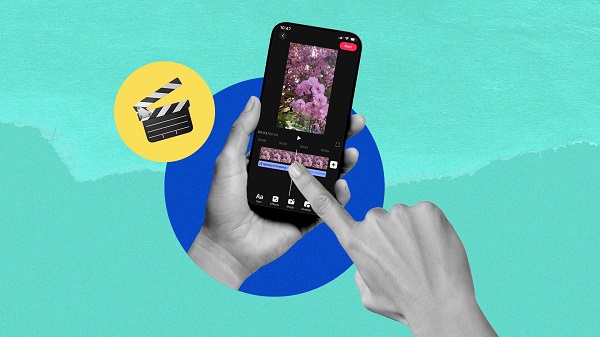
What would it be like to download video software for free? In this collection, you can find various video software that interests you, whether it’s video players or video editors—everything you need is here. All of it is provided for free, allowing you to download with ease and without any worries.





User Comments

Descubre Málaga helps you explore Málaga through personalized, sensory-led routes that combine food, culture and local stories into a single travel tool. The app generates tailored itineraries based on your preferences, available time and budget, and lets you save or start a plan immediately. It supports walking, cycling, driving and public transit, and offers flexible durations from a few hours to full days, with photos, text and audio so you can learn the context behind each stop.

Trackline Pro is a vehicle tracking and diagnostics tool that delivers real-time location and operational data so you can monitor a single car or an entire fleet from your mobile device. The app provides precise GPS coordinates, plus speed, fuel level, odometer readings and battery voltage to help you detect issues early and keep vehicles running efficiently. Fleet managers get better route oversight and timely delivery visibility, while individual owners gain reassurance about vehicle status and driver behavior. With a clear, easy-to-use interface, Trackline Pro is built to simplify day-to-day vehicle management and reduce surprises on the road.

MOVI VIRTUAL is an Android utility that provides a virtual camera and media routing for video calls and streaming. The app simplifies connecting graphics, overlays, or prerecorded video to other apps without requiring special hardware.

Moscow Offline Map and Travel provides travelers with a compact, reliable way to carry Moscow’s streets and sights on their device without a data connection. This editor-tested app places detailed offline maps, searchable points of interest and short wiki-style descriptions into a single package so you can plan routes, identify nearby services and explore neighborhoods even when roaming or Wi‑Fi are unavailable.

马蜂窝-全球旅游攻略,旅行度假酒店预订 is an all-in-one travel app that helps travellers plan trips, discover reliable destination guides and book hotels, local tours and holiday packages from a single, practical interface. Designed for people who prefer experience-based advice, the app blends crowd-sourced travelogues, short videos and an active Q&A community with an integrated booking marketplace so you can go from inspiration to reservation without switching apps.
Offline Translator: German is a compact offline speech translator and bilingual dictionary designed for travelers, students and professionals who need dependable English–German communication without an internet connection. Offline Translator: German translates typed text, spoken phrases and printed text captured with your camera, automatically detects the input language and can speak translations aloud in both English and German. The app keeps translations and language data on your device so you can avoid roaming charges and maintain privacy while navigating menus, signs and conversations.