
 X
X
 facebook
 WhatsApp
 Email
Email
Introduction
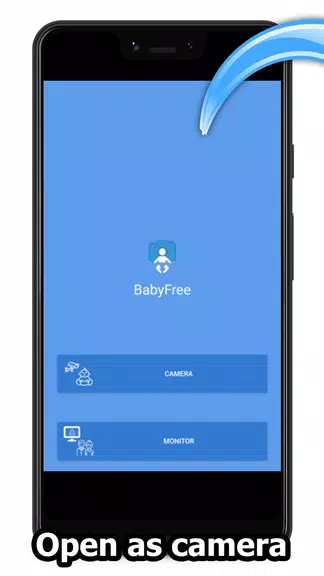
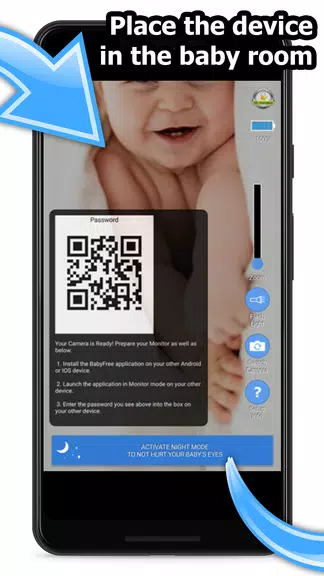
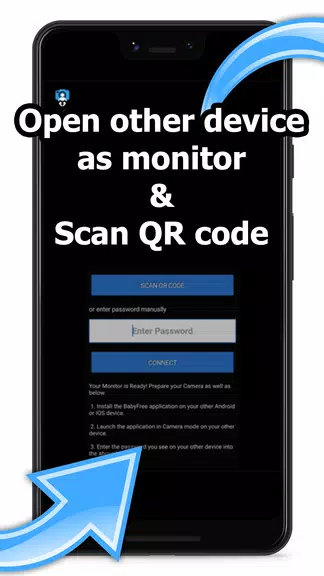
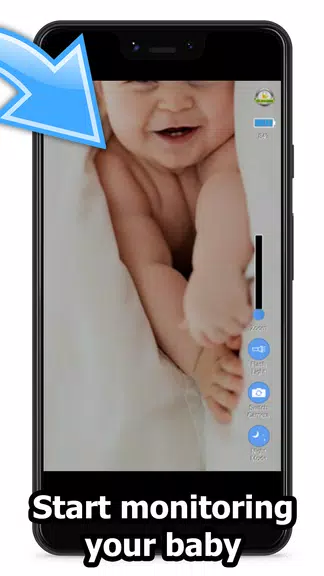
Turn your old smartphones into a secure baby monitor and camera with BabyFree - Baby Monitor & Cam. With end-to-end SSL/TLS encryption support, BabyFree ensures your data is kept safe while allowing you to keep an eye on your little one from anywhere. Simply install the app on two devices, set one up as the baby camera, and use the other as the monitor for easy parental control. Enjoy features like multi-device monitoring, full remote control, night mode, lullaby playing, and more. Keep your baby or pet in sight at all times with this versatile and secure baby monitor app.
Features of BabyFree - Baby Monitor & Cam:
❤ Enjoy peace of mind with secure end-to-end SSL/TLS encryption for data security. Your baby's privacy and safety are our top priority, ensuring that all video streams and communication between your devices are fully encrypted and protected from unauthorized access.
❤ The system supports all types of internet connections, whether you're on Wi-Fi, mobile data, or a wired connection. This ensures that you can monitor your baby anytime, anywhere, without worrying about network compatibility issues.
❤ Multi-monitor support allows parents to view their baby simultaneously on different devices. Whether you’re using a smartphone, tablet, or computer, multiple family members can keep an eye on the baby from various locations, providing extra reassurance.
❤ Gain full remote control of the camera device in the nursery. Adjust angles, zoom in, or reposition the camera from anywhere, ensuring you have the perfect view of your baby without having to disturb them.
❤ Night mode ensures that both your and your baby's eyes are protected during nighttime monitoring. This mode provides a soft, dimmed display, reducing strain on your eyes while maintaining clear visibility of the nursery.
❤ Flashlight support enhances visibility in dark rooms, giving you the ability to check on your baby or navigate the nursery safely without turning on the main lights. This feature helps maintain a peaceful sleeping environment for your little one.
Conclusion:
BabyFree - Baby Monitor & Cam is a user-friendly and secure app that allows you to easily turn your old smartphones into a baby monitor and camera. With features such as encryption, multi-monitor support, and remote control, it provides peace of mind for parents and pet owners alike. Download BabyFree now and experience the convenience and security it offers.
Information

The Remote App Tool collection includes many Android apps that allow remote control. With the growing number of smart devices, it's easy to misplace remotes. These apps solve that problem, offering a convenient, free way to control your devices. They provide great convenience for your daily life!






User Comments

Fruits and Vegetables for Kids is a compact, child-friendly flashcard app designed to introduce toddlers and preschoolers to everyday plant-based vocabulary using large photographic cards, clear spoken labels and simple interactions that parents, caregivers and early-years teachers can rely on.
НейроЧат is a messenger built specifically to connect mothers with the platform's curators and specialists, providing a direct line for questions, feedback and guidance. The app streamlines communication between parents and the platform team so users can quickly reach the people responsible for advice and support. If you are a mother looking for a focused, parent-oriented communication tool, НейроЧат offers a purpose-driven space to interact with platform professionals without unrelated noise. Lightweight and straightforward, it is intended to make expert contact accessible on modern Android devices.

SyncParents is a shared baby-tracking app that keeps both caregivers in step by syncing logs in real time across devices. Designed for busy households, it records feedings (breast or bottle), diaper changes and daily routines so partners always know what happened and when. The app also provides a shared recipe library for baby-friendly meals, privacy controls that limit access to invited family members, and a 7-day free trial to explore full synchronization features. If you want to cut down on repeated questions and stay organized, SyncParents delivers a simple, focused tool for coordinated parenting.
Snoozzles: Sleep Trainer & Log helps parents guide their baby toward better sleep with gentle, structured methods and built-in tracking tools. The app combines a smart, adjustable timer for timed check-ins, three fading-based approaches (chair method, pick up/put down, bedtime fading), and detailed logs for sleep, feeds, diapers and growth so caregivers can spot patterns and measure progress. Families with more than one child can create separate profiles, view weekly charts, and receive reminders for active sessions. If you want a practical way to introduce consistent sleep routines while tracking care metrics, Snoozzles offers a clear, step-by-step toolkit.

My Bump: Pregnancy Tracker is a compact, private pregnancy companion that puts core information and calculations on your device without requiring an account or an internet connection. Enter the first day of your last period, set your average cycle length, and the app estimates your due date, shows the current pregnancy week and trimester, and delivers concise week-by-week guidance about fetal development and maternal changes. My Bump: Pregnancy Tracker is designed for people who prioritize privacy, simple navigation, and reliable, easy-to-read summaries rather than a crowded suite of online features.

Dancify is an organizational app built for dance parents and guardians who juggle competitions, recitals and rehearsals across a busy season. Dancify centralizes schedules, costume inventories, packing lists and contact details so you can see upcoming events at a glance and prepare what is needed for each performance without last‑minute panics. The app focuses on practical tools for real-life routines: calendar overviews, photo-tagged costume records and quick access to teacher and venue notes from your phone.