
 X
X
 facebook
 WhatsApp
 Email
Email
Introduction
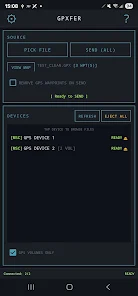
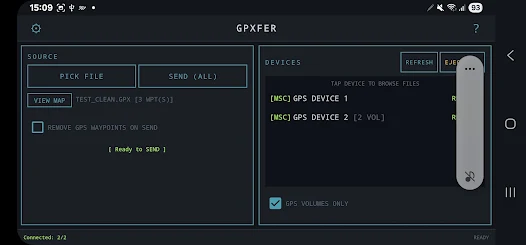
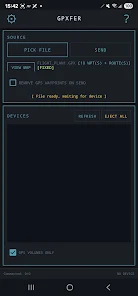
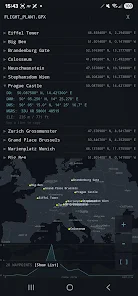
GpXfer is a compact Android utility that moves GPX files from your phone straight to handheld GPS units over USB, eliminating the need for a PC, internet connection, or online account. With GpXfer you can plug a GPS into an OTG cable, choose a GPX file and tap Send to transfer waypoints, routes or tracklogs in seconds. GpXfer remembers USB permissions, reconnects automatically and supports multiple devices connected through a USB hub, while providing map previews and conversion tools so you can prepare and validate files offline before copying them to your device.
Key Features
Send GPX files directly to handheld GPS devices over USB OTG without a PC or internet connection. The app can transfer waypoints, routes and tracklogs to devices that expose storage as USB mass storage or through supported serial modes.
Browse connected device storage to pull or delete files and copy pulled files to your phone's Downloads folder. GpXfer detects supported GPS devices automatically and remembers USB permissions to reduce repeated authorization prompts.
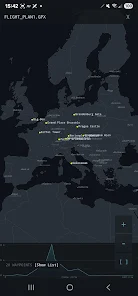
The app can convert KML and KMZ files to GPX automatically and includes a GPX validator with an auto-fix option for common corruption issues. Preview waypoints, routes and tracks on an offline map with elevation profiles and offline country borders, cities and airport ICAO codes to check file content before transfer.
Additional tools include a coordinate converter between DD, DMM, DMS and MGRS formats, options to clean device waypoints or tracklogs, and a Send All function for copying multiple files at once.
Advantages
GpXfer operates fully offline with no ads, analytics or account required, keeping your files on your phone except when copied over USB. Transfers are designed to be fast and to minimize repeated permission prompts by remembering device authorizations.
The app supports multiple connected GPS units and groups dual-volume devices (internal storage and card) for easier file management. Built-in tools such as map previews, elevation profiles, coordinate conversion and automatic KML/KMZ conversion reduce preparation time before transfers.
Disadvantages
GpXfer requires a USB OTG-capable Android phone or tablet, a USB OTG cable or adapter and Android 7.0 or higher. It only works with GPS devices that expose storage as USB mass storage or support serial mode; MTP is not supported.
If a device is not recognised, you may need to change its USB mode to Serial or Mass Storage on the GPS unit before GpXfer can access it. Some devices may require additional steps or manufacturer settings to enable file transfer over USB.
Information
 Google Play
User Comments

GpXfer is a compact Android utility that moves GPX files from your phone straight to handheld GPS units over USB, eliminating the need for a PC, internet connection, or online account. With GpXfer you can plug a GPS into an OTG cable, choose a GPX file and tap Send to transfer waypoints, routes or tracklogs in seconds. GpXfer remembers USB permissions, reconnects automatically and supports multiple devices connected through a USB hub, while providing map previews and conversion tools so you can prepare and validate files offline before copying them to your device.

Live Earth 3D Map GPS Camera lets you view any place on Earth using satellite photos, providing an easy way to explore geography and landmarks from your device. Live Earth 3D Map GPS Camera is designed for casual exploration, trip planning, and quick location checks without complex tools, making it suitable for students, travelers, and anyone curious about how locations look from above.

Gold Express provides a simple way to manage and monitor gold holdings and transactions on your mobile device. The app displays current prices, transaction history, and concise summaries so users can track activity and review balances.
Be Closer: Family location is a permission-driven family tracking tool that displays real-time GPS positions of consenting relatives to simplify coordination without repeated calls or messages. The app shows locations only after each person grants access and keeps control of privacy in every participant's hands while helping with pickups, meetups and everyday planning.

Organic Maps: Hike Bike Drive is a privacy-first offline mapping app designed for hiking, cycling and driving, offering downloadable maps, turn-by-turn voice navigation and detailed trail information so you can explore without cellular data or tracking. The app appeals to users who want a fast, battery-friendly navigation tool with a simple interface and no ads or mandatory sign-ups. Community contributors continuously improve map detail, while a small team maintains the project and welcomes user reports to correct missing places and navigation issues in future map updates.
Discover NAVER Map, Navigation, a mapping and transit app that provides detailed maps, real-time traffic, and route planning for walking, driving, and public transit.