
 X
 facebook
 WhatsApp
 Email


Introduction
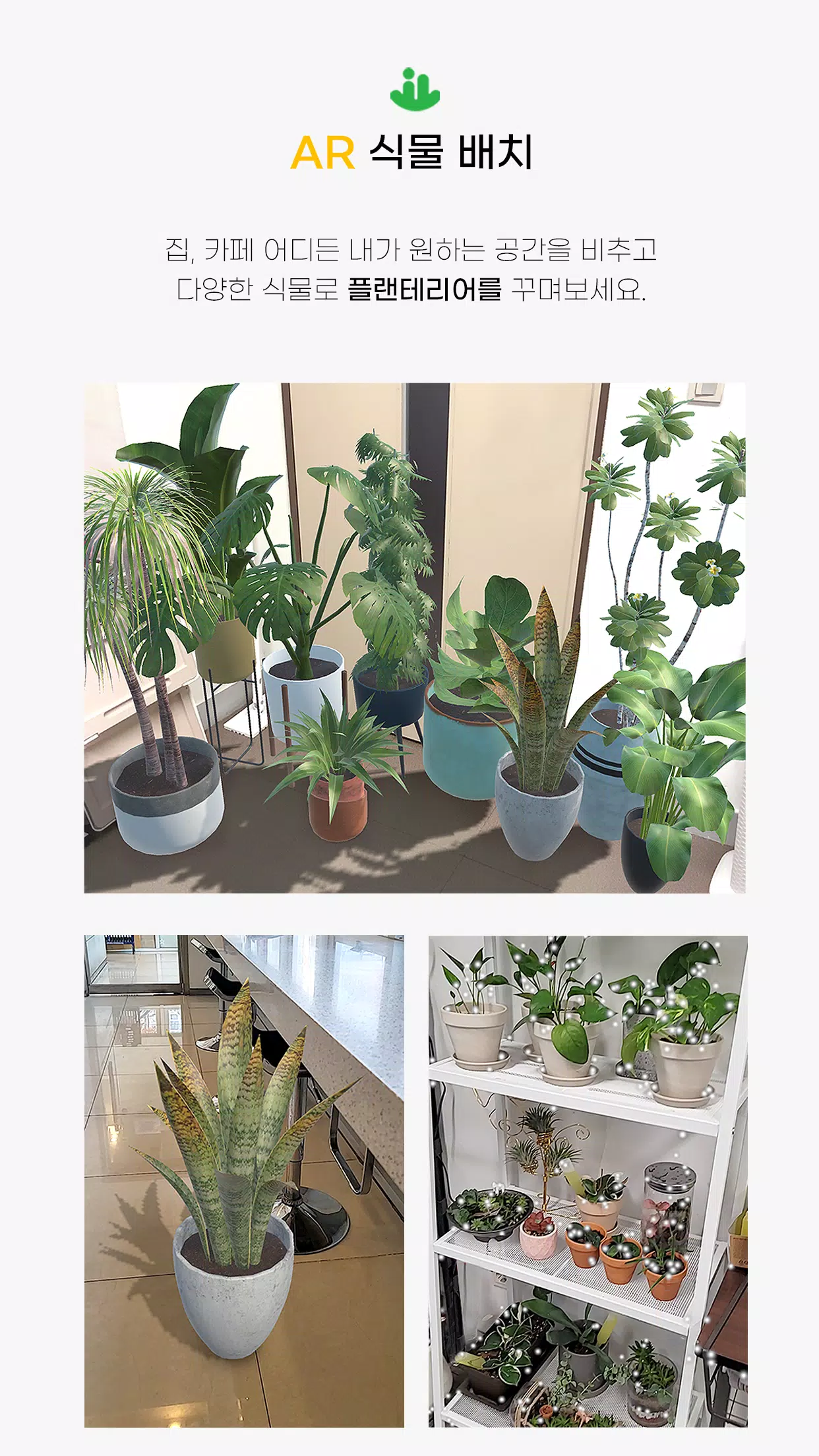
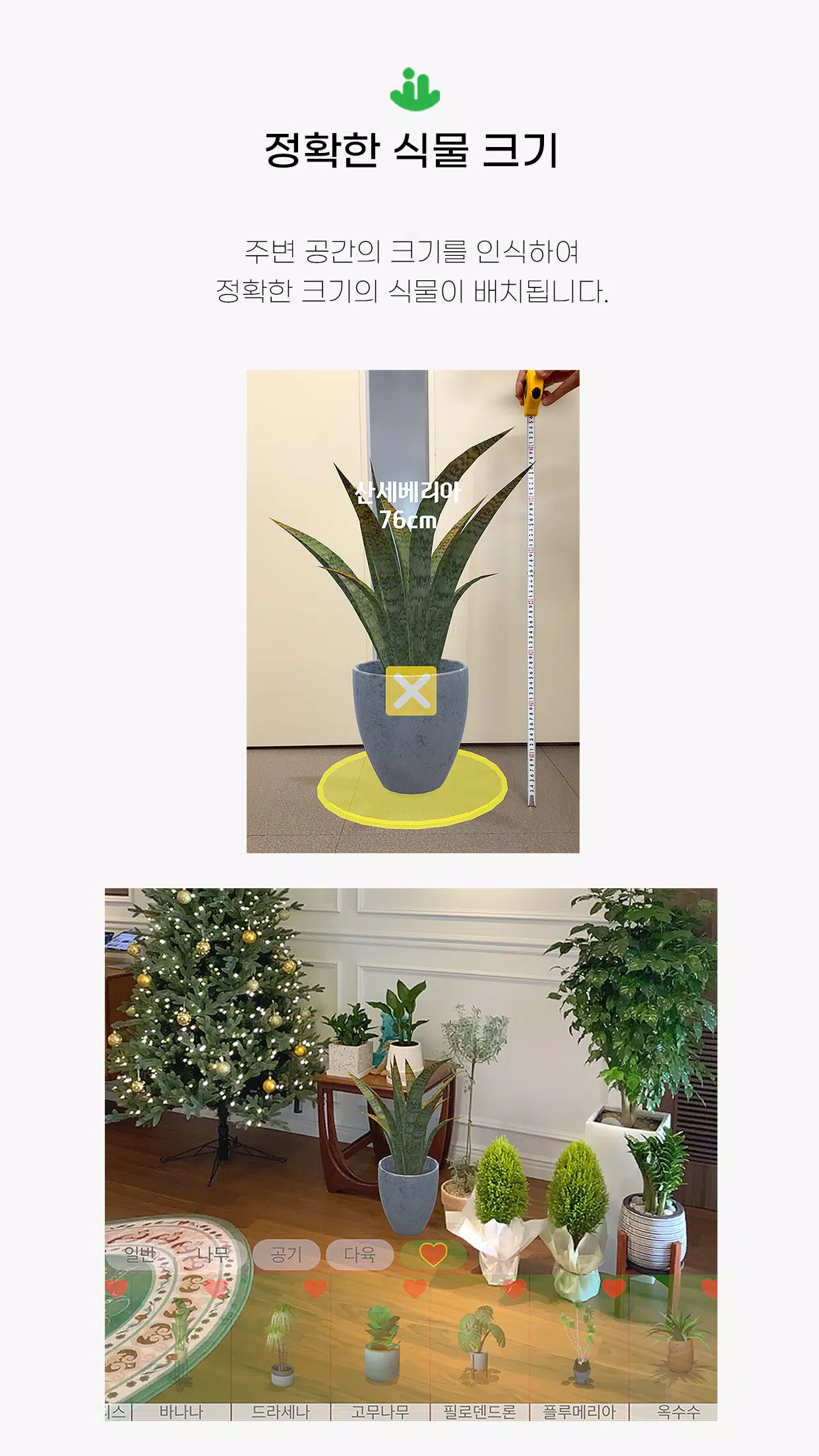
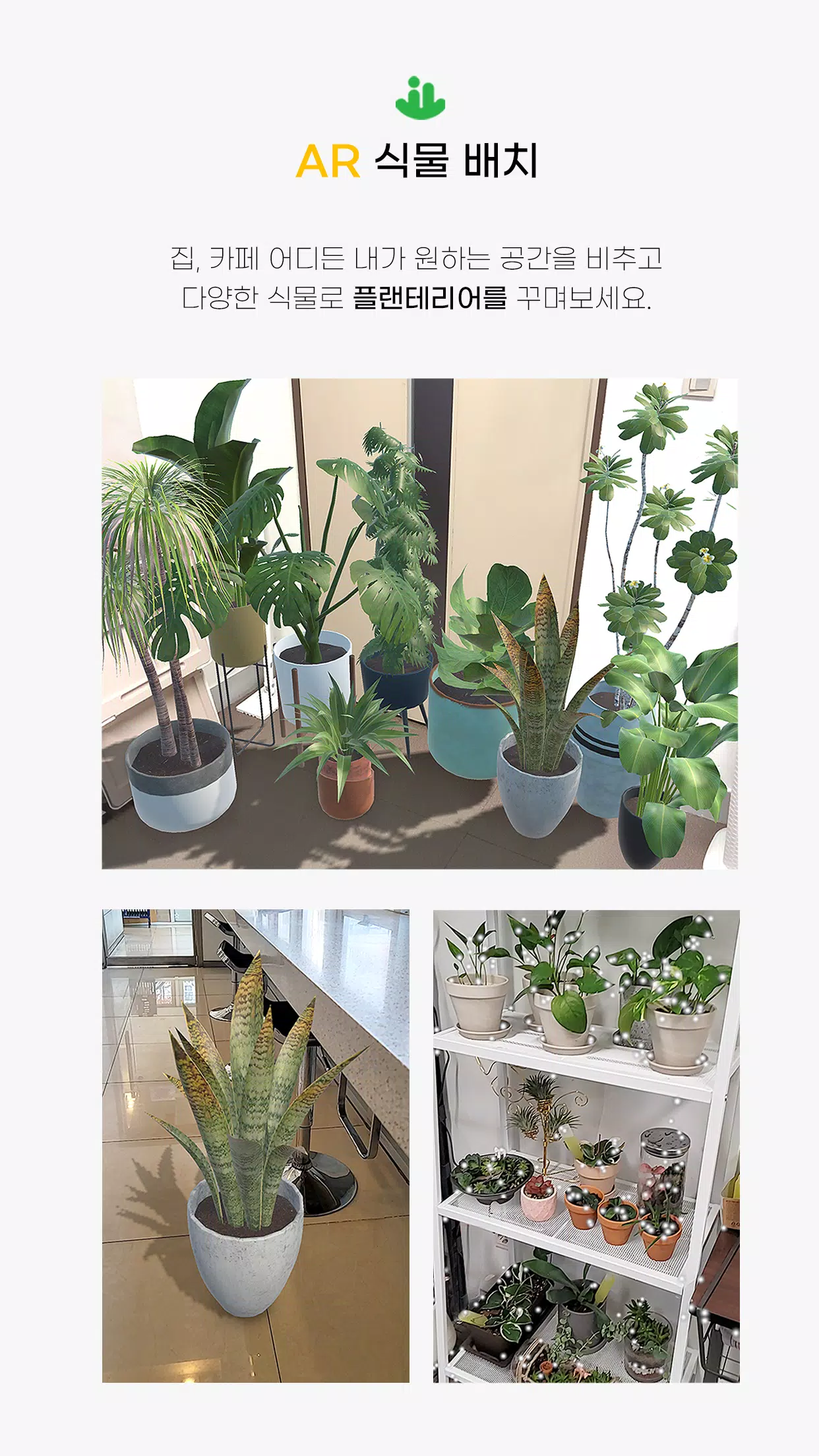
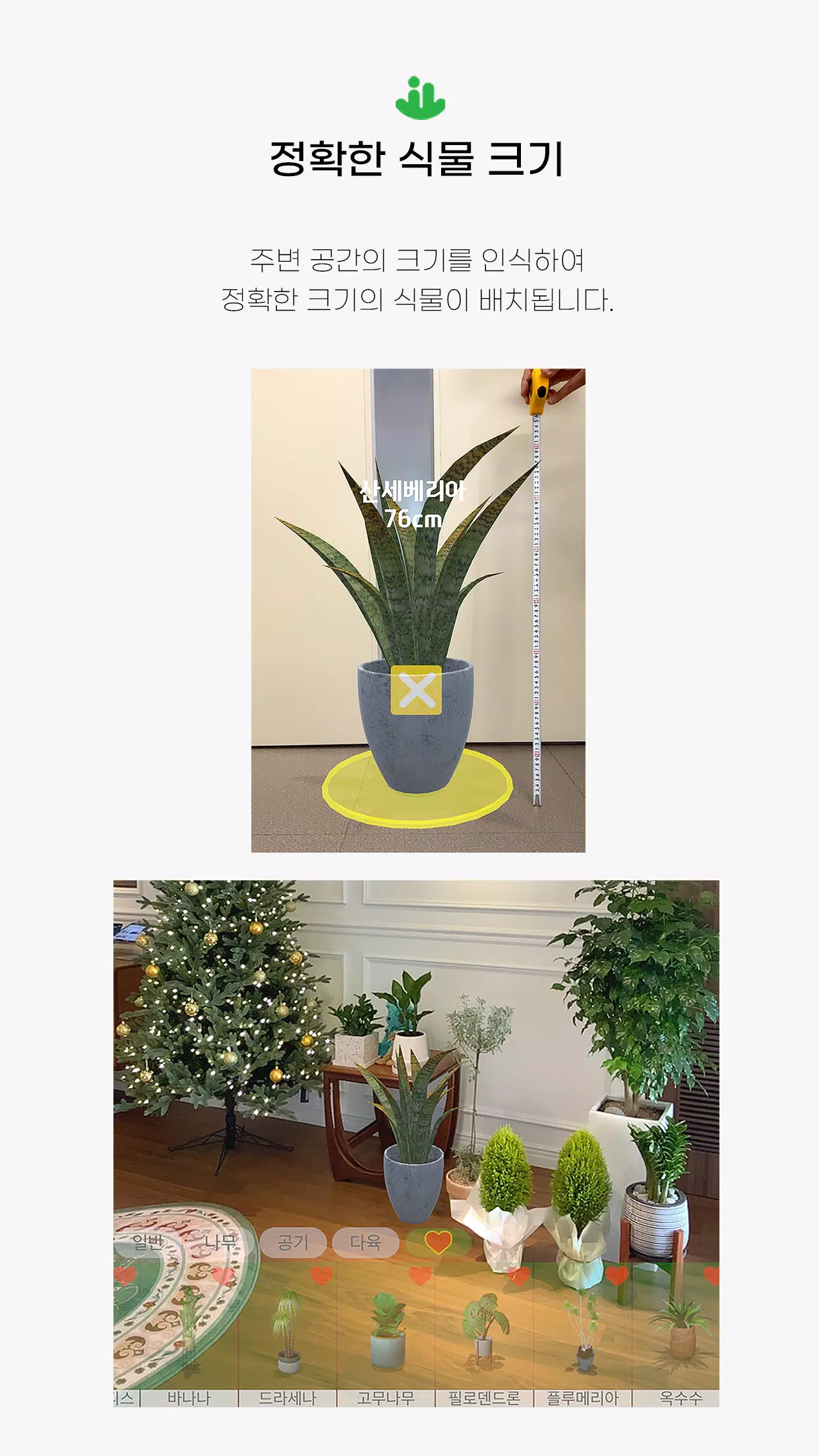
초록도시AR – 3D로 즐기는 식물 배치 미리보기, 초록도시AR – 3D로 즐기는 식물 배치 미리보기, 초록도시AR – 3D로 즐기는 식물 배치 미리보기 brings practical augmented reality plant styling to your phone and helps you preview real items in your own rooms before you buy. This editor introduction describes how the app helps you check scale, test pot and plant combinations, and save design ideas so you can make confident decorating choices without guessing how a plant will fit or look in a particular corner.
Key features
The app provides real-time AR placement that overlays lifelike 3D plants and containers into your camera view so you can assess size, proportion and light relationships. Product-accurate models match real inventory with pricing and descriptions, and in-app purchase links let you order the exact item you previewed. You can swap pots, rotate plants, and adjust scale to test multiple arrangements quickly. A community area collects styling photos contributed by users and offers chat-style help from knowledgeable staff and fellow enthusiasts for practical tips and inspiration.
How it works: controls and basic mechanics
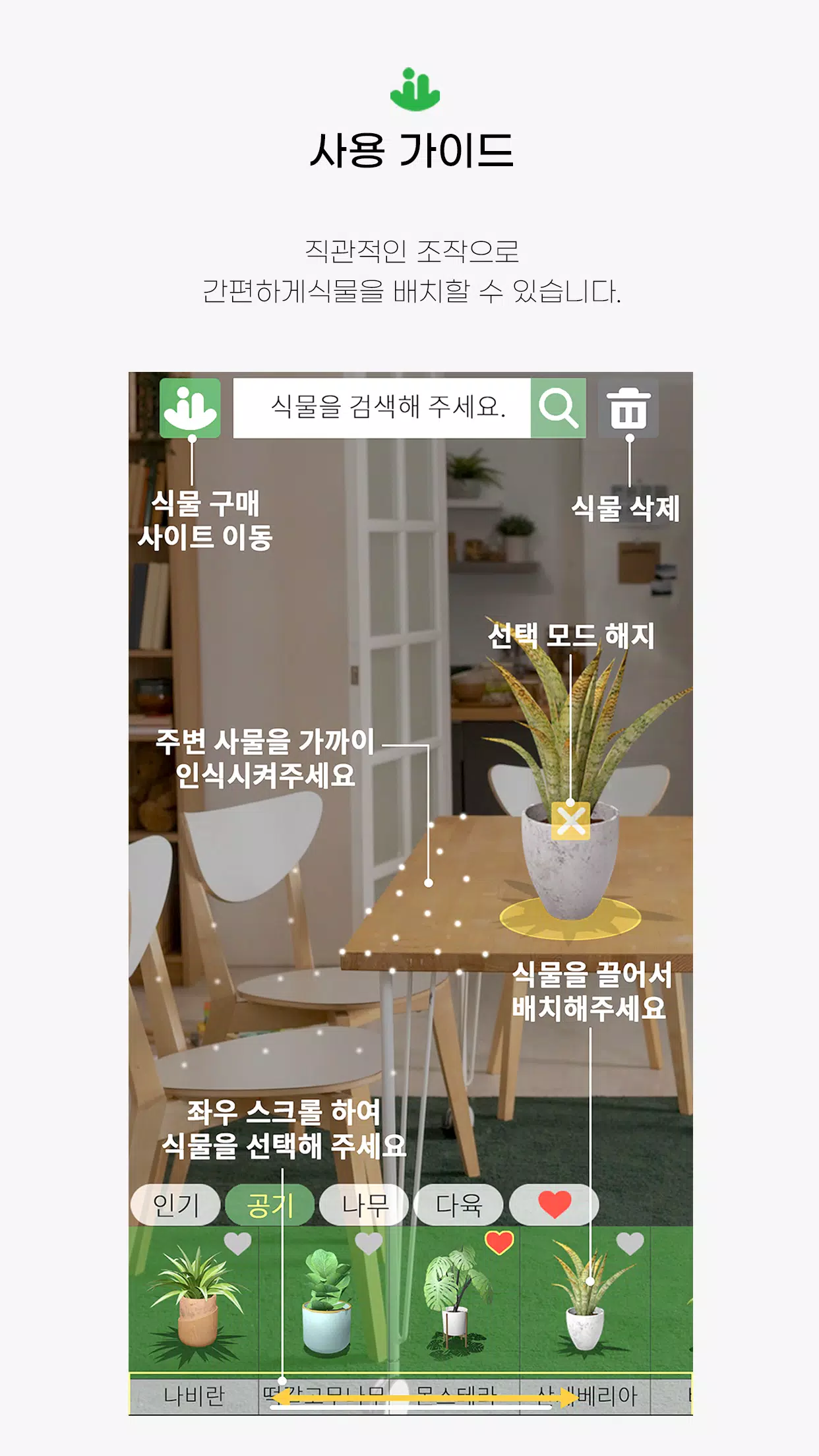
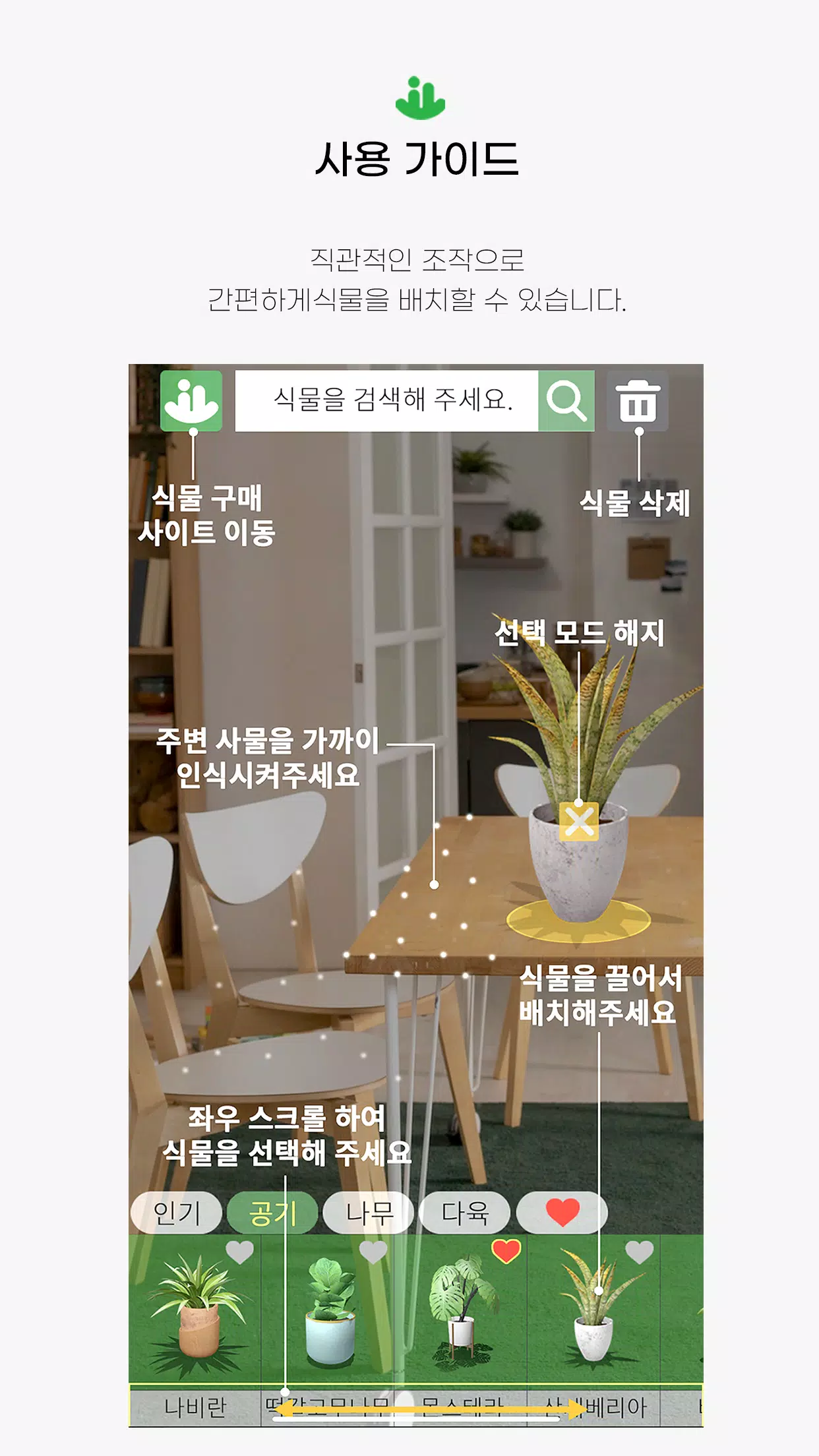
Controls are simple and touch-driven: tap the screen to place a plant, drag to reposition, pinch to scale, and two-finger rotate to test orientation. A mode toggle switches between single-plant placement and multi-item composition so you can assemble groupings and view them as a unit. Built-in thumbnails let you browse the catalog, select a product, and automatically load its true-to-life 3D model into the scene. Scenes are saved as projects so you can revisit, compare alternatives, or finalize a purchase later.
Progression and project management
Progress in the app is focused on personal projects and saved collections rather than levels or scores. As you experiment, you build a library of saved scenes and favorite items that make later decision-making faster. Projects can be named, tagged by room type (living room, café corner, office), and annotated with measurements or notes. This lightweight progression system helps you organize multiple undertakings — from one-off purchases to staged room redesigns — and track how ideas evolve over time.
Customization and visual style
The visual presentation emphasizes realistic plant shapes, subtle shadows and accurate scaling so previews feel reliable in daylight and indoor lighting. Customization covers pot finishes, sizes and plant varieties; you can mix different containers and try alternative textures to find the combination that best suits your décor. Styling shots from the community illustrate popular pairings and seasonal arrangements so you can adapt ideas to your own visual preferences without starting from scratch.
Replay value and user experience
Replay value comes from iterative design: experimenting with layouts, trying new pots or species, and refining compositions until they match your aesthetic and spatial constraints. The app supports comparison mode so you can view two saved scenes side by side and decide between options. The interface aims to be approachable for newcomers while offering enough fidelity for those with experience in interior styling or retail merchandising.
Accessibility, offline use and limitations
초록도시AR – 3D로 즐기는 식물 배치 미리보기 includes accessibility settings such as larger UI elements and high-contrast labels to help users with visibility needs. AR placement relies on camera and motion sensors, so granting camera permission enables full spatial placement and scale features. Some product data, community content and purchase flows require an internet connection; however, the app caches previously viewed models and projects so basic offline previews remain available if assets were loaded beforehand. Note that older devices may have reduced performance with complex scenes.
Practical tips and known constraints
For best results, scan the room from multiple angles before placing items to let the AR system detect surfaces accurately. Use the scale slider to ensure the plant matches real-world measurements, and save alternate versions of a scene to compare finishes and positions. Keep in mind camera permission is necessary for AR functionality, and data-heavy community images or product listings work best on a stable connection.
Information
User Comments

archstore: AI Interior Design is a mobile design assistant that transforms room photos into polished interior plans using artificial intelligence. It helps users visualize furniture layouts, materials, and color schemes quickly, offering editable 3D previews and shopping links for a streamlined home renovation or decorating workflow.

Gates designs , Front gates is a design reference and idea tool that helps homeowners explore and select front gate styles to improve curb appeal and functionality. The app organizes curated collections of steel, iron and wooden gates, ranging from simple modern panels to ornate wrought-iron entries and space-saving sliding solutions. Users turn to it to compare materials, finishes and proportions, discover small steel gate options for narrow openings, and gather customization ideas before consulting builders or fabricators. Clear categories and visual examples make it easy to find a gate that matches a home's architecture and personal taste.

English is a mobile app designed to help learners build vocabulary, grammar, listening, and speaking skills through short lessons and interactive practice. It combines bite-sized exercises, speech recognition, and progress tracking to keep study sessions focused and productive for beginners and intermediate users aiming to improve everyday communication.

초록도시AR – 3D로 즐기는 식물 배치 미리보기, 초록도시AR – 3D로 즐기는 식물 배치 미리보기, 초록도시AR – 3D로 즐기는 식물 배치 미리보기 brings practical augmented reality plant styling to your phone and helps you preview real items in your own rooms before you buy. This editor introduction describes how the app helps you check scale, test pot and plant combinations, and save design ideas so you can make confident decorating choices without guessing how a plant will fit or look in a particular corner.

Consultar precios is a practical shopping utility that helps you track and compare product prices across stores and locations so you can make smarter buying decisions. The app focuses on clear, actionable data: build personal lists of frequently bought items, set target prices, and receive timely alerts when costs change. Consultar precios combines real-time market updates with community reports to reveal trends and local bargains without forcing you to visit every shop or sift through dozens of ads.

Desman is the official app for Desman smart door locks, designed to let you manage your lock directly from a smartphone. It delivers keyless, password-free access and aims to replace cumbersome traditional locks with a lighter, easier-to-install smart alternative. With the Desman app you can control your lock, monitor access, and simplify everyday entry without carrying keys or remembering codes. The app focuses on making life more comfortable by modernizing door access and providing a mobile interface for routine security tasks, so users can handle locks quickly and intuitively.