
 X
X
 facebook
 WhatsApp
 Email
Email
Introduction
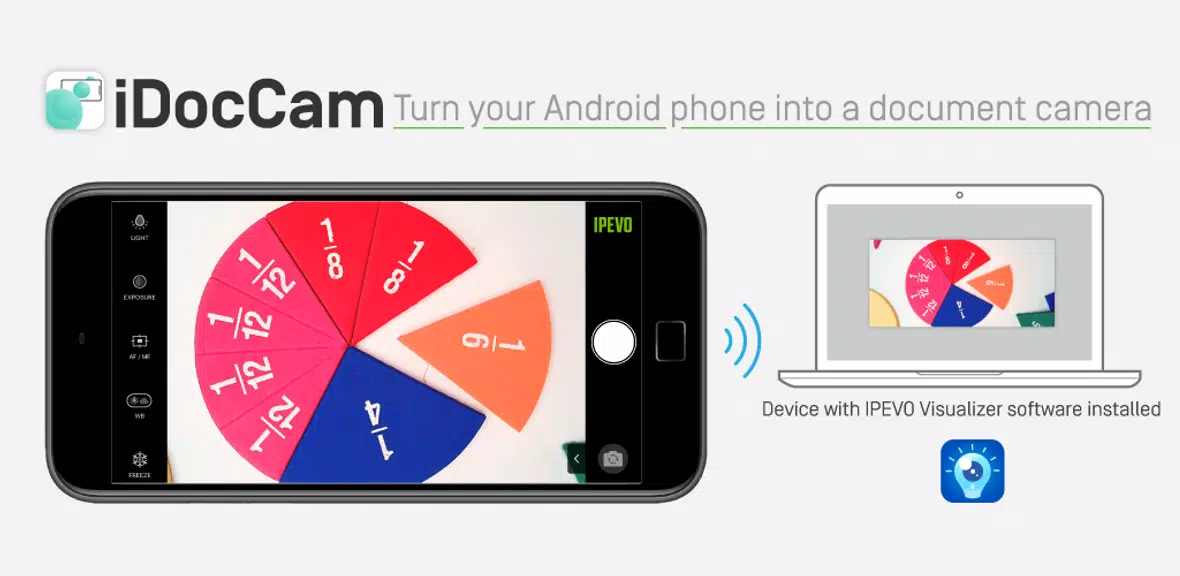
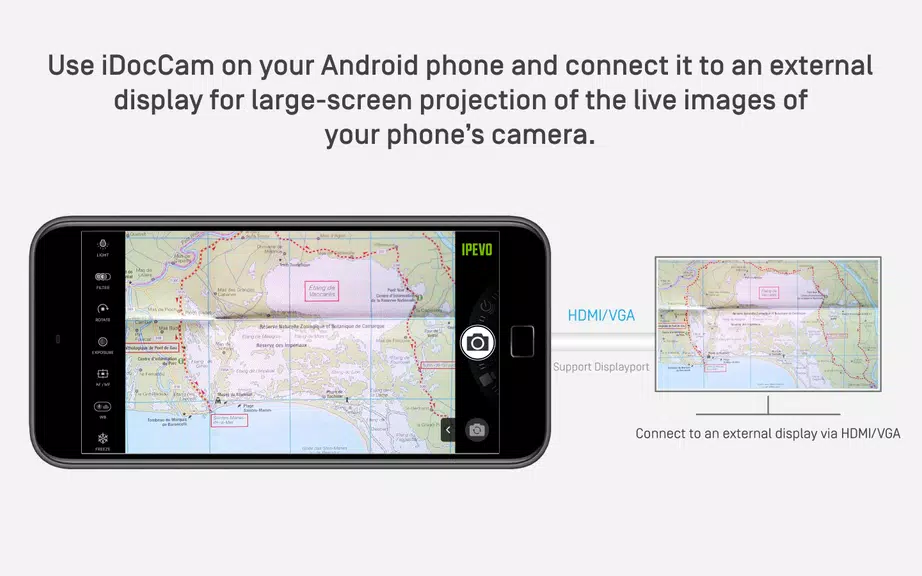
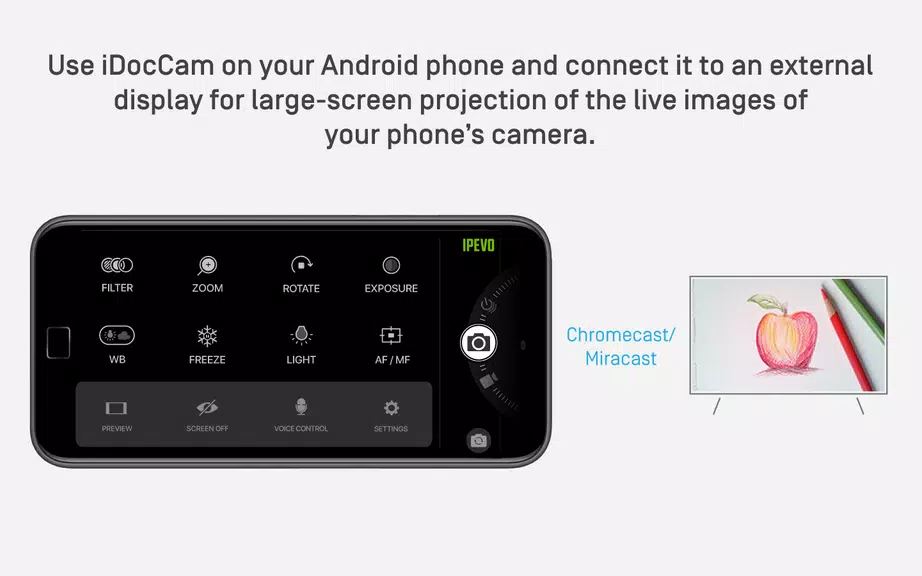
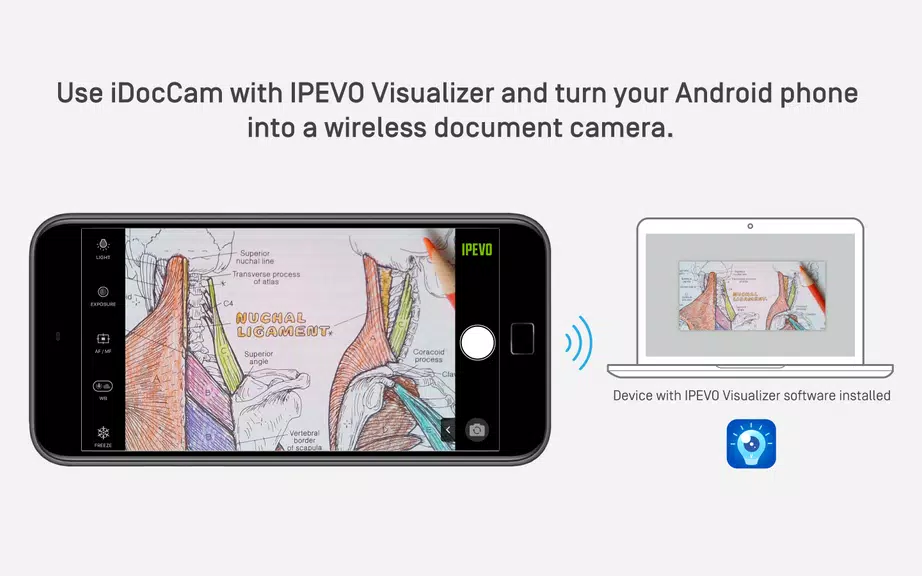
Transform your Android phone into a powerful document camera with IPEVO iDocCam App. Whether you're a teacher, presenter, or just someone who loves sharing visuals, this app has got you covered. Use it on its own to capture and adjust live images, or pair it with IPEVO Visualizer software for more advanced features. With options to connect to an external display via HDMI/VGA, Chromecast, or Miracast, you can easily project your live images onto a larger screen. Upgrade to the Pro version for even more professional features and customization options. Try it out for free and take your presentations to the next level!
Features of IPEVO iDocCam:
❤ Control Your Camera in Real-Time
With IPEVO iDocCam, you can control your Android phone camera in real-time, allowing you to capture the perfect shot every time. Whether you're taking a photo or recording a video, you'll have full control over your camera settings to ensure the best quality footage.
❤ Turn Your Phone into a Document Camera
One of the standout features of iDocCam is its ability to turn your smartphone into a document camera for large-screen projection. Simply connect your device to a projector via HDMI/VGA, Chromecast, or Miracast, and instantly project live images onto a large screen for presentations, teaching, or demonstrations.
❤ Full Integration with IPEVO Visualizer
By using iDocCam in conjunction with IPEVO Visualizer software, you can take your camera control to the next level. Easily view and adjust live images captured by your phone's camera on another device (Mac/PC/Chromebook/iOS & Android devices), and even control and adjust the images using Visualizer for added convenience.
Playing Tips for IPEVO iDocCam:
❤ Experiment with Different Camera Settings
Take advantage of iDocCam's customizable camera settings to experiment with different configurations and find the perfect setup for your specific needs. Whether you're looking to capture high-resolution images or apply reading filters for enhanced visibility, iDocCam has you covered.
❤ Utilize Full Screen Controller for Easy Navigation
When using iDocCam, make sure to take advantage of the full screen controller for easy navigation and control of your camera settings. This feature allows for seamless adjustments and ensures that you can focus on capturing the perfect shot without any distractions.
Conclusion:
In conclusion, IPEVO iDocCam is a versatile and user-friendly app that offers a range of attractive features for controlling your Android phone camera. Whether you're looking to turn your phone into a document camera for presentations or simply want to enhance your camera control with customizable settings, iDocCam has everything you need. With seamless integration with IPEVO Visualizer software and the option to connect to external displays for large-screen projection, iDocCam is a must-have app for anyone looking to elevate their camera experience. Download iDocCam today and unlock the full potential of your smartphone camera.
Information
 Google Play
What would it be like to download video software for free? In this collection, you can find various video software that interests you, whether it’s video players or video editors—everything you need is here. All of it is provided for free, allowing you to download with ease and without any worries.




User Comments
Jojo Chess School is a comprehensive training app that helps beginners and experienced players sharpen chess skills through structured, interactive lessons. The app organizes hundreds of activities—explanations, capture drills, tactical puzzles, multiple-choice quizzes and practice positions against an AI—so users can learn concepts, rehearse piece movements and test understanding in short, focused sessions. Whether you want to build a solid opening foundation, improve tactical vision or rehearse essential endgame positions, Jojo Chess School provides guided practice and instant feedback to make steady improvement more manageable and engaging.

Osborne Books is a purpose-built mobile reader that places accounting textbooks and companion ebooks designed for AAT and related qualifications into a single app. Osborne Books lets students and tutors access purchased titles through secure Student Zone and Tutor Zone accounts, read titles online or download them for offline study, and carry structured revision materials on a phone or tablet for focused sessions between classes.
Class - 2 Nepali Teacher Guide brings the full Class 2 Nepali teacher guide into a compact mobile format, giving educators quick access to curriculum content, lesson outlines, and pedagogy notes wherever they work. The app displays the official teacher guide as a navigable PDF so readers experience the same structure and pagination as the printed edition while benefiting from mobile-friendly controls and a lightweight interface designed for fast reference. Teachers who need to plan lessons between classes, check objectives during instruction, or review assessment pointers can rely on Class - 2 Nepali Teacher Guide as a practical companion without carrying extra materials.

AiEnglish brings a fresh, technology-driven way to learn English by combining live lessons from Australian studios with classroom sessions in China, giving students real-time interaction with native speakers. The app uses a "Studio to Classroom" co-teaching model so learners get authentic pronunciation, cultural context, and teacher-led instruction that closely resembles in-person classes. Students looking for immersive speaking and listening practice will appreciate AiEnglish’s emphasis on high-quality audio-visual delivery, low latency, and professional lesson settings that make remote learning feel natural whether at home or in school.
Liceo Fray Amadeo is a school information app built for students, parents and staff of the Educational Center in El Progreso, Jutiapa that brings schedules, grades, assignments and official notices together in one easy-to-use place. The first paragraph gives you a clear sense of purpose: Liceo Fray Amadeo consolidates timetables, classroom resources and announcements so families remain informed and teachers can share updates without duplication. The interface is intentionally simple and multilingual, so checking upcoming exams, reviewing class materials and receiving timely notifications is straightforward for all members of the school community.
Geology Dictionary Offline is a compact, searchable offline reference that brings thousands of geological terms to your device, making it ideal for students, educators and anyone curious about Earth's materials and processes. The app provides clear, concise definitions and quick search tools so you can look up mineral names, rock types, processes, and basic geoscience concepts without an internet connection. Geology Dictionary Offline is useful for exam revision, fieldwork preparation, or casual learning because it combines easy navigation, alphabetical organization and memory-friendly explanations into a free, lightweight study aid.