
 X
X
 facebook
 WhatsApp
 Email
Email
Introduction
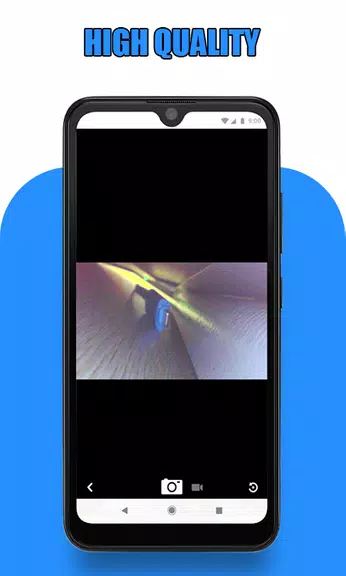
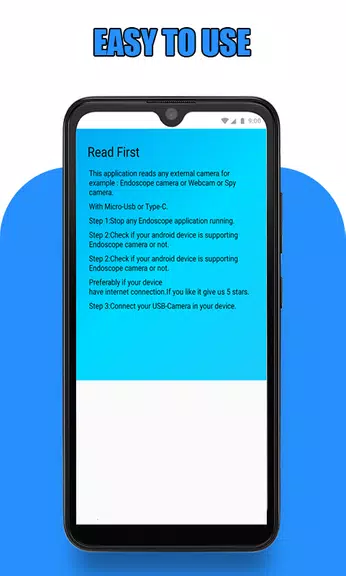
The Endoscope Camera Connector app is an essential tool for connecting your phone to endoscope cams, USB cameras, Borescope cameras, and more. This app functions as an OTG view, allowing you to easily record videos with sound and view pictures captured by your external devices. Before diving in, make sure your device supports USB OTG technology and that your USB camera is UVC-compatible. To use the Endoscope camera, simply connect your device to your phone, open the app, and start exploring.
Features of Endoscope Camera Connector:
❤ Versatility: The Endoscope Camera Connector app can connect your phone with various devices such as endoscope cams, USB cameras, and Borescope cameras like Depstech. This app supports a wide range of external cameras, making it a versatile tool for different uses.
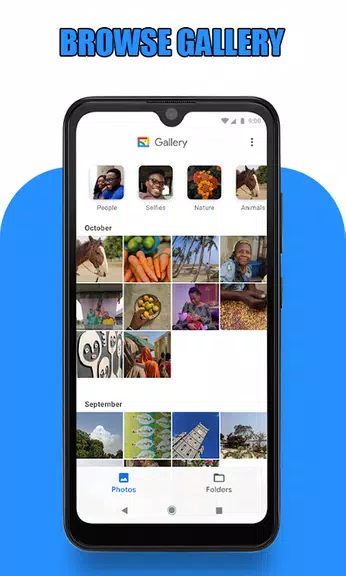
❤ User-Friendly Interface: The app is easy to navigate, with simple instructions on how to connect and use your endoscope camera. The camera icon makes it easy to access the camera function, while the gallery allows you to view and manage your photos and videos effortlessly.
❤ Multi-Functionality: With the app, you can not only capture photos and record videos but also easily delete them within the gallery. This added feature enhances the user experience and makes it convenient to manage your media files.
FAQs:
❤ How does the Endoscope Camera Connector app work?
The app works as an OTG View, allowing you to connect your external Borescope camera via USB OTG or Type-C. You can then use the app to record videos with sound and view pictures and videos from the gallery.
❤ What do I need to check before using the app?
Before using the app, make sure your device supports USB OTG technology and that your USB camera is UVC-compatible. You can verify these settings in the app's settings and with the OTG checker tool.
Conclusion:
The Endoscope Camera Connector app offers versatility, user-friendly interface, and multi-functionality, making it a convenient tool for connecting your phone with external cameras. Whether you need to inspect blocked drains, use it as a sewer camera, or connect with a webcam, this app provides an easy and efficient solution. Experience the ease of use and practicality of the Endoscope Camera Connector app for all your camera connection needs. Download now and explore the endless possibilities!
Information
 Google Play
Other Games by the Same FastSoft
User Comments
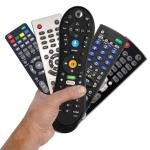
Remote Control turns your Android phone into a single, easy-to-use command center for smart TVs and other home entertainment devices and the Remote Control app is designed to replace a pile of physical remotes by consolidating the most common TV and media controls into one interface. The opening experience focuses on core tasks: changing channels, adjusting volume, navigating menus, and sharing photos or videos on a larger display without searching for buttons. This description explains what the app does, how the controls behave, what to expect during setup, and practical tips to get the most out of it.

JUNCESS is a compact, purpose-built utility for technicians and operators who need a fast way to inspect battery packs in the field. JUNCESS connects to Bluetooth-enabled battery management systems (BMS) after a secure sign-in, discovers nearby devices and presents core parameters such as series string count, individual cell voltages, pack current and device state of charge (SOC). The app is intentionally read-only, designed to give immediate visibility into the most relevant metrics without requiring additional measurement tools or complicated setup.
App Ops Launcher provides a simple, no-frills shortcut to Android's hidden App Ops screen so you can inspect and adjust app permissions introduced in Android 4.3 without rooting your device. App Ops Launcher places a direct launcher on your home screen that opens the system permission interface instantly, giving you quick access to per-app controls for location, microphone, camera and other sensitive features. This editor description explains how the app behaves, what to expect from its interface, and practical guidance for using the tool safely on compatible devices.

时间管家 is a compact, local-first time management app designed to help you plan, track and review your days with minimal fuss. The app combines quick task entry, an integrated session timer, and linked day/week/month planners so you can build routines, record focused work and measure progress without sending personal data to external servers. Designed for students, freelancers and office workers who prefer a private, efficient workflow, 时间管家 aims to simplify planning while giving clear visual feedback on where your time goes.

Girafe2Poche is a pocket-sized app that presents a randomly generated card and a guiding question to prompt short moments of reflection, clarity and motivation. Designed for busy days, it gives quick, meaningful prompts that fit into commutes, waiting lines or evening wind-downs, helping users explore needs and desires without demanding much time. With an intentionally minimal and intuitive interface, Girafe2Poche delivers fresh prompts each session to nudge you toward greater self-awareness and more confident, value-aligned choices, making it a practical tool for anyone who wants simple, regular moments of introspection.

Abfall App is a practical, region-focused utility designed for residents of Vorpommern-Rügen who want reliable waste collection information and fewer missed pickups. From the first setup you can select your city, district and street, then receive timely notifications for residual, organic, paper and hazardous waste collections with automatic date adjustments for public holidays. The Abfall App centralizes collection calendars, container site locations and bulky waste services so households can plan weeks in advance without guessing which items belong in which bin.
Look no further than Cast to TV - Screen Mirroring, Cast For Chromecast! This powerful app allows you to effortlessly broadcast your Android screen and audio in real-time speed, giving you the opportunity to enjoy movies and videos with friends and family on larger TV screens. With features like Smart View & Screen Share and control for Roku TV, this app ensures a seamless and stable screen mirroring experience. Say goodbye to small screens and hello to a whole new level of entertainment with Cast to TV!
With Screen Share With TV - Mirror Screen, you can easily mirror your Android device's screen on any smart TV, laptop, tablet, or other devices without the need for additional dongles or cables. Simply start the app, connect to the same Wi-Fi network as your TV, and begin sharing videos, music, photos, and more with just a click. This powerful app allows you to broadcast your screen and audio in real time, making it perfect for sharing content with friends and family. Try out Screen Share With TV - Mirror Screen today and enjoy seamless screen mirroring on your Samsung smart TV.
Control your TV effortlessly with WiFi TV Remote! This user-friendly app allows you to easily manage your network-enabled TV from the convenience of your phone. Simply ensure both your TV and phone are connected to the same wireless network, enter the IP address of your TV in the app settings, and voila! You'll be able to change channels, adjust volume, and more with just a few taps. Please note, this app is not a universal remote and has been tested on Fox 32LE7000T2 LED Surf TV. It may also work on other TVs made in China and sold under local brands.
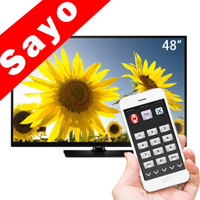
Control all of your favorite TVs with just one app - TV Remote Control for Sanyo TV! Whether you have a Samsung, Vizio, Sony, LG, or any other brand of TV, this universal remote control app has got you covered. With infrared technology, you can easily navigate and control your TV from the convenience of your phone. Say goodbye to multiple remote controls cluttering your space. Simplify your TV-watching experience with TV Remote Control for Sanyo TV. Get ready to take control and enjoy your favorite shows and movies hassle-free. Please note that this app requires an IR blaster.
Look no further than AIR Remote PRO for Apple TV, an innovative app that allows you to easily control your Apple TV using your Android phone. No need to jailbreak your Apple TV, as AIR Remote utilizes default infrared codes to seamlessly replace or extend your remote. Compatible with a variety of Android devices with built-in infrared support, as well as certain Mac products with an infrared receiver, AIR Remote offers all essential functions and even additional features like swipe gestures.
Experience the convenience of controlling your FPT TV directly from your mobile with FPT TV Remote. Say goodbye to traditional remotes and hello to a seamless user experience with the ability to search for the best films and entertainment programs with just the sound of your voice. Easily access your personalized favorites list stored in the cloud and sync it with your FPT TV device. The app offers a simple registration process, quick connectivity to any FPT TV device, accurate search functionality, and personalized recommendations.