
 X
X
 facebook
 WhatsApp
 Email
Email
Introduction
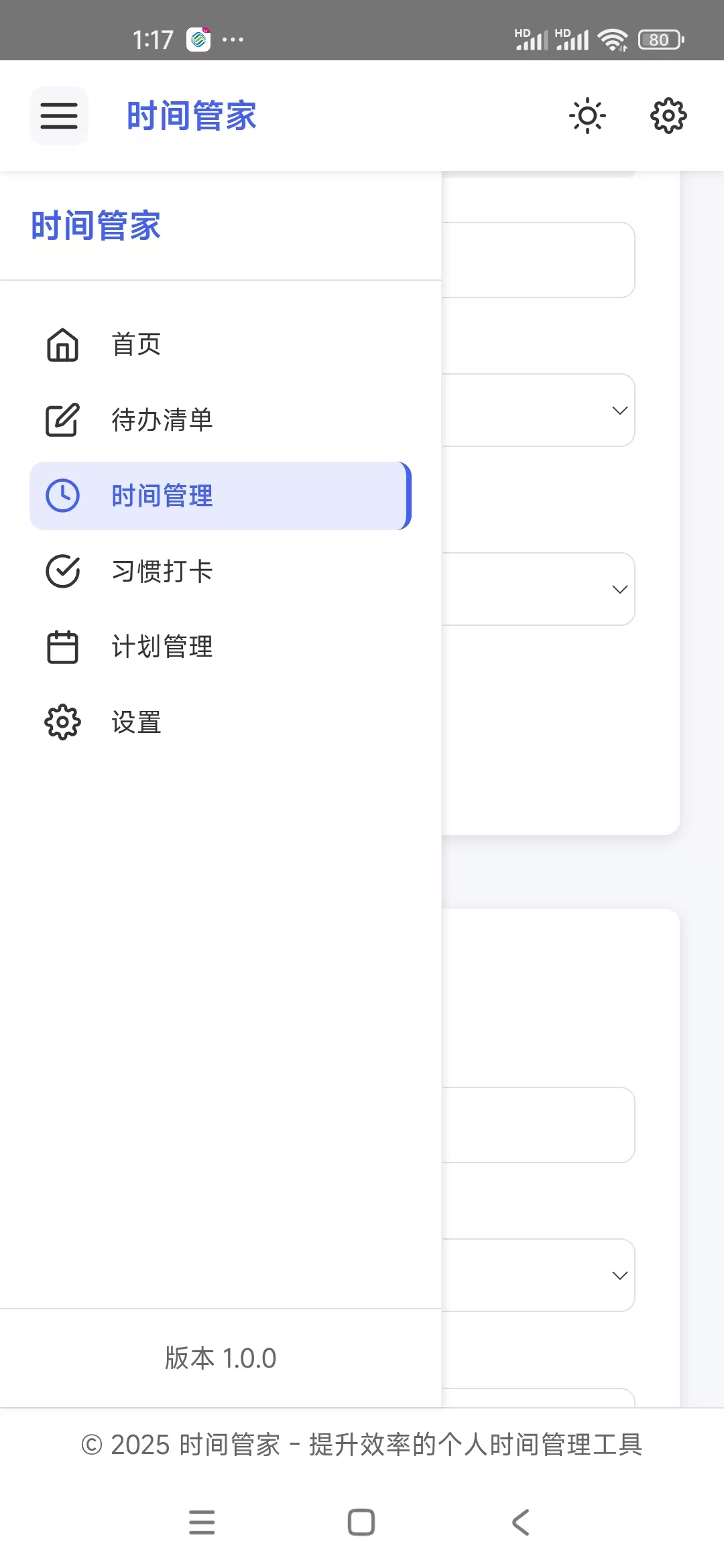
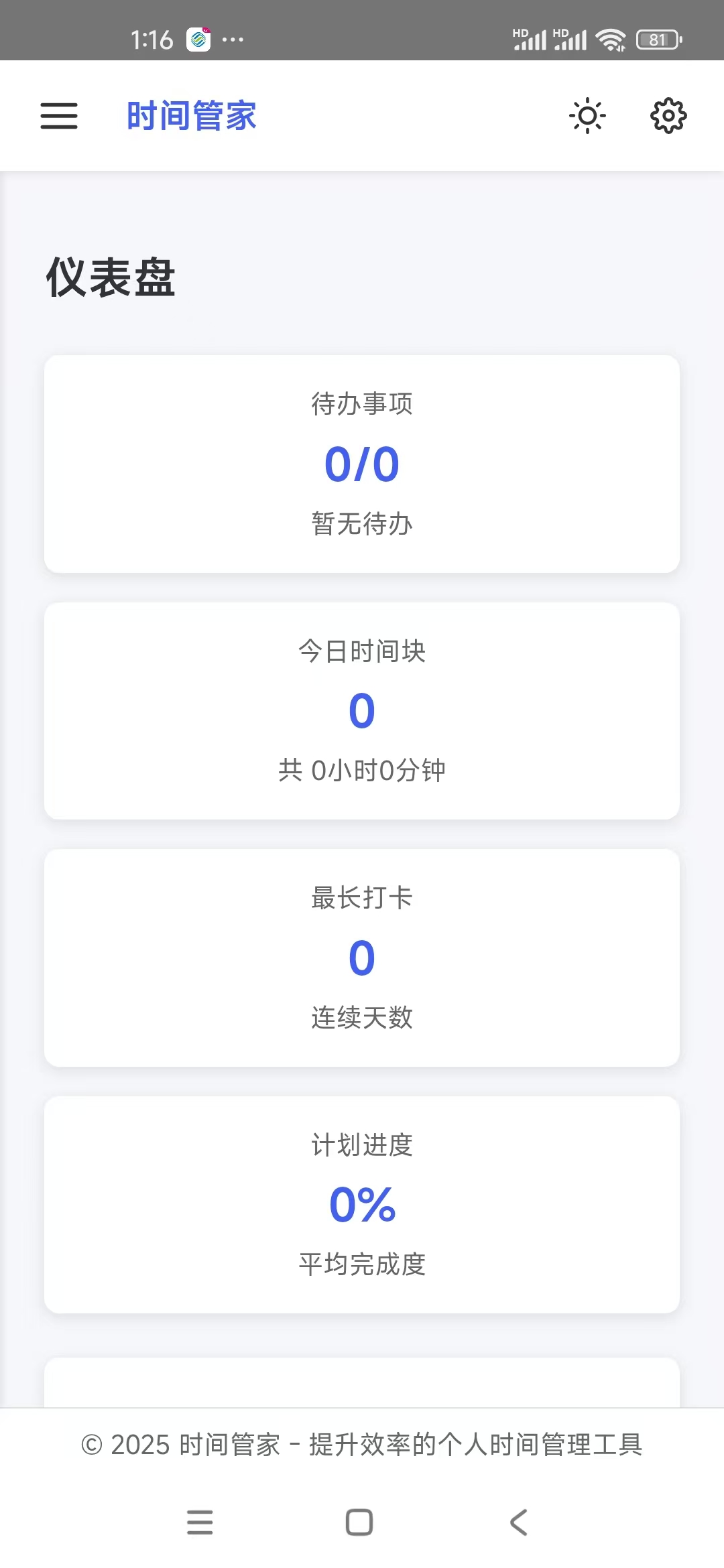
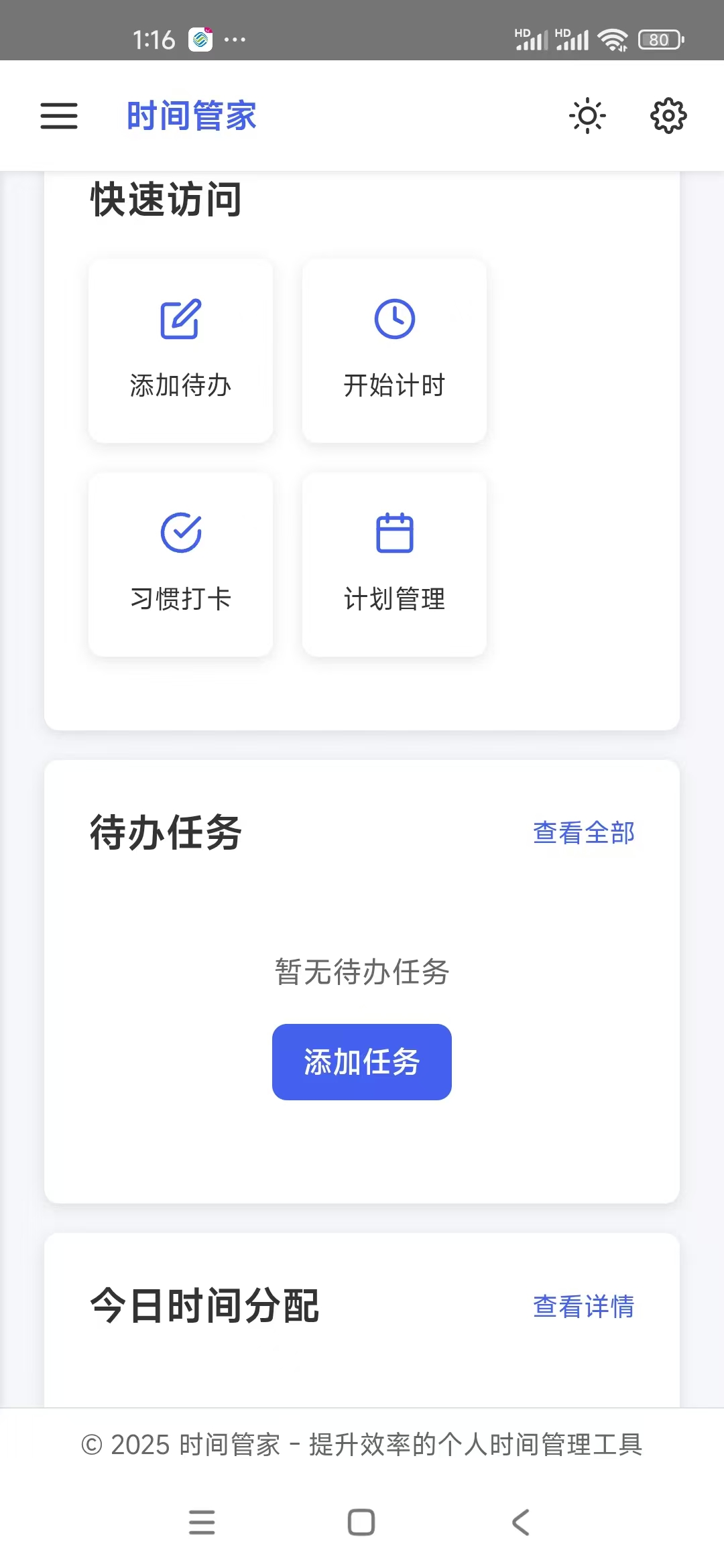
时间管家 is a compact, local-first time management app designed to help you plan, track and review your days with minimal fuss. The app combines quick task entry, an integrated session timer, and linked day/week/month planners so you can build routines, record focused work and measure progress without sending personal data to external servers. Designed for students, freelancers and office workers who prefer a private, efficient workflow, 时间管家 aims to simplify planning while giving clear visual feedback on where your time goes.
Core features and workflow
The core workflow centers on a few simple interactions: tap to add a task, long press to edit details, swipe to complete or postpone, and drag to reorder priorities. Task management supports batch operations for marking multiple entries done or moving several items at once, and flexible filters let you focus on today’s work, upcoming tasks, or a custom subset based on status and priority. Time tracking is built into each task: start and stop a live timer to capture sessions or add manual durations afterward. Those sessions produce readable charts and summaries so you can see daily and weekly distributions of effort and identify recurring time sinks.
Planning, progression and habit systems
Planning is available across linked day, week and month views so you can sketch a single-day plan and expand it into weekly commitments while checking long-term availability in month view. Progress is measured by completion rates, trend lines and averages rather than point-based gamification. A simple streak-based check-in system records consistency for habits like studying, exercise or focused work, and completion percentages make it easy to decide whether to reduce load or raise targets. Over time these statistics reveal patterns that help you refine session lengths, adjust priorities and maintain a realistic pace.
Controls and customization
Controls are intentionally straightforward to keep the learning curve low: taps, swipes and long-press gestures handle most actions so you can manage tasks quickly on small screens. Visual customization includes adjustable font size, a choice of muted theme tints, and the ability to set the calendar start day to match your routine. Reminder behavior is configurable with quiet hours and repeat options to fit sleep schedules or shift work. Basic export options let you save CSV snapshots of tasks and time entries for manual backups or external analysis.
Visual style and accessibility
The interface favors clarity and calm: a minimal, muted color palette keeps attention on tasks and charts rather than decorative elements. Charts are designed for legibility with clear labels, contrasting series and readable axis marks. Accessibility is considered in layout and contrast choices, and the app supports scalable text sizes and a logical focus order so it plays well with screen readers and built-in accessibility tools. Small layout modes and compact lists help people who need to see more information on a single screen without losing navigational clarity.
Offline-first design and data protection
时间管家 keeps all data on your device so it works reliably without network access and launches quickly even when connectivity is poor. There is no built-in cloud sync or automatic cross-device backup: this design puts privacy and predictability first, but it also means users who want multiple-device access should export and import data manually. Exported files are simple and portable, and notifications plus quiet hours let you control interruptions while retaining local ownership of your information.
Challenge systems, replay value and retention
Lightweight challenge systems encourage daily return: recurring check-ins, session-based timers and visible weekly goals create a gentle incentive to maintain momentum. Because tasks and time entries accumulate, reviewing past weeks or months becomes a natural way to iterate—try a shorter session length, change your focus windows, or reuse a successful daily template. Templates and repeat rules increase replay value by letting you recreate effective routines quickly without rebuilding the same structure each week.
Limitations and who should use it
The app keeps features focused on personal productivity: it’s well suited for individuals who want a private, low-friction planning tool but it is not designed for enterprise project management, real-time collaboration or complex multi-person workflows. If you work across multiple devices frequently, plan to export and restore data manually. By keeping features deliberate and local, 时间管家 stays lightweight, fast and respectful of user privacy while providing meaningful insights into how you spend your time.
Information
User Comments

Remote Control turns your Android phone into a single, easy-to-use command center for smart TVs and other home entertainment devices and the Remote Control app is designed to replace a pile of physical remotes by consolidating the most common TV and media controls into one interface. The opening experience focuses on core tasks: changing channels, adjusting volume, navigating menus, and sharing photos or videos on a larger display without searching for buttons. This description explains what the app does, how the controls behave, what to expect during setup, and practical tips to get the most out of it.

JUNCESS is a compact, purpose-built utility for technicians and operators who need a fast way to inspect battery packs in the field. JUNCESS connects to Bluetooth-enabled battery management systems (BMS) after a secure sign-in, discovers nearby devices and presents core parameters such as series string count, individual cell voltages, pack current and device state of charge (SOC). The app is intentionally read-only, designed to give immediate visibility into the most relevant metrics without requiring additional measurement tools or complicated setup.
App Ops Launcher provides a simple, no-frills shortcut to Android's hidden App Ops screen so you can inspect and adjust app permissions introduced in Android 4.3 without rooting your device. App Ops Launcher places a direct launcher on your home screen that opens the system permission interface instantly, giving you quick access to per-app controls for location, microphone, camera and other sensitive features. This editor description explains how the app behaves, what to expect from its interface, and practical guidance for using the tool safely on compatible devices.

时间管家 is a compact, local-first time management app designed to help you plan, track and review your days with minimal fuss. The app combines quick task entry, an integrated session timer, and linked day/week/month planners so you can build routines, record focused work and measure progress without sending personal data to external servers. Designed for students, freelancers and office workers who prefer a private, efficient workflow, 时间管家 aims to simplify planning while giving clear visual feedback on where your time goes.

Girafe2Poche is a pocket-sized app that presents a randomly generated card and a guiding question to prompt short moments of reflection, clarity and motivation. Designed for busy days, it gives quick, meaningful prompts that fit into commutes, waiting lines or evening wind-downs, helping users explore needs and desires without demanding much time. With an intentionally minimal and intuitive interface, Girafe2Poche delivers fresh prompts each session to nudge you toward greater self-awareness and more confident, value-aligned choices, making it a practical tool for anyone who wants simple, regular moments of introspection.

Abfall App is a practical, region-focused utility designed for residents of Vorpommern-Rügen who want reliable waste collection information and fewer missed pickups. From the first setup you can select your city, district and street, then receive timely notifications for residual, organic, paper and hazardous waste collections with automatic date adjustments for public holidays. The Abfall App centralizes collection calendars, container site locations and bulky waste services so households can plan weeks in advance without guessing which items belong in which bin.
Look no further than Cast to TV - Screen Mirroring, Cast For Chromecast! This powerful app allows you to effortlessly broadcast your Android screen and audio in real-time speed, giving you the opportunity to enjoy movies and videos with friends and family on larger TV screens. With features like Smart View & Screen Share and control for Roku TV, this app ensures a seamless and stable screen mirroring experience. Say goodbye to small screens and hello to a whole new level of entertainment with Cast to TV!
With Screen Share With TV - Mirror Screen, you can easily mirror your Android device's screen on any smart TV, laptop, tablet, or other devices without the need for additional dongles or cables. Simply start the app, connect to the same Wi-Fi network as your TV, and begin sharing videos, music, photos, and more with just a click. This powerful app allows you to broadcast your screen and audio in real time, making it perfect for sharing content with friends and family. Try out Screen Share With TV - Mirror Screen today and enjoy seamless screen mirroring on your Samsung smart TV.
Control your TV effortlessly with WiFi TV Remote! This user-friendly app allows you to easily manage your network-enabled TV from the convenience of your phone. Simply ensure both your TV and phone are connected to the same wireless network, enter the IP address of your TV in the app settings, and voila! You'll be able to change channels, adjust volume, and more with just a few taps. Please note, this app is not a universal remote and has been tested on Fox 32LE7000T2 LED Surf TV. It may also work on other TVs made in China and sold under local brands.
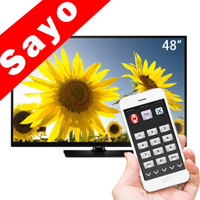
Control all of your favorite TVs with just one app - TV Remote Control for Sanyo TV! Whether you have a Samsung, Vizio, Sony, LG, or any other brand of TV, this universal remote control app has got you covered. With infrared technology, you can easily navigate and control your TV from the convenience of your phone. Say goodbye to multiple remote controls cluttering your space. Simplify your TV-watching experience with TV Remote Control for Sanyo TV. Get ready to take control and enjoy your favorite shows and movies hassle-free. Please note that this app requires an IR blaster.
Look no further than AIR Remote PRO for Apple TV, an innovative app that allows you to easily control your Apple TV using your Android phone. No need to jailbreak your Apple TV, as AIR Remote utilizes default infrared codes to seamlessly replace or extend your remote. Compatible with a variety of Android devices with built-in infrared support, as well as certain Mac products with an infrared receiver, AIR Remote offers all essential functions and even additional features like swipe gestures.
Experience the convenience of controlling your FPT TV directly from your mobile with FPT TV Remote. Say goodbye to traditional remotes and hello to a seamless user experience with the ability to search for the best films and entertainment programs with just the sound of your voice. Easily access your personalized favorites list stored in the cloud and sync it with your FPT TV device. The app offers a simple registration process, quick connectivity to any FPT TV device, accurate search functionality, and personalized recommendations.