
 X
X
 facebook
 WhatsApp
 Email
Email
Introduction
Simplify your file management with this powerful Batch Rename and Organize app! Say goodbye to the hassle of manually renaming and organizing files - with easy batch renaming, automatic file organization, and folder automations, you can streamline your workflow effortlessly. Create custom rules, set up powerful workflows, and move files between storage locations with filters and keywords. Plus, unlock premium features like multiple renaming presets and real-time folder monitoring with the premium version. With advanced tools for image management including EXIF editing, image size optimization, duplicate detection, and more, this app is a must-have for efficient file handling. Download now and take control of your files with ease!
Features of Batch Rename and Organize:
Easy Batch Renaming:
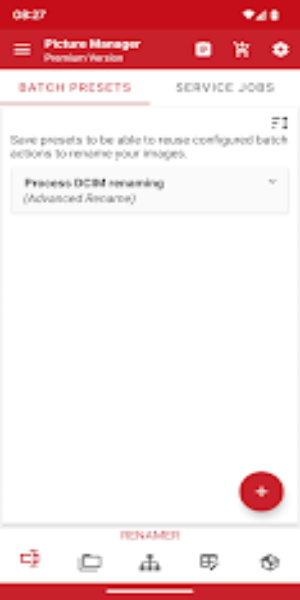
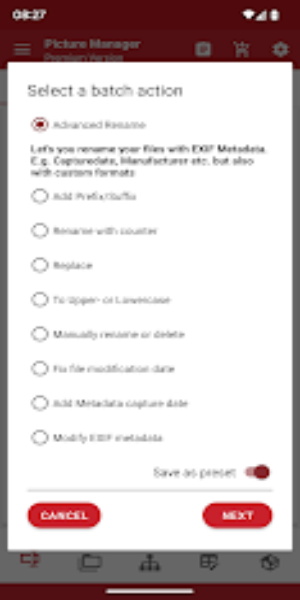
With Rename and Organize Files, you can rename multiple files at once with customizable formats. Add prefixes, suffixes, counters, or randomize filenames effortlessly. Replace text, convert to uppercase/lowercase, and more with just a few clicks.
Automatic File Organization:
Sort files into folders automatically based on date, location, or metadata. Say goodbye to manual sorting and let the app do the work for you.
Folder Automations:
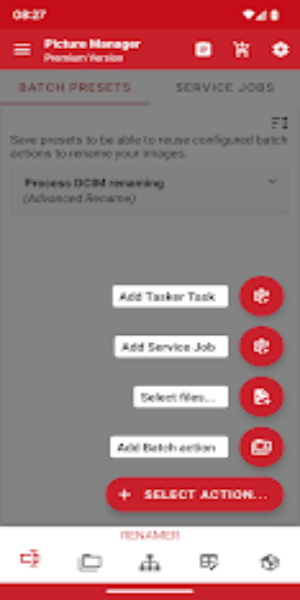
Set up folder monitoring to rename or move files as soon as they're saved. Create custom rules for specific folders and automate your workflow seamlessly.
Powerful Workflows:
Combine multiple batch presets for seamless, automated file management. You can schedule workflows to run on specific days or intervals, ensuring efficient file handling.
Tips for Users:
Customize Your Batch Renaming:
Experiment with different formats and options to find the renaming style that works best for you. Save time by using presets or create your own custom formats.
Utilize Folder Automations:
Set up specific rules for different folders to streamline your file organization process. Let the app do the heavy lifting while you focus on more important tasks.
Explore Advanced Tools:
Take advantage of features like EXIF editing, image optimization, and duplicate image detection to enhance your file management experience.
Conclusion:
With Rename and Organize Files, file management has never been easier. From batch renaming to automatic organization, this app offers a wide range of features to simplify your workflow. Whether you're a casual user looking to tidy up your files or a power user in need of advanced tools, this app has everything you need to stay organized and efficient. Download Batch Rename and Organize today and take control of your file management tasks with ease.
Information
 Google Play
User Comments

Takeout is a smartphone application designed to simplify interactions with digital materials during meetings, presentations and social gatherings by turning your phone into an immediate content source and controller when placed on compatible table PCs. The app lets users download brochures, product catalogs and other documents to their device, share images with nearby participants through the table surface, and reopen the app with a simple touch gesture to avoid repeated sign-ins or cumbersome navigation. Takeout focuses on making meetings cleaner and more efficient while reducing reliance on printed materials.

Action is a polished video production tool from Meitu that helps creators and marketers produce professional talking videos quickly and with minimal effort. It combines AI-assisted script writing, teleprompter guidance, portrait beautification and streamlined post-production so you can go from idea to a high-definition clip in minutes. Enter a few keywords and Action suggests topics, captions and full scripts, extract text from images or footage for ready-made scripts, and provides presenter and voice tools when you prefer not to appear on camera. If you want crisp 4K output, clearer audio and faster subtitle editing, Action packages these features into a compact workflow.
TOK CAM - Analog Camera brings classic instant, CCD and film-style photography to your phone with one-tap realism and a familiar, tactile interface. TOK CAM - Analog Camera reinterprets over 20 camera models and film formats so you can capture images that read like prints or scanned negatives, with authentic grain, film borders, mechanical-style shutter feedback and optional timestamps displayed on export. The app is designed for photographers and visual storytellers who want a nostalgic analog aesthetic without film processing or darkroom work.

AI Photo - AI Generator lets you transform ordinary photos into anime-inspired art and avatars using AI-powered styles, filters and textures. Whether you want a distinctive profile picture, a wallpaper, or playful avatars for social media, AI Photo - AI Generator converts selfies and portraits into stylized headshots in seconds with minimal effort. The app targets users who enjoy creative self-expression and visual customization: you get HD exports for printing or sharing, a range of trending artistic looks, and a simple interface that avoids complex editing tools—so both casual users and content creators can produce striking anime-style images quickly.

Colorize Photos restores color to black-and-white and faded images with AI-assisted colorization and manual adjustment tools for natural-looking results.

AI Photo Generator - acha AI turns ordinary selfies and photos into cinematic, fashion-style portraits with a few taps. This app uses a growing set of creative Recipes to apply looks inspired by movie scenes, retro film photography, fantasy art and editorial fashion so you can create professional-looking images for social feeds or personal projects. Choose a style, upload a photo or take one in the app, and generate high-resolution portraits in seconds — ideal for creators who want striking profile pictures, avatars or standout content without complex editing.