

 X
 facebook
 WhatsApp
 Email
Introduction
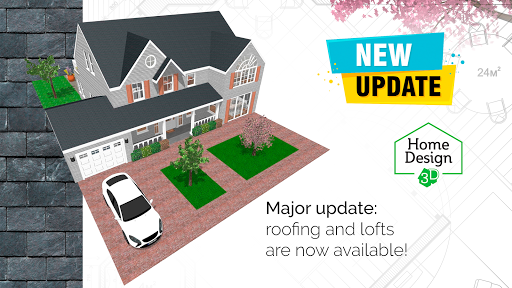
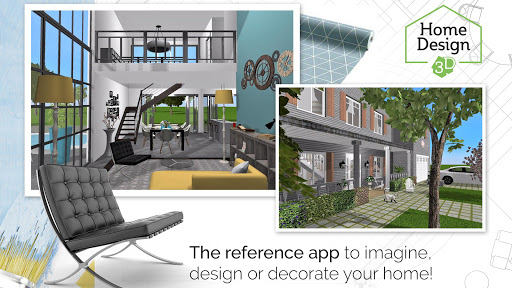
Home Design 3D is a powerful mobile application that lets users create, edit and visualize home layouts in three dimensions with an intuitive drag-and-drop interface. Ideal for planning renovations, decorating rooms, or testing furniture arrangements, it offers fast modeling tools and realistic previews for both casual users and design enthusiasts.
Key features at a glance
The app combines simplicity and depth, enabling quick floor plan creation and detailed interior design. Home Design 3D supports multi-level projects, custom room shapes, and precise dimension control so you can measure walls, doors, and windows to scale. A rich catalog of textures and furniture items lets you experiment with materials, finishes and decor without needing advanced design experience.
Interface and workflow
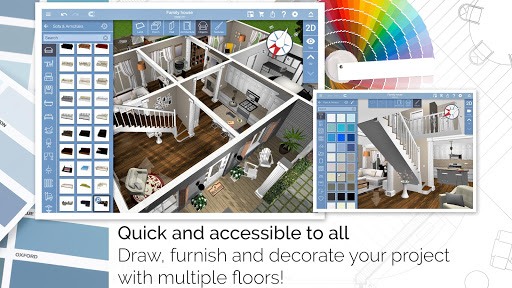
The interface focuses on hands-on editing. A clear toolbar and contextual menus guide the process: draw walls, add openings, place furniture, and instantly switch to 3D to inspect proportions. Home Design 3D keeps tools accessible while offering advanced options such as snapping, grid alignment and numerical input for professionals who require exact values.
Design tools and customization
Customization is central to the experience. Users can:
- Create custom floor plans using freeform walls or preset room templates;
- Adjust structural elements including wall thickness, ceiling height and staircases;
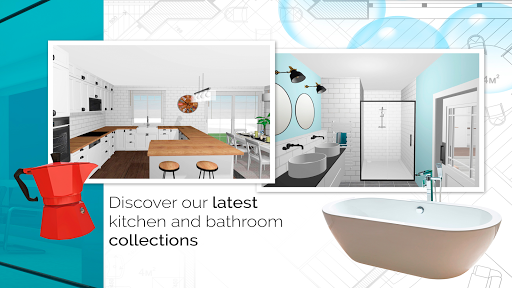
- Apply materials from a library of wood, stone, paint and tile finishes;
- Personalize objects by resizing, rotating and recoloring furniture to match specific tastes;
- Use lighting options to preview natural daylight and artificial fixtures for realistic mood testing.
Visualization and rendering
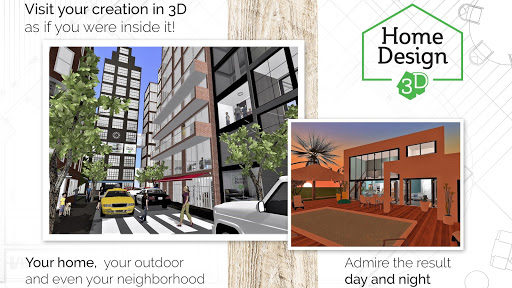
Switching between 2D plans and 3D renderings is seamless. The real-time 3D view helps evaluate sightlines, circulation and the overall feel of a space. While not a professional ray-tracing studio, the visualization delivers convincing textures, shadows and scale so users can make informed design decisions before buying materials or moving furniture.
Export, sharing and collaboration
Home Design 3D supports common export formats so designs can be shared with contractors, clients or friends. Export floor plans as images or PDF files for printing and use integrated snapshot tools to capture walkthroughs. Project files are portable, making it simple to continue work across different devices or hand off a layout to a professional for refinement.
Performance and device compatibility
The app is optimized for mobile and tablet hardware, balancing responsiveness with graphical fidelity. Most mid-range devices will handle typical projects smoothly, though very large multi-story designs with extensive object libraries can increase memory usage. Home Design 3D includes settings to adjust rendering quality and limit background processes to preserve battery life during longer sessions.
Practical uses and target users
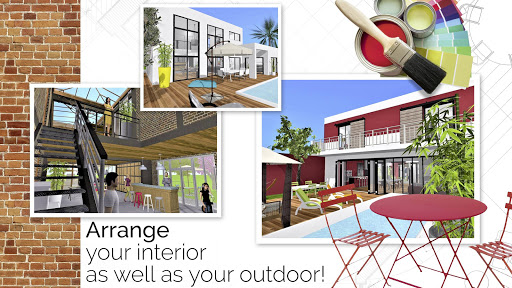
Homeowners planning renovations, interior decorators sketching ideas, real estate agents staging virtual tours, and hobbyists experimenting with layouts will find practical value. The app works well as a conceptual tool for early-stage planning and as a hands-on way to test color schemes, furniture placement and spatial flow before committing to purchases or structural changes.
Tips for getting started
Begin with a simple room or single-floor plan to learn controls. Use measurements from an existing space to set accurate wall lengths and door positions. Save incremental versions as you work so you can compare alternatives. Leverage the material library to test several finishes quickly, and capture screenshots to share options with friends or contractors for feedback.
Why people choose this app
Many users appreciate Home Design 3D for its approachable learning curve combined with capable modeling features. It bridges the gap between basic sketching tools and complex CAD programs by offering enough precision for meaningful planning without requiring technical expertise. The result is a practical design companion that helps turn ideas into tangible, testable layouts.
Information
 Google Play
User Comments

archstore: AI Interior Design is a mobile design assistant that transforms room photos into polished interior plans using artificial intelligence. It helps users visualize furniture layouts, materials, and color schemes quickly, offering editable 3D previews and shopping links for a streamlined home renovation or decorating workflow.

Gates designs , Front gates is a design reference and idea tool that helps homeowners explore and select front gate styles to improve curb appeal and functionality. The app organizes curated collections of steel, iron and wooden gates, ranging from simple modern panels to ornate wrought-iron entries and space-saving sliding solutions. Users turn to it to compare materials, finishes and proportions, discover small steel gate options for narrow openings, and gather customization ideas before consulting builders or fabricators. Clear categories and visual examples make it easy to find a gate that matches a home's architecture and personal taste.

English is a mobile app designed to help learners build vocabulary, grammar, listening, and speaking skills through short lessons and interactive practice. It combines bite-sized exercises, speech recognition, and progress tracking to keep study sessions focused and productive for beginners and intermediate users aiming to improve everyday communication.

초록도시AR – 3D로 즐기는 식물 배치 미리보기, 초록도시AR – 3D로 즐기는 식물 배치 미리보기, 초록도시AR – 3D로 즐기는 식물 배치 미리보기 brings practical augmented reality plant styling to your phone and helps you preview real items in your own rooms before you buy. This editor introduction describes how the app helps you check scale, test pot and plant combinations, and save design ideas so you can make confident decorating choices without guessing how a plant will fit or look in a particular corner.

Consultar precios is a practical shopping utility that helps you track and compare product prices across stores and locations so you can make smarter buying decisions. The app focuses on clear, actionable data: build personal lists of frequently bought items, set target prices, and receive timely alerts when costs change. Consultar precios combines real-time market updates with community reports to reveal trends and local bargains without forcing you to visit every shop or sift through dozens of ads.

Desman is the official app for Desman smart door locks, designed to let you manage your lock directly from a smartphone. It delivers keyless, password-free access and aims to replace cumbersome traditional locks with a lighter, easier-to-install smart alternative. With the Desman app you can control your lock, monitor access, and simplify everyday entry without carrying keys or remembering codes. The app focuses on making life more comfortable by modernizing door access and providing a mobile interface for routine security tasks, so users can handle locks quickly and intuitively.