

 X
X
 facebook
 WhatsApp
 Email
Email
Introduction
Gallery - Photo Gallery is a lightweight, smart photo manager that helps users organize, view and protect their photos and videos on Android devices. It combines a fast HD viewer, automatic album organization, a compact editing toolkit and a private vault with PIN protection so you can browse and share memories while keeping sensitive files secure. Gallery - Photo Gallery supports common image and video formats including JPEG, GIF, PNG, SVG, panoramic images, MP4, MKV and many RAW variants; it also offers slideshows, quick search and a recycle bin for deleted items — all designed to work offline for full local privacy.
Key features and controls
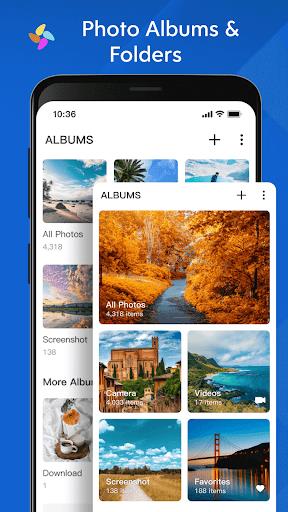
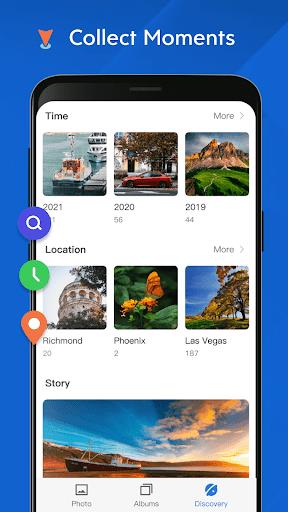
Gallery - Photo Gallery automatically sorts media into smart albums by time and type (camera, screenshots, favorites, videos), and it maintains a clear folder view for manual organization. Navigation relies on familiar mobile gestures: pinch-to-zoom and double-tap for detailed viewing, swipe left/right to move between items, long-press to select multiple files for batch operations, and contextual menus for rename, move, copy or set as wallpaper. The integrated search finds files by name and basic metadata quickly, while thumbnail caching and progressive loading keep scrolling smooth even in large libraries.
Viewing, editing and slideshow options
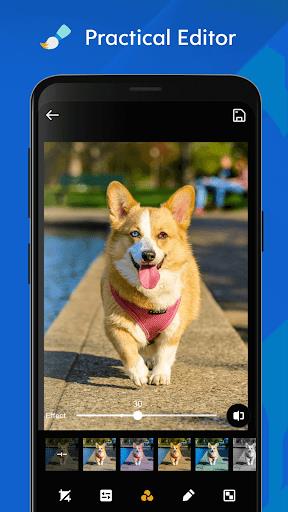
The viewer provides high-definition rendering with rotation, crop and full-screen slideshow modes. Slideshow settings are adjustable so you can change interval timing and transition style, making it easy to set up a background display or a private viewing session. The built-in editor focuses on everyday needs: crop, rotate, resize, simple filters and drawing or mosaic tools to hide details. Adjustment sliders cover contrast, saturation and exposure for quick corrections without leaving the app.
Privacy, vault and recovery
Privacy is addressed through a private album (vault) that hides selected photos and videos behind a user-defined PIN; a recovery email can be set up to help retrieve access if needed. Files stored in the vault remain encrypted on the device and can be decrypted back into the main library at any time. Deleted items are moved to a recycle bin where they can be restored within a configurable retention period, reducing the risk of accidental loss while keeping the main gallery tidy.
Organization, progression and customization
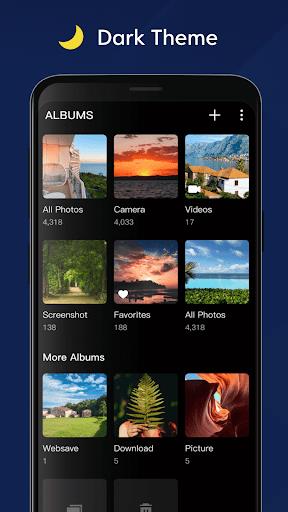
Organization in Gallery - Photo Gallery is designed as an evolving process rather than a one-time setup: albums are created automatically but can be refined by renaming, merging, moving or copying files between albums. Users progress from a chaotic import of photos into a well-structured collection by leveraging favorites, tags and curated albums; sorting options let you view content by date, size or custom order. Customization extends to grid size, list view, light or dark interface themes and configurable slide intervals so the app adapts to different viewing habits and presentation needs.
User experience, accessibility and performance
The app emphasizes a clean, uncluttered interface with large tap targets, readable fonts and support for screen reader labels to improve accessibility. Performance optimizations such as thumbnail generation, memory-conscious decoding and local caching ensure responsive browsing even with thousands of images. Offline-first operation means no account or network connection is required to use core functions, which preserves privacy and reduces battery and data usage in everyday scenarios.
Management, recovery and limitations
File management supports batch rename, move and copy so you can reorganize collections efficiently; quick recovery from the recycle bin and simple export options let you share or back up important items manually. The app’s editor covers common adjustments suitable for casual editing and memory preservation, but it does not replace advanced professional photo-editing suites. Vault recovery depends on the PIN and optional recovery email workflow, so losing both credentials may complicate retrieval — regular backups are recommended for critical files.
Replay value and everyday use
As a daily driver for personal media, Gallery - Photo Gallery offers replay value through rediscovery of older photos via smart albums and slideshows, plus continued convenience from fast search and simple organization tools. Its focus on offline functionality and straightforward controls makes it suited for users who prefer a privacy-minded gallery app without external dependencies, while accessibility options and performance features help it scale from small to very large photo libraries.
Information
 Google Play
Other Games by the Same Coocent

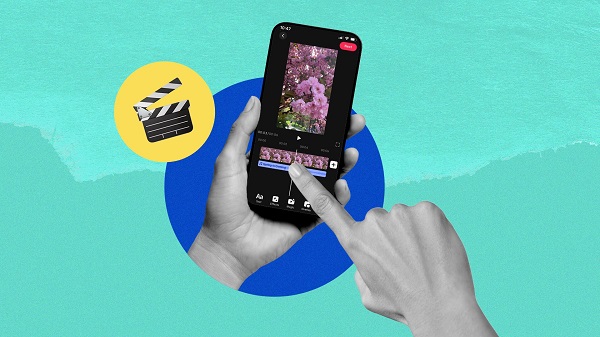
What would it be like to download video software for free? In this collection, you can find various video software that interests you, whether it’s video players or video editors—everything you need is here. All of it is provided for free, allowing you to download with ease and without any worries.




User Comments

Remote Control turns your Android phone into a single, easy-to-use command center for smart TVs and other home entertainment devices and the Remote Control app is designed to replace a pile of physical remotes by consolidating the most common TV and media controls into one interface. The opening experience focuses on core tasks: changing channels, adjusting volume, navigating menus, and sharing photos or videos on a larger display without searching for buttons. This description explains what the app does, how the controls behave, what to expect during setup, and practical tips to get the most out of it.

JUNCESS is a compact, purpose-built utility for technicians and operators who need a fast way to inspect battery packs in the field. JUNCESS connects to Bluetooth-enabled battery management systems (BMS) after a secure sign-in, discovers nearby devices and presents core parameters such as series string count, individual cell voltages, pack current and device state of charge (SOC). The app is intentionally read-only, designed to give immediate visibility into the most relevant metrics without requiring additional measurement tools or complicated setup.
App Ops Launcher provides a simple, no-frills shortcut to Android's hidden App Ops screen so you can inspect and adjust app permissions introduced in Android 4.3 without rooting your device. App Ops Launcher places a direct launcher on your home screen that opens the system permission interface instantly, giving you quick access to per-app controls for location, microphone, camera and other sensitive features. This editor description explains how the app behaves, what to expect from its interface, and practical guidance for using the tool safely on compatible devices.

时间管家 is a compact, local-first time management app designed to help you plan, track and review your days with minimal fuss. The app combines quick task entry, an integrated session timer, and linked day/week/month planners so you can build routines, record focused work and measure progress without sending personal data to external servers. Designed for students, freelancers and office workers who prefer a private, efficient workflow, 时间管家 aims to simplify planning while giving clear visual feedback on where your time goes.

Girafe2Poche is a pocket-sized app that presents a randomly generated card and a guiding question to prompt short moments of reflection, clarity and motivation. Designed for busy days, it gives quick, meaningful prompts that fit into commutes, waiting lines or evening wind-downs, helping users explore needs and desires without demanding much time. With an intentionally minimal and intuitive interface, Girafe2Poche delivers fresh prompts each session to nudge you toward greater self-awareness and more confident, value-aligned choices, making it a practical tool for anyone who wants simple, regular moments of introspection.

Abfall App is a practical, region-focused utility designed for residents of Vorpommern-Rügen who want reliable waste collection information and fewer missed pickups. From the first setup you can select your city, district and street, then receive timely notifications for residual, organic, paper and hazardous waste collections with automatic date adjustments for public holidays. The Abfall App centralizes collection calendars, container site locations and bulky waste services so households can plan weeks in advance without guessing which items belong in which bin.
Look no further than Cast to TV - Screen Mirroring, Cast For Chromecast! This powerful app allows you to effortlessly broadcast your Android screen and audio in real-time speed, giving you the opportunity to enjoy movies and videos with friends and family on larger TV screens. With features like Smart View & Screen Share and control for Roku TV, this app ensures a seamless and stable screen mirroring experience. Say goodbye to small screens and hello to a whole new level of entertainment with Cast to TV!

With Screen Share With TV - Mirror Screen, you can easily mirror your Android device's screen on any smart TV, laptop, tablet, or other devices without the need for additional dongles or cables. Simply start the app, connect to the same Wi-Fi network as your TV, and begin sharing videos, music, photos, and more with just a click. This powerful app allows you to broadcast your screen and audio in real time, making it perfect for sharing content with friends and family. Try out Screen Share With TV - Mirror Screen today and enjoy seamless screen mirroring on your Samsung smart TV.
Control your TV effortlessly with WiFi TV Remote! This user-friendly app allows you to easily manage your network-enabled TV from the convenience of your phone. Simply ensure both your TV and phone are connected to the same wireless network, enter the IP address of your TV in the app settings, and voila! You'll be able to change channels, adjust volume, and more with just a few taps. Please note, this app is not a universal remote and has been tested on Fox 32LE7000T2 LED Surf TV. It may also work on other TVs made in China and sold under local brands.
Control all of your favorite TVs with just one app - TV Remote Control for Sanyo TV! Whether you have a Samsung, Vizio, Sony, LG, or any other brand of TV, this universal remote control app has got you covered. With infrared technology, you can easily navigate and control your TV from the convenience of your phone. Say goodbye to multiple remote controls cluttering your space. Simplify your TV-watching experience with TV Remote Control for Sanyo TV. Get ready to take control and enjoy your favorite shows and movies hassle-free. Please note that this app requires an IR blaster.
Look no further than AIR Remote PRO for Apple TV, an innovative app that allows you to easily control your Apple TV using your Android phone. No need to jailbreak your Apple TV, as AIR Remote utilizes default infrared codes to seamlessly replace or extend your remote. Compatible with a variety of Android devices with built-in infrared support, as well as certain Mac products with an infrared receiver, AIR Remote offers all essential functions and even additional features like swipe gestures.
Experience the convenience of controlling your FPT TV directly from your mobile with FPT TV Remote. Say goodbye to traditional remotes and hello to a seamless user experience with the ability to search for the best films and entertainment programs with just the sound of your voice. Easily access your personalized favorites list stored in the cloud and sync it with your FPT TV device. The app offers a simple registration process, quick connectivity to any FPT TV device, accurate search functionality, and personalized recommendations.