
 X
X
 facebook
 WhatsApp
 Email
Email
Introduction
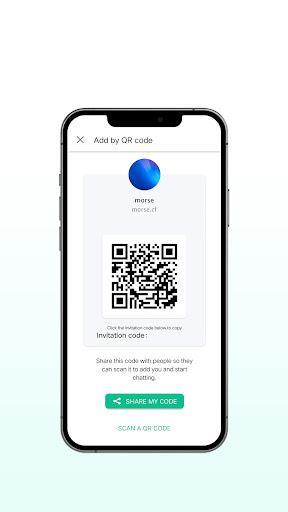
MORSE is a compact utility designed to teach, translate and transmit Morse code using sound, light, and vibration. It bundles translation tools, practice drills, and live signaling in a single interface, making it suitable for hobbyists, emergency-preparedness users, and anyone curious about learning the classic communication system.
Core Tools and Translators
The app provides a fast text-to-Morse and Morse-to-text translator with adjustable timing and tone. MORSE supports typing or pasting a message, immediately converting it into dots and dashes while displaying an audible waveform and a visual LED-style pulse. It also decodes short audio clips or live microphone input, offering a practical way to capture real-world signals.
Practice Modes and Learning Aids
Learning is organized into progressive drills that start with single letters, move to common abbreviations, and culminate in full-sentence practice. Users can customize speed with both words-per-minute and Farnsworth settings, which slow spacing without changing tone speed to ease recognition. Built-in quizzes track correct responses, reaction time, and error patterns to suggest focused practice sessions.
Signaling Features and Real-World Use
Signaling functions let you transmit messages using the phone’s flashlight, screen flash, speaker tone, or vibration motor. MORSE includes a repeat and scheduling option for automated broadcasts, plus an SOS preset tuned for emergency scenarios. For outdoor or low-light use, the flashlight mode maintains accurate timing while preserving battery life through optimized pulsing logic.
Interface and Customization
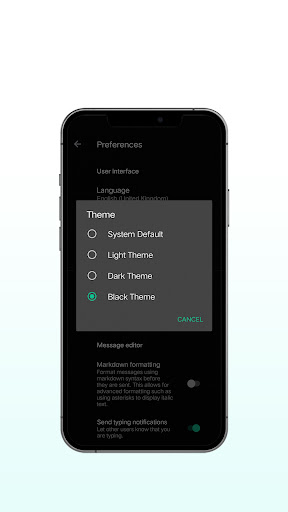
The interface is clean and minimal, with a large input field, a timeline visualization, and one-tap controls for sending or receiving. Visual themes and contrast settings improve legibility in bright daylight or dim conditions. You can personalize audio tone, pitch, and volume, switch between international and American prosigns, and set preferred delimiter characters for message export.
Training Workflows
MORSE supports structured lesson plans and free-play modes. Choose a focused lesson to reinforce particular letters or run randomized drills for general fluency. The app logs session stats and creates a streak timeline to help users gradually increase speed. Exportable CSV logs make it simple to analyze progress or share results with an instructor.
Accessibility and Educational Uses
Accessibility features include high-contrast visual output, large tactile buttons, and vibration-only signaling for users with hearing limitations. Teachers and activity leaders can use the app to demonstrate historical communication techniques or integrate Morse drills into classroom exercises. The straightforward visual feedback helps learners associate patterns with characters quickly.
Performance, Privacy, and Compatibility
MORSE is designed to run offline for both translation and training, keeping user messages on-device unless explicitly shared. Lightweight and optimized, it avoids heavy background processing so battery drain remains minimal during extended use. The app is compatible with a wide range of Android versions and screen sizes, and it gracefully handles interruptions such as incoming calls or low-power modes.
Extra Utilities
- Clipboard monitor: automatically converts copied text into Morse for quick sharing.
- Schedule sender: queue messages for later broadcast via flashlight or tone.
- File export: save practice logs and transmitted messages to common file formats.
- Widget support: start a practice session or send a preset message from the home screen.
How to Get Started
Begin by opening MORSE and tapping the translator. Run a few slow-speed practice drills to familiarize yourself with the sound and timing, then switch to live signaling when you feel comfortable. Use the lessons and tracking features to build consistent progress; in just a few short sessions you'll notice improved recognition and sending speed.
With a blend of practical tools, customizable learning paths, and reliable signaling options, MORSE turns an old communication standard into a modern learning and utility app suitable for personal education, emergency preparedness, or hobbyist projects.
Information
 Google Play
User Comments

MORSE is a compact utility designed to teach, translate and transmit Morse code using sound, light, and vibration. It bundles translation tools, practice drills, and live signaling in a single interface, making it suitable for hobbyists, emergency-preparedness users, and anyone curious about learning the classic communication system.

ENTER is a mobile app that makes it simple to manage your account and services with a multiservice communications operator. The app combines payments, contract details and technical support into a single, easy-to-use interface so you can top up your balance by bank card, review connected services, switch tariff plans or temporarily suspend service without visiting an office. ENTER focuses on everyday convenience: secure card payments, transparent contract information and live chat support that let customers handle most telecom tasks quickly from their phone.

xSpaces is a compact workspace manager for Android that organizes apps, files, and shortcuts into customizable virtual spaces. It streamlines multitasking with gesture controls, quick profiles, and integrated cloud access, making it easier to switch contexts without clutter while keeping data secure and accessible on the go.

PuroSabor FM is a focused radio streaming app that brings Latin music, live shows, and talk programs into a compact interface. With easy station browsing, curated playlists, and background playback, it aims to make tuning into regional favorites simple whether you're commuting, working, or relaxing at home.
Riyaaq DATA is a productivity-focused Android app designed to centralize, visualize, and manage datasets on the go. It offers fast import/export options, a customizable dashboard, and lightweight analytics tools so professionals and power users can review important metrics and files without opening a laptop.

Smart TubeWell is a mobile-driven SCADA solution designed to bring practical IoT control and monitoring to traditional tube well installations. From a single smartphone you can view live pump status, basic water-quality indicators, flow rates and energy consumption while issuing remote start/stop and flow-adjustment commands. The app focuses on making routine checks faster, reducing unnecessary site visits, and helping managers prioritize field work by centralizing telemetry and notifications in a simple, mobile-first interface.